00198168-02_Technical_Training_TX-Series_EN.pdf - 第59页
5 Placement Heads 5.1 CPP Head Technical Training SIPLACE TX-Series 10/2016 59 5.1.3 Placement Process 5.1.3.1 Placement Positions CPP Head - Placement Modes Placement mode is optimize by SIPLACE Pro depending on size of…
5 Placement Heads
5.1 CPP Head
58 Technical Training SIPLACE TX-Series 10/2016
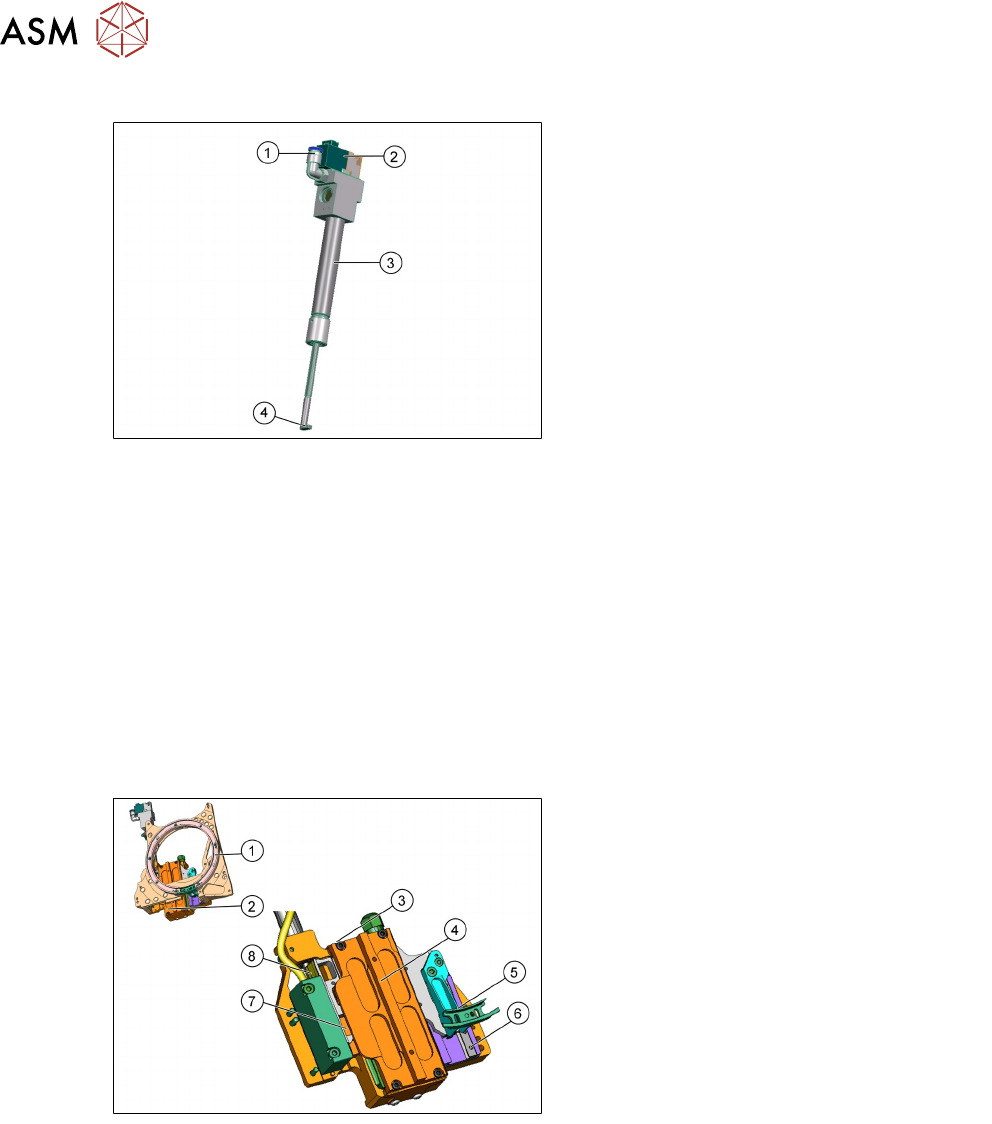
5.1.2.9 Retract Unit
1. Compressed air connection
2. Solenoid valve
3. Pneumatic cylinder
4. Actuator to move the Z Axis driver
Retract unit Functions:
●
At zero current, the bearing friction of the Z Axis is not sufficient to protect the axis from falling
down. The pneumatic retract unit keeps the Z Axis in the safe, upper position during zero
current.
●
The Z Axis control system is designed to ensure that there is always enough power
temporarily stored by the Z motor controller board (MHCU) to move the Z Axis to the upper
position.
●
Power failure is recognized by the issuance of a "Power fail" signal. This "Power fail" signal
enables upwards movement of Z Axis and activation of the retract unit on the axis controller
board (MHCU).
●
The retract unit is not a spare part and can change only with the front plate as a complete unit.
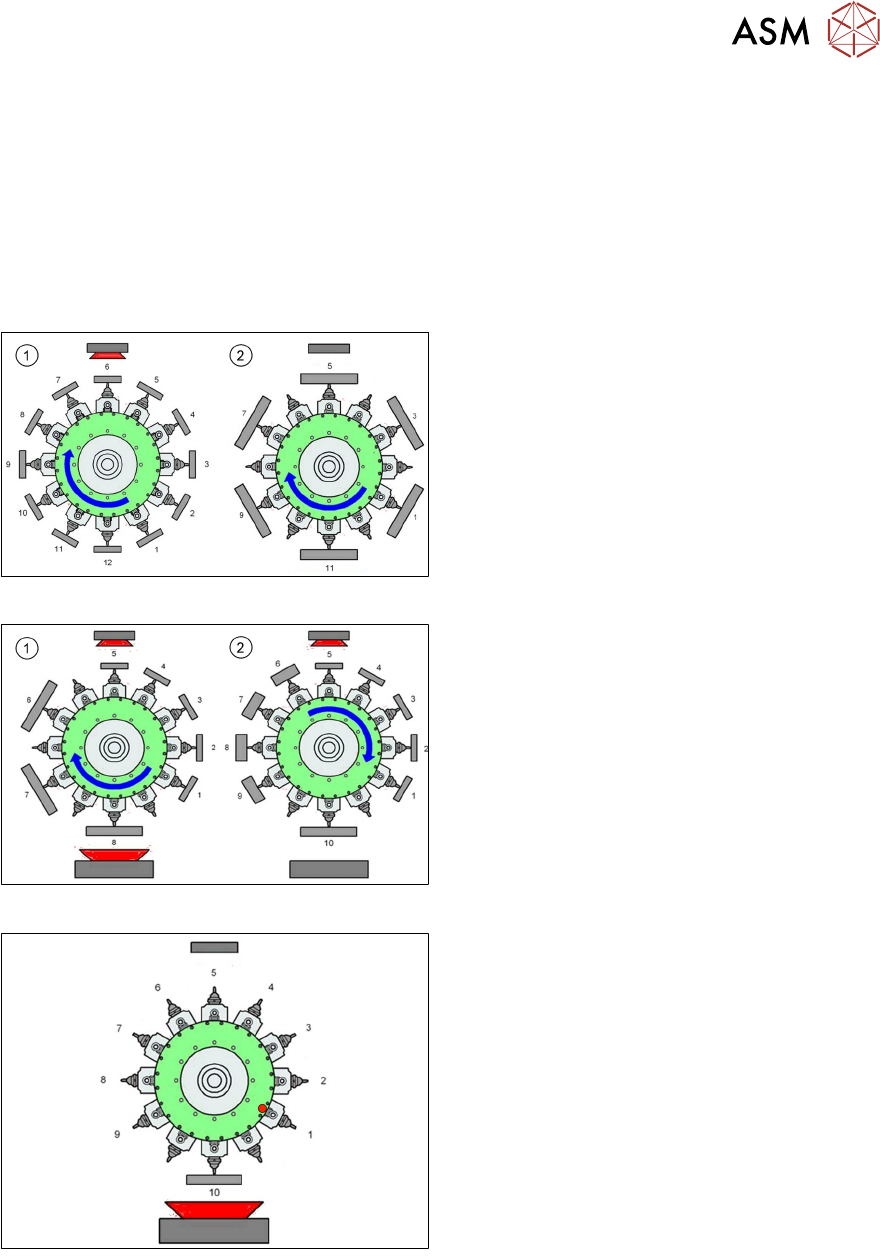
5.1.2.10 Z Axis
1. Raceway
2. Front plate
3. Z motor, primary part
4. Z motor, secondary part
5. Snap jaws
6. Linear guidance Z Axis
7. Support roller
8. Incremental measurement system
●
3 phase linear motor for Z drive.
●
The jaws are installed on the secondary part of the Z Motor.
●
Secondary part (magnets) of the motor is moveable while the primary part is fixed.
●
The EEprom on the connector of the Z-drive stores the following data:
– Production data (manufacturer, serial number)
– Operating data (errors, travel cycles)
– Machine data (motor data, travel profiles, zero point correction, max. and min. position
●
The measuring system has a resolution of 0.5 μm. The zero pulse is approx. 2 mm under the
top stop.
5 Placement Heads
5.1 CPP Head
Technical Training SIPLACE TX-Series 10/2016 59
5.1.3 Placement Process
5.1.3.1 Placement Positions
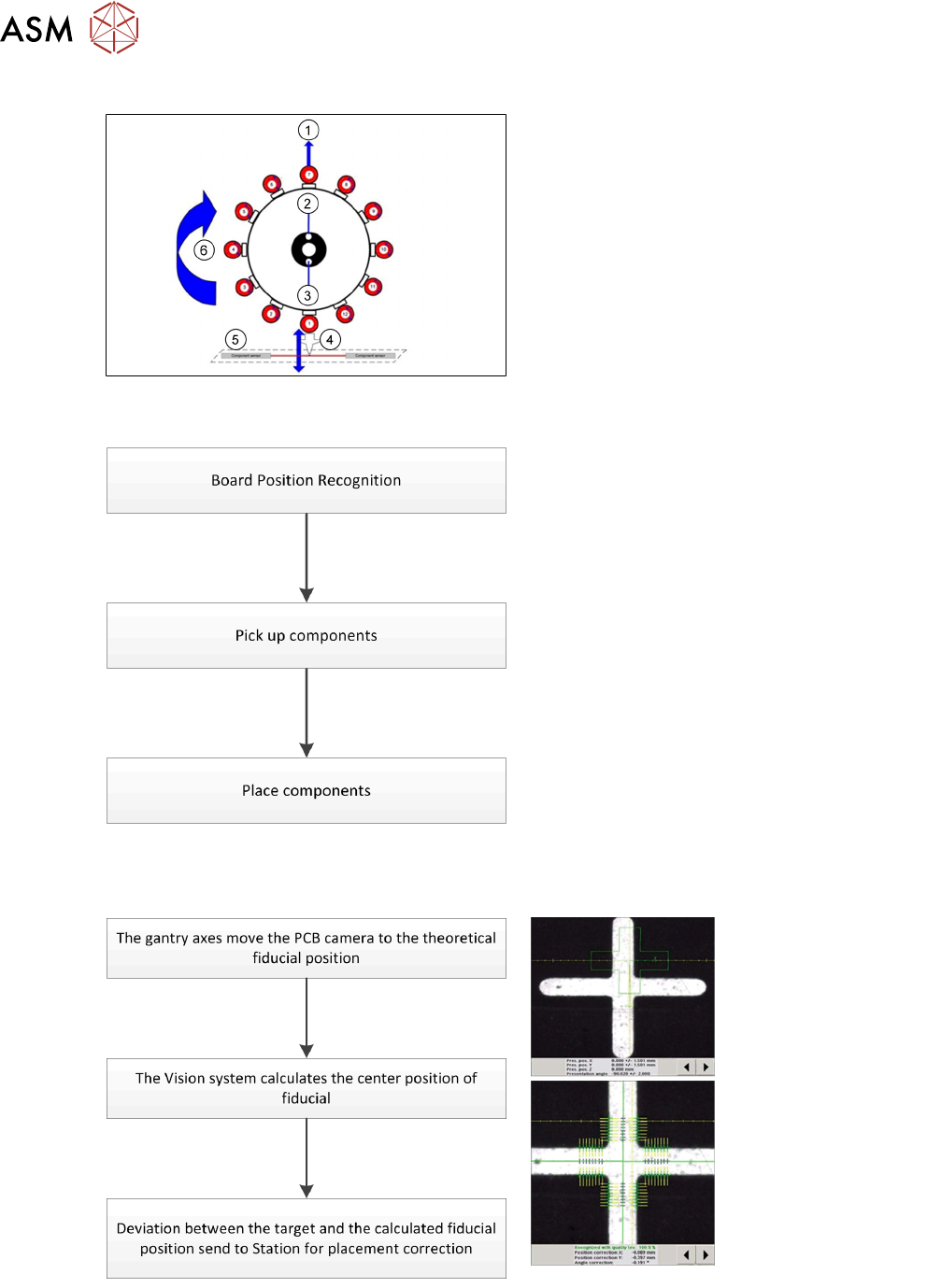
CPP Head - Placement Modes
Placement mode is optimize by SIPLACE Pro depending on size of component and configured
camera type.
Note : TX micron machines only support C&P mode.
C&P mode: High speed placement with small component
1. Standard Collect and Place Mode, max.
component size is dependent on the
camera configuration.
2. Components size up to 32 x 32mm, but
they have to be centered with a stationary
camera.
Mixed mode: High efficient placement with different size of component
1. C&P mode, but some components are
centered with stationary camera.
2. When last component is picked up, head
moves to stationary camera for centering,
and then place this component first without
turning.
PP mode: High capacity for large component placement
●
The Pick and Place mode is the same as
the IC and Twin head.
●
Pick up one component with one segment,
move to the stationary camera and center
the component and then place it.
5 Placement Heads
5.1 CPP Head
60 Technical Training SIPLACE TX-Series 10/2016
CPP Head – Placement Positions
1. Optical centering (component camera)
2. Vacuum measurement holding circuit
3. Vacuum measurement placement circuit
4. Pickup/placement station and reject
position
5. Position of component sensor
6. Direction of processing in C&P mode
5.1.3.2 Placement Workflow
●
The PCB camera centers the fiducial after
clamping to determine the exact position of
the board.
●
Max. 12 components will be picked up.
Components are then centered under the
component camera.
●
Place components on PCB according to
the program.
Board Position Recognition