00198168-02_Technical_Training_TX-Series_EN.pdf - 第98页
5 Placement Heads 5.2 C&P20 P/M2 Head 98 Technical Training SIPLACE TX-Series 10/2016 Pick Up Workflow A - Rotate component into placement angle B - Placement angle correction after optical centering 1. Vacuum measur…
5 Placement Heads
5.2 C&P20 P/M2 Head
Technical Training SIPLACE TX-Series 10/2016 97
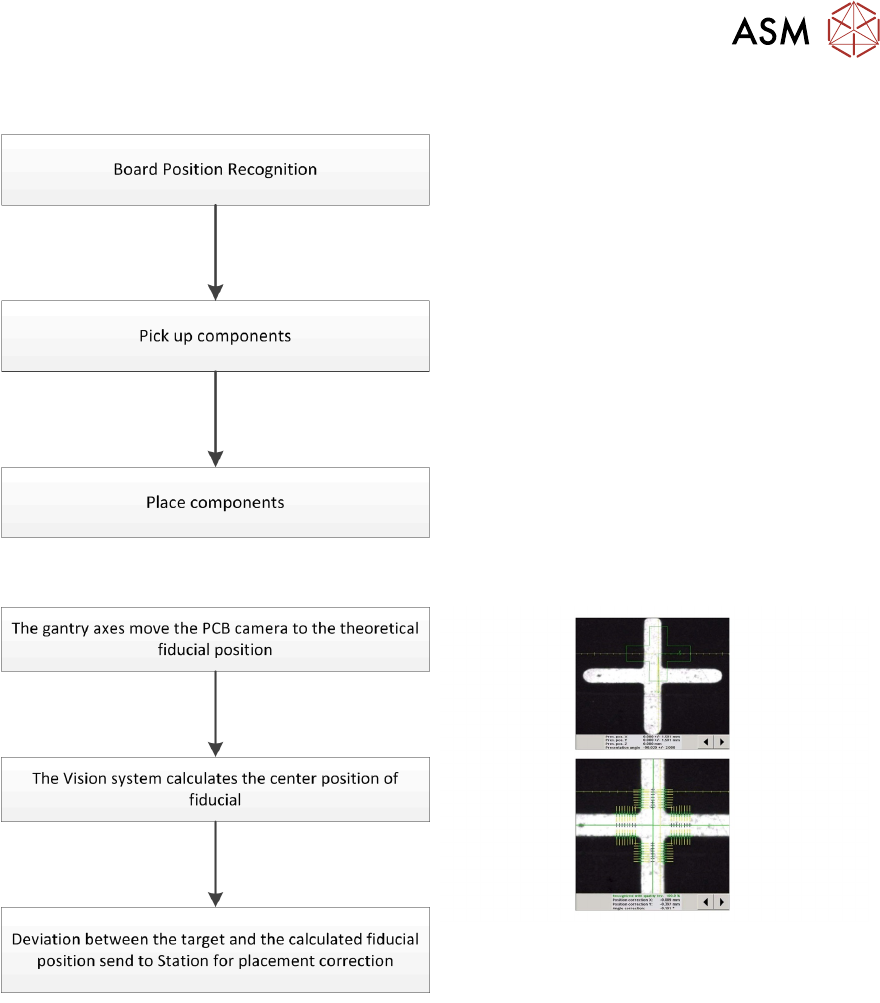
5.2.3.2 Placement Workflow
●
Use PCB camera to center fiducial after
clamping to determine the exact position of
the board.
●
Max. 20 components will be picked up.
Components are then centered under the
component camera.
●
Place components on PCB according to
the program.
Board Position Recognition
5 Placement Heads
5.2 C&P20 P/M2 Head
98 Technical Training SIPLACE TX-Series 10/2016
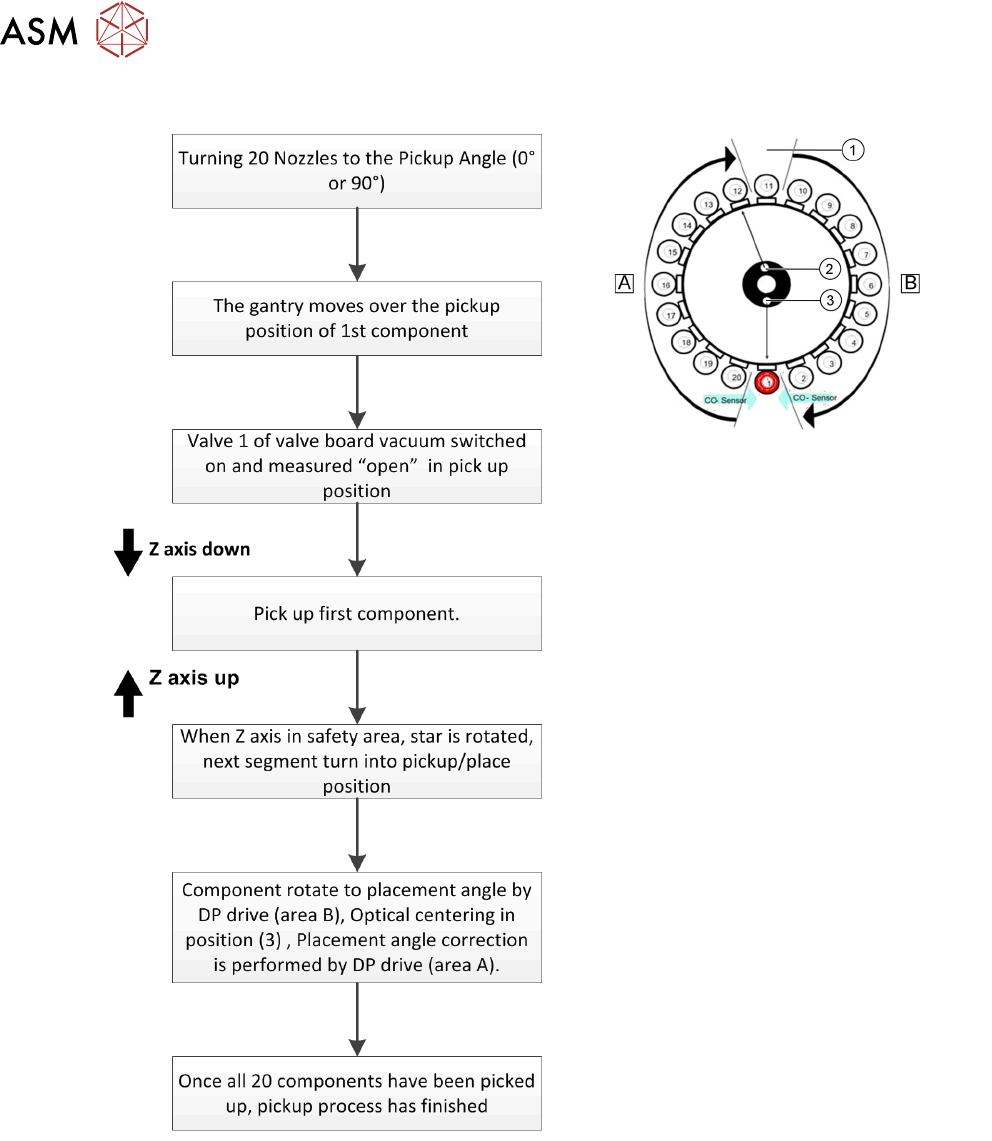
Pick Up Workflow
A - Rotate component into placement angle
B - Placement angle correction after optical
centering
1. Vacuum measurement pick up/ place
circuit
2. Vacuum measurement holding circuit
3. Optical centering (SIPLACE Vision)
If a component fails the optical centering (identify error), then this component remains on the
nozzle. After all other components have been placed the failed component will go to the reject
cycle.
5 Placement Heads
5.2 C&P20 P/M2 Head
Technical Training SIPLACE TX-Series 10/2016 99
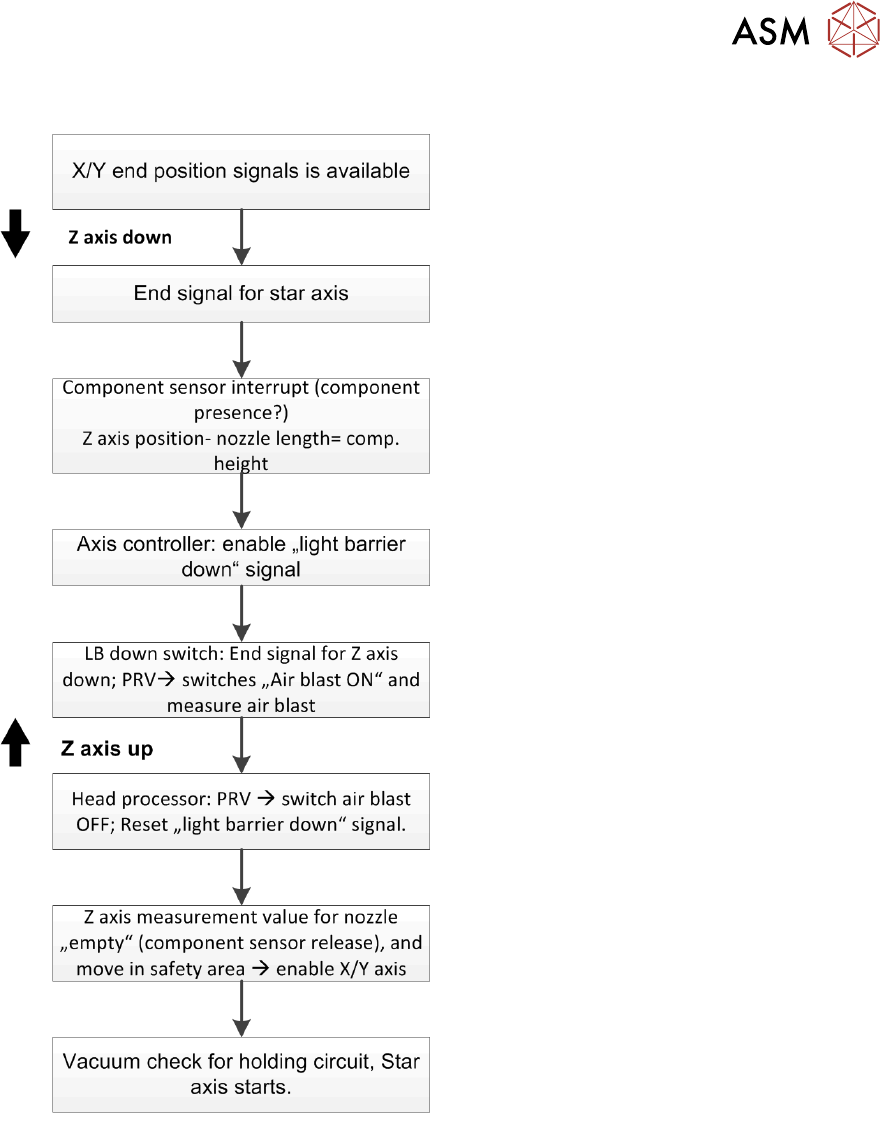
Pick Up Workflow detailed
Pick up vacuum is by default always on.
Holding circuit of each segment is always on if vacuum pump or compressed air is on.