TR7600 SIII_Series_Maintenance_en_v_2_0_3 - 第24页
Test Research, Inc. 14 TR7600 SI II Series User Guide – Maintenance II. In t he Target field, confirm the path of the folder w here the main program is located. Figure 22: Target III. Copy and paste the n ew W ar m Up.i …
Test Research, Inc.
TR7600 SIII Series User Guide – Maintenance 13
3 WARM UP
X-ray Source Auto Warm-Up
Whenever the main program is turned off, the program will save a file that records the time
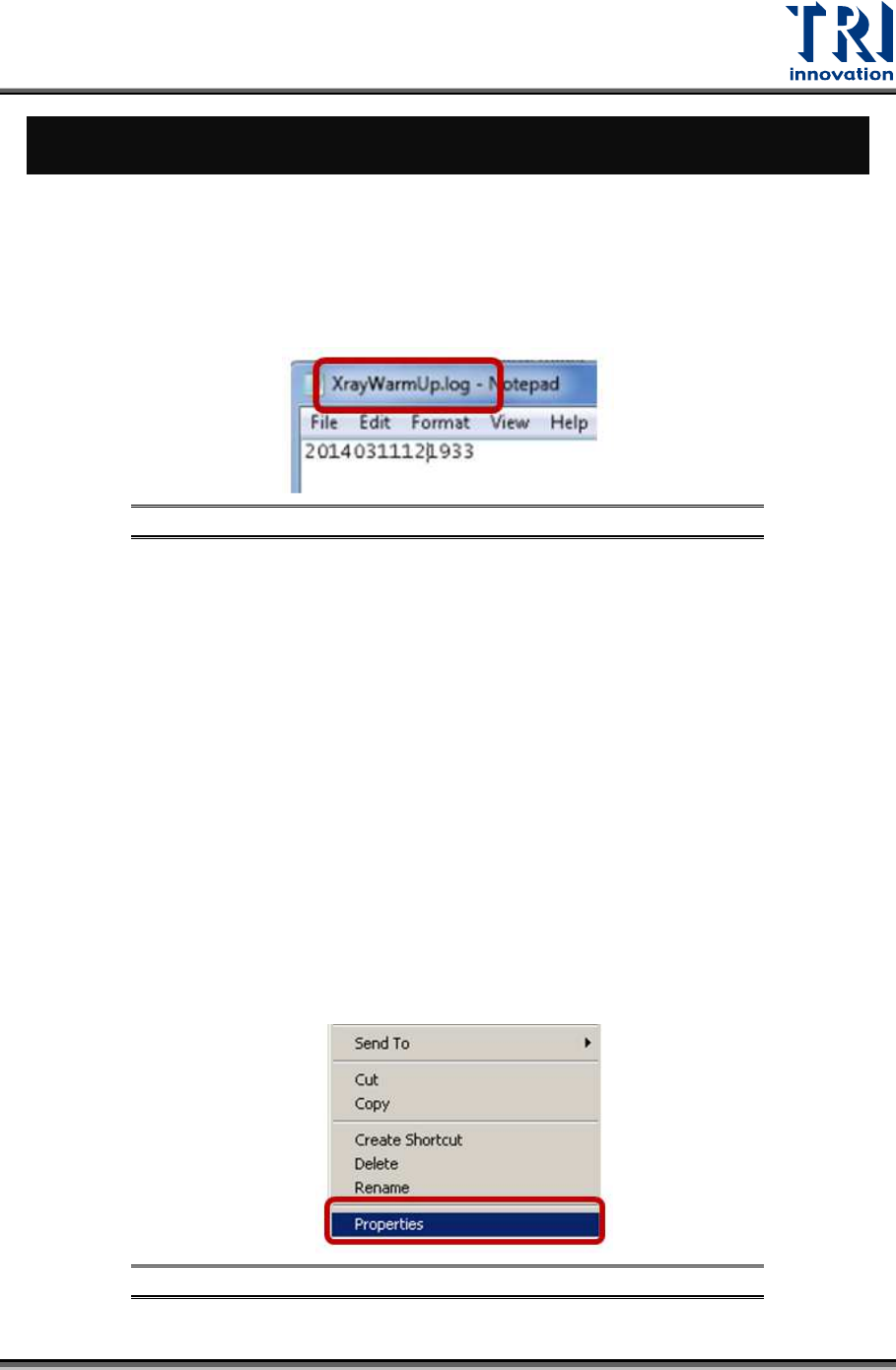
of last warm-up automatically. You can find this file in C:\TR7600\XrayWarmUp.log. Next
time, when the main program is activated, it will check the last warm-up time. If the last
warm-up time interval is more than 8 hours, the main program will execute auto warm-up.
Figure 20:XrayWarmUp.log
X-ray Source Overload
1) If the X-ray tube has not warmed up for several days, the state of the tube will decay
which will results in X-ray tube overload.
2) If the X-ray tube has not been used for more than 8 hours, X-ray tube will execute auto
warm-up when the main program is activated.
3) However, machines are pretty busy in assembly lines and could not shut down for more
than 8 hours, so machines often have no chance to execute auto warm-up. That results
in X-ray tube overload in high voltage.
4) In order to solve overload problem, TRI may give customers a new WarmUp.ini file
based on the overload voltage that is reported by customers. Please follow the steps
below to put the new WarmUp.ini file in the correct folder:
I. Right-click the mouse on the main program icon on the desktop and then click
[Properties].
Figure 21: Properties
Test Research, Inc.
14 TR7600 SIII Series User Guide – Maintenance
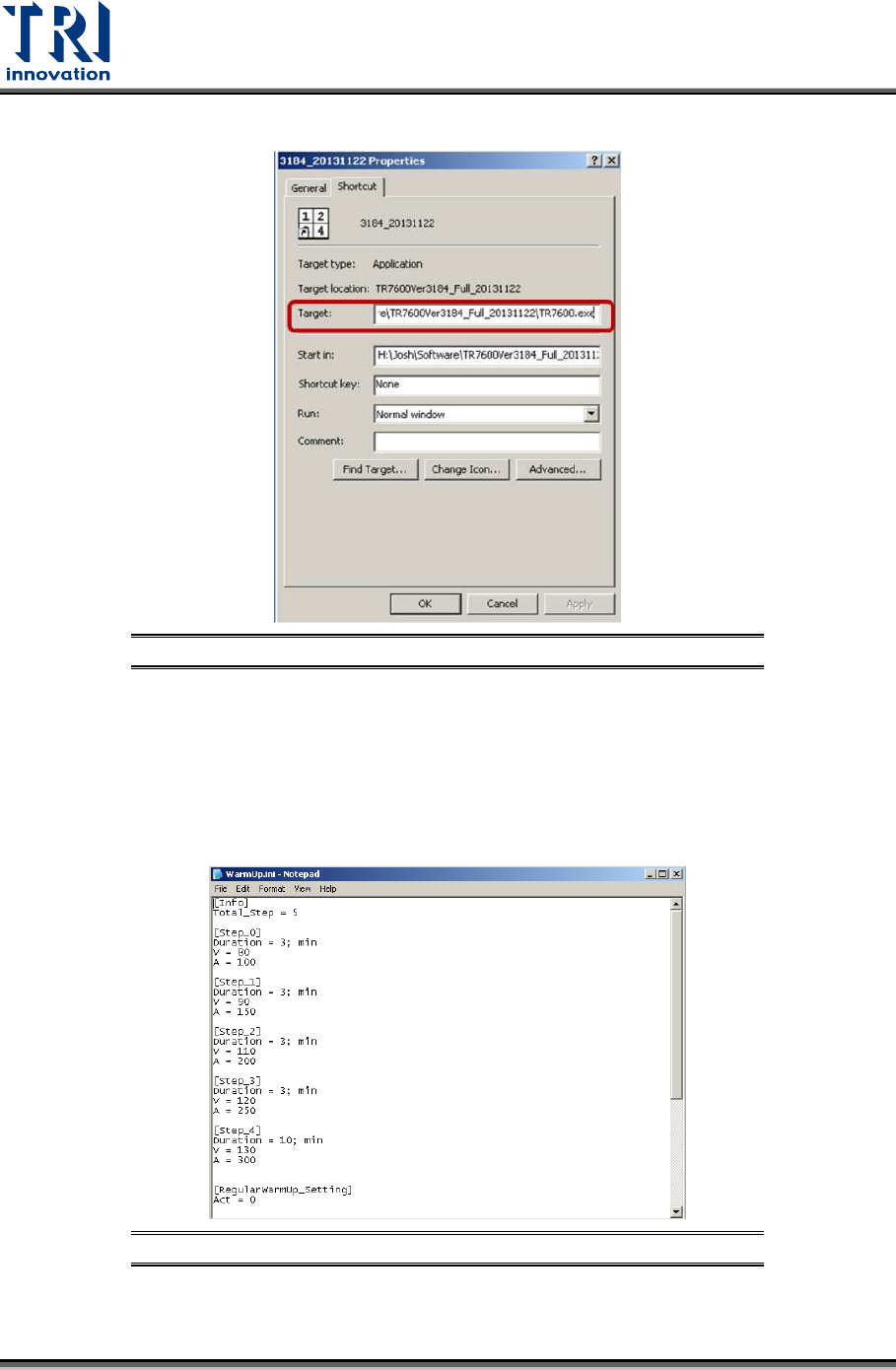
II. In the Target field, confirm the path of the folder where the main program is located.
Figure 22: Target
III. Copy and paste the new WarmUp.ini file to this folder and overwrite the old
WarmUp.ini file.
IV. If you double-click on the new WarmUp.ini file, you can see the new setup of voltage
and current for manual warm-up. (Note: Although you can see the voltage and
current setups of manual warm-up, you unable to see the auto warm-up since they
are controlled by the tube software.
Figure 23: WarmUp.ini
5) In order to prevent overload and extend the life of X-ray tube, it is necessary to do
regular manual warm-up mandatorily.
Test Research, Inc.
TR7600 SIII Series User Guide – Maintenance 15
X-ray Source Manual Warm-Up
1) Please follow the following steps to do manual warm-up:
I. Double-click the mouse on the main program icon on the desktop.
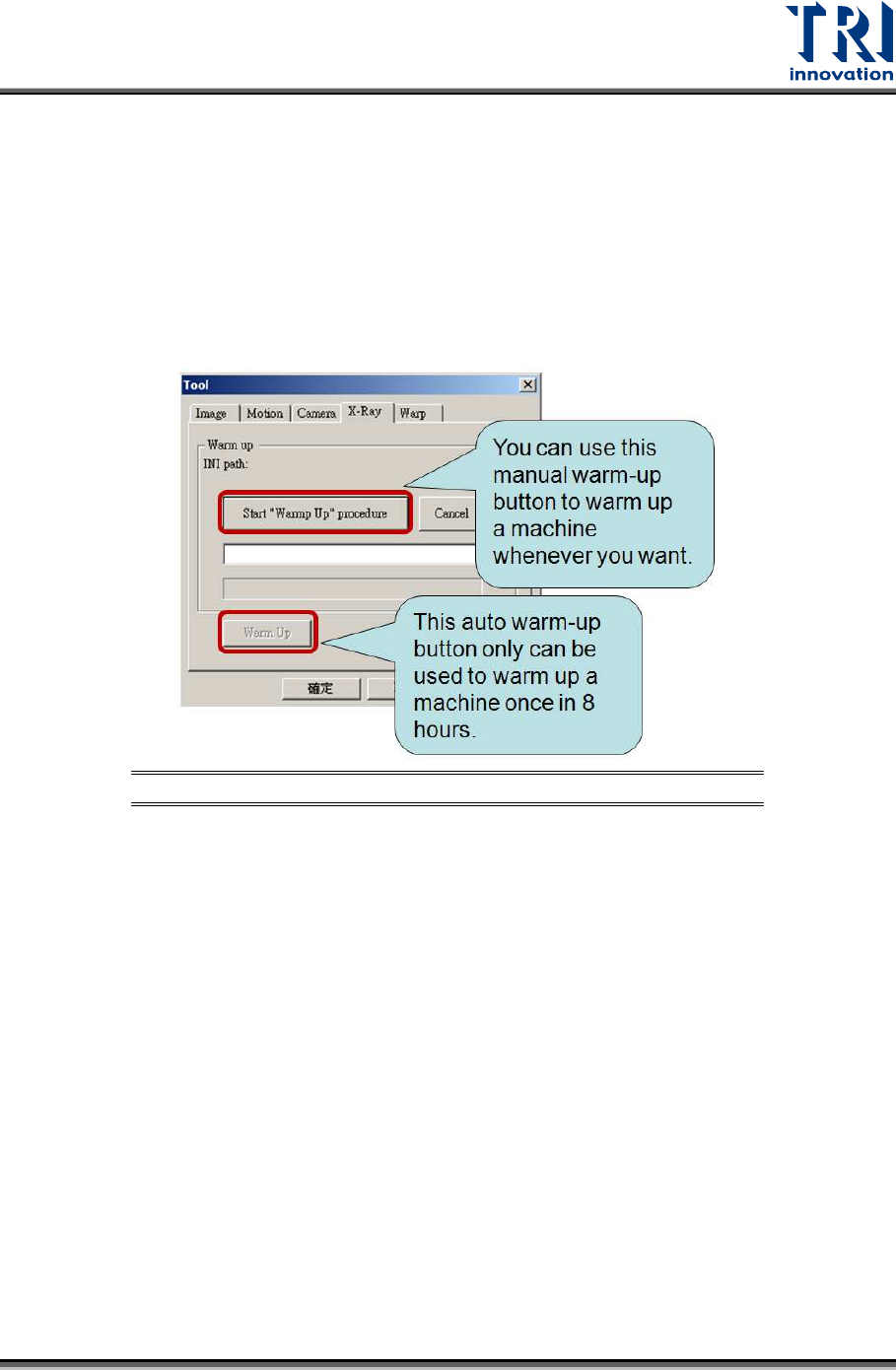
II. Click [Utility]-->[Tool]-->[X-Ray].
III. Click ["Start Warm Up Procedure"] and it will take about 20 minutes to finish the
warm-up procedure.
Figure 24: Manual warm up
2) Based on the overload frequency, different machines have different manual warm-up
requirements to maintain the X-ray tube.
a) For new machines, please follow the suggestions below to maintain X-ray tube.
Please do warm-up maintenance manually twice per week after machines are
delivered to your assembly lines.
Please do warm-up maintenance manually once every day after machines have
been delivered to your assembly lines for more than six months.
b) For machines with occasional overload, please not only report the overload voltage
to TRI, but also follow the suggestions below to maintain X-ray tube.
To report the overload voltage to TRI:
I. Double-click the mouse on the main program icon on the desktop.
II. Click [Program] -->[Set Scan Information].