TR7600 SIII_Series_Maintenance_en_v_2_0_3 - 第27页
Test Research, Inc . TR7600 SII I Series User Guide – Maintenance 17 V. If overload happens, Left-click the m ouse on the c onfined area in the figure below. C lick [Ctrl] and [R] k ey s s imultaneously to dism iss overl…
Test Research, Inc.
16 TR7600 SIII Series User Guide – Maintenance
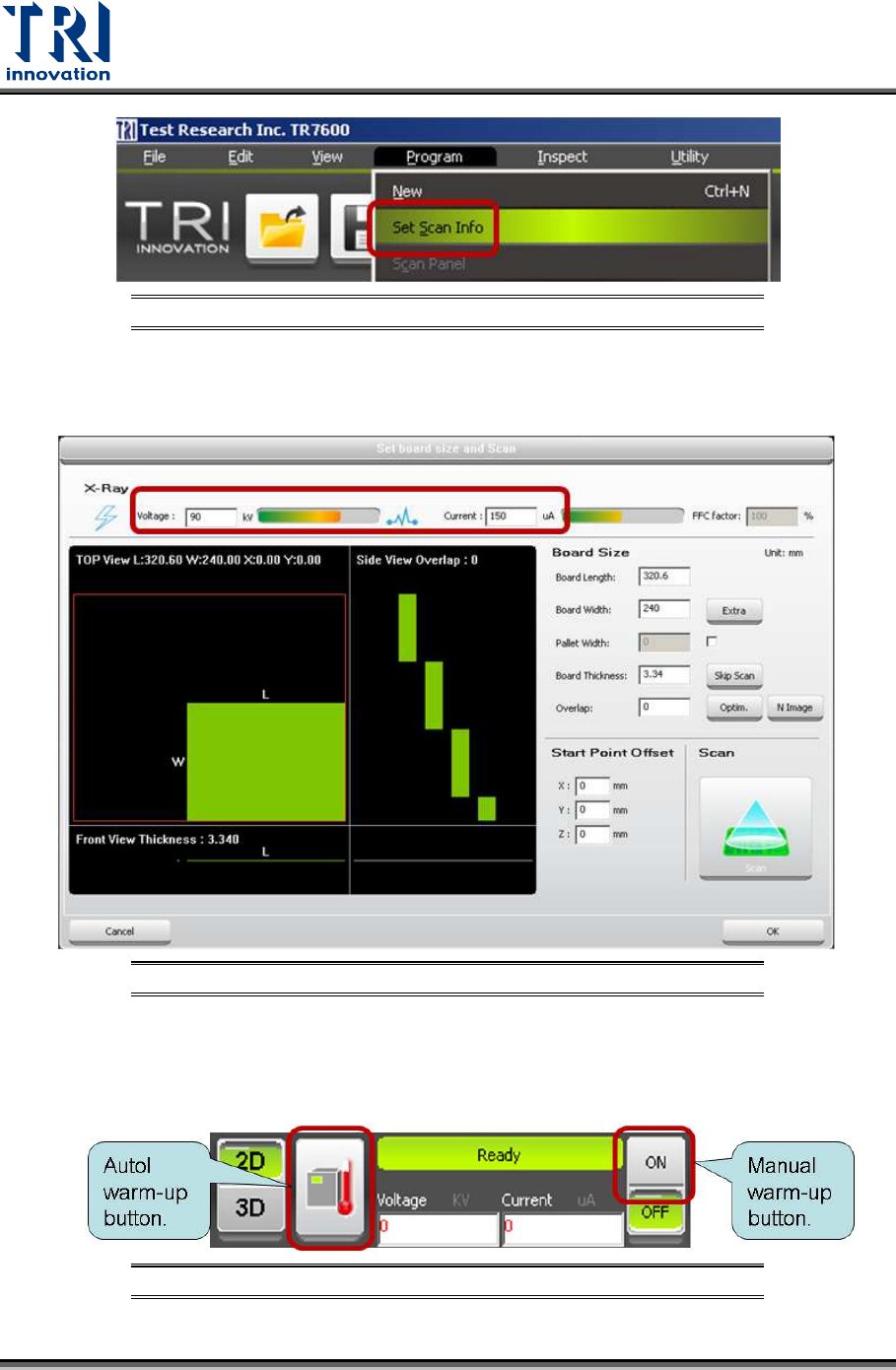
Figure 25: Set scan information
III. In the pop-up window, input Voltage=90Kv and current=200μA and then
click [Ok] to finish.
Figure 26: Set scan info Dialog
IV. Click [On] on the main screen to activate the X-ray tube manually. After
voltage and current have reached the set values, observe the screen to
see if overload happens for 2 seconds.
Figure 27: Warm up button
Test Research, Inc.
TR7600 SIII Series User Guide – Maintenance 17
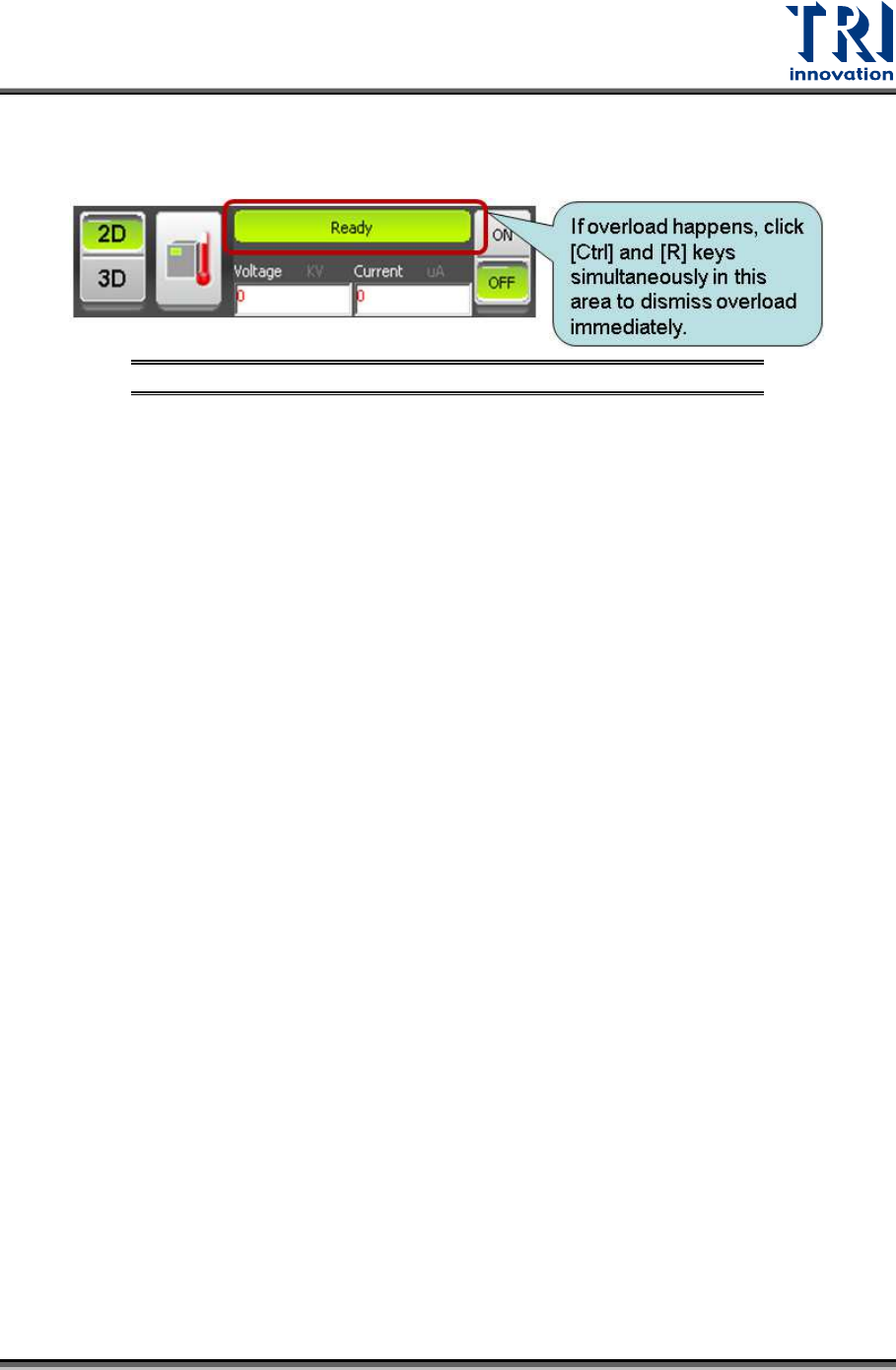
V. If overload happens, Left-click the mouse on the confined area in the
figure below. Click [Ctrl] and [R] keys simultaneously to dismiss overload
immediately and then report the overload voltage to TRI.
Figure 28: Warm up button
VI. If overload does not happen, click [Off] to turn off X-ray tube. Repeat
steps I~IV to test different voltages and currents listed below in sequence
and then report the overload voltage to TRI.
Test condition 1 (Voltage, Current) = (90kV, 300μA)
Test condition 2 (Voltage, Current) = (100kV, 300μA)
Test condition 3 (Voltage, Current) = (110kV, 300μA)
Test condition 4 (Voltage, Current) = (120kV, 300μA)
Test condition 5 (Voltage, Current) = (130kV, 300μA)
To perform warm-up maintenance manually:
I. Perform warm-up maintenance manually once every day. Please check
whether overload frequency decreases based on the time interval of every
three days.
II. About one week later, if you find overload frequency decreases until
overload does not happen anymore, you can perform the warm-up
maintenance manually once every day.
III. About one week later, if you find overload frequency does not decrease,
please do manual warm-up three times every day until overload does not
happen anymore, and then do manual warm-up once every day.
IV. If you have not used X-ray tube for several days, please repeat above
steps I~III.
Test Research, Inc.
18 TR7600 SIII Series User Guide – Maintenance
c) For machines with frequent overload, please follow the instructions mentioned above
to test different voltages and currents and then report the overload voltage to TRI.
Besides, please follow the suggestions below to do warm-up maintenance.
I. Please warm up machines three times every day. You can warm up
machines during lunch break or work shift time.
II. About one week later, if you find overload frequency decreases until
overload does not happen anymore, you can do warm-up maintenance
manually once every day.
III. After a period of time, if overload often happens again, please test
different voltages and currents listed below in sequence and report
overload voltage to TRI.
Test condition 1 (Voltage, Current) = (90kV, 300μA)
Test condition 2 (Voltage, Current) = (100kV, 300μA)
Test condition 3 (Voltage, Current) = (110kV, 300μA)
IV. Start to do warm-up maintenance manually more than three times every
day.
V. If overload frequency does not decrease obviously, please increase the
manual warm-up frequency every day.
VI. If overload frequency has decreased obviously for more than three days,
please do warm-up maintenance manually once every day.
VII. If you have not used X-ray tube for several days, please repeat the above
steps I~II.
Immediate Solution For X-ray Source Overload
1) In busy assembly lines, if machines have overload and you need to do inspection
urgently, you can execute the following steps, instead of manual warm-up.
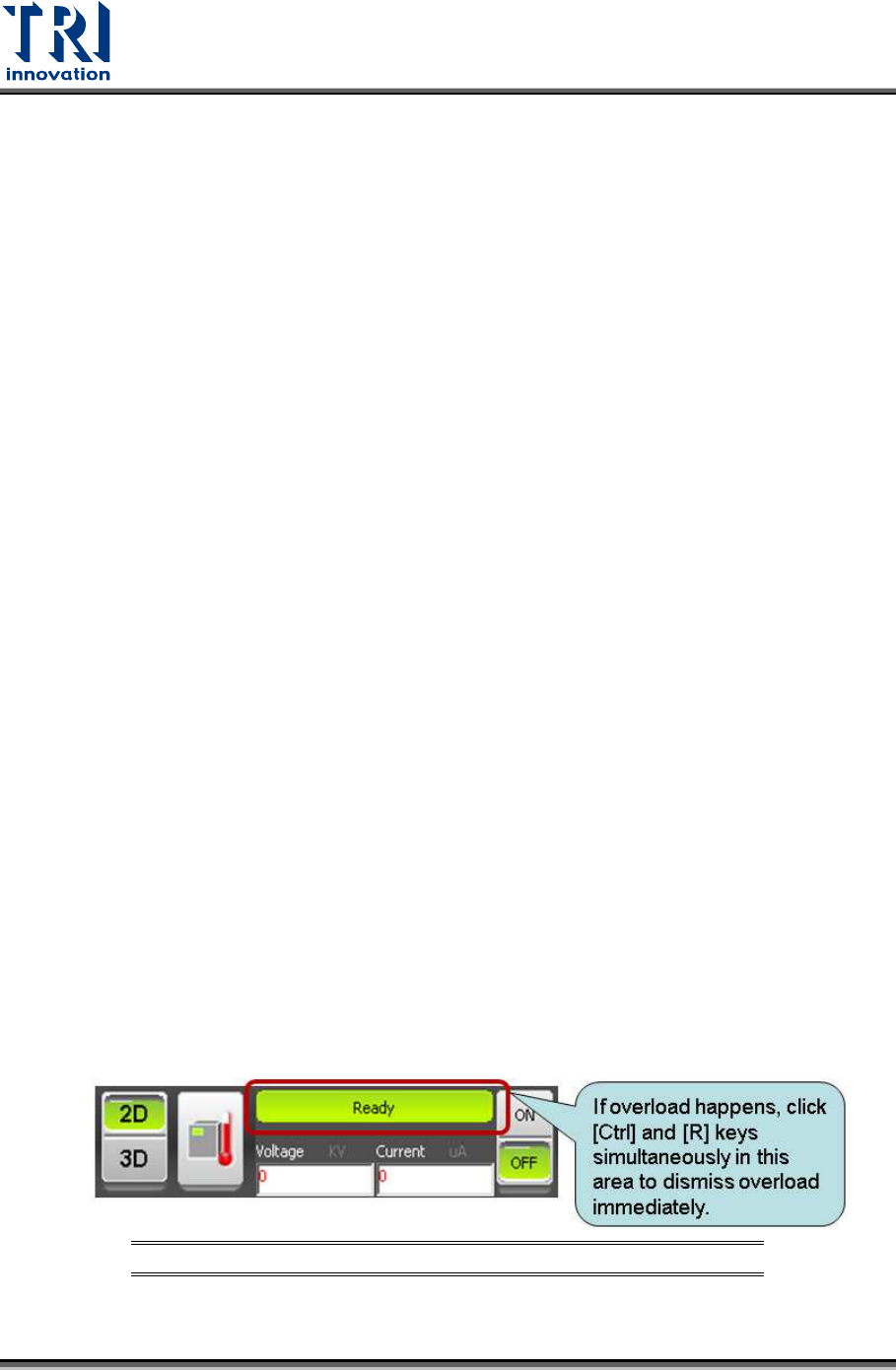
I. Left-click the mouse on the confined area in the figure below. Click [Ctrl] and
[R] keys simultaneously to dismiss overload immediately.
Figure 29: Click to dismiss Overload