TR7600 SIII_Series_Maintenance_en_v_2_0_3 - 第30页
Test Research, Inc. 20 TR7600 SI II Series User G uide – Maintenance 4 D A ILY M A I NTENANCE The purpose of daily m ainten ance is to ensure the saf ety of all people on the shop f loor and to ensure the smooth operatio…
Test Research, Inc.
TR7600 SIII Series User Guide – Maintenance 19
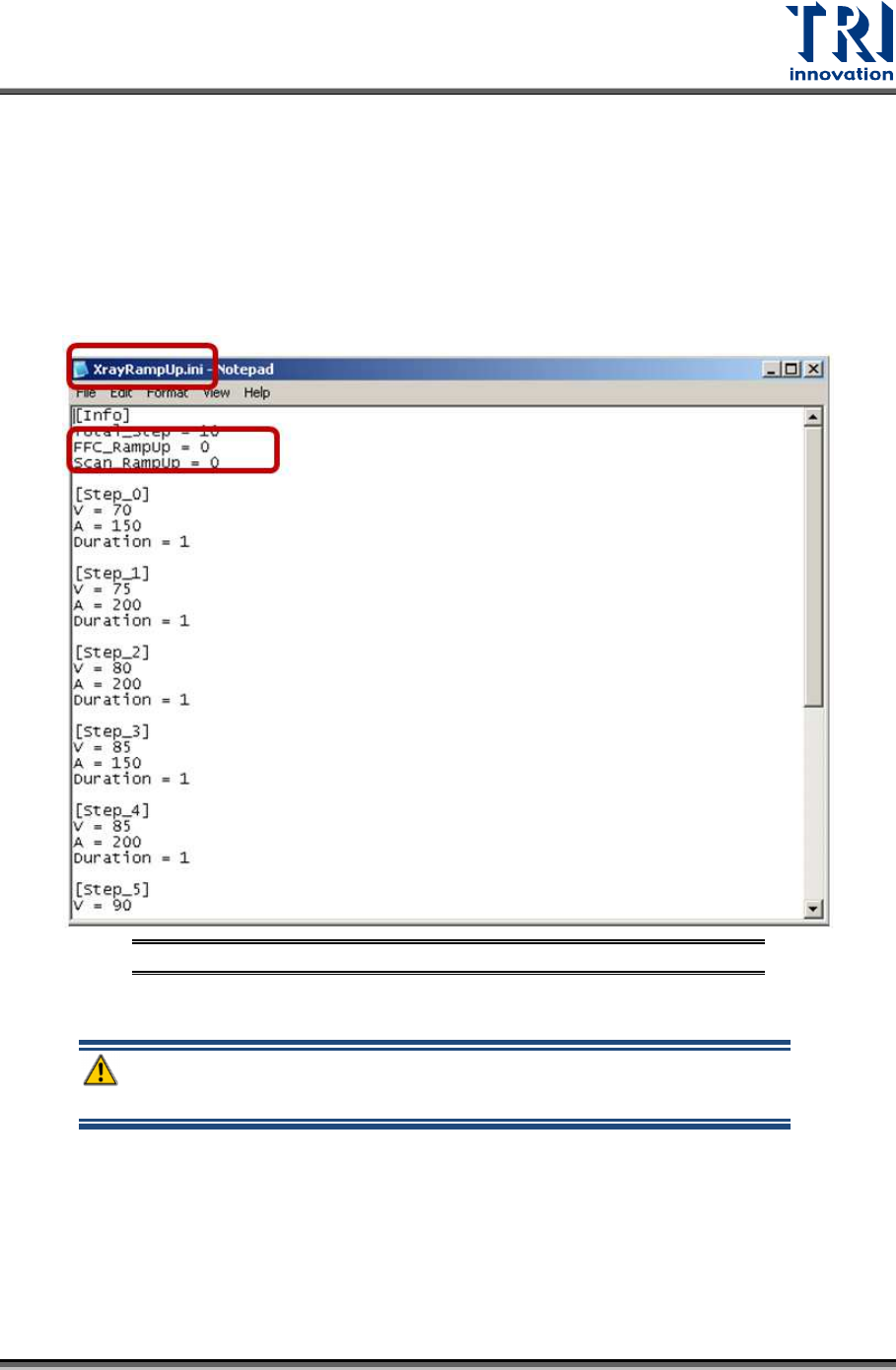
II. Open XrayRampUp.ini file in the main program folder.
III. Change the setup as FFC_RampUp = 1 and Scan_RampUp = 1, and then
save the updated file.
IV. After you update the XrayRampUp.ini file, the main program will increase the
voltage slowly whenever you scan a board or do FFC calibration.
V. After the inspection is done, you can do manual warm-up.
Figure 30: XrayRampUp.ini
Warning: If customers failed to do weekly manual warm-up, X-ray
tube warranty would be void.
Test Research, Inc.
20 TR7600 SIII Series User Guide – Maintenance
4 D
AILY
M
AINTENANCE
The purpose of daily maintenance is to ensure the safety of all people on the shop floor and
to ensure the smooth operation of TRI machine.
Warning: Except for the parts specifically mentioned, the power
MUST be turned off during maintenance. Failure to do so may cause
mechanical or electrical damage.
4.1 Check Main Power and All Cables Connection
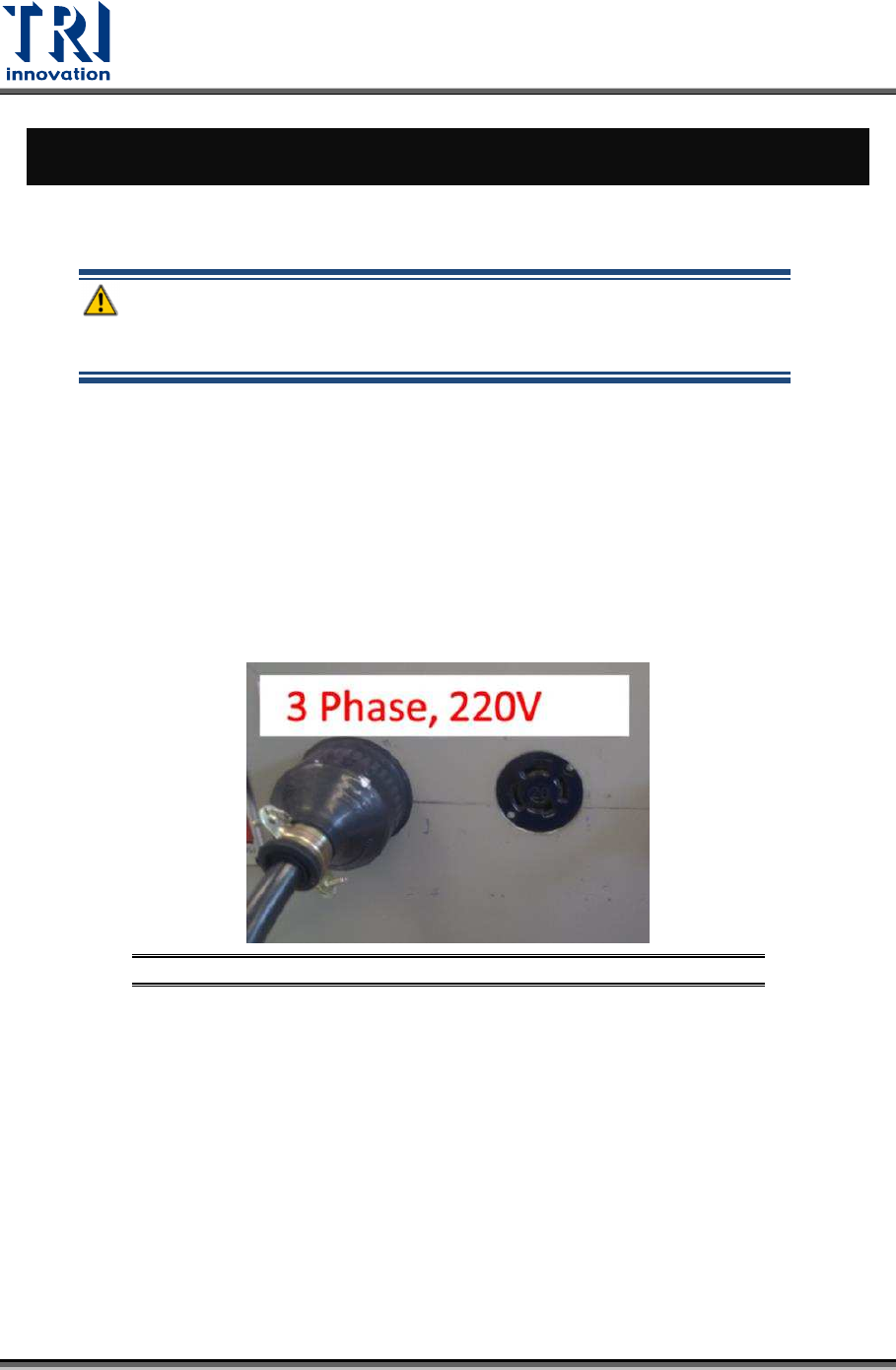
Check the cables are properly connected.
1) Cables on main computer.
2) Cables of sensors and motors in machine.
3) System wiring at rear of the machine.
Figure 31: Main Power Cable Checking
Test Research, Inc.
TR7600 SIII Series User Guide – Maintenance 21
4.2 Test Signal Tower
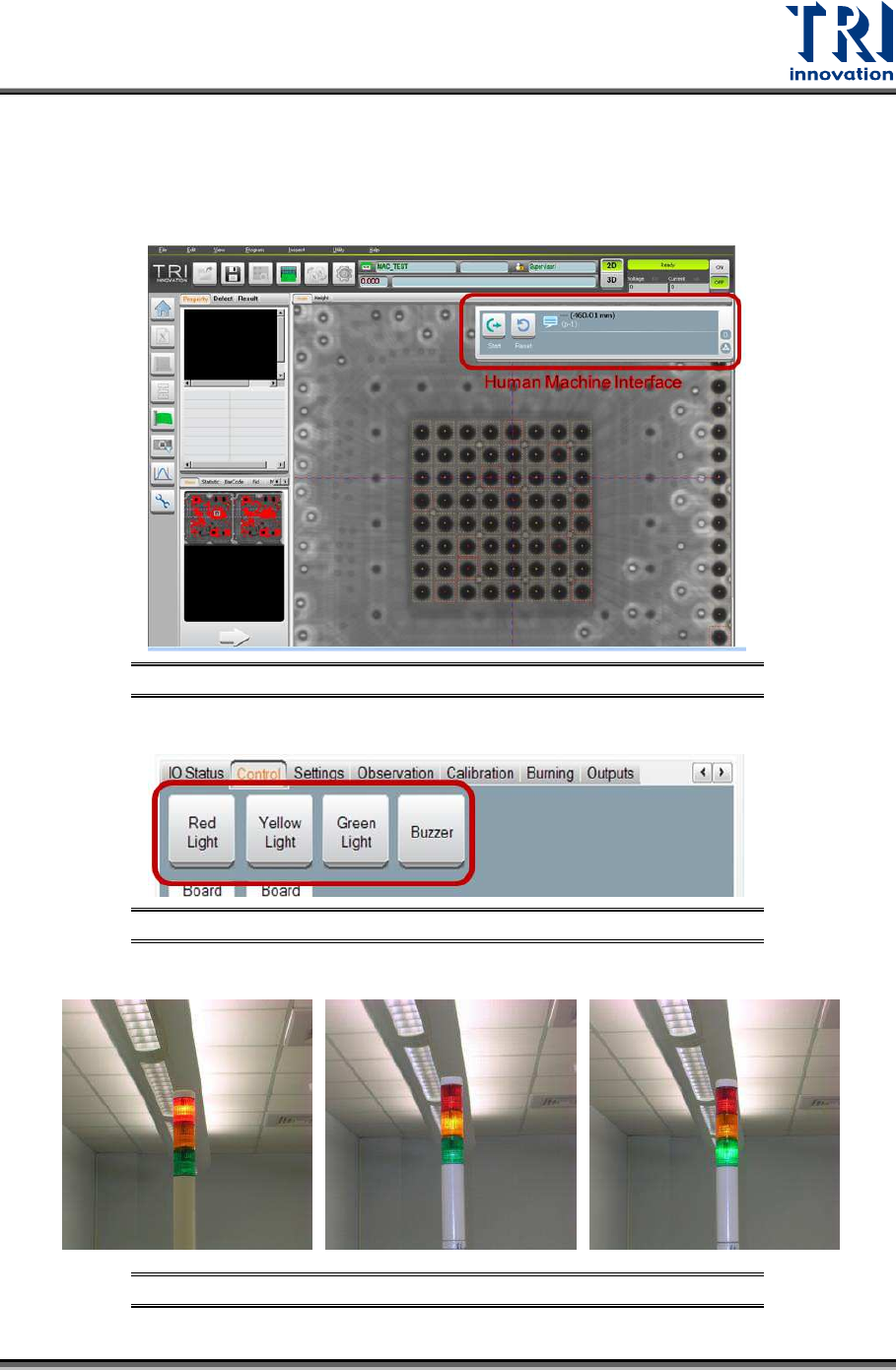
Signal Tower Testing: After the power is turned on, enter CONTROL Mode by Human-
Machine Interface (HMI) in the main program and select [LIGHT] to test if the red light,
yellow light, green light and buzzer are all functioning properly.
Figure 32: Main Program/HMI Window
Figure 33: Select Test Item/ Light Buzzer
Figure 34: Signal Tower Checking/Red/Yellow/Green