TR7600 SIII_Series_Maintenance_en_v_2_0_3 - 第31页
Test Research, Inc . TR7600 SII I Series User Guide – Maintenance 21 4.2 Test Signal Tow er Signal Tower Testing: After the power is turned on, e nter CONTROL Mode by Human- Machine Interface (HMI) in t he main program a…
Test Research, Inc.
20 TR7600 SIII Series User Guide – Maintenance
4 D
AILY
M
AINTENANCE
The purpose of daily maintenance is to ensure the safety of all people on the shop floor and
to ensure the smooth operation of TRI machine.
Warning: Except for the parts specifically mentioned, the power
MUST be turned off during maintenance. Failure to do so may cause
mechanical or electrical damage.
4.1 Check Main Power and All Cables Connection
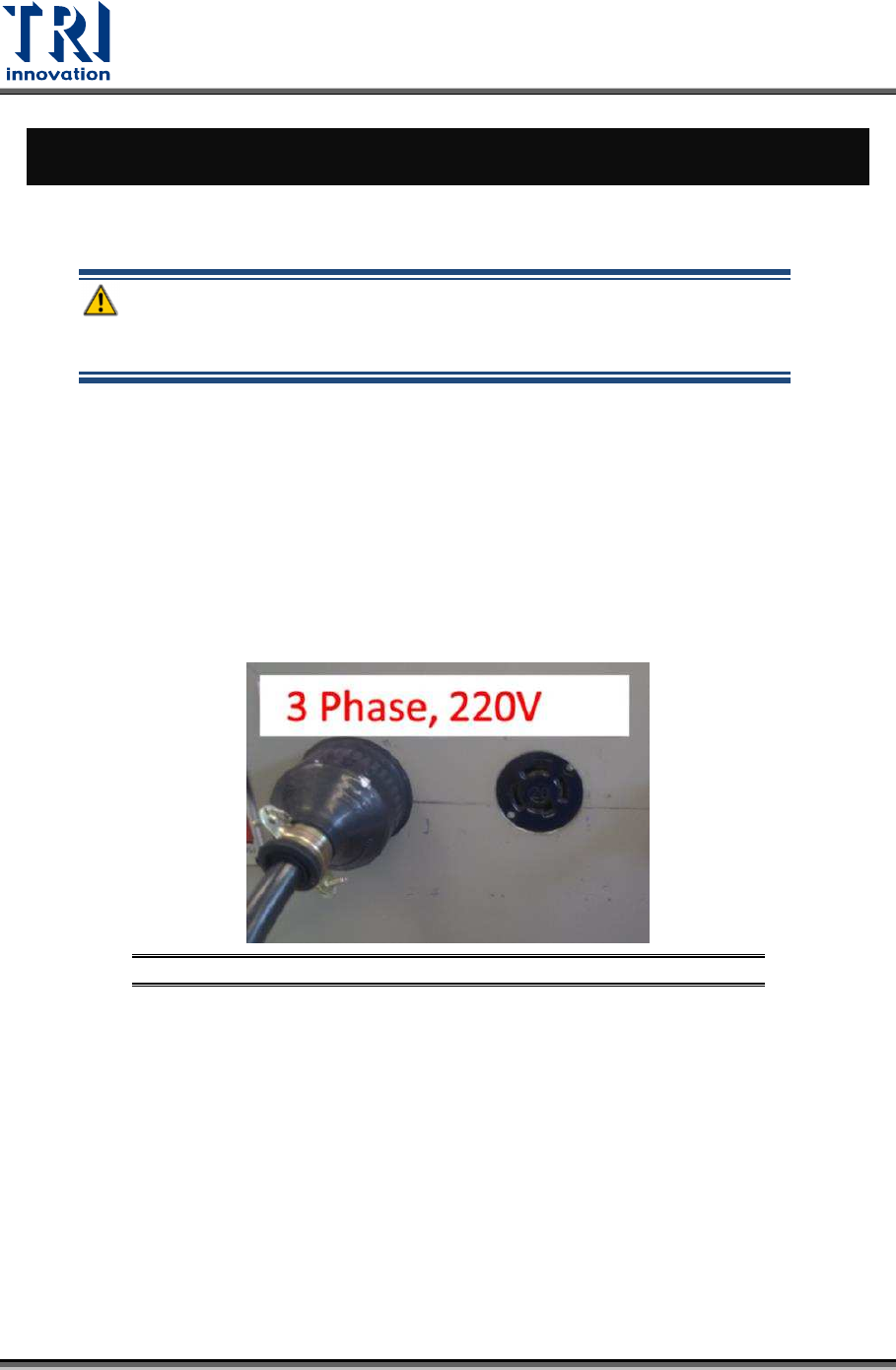
Check the cables are properly connected.
1) Cables on main computer.
2) Cables of sensors and motors in machine.
3) System wiring at rear of the machine.
Figure 31: Main Power Cable Checking
Test Research, Inc.
TR7600 SIII Series User Guide – Maintenance 21
4.2 Test Signal Tower
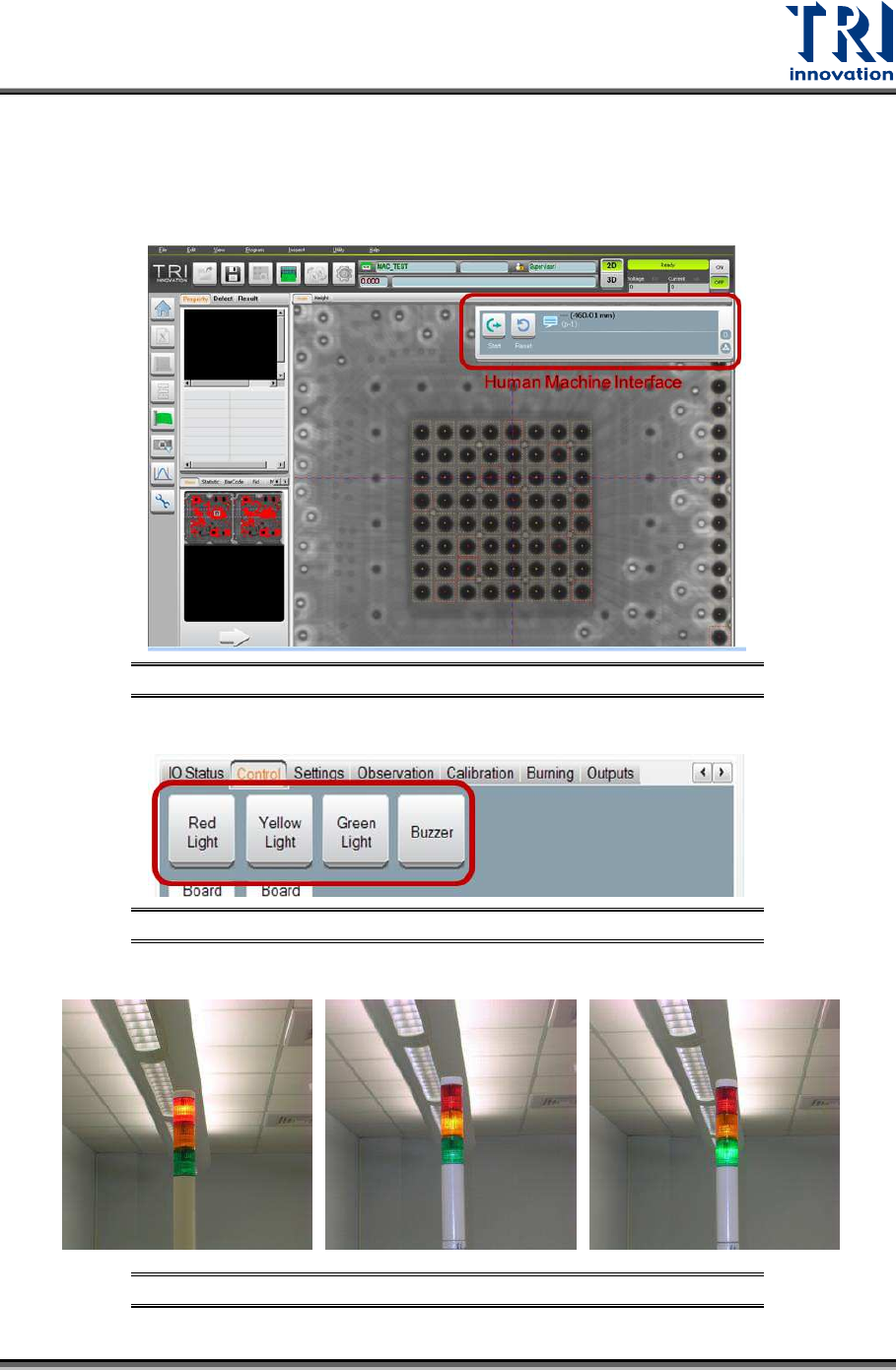
Signal Tower Testing: After the power is turned on, enter CONTROL Mode by Human-
Machine Interface (HMI) in the main program and select [LIGHT] to test if the red light,
yellow light, green light and buzzer are all functioning properly.
Figure 32: Main Program/HMI Window
Figure 33: Select Test Item/ Light Buzzer
Figure 34: Signal Tower Checking/Red/Yellow/Green
Test Research, Inc.
22 TR7600 SIII Series User Guide – Maintenance
4.3 Check Emergency Stop
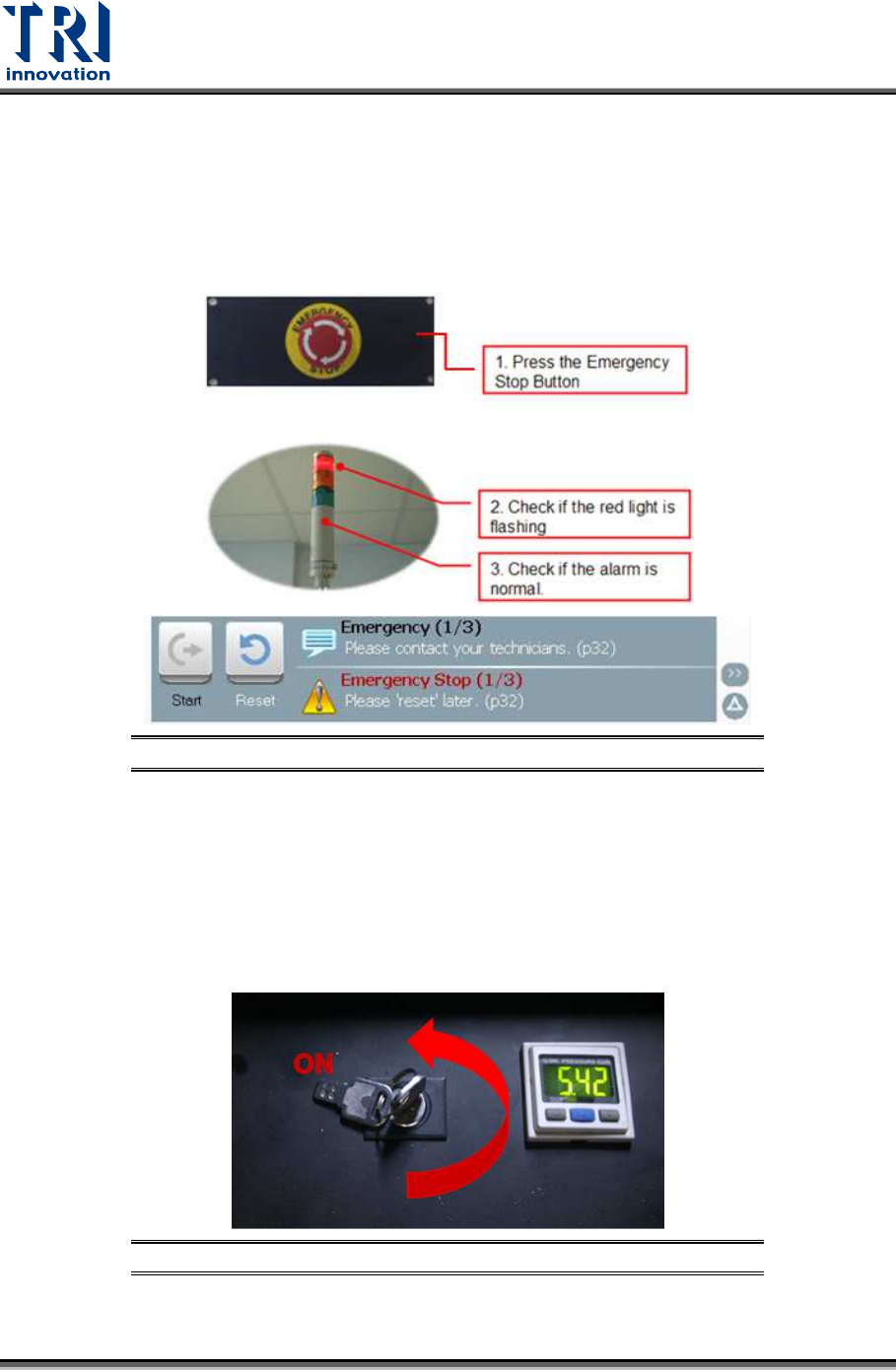
Press front, right, left and rear emergency stops to test if the emergency stop is working well.
If the emergency stop button is pressed, the HCI screen will display [Emergency Stop] in red.
Red light on the signal tower will be on and an alarm will sound. After the function is properly
tested, turn the emergency stop button clockwise and press [Reset] to reset it. No need to
re-start the power of the machine after the test.
Figure 35: Emergency Stop Checking
4.4 Check Interior Safety Lock
Test if the interior safety lock in the front door is working properly. Turn the interior safety
lock to “ON”, then test if the system properly performs an emergency stop (the HCI screen
will display [Emergency Stop] in red, the red light on the signal tower will come on and an
alarm will sound.) when the front door, rear door or side gates are open. After the function is
tested, turn the emergency stop button clockwise and press [Reset] to reset it. No need to
re-start the power of the machine after the test.
Figure 36: Safety Lock Position