TR7600 SIII_Series_Maintenance_en_v_2_0_3 - 第48页
Test Research, Inc. 38 TR7600 SI II Series User G uide – Maintenance Ground Surface Maintenance 7.1.3 Apply a th in layer of grease to a soft cloth and t hen wipe the ground surface. Figure 63 : Ground Surface Maintenanc…
Test Research, Inc.
TR7600 SIII Series User Guide – Maintenance 37
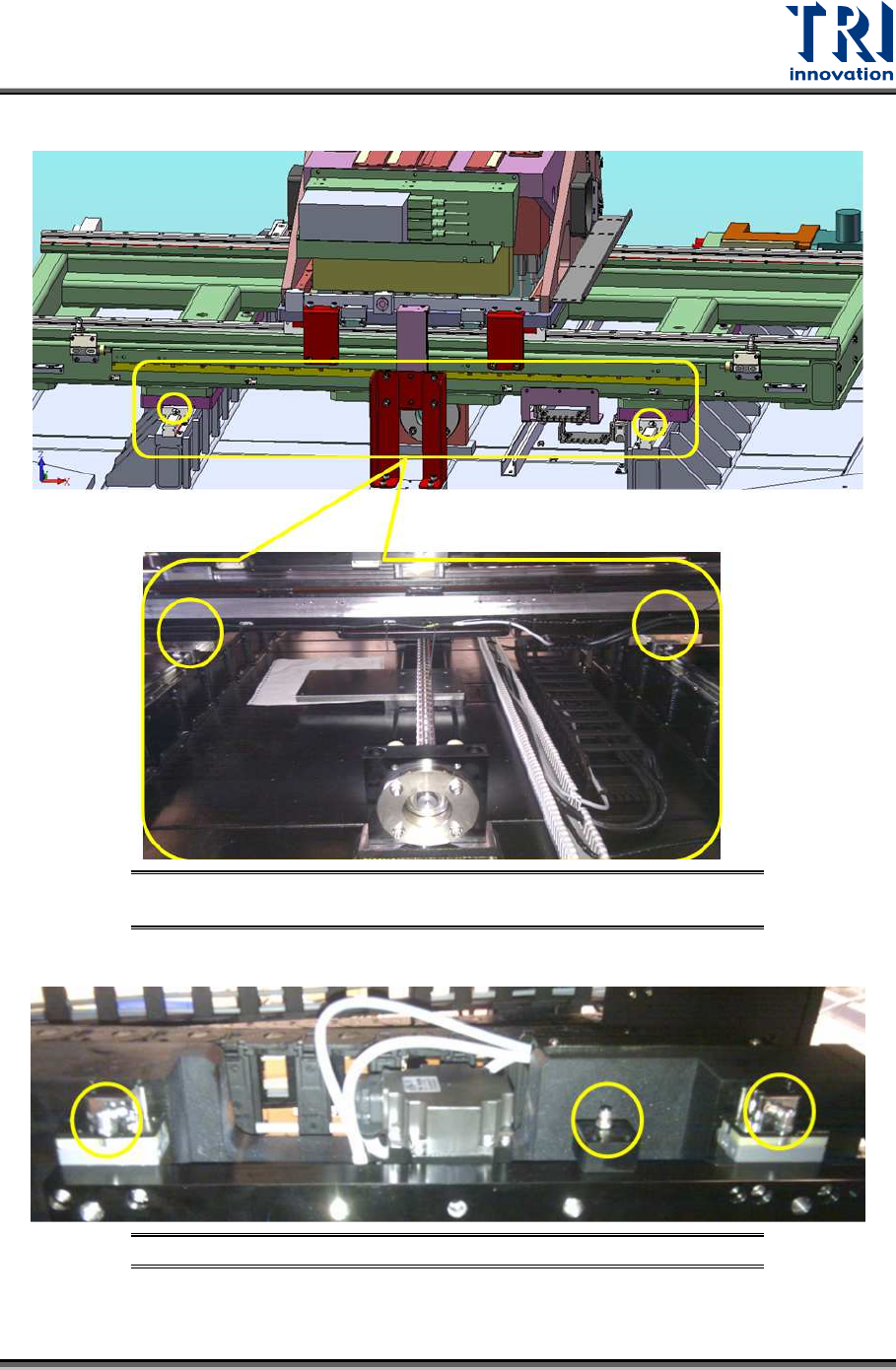
b) There are two grease nipples at the front and back-Y-axis respectively.
Figure 61: Lower X-Y Table/Locations of front-Y-axis grease
nipples
c) There are three grease nipples at the top of Z-axis support track.
Figure 62: Lower X-Y Table/Locations of Z-axis grease nipples
Test Research, Inc.
38 TR7600 SIII Series User Guide – Maintenance
Ground Surface Maintenance 7.1.3
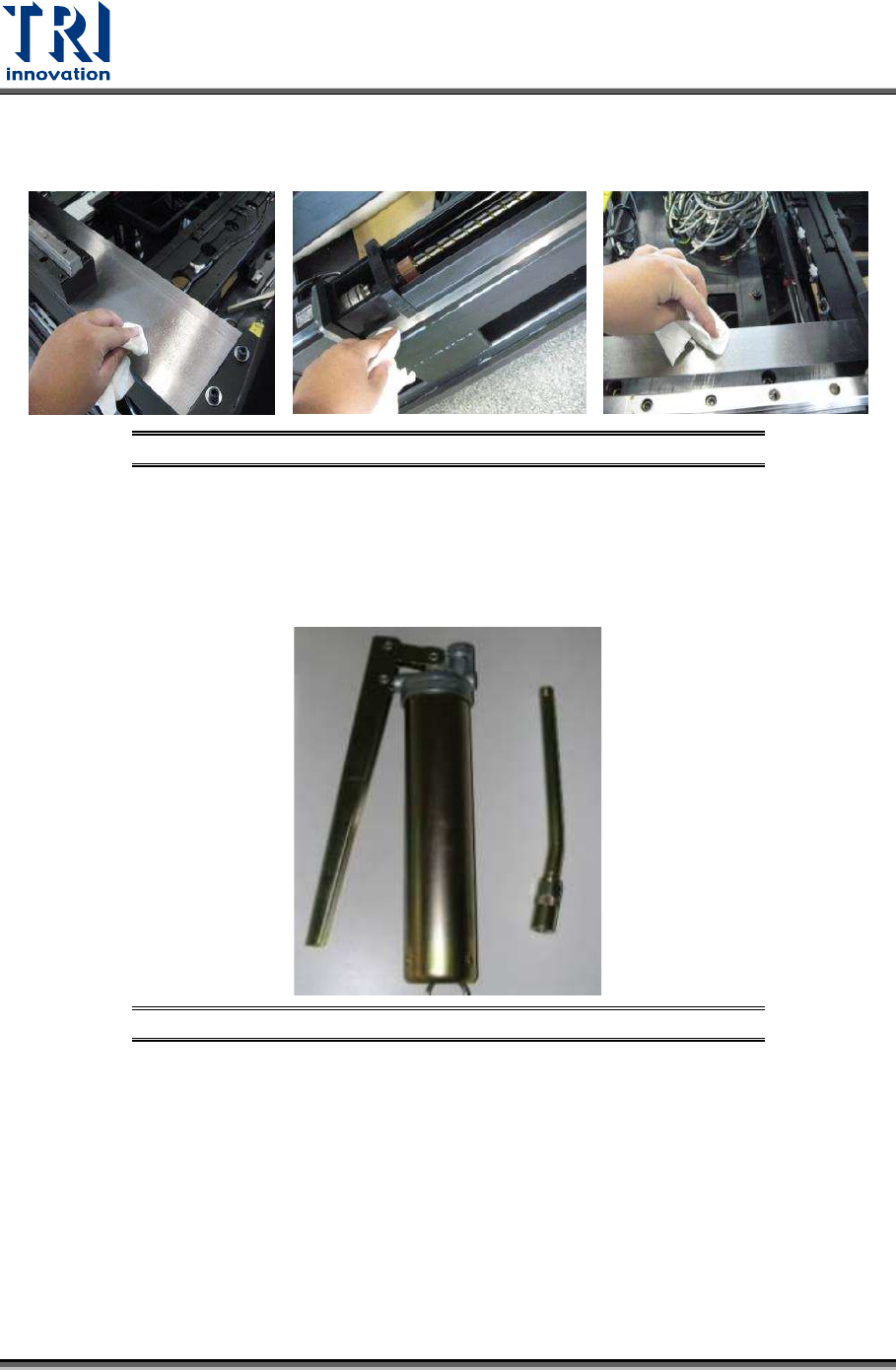
Apply a thin layer of grease to a soft cloth and then wipe the ground surface.
Figure 63: Ground Surface Maintenance
Tools Assembly 7.1.4
Step 1
Locate pump, nozzles and grease.
Figure 64: Tools Assembly/Step1
Test Research, Inc.
TR7600 SIII Series User Guide – Maintenance 39
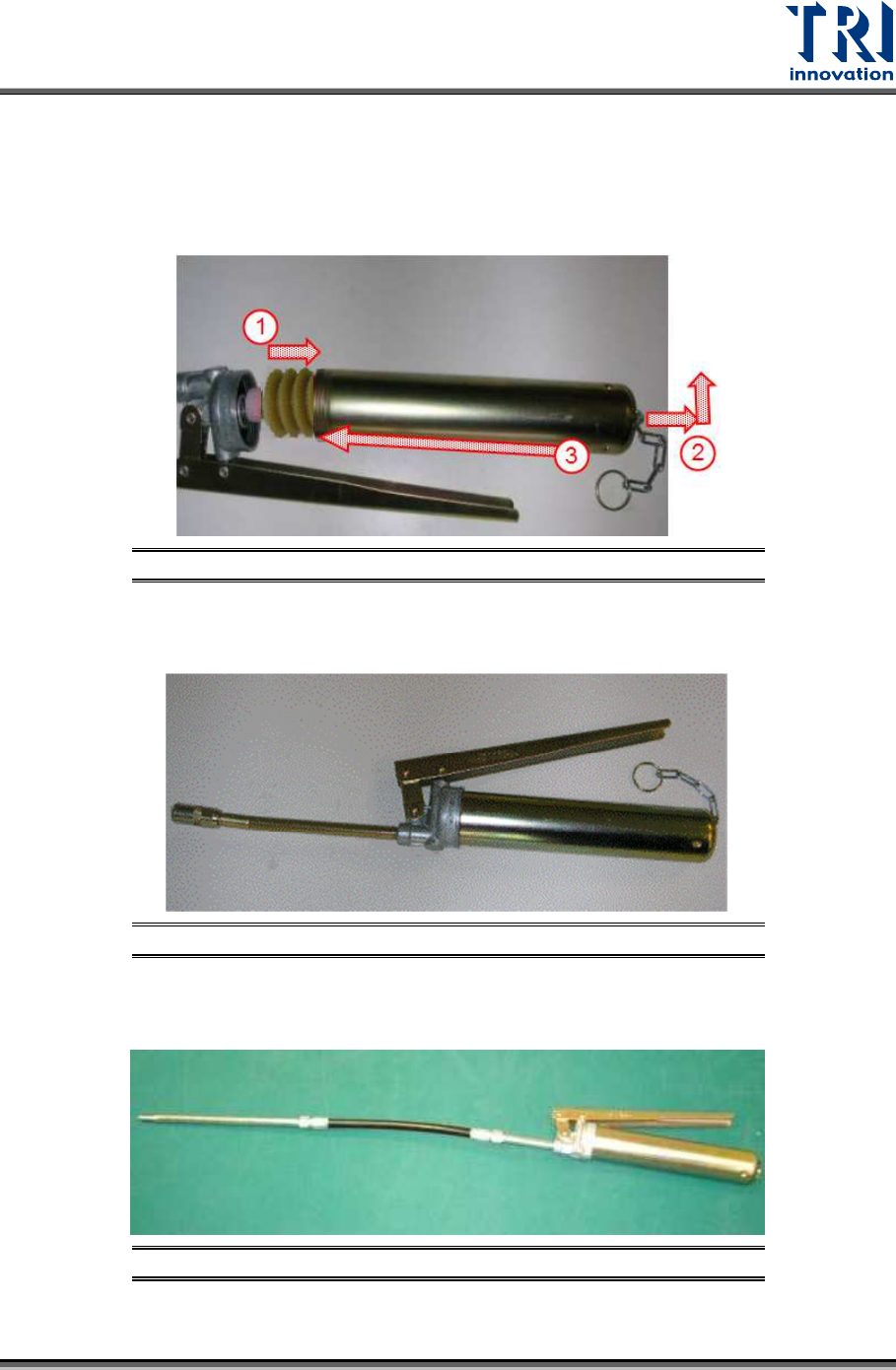
Step 2
1) Put the grease into the container.
2) Pull the metal chain.
3) Connect the container and the pump.
Figure 65: Tools Assembly/Step2
Step 3
Finish the assembly.
Figure 66: Tools Assembly/Step3
Step 4
Connect the soft grease pipe.
Figure 67: Tools Assembly/Step4