TR7600 SIII_Series_Maintenance_en_v_2_0_3 - 第55页
Test Research, Inc . TR7600 SII I Series User Guide – Maintenance 45 Figure 77 : Conveyor Belt – S mooth and Roug h Sides After replaced the conveyor be lt, the elasticity of convey or belt needs to be measured as per Se…
Test Research, Inc.
44 TR7600 SIII Series User Guide – Maintenance
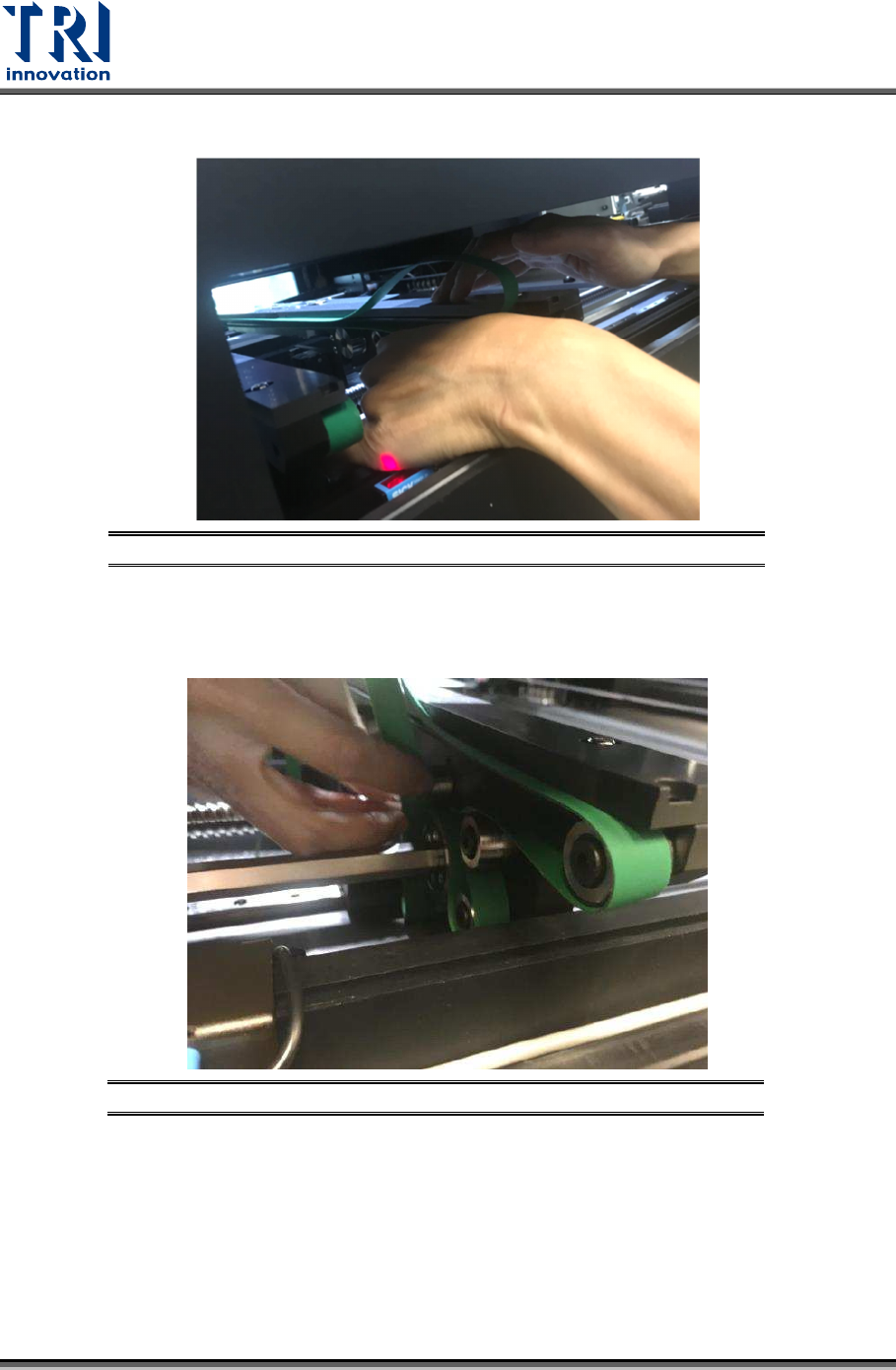
2) Remove the conveyor belt from its wheels and lining.
Figure 75: Remove Conveyor Belt
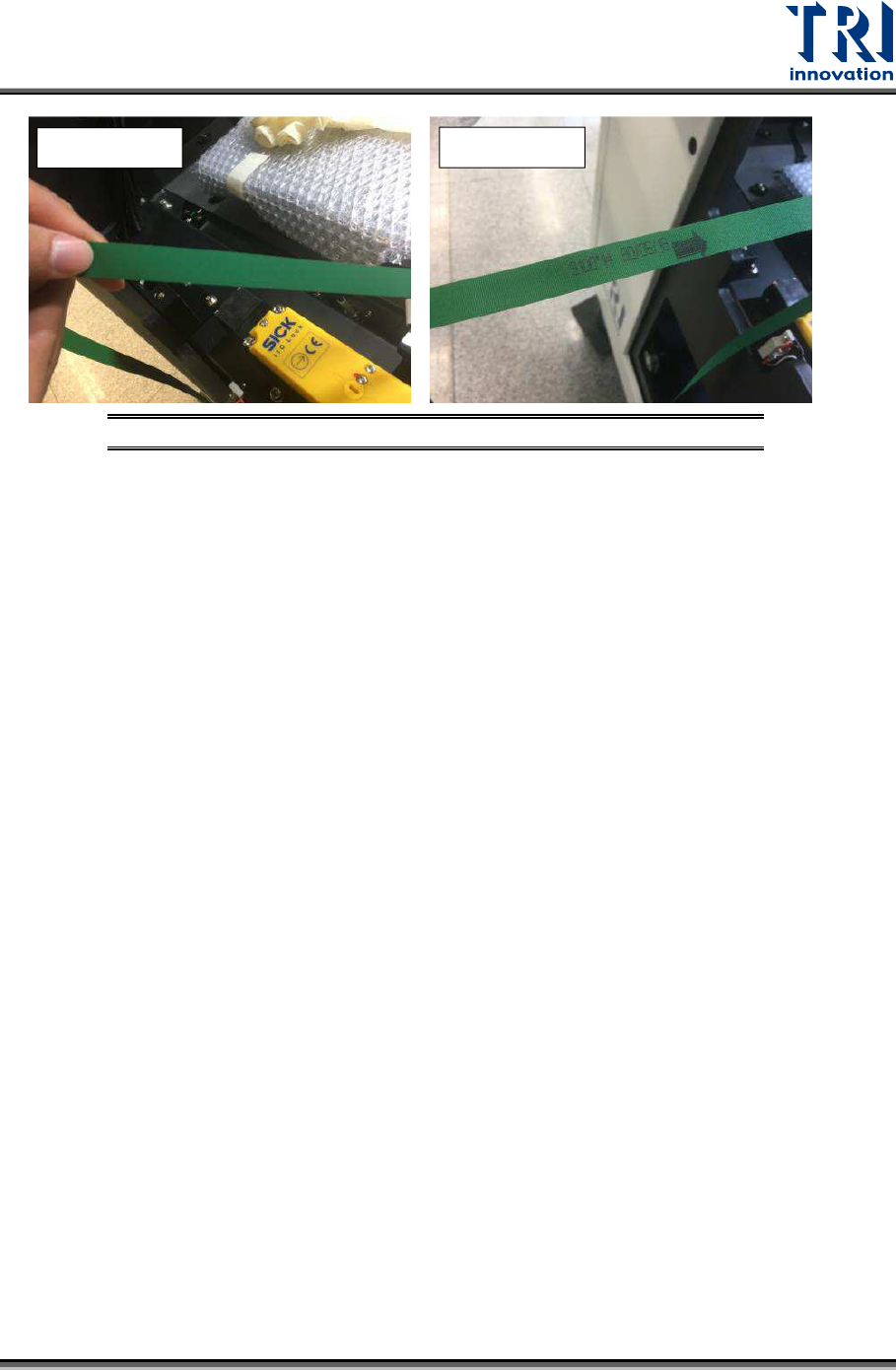
3) Replace a new conveyor belt. Ensure that the belt routing is correct. Besides, the
belt’s rough side need to be facing the wheels and the smooth side is the side that
PCBA sit on.
Figure 76: Replace Conveyor Belt – Route around the Wheels
Test Research, Inc.
TR7600 SIII Series User Guide – Maintenance 45
Figure 77: Conveyor Belt – Smooth and Rough Sides
After replaced the conveyor belt, the elasticity of conveyor belt needs to be measured as per
Section 7.1.
Smooth Side
Rough Side

Test Research, Inc.
46 TR7600 SIII Series User Guide – Maintenance
9 A
NNUAL
M
AINTENANCE
Annual maintenance includes regular machine maintenance activities (as discussed above)
and calibrations on X-ray source, camera detectors, 2D camera and laser sensors. These
calibrations have to be conducted by a TRI-certified engineer using TRI-issued standard
calibration procedure. Please check the “Calibration Manual” for more information.
Besides calibration, activities listed below also need to be carried out during annual
maintenance. Please contact TRI engineer for more detailed information on each activity.
1) Radiation Safety Check with Standard value < 0.5 uSv/H
2) X-ray Tube Life Expectancy Verification
3) Camera Profile Type Confirmation (either Xscan, Hamamatsu or Xmaru)
4) Hardware and Software Version Confirmation.