00193891-0702_AI_LP_Barcode_DE+EN.pdf - 第157页
SIPLACE 2 PCB barcode scanner assembly instructions 10/2009 Edition 2.7 Installing the PCB barcode scanner 157 : Run the cable through the su pporting clip s along the rail. : Label the connecting plugs for the barcode s…
2 PCB barcode scanner assembly instructions SIPLACE
2.7 Installing the PCB barcode scanner 10/2009 Edition
156
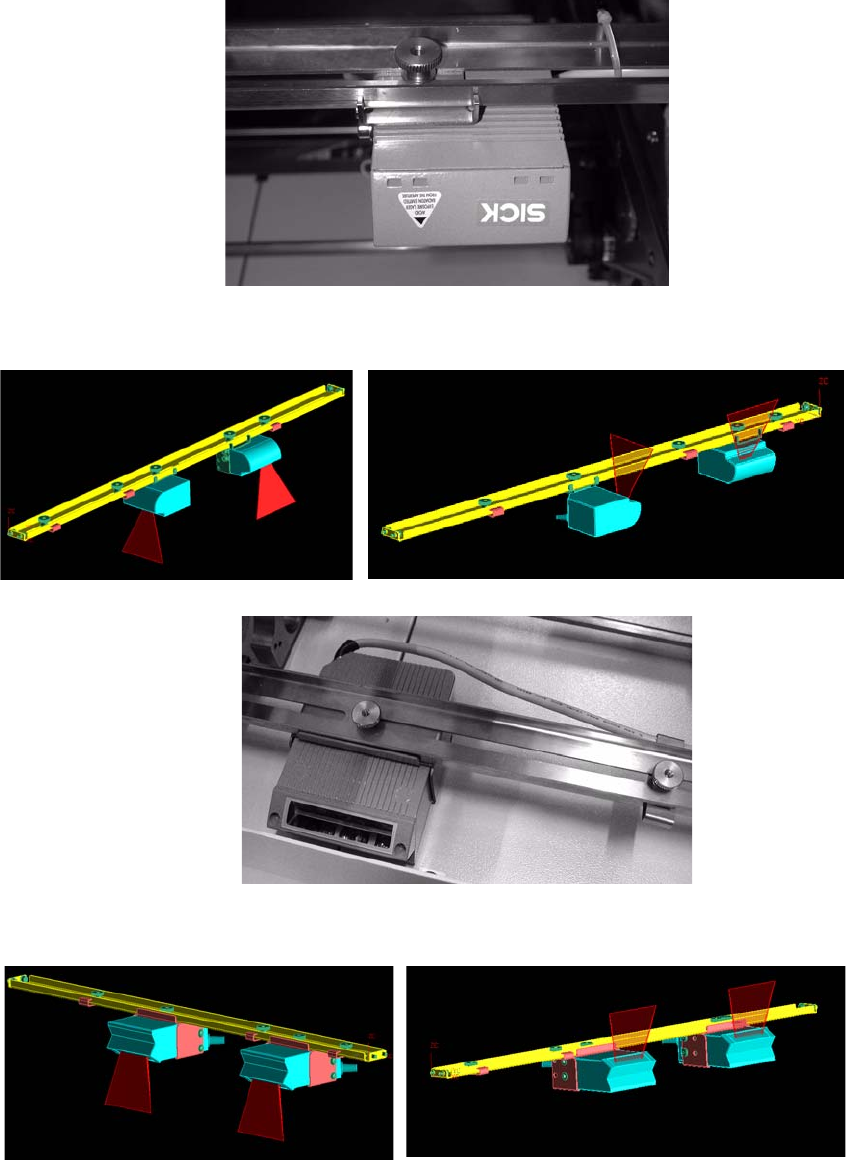
: Screw the barcode scanner to the rail.
1 D barcode scanner
2 D barcode scanner
1 D barcode scanner topside
1 D barcode scanner underside
2 D barcode scanner topside
2 D barcode scanner underside
2
2
SIPLACE 2 PCB barcode scanner assembly instructions
10/2009 Edition 2.7 Installing the PCB barcode scanner
157
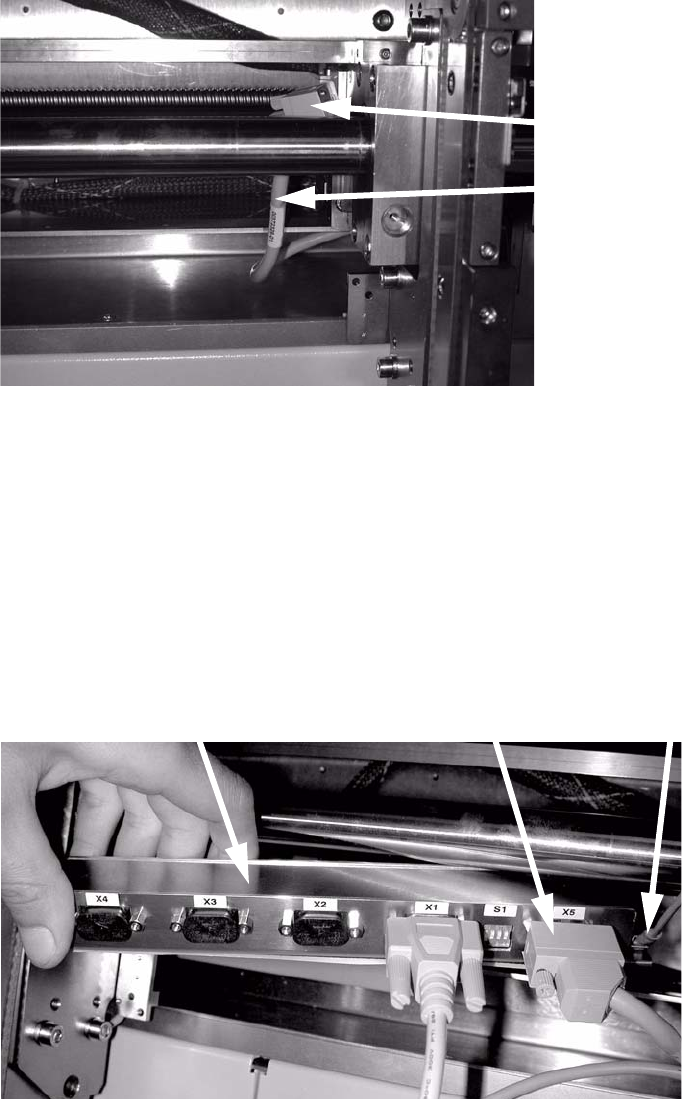
: Run the cable through the supporting clips along the rail.
: Label the connecting plugs for the barcode scanner (see picture below).
: Pull the interface cable for the PCB barcode (00
370329-xx, SIPLACE HF) out of the machine
frame.
Interface cable
Plug
2
: Plug the connectors for the interface cable, barcode scanner and protective earth into the bar-
code distributor:
Interface cable
X5
Barcode scanner X1
Single conveyor topside
X2 Single conveyor underside
X3 Dual conveyor topside
X4 Dual conveyor underside
X1 - X4: Barcode scanner
Interface cable
Protective earth (PE)
2
2 PCB barcode scanner assembly instructions SIPLACE
2.7 Installing the PCB barcode scanner 10/2009 Edition
158
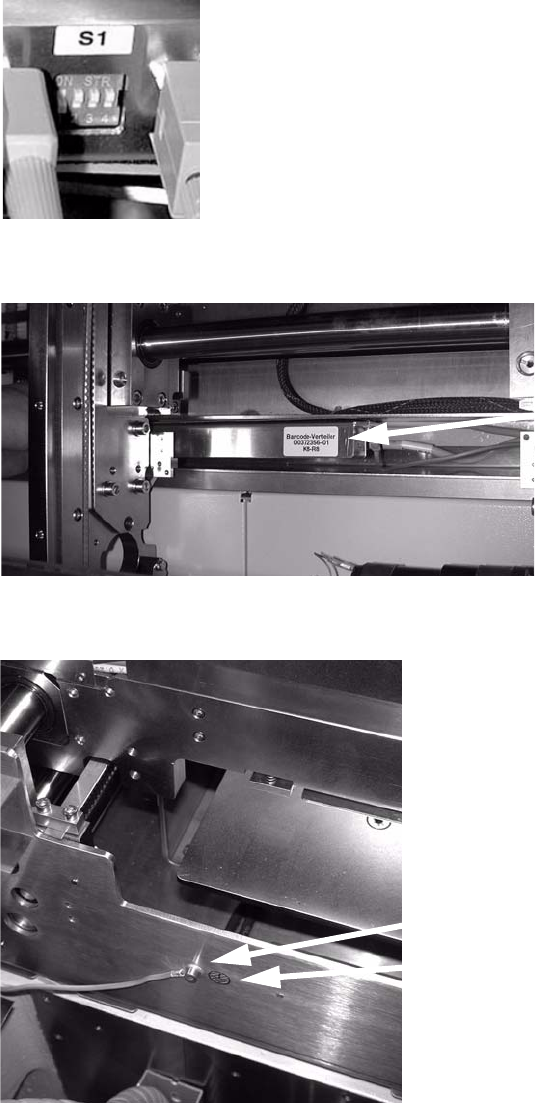
: Set the relevant switch for the connected scanner to OFF and the others to ON.
2
: Attach the barcode distributor using Velcro tape.
Barcode distributor
2
: Connect the protective earth to the side of the conveyor trough and attach the grounding point.
Protective earth connection
Grounding point
2
: Close all protective covers and protective hoods.