00193891-0702_AI_LP_Barcode_DE+EN.pdf - 第174页
2 PCB barcode scanner assembly instructions SIPLACE 2.7 Installing the PCB barcode scanner 10/2009 Edition 174 : Set the relevant switch for the co nnected scanner to OFF and the others to ON. 2 2 2 2 2 2 2 2 2 2 2 2 2 2…
SIPLACE 2 PCB barcode scanner assembly instructions
10/2009 Edition 2.7 Installing the PCB barcode scanner
173
2.7.3.3 Electrical connection: HS-50 barcode distributor / conveyor control
: For the TSP 100 conveyor control, connect the cable (item no.: 03021617-xx).
For the TSP 200, use cable number 03016825-xx (see also the wiring diagram for the HS-50
SC in
Section 2.9).
2
2
2
2
Machines with a dual conveyor will require the 00119330-01 package. This contains a second bar-
code distributor and a second set of cables (see also the wiring diagram for the HS-50 DC in Sec-
tion 2.9). 2
2
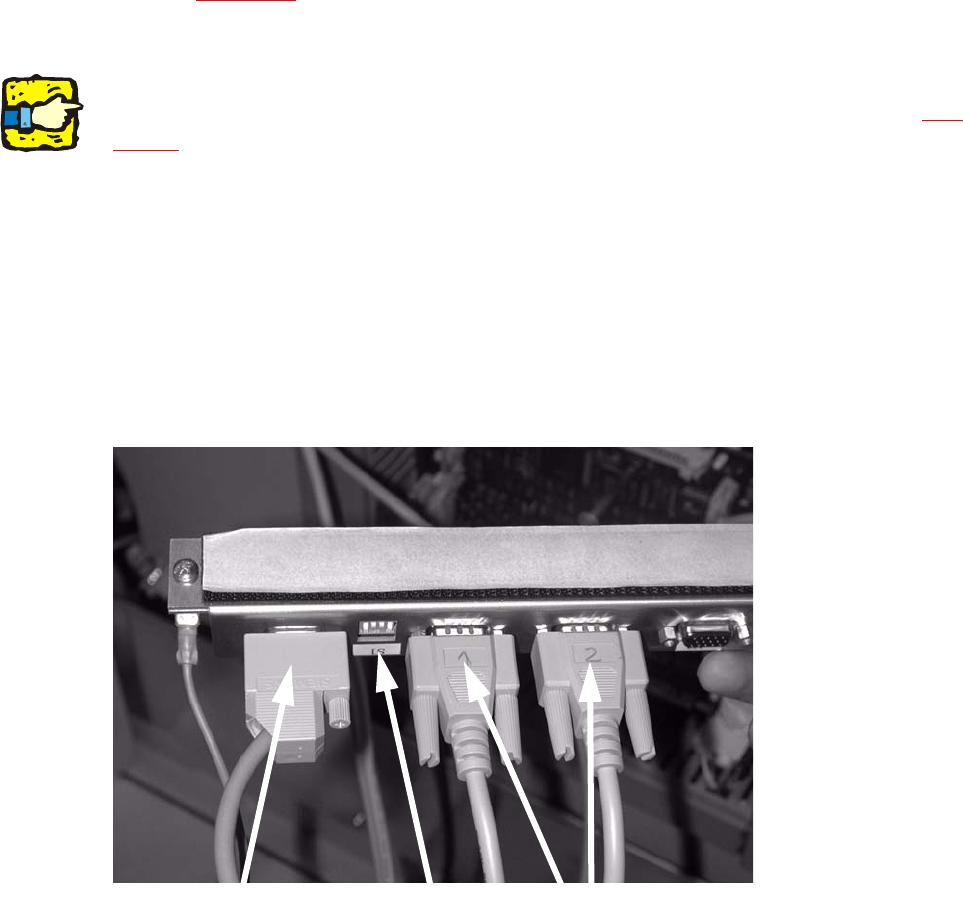
: Plug the connecting cables for the barcode scanner into the distributor rail as follows:
X1
Barcode scanner topside
X2
Barcode scanner underside
X3
X4
X5 Connection to the conveyor control
Connection
(current + control)
Switch
Barcode scanner
2
2
2
2
2
2 PCB barcode scanner assembly instructions SIPLACE
2.7 Installing the PCB barcode scanner 10/2009 Edition
174
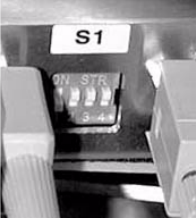
: Set the relevant switch for the connected scanner to OFF and the others to ON.
2
2
2
2
2
2
2
2
2
2
2
2
2
2
2
2
2
2
2
2
2
2
2
2
SIPLACE 2 PCB barcode scanner assembly instructions
10/2009 Edition 2.7 Installing the PCB barcode scanner
175
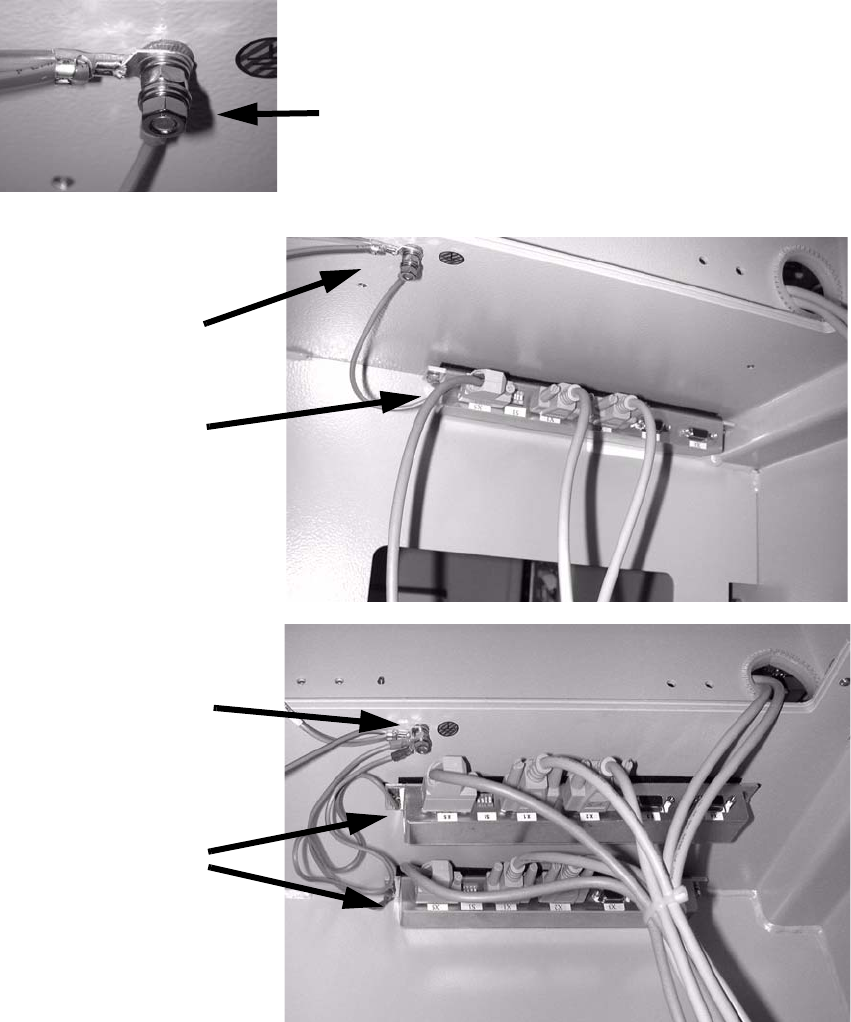
: Stick the distributor rail (SC) or both distributor rails (DC) inside the drawer unit (see photo-
graph below).
: Connect the grounding cable for the distributor rail to the available grounding point.
Th
e grounding cable must be connected with plai
n washer, snap ring and nut M5.
Grounding
Distributor rails
HS-50 single conveyor
Grounding
Distributor rail
HS-50 dual conveyor
Grounding
2
2
: Fit the cover to the conveyor control.