00193891-0702_AI_LP_Barcode_DE+EN.pdf - 第242页
2 PCB barcode scanner assembly instructions SIPLACE 2.11 PCB barcode scanner configuration 10/2009 Edition 242 The scanning frequency is adjusted au toma tically . PLEASE NOTE: Once the config uration is co mplete, an im…
SIPLACE 2 PCB barcode scanner assembly instructions
10/2009 Edition 2.11 PCB barcode scanner configuration
241
2.11.7.8 Final tasks
: Make all the manual settings as described below.
: The automatically-determined parameters, i.e. co
nveyor velocity and module size and the op-
timization parameters for contrast, brightne
ss, etc. should not be changed again.
: Run a download to the barcode scanner (permanent).
2.11.7.9 Manual setting for the "DEMO" example if you are not using the CLV Assistant
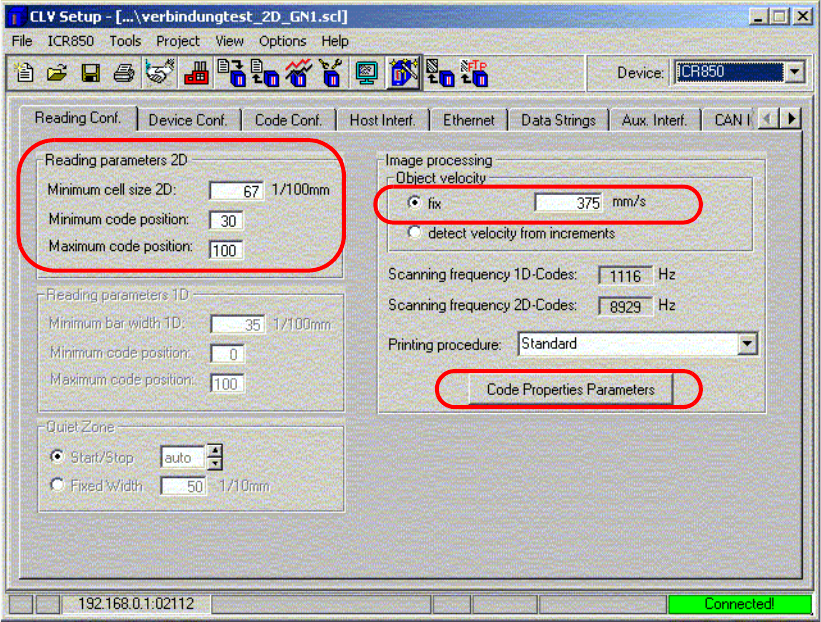
Fig. 2.11 - 35 Reading configuration
: Enter the "Minimum cell size 2D" in 1/100 mm (size of a matrix dot - a tolerance of approx. 30%
is accepted)
e.g. barcode width (12 mm) divided by the number of columns (18)
: Enter the minimum and maximum code position. (Definition
of the size of the scanning win-
dow),
: The object velocity, i.e. the speed with which th
e barcode is scanned, corresponds to the con-
veyor velocity.
2 PCB barcode scanner assembly instructions SIPLACE
2.11 PCB barcode scanner configuration 10/2009 Edition
242
The scanning frequency is adjusted automatically.
PLEASE NOTE:
Once the configuration is complete,
an image of the defined barcode can be output.
The object velocity can be changed if the barcode appears squashed or stretched.
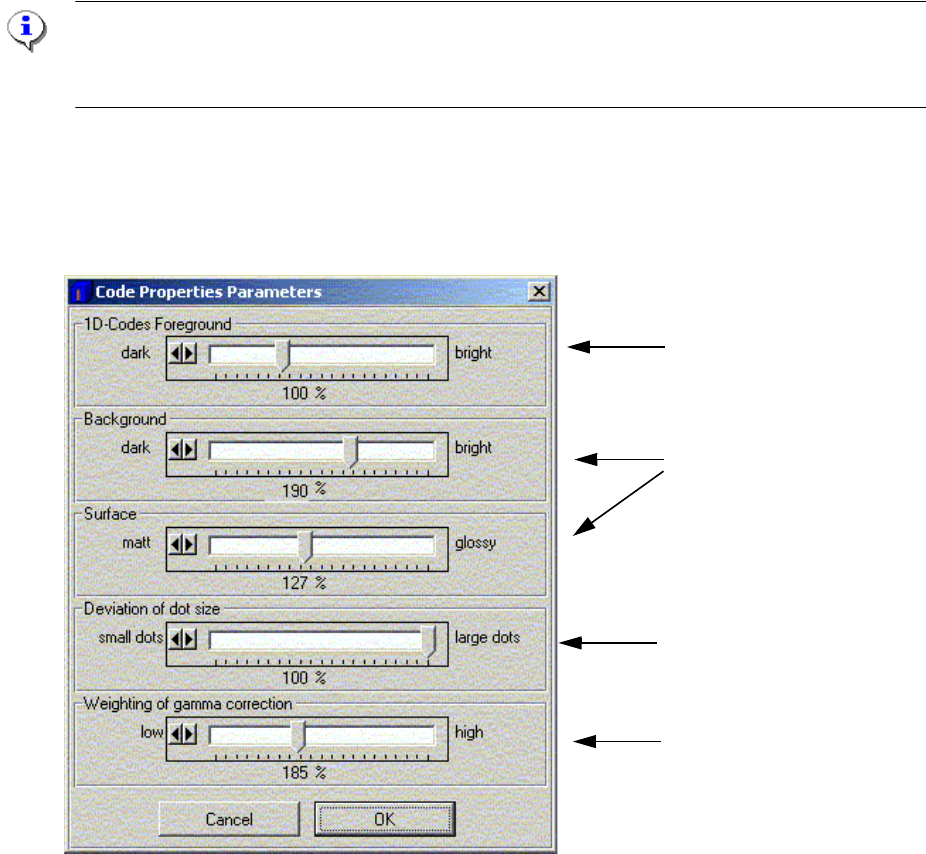
: Click on the "Code Properties Parameters" button.
This window is used to adjust the barcode quality.
Setting for 1D barcodes
Setting for 1/2D barcodes
Setting for 1/2D dot matrix
barcodes
Background hiding for 1/2D
barcodes
Fig. 2.11 - 36 Adjusting the barcode quality
2
2
2
2
2
2
2
SIPLACE 2 PCB barcode scanner assembly instructions
10/2009 Edition 2.11 PCB barcode scanner configuration
243
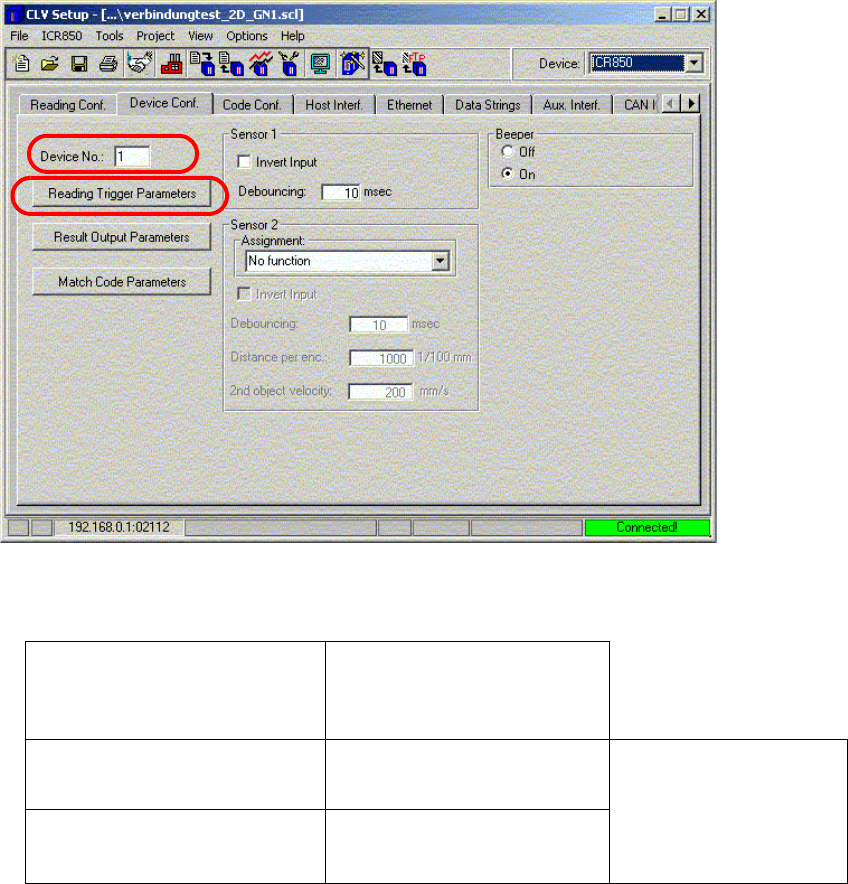
: Select the "Device conf." tab.
2
: Enter the device number as shown in the table.
Left-hand PCB conveyor track (2)
on dual conveyor option only
Right-hand PCB conveyor
track
(1)
PCB barcode scanner ‘topside’
3 1
PCB barcode scanner
‘topsi
de’
PCB conveyor
PCB barcode scanner
‘underside’
4 2
2
2
2
2
2
2
2