00193891-0702_AI_LP_Barcode_DE+EN.pdf - 第247页
SIPLACE 2 PCB barcode scanner assembly instructions 10/2009 Edition 2.11 PCB barcode scanner configuration 247 : Click on "Optimization Parameters". Please note: This parameter mu st not be changed if it was se…
2 PCB barcode scanner assembly instructions SIPLACE
2.11 PCB barcode scanner configuration 10/2009 Edition
246
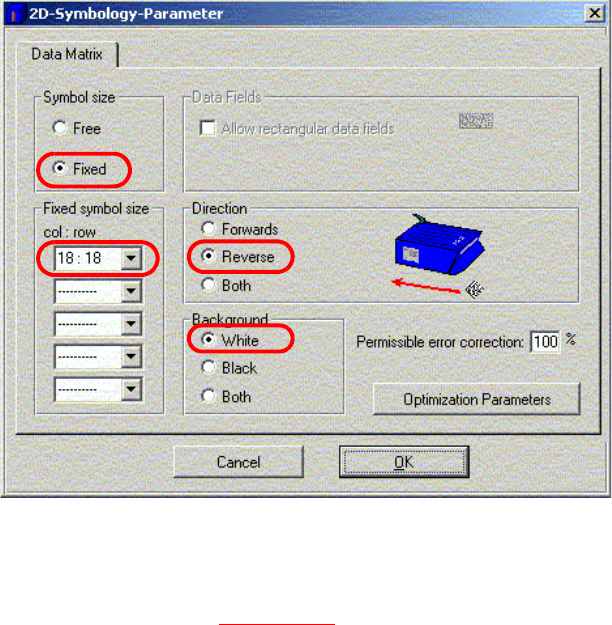
: Click on 2D Symbology Parameters
Fig. 2.11 - 39 Barcode parameters
2
: The settings made in Fig. 2.11 - 39 apply to the "DEMO" example.
: Fixed symbol size indicates the number of columns and rows in the Data Matrix barcode.
: The Scanning is always reverse when used on the Siplace.
: Background defines the colored background of the 2D barcode.
2
2
2
2
2
2
2
2
2
2
SIPLACE 2 PCB barcode scanner assembly instructions
10/2009 Edition 2.11 PCB barcode scanner configuration
247
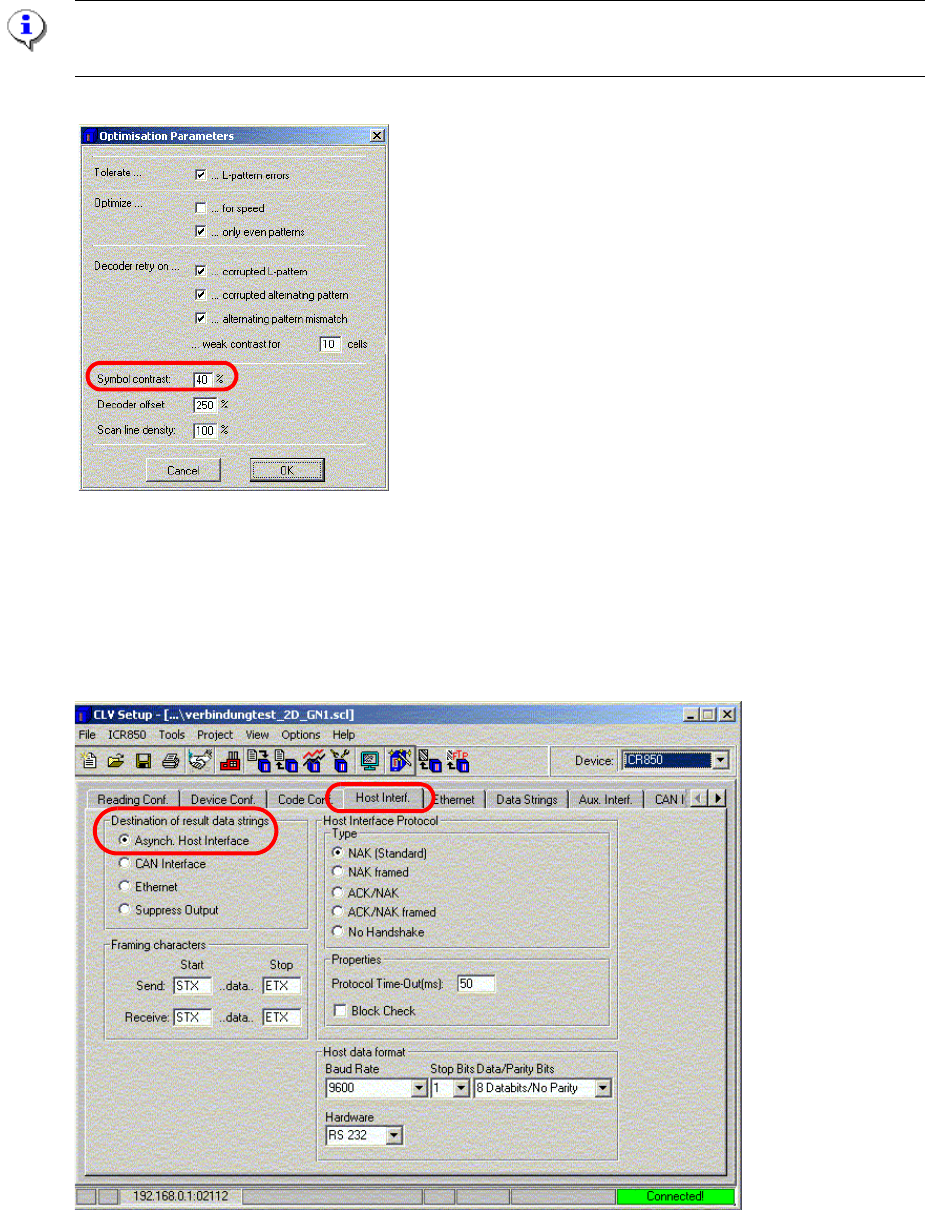
: Click on "Optimization Parameters".
Please note:
This parameter must not be changed if it was set using the CLV Assistant.
Fig. 2.11 - 40 Optimization parameters
: Symbol contrast is used to adapt the image quality to suit the specific barcode.
: Click on OK to confirm your input.
: Select the "Host Interf." tab.
Fig. 2.11 - 41 Host interface
2 PCB barcode scanner assembly instructions SIPLACE
2.11 PCB barcode scanner configuration 10/2009 Edition
248
: Select the Asynch. Host Interface function under "Destination of result data string".
The result of the scan is sent to the station.
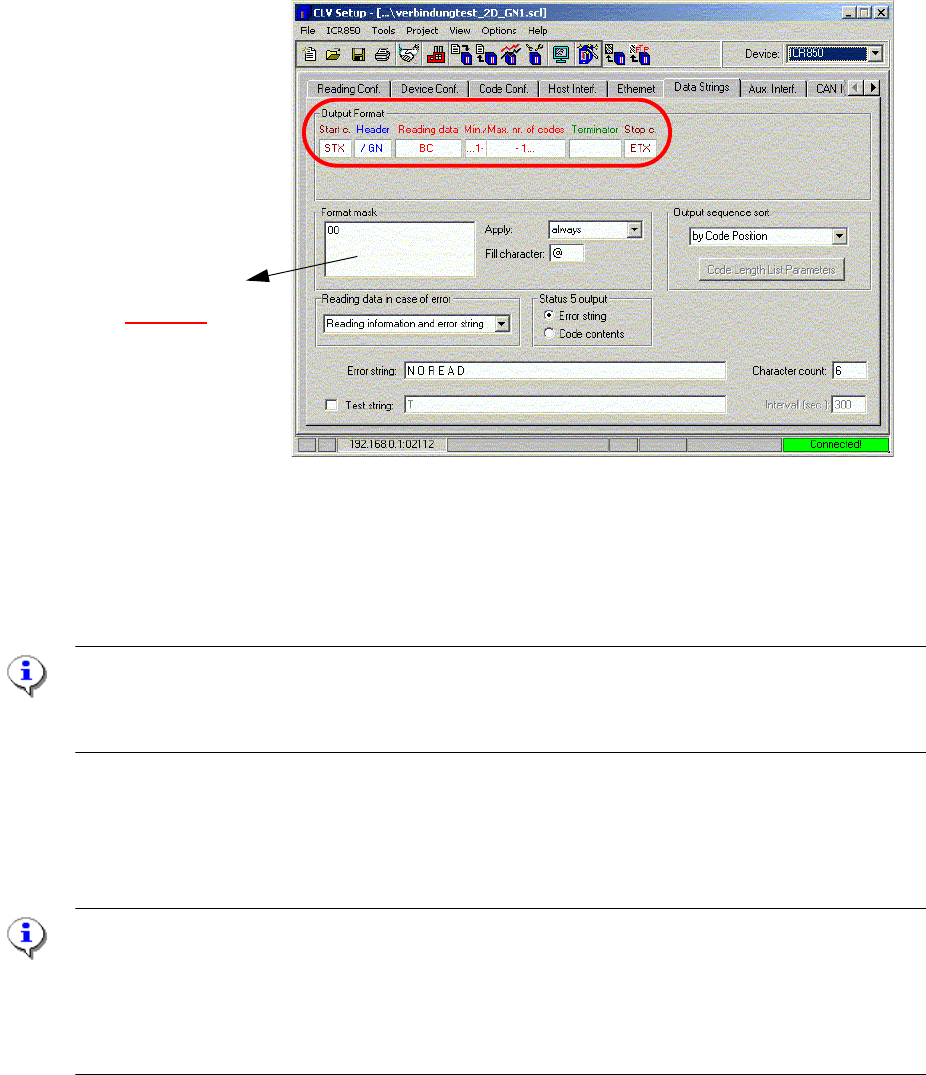
: Select the "Data Strings" tab.
Definition of the bar-
code length
(see 2.11.7.10
)
Fig. 2.11 - 42 Data string
: Under "Output Format", click on Header, enter " / " and select " GN " from the list for the device
number.
: Click on OK to confirm your input.
PLEASE NOTE:
If the 2D barcode scanner is used on Siplace machines with p
latform 1 software, then a "CR" must
be entered for "Terminator".
2.11.7.10 Restricting the barcode information
Restrictions on the PCB barcode in relation to the character length.
NOTE:
With software versions <= 505.xx, no more than 25 characters can be processed by the stations
for a singl
e conveyor. For dual conveyor machines, up to 12 characters can be processed.
With software version 601 onwards, up to 50 characters can be processed for the single and 25
characters for the dual conveyor.