SiplaceProInstall_eng.pdf - 第50页
Ins t a lla tion Manua l 5 I nst alla tio n of S IPLACE Pro Lang uage P ack SIPLACE Pro 7 .0 Ed ition 05 /200 9 US 48
5 Installation of SIPLACE Pro Language Pack IInstallation Manual
Edition 05/2009 US SIPLACE Pro 7.0
47
Case C: 5
SIPLACE Pro Upgrade is compatible with the installed language pack. 5
5
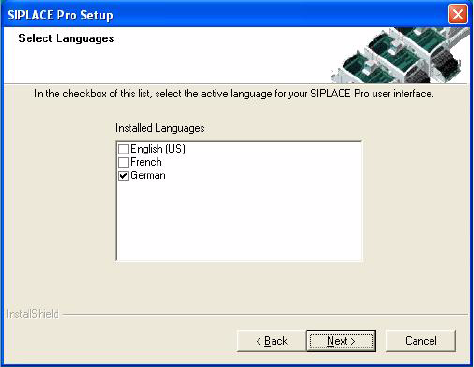
Fig. 5 - 9 Compatible Language Pack
Solution: 5
The SIPLACE Pro version that has been currently installed is compatible with the already installed
language pack. This means the SIPLACE Pro upgrade can be carried out as usual without chang-
ing the language pack. After having done the upgrade all languages installed with the language
pack are available. 5
5
Installation Manual 5 Installation of SIPLACE Pro Language Pack
SIPLACE Pro 7.0 Edition 05/2009 US
48

6 Update IInstallation Manual
Edition 05/2009 US SIPLACE Pro 7.0
49
6Update
Basically, follow the same procedure as for initial installation when making an update. Please refer
to chapter 4 in this regard. 6
Before you update from a SIPLACE Pro 2.x you must uninstall that old version. 6
If you have a SIPLACE Pro 3.x version or SIPLACE Pro 4.x or SIPLACE Pro 5.0 version, you are
not required to uninstall the old version first, although this is recommended. The database will be
kept untouched by that uninstallation and will be upgraded during the installation of SIPLACE
Pro. 6
Note
Any update from lower to higher versions is possible provided that an upgrade script is available.
In case of problems, please note any messages and check the installation logfile in your tempo-
rary folder (to locate it enter %temp% in the address field of Windows Explorer) or in the program
folder. For more details please contact your service technician. 6
6