SPF维修.pdf - 第151页
SPF 6.7 Secret Screen Service Functions (CONFIDENTIAL) SERVICE MANUAL 6.7−20 D54SEC−85−080−A0 = MEMO =
6.7 Secret Screen Service Functions (CONFIDENTIAL)
SERVICE MANUAL
SPF
6.7−19
D54SEC−85−080−A0
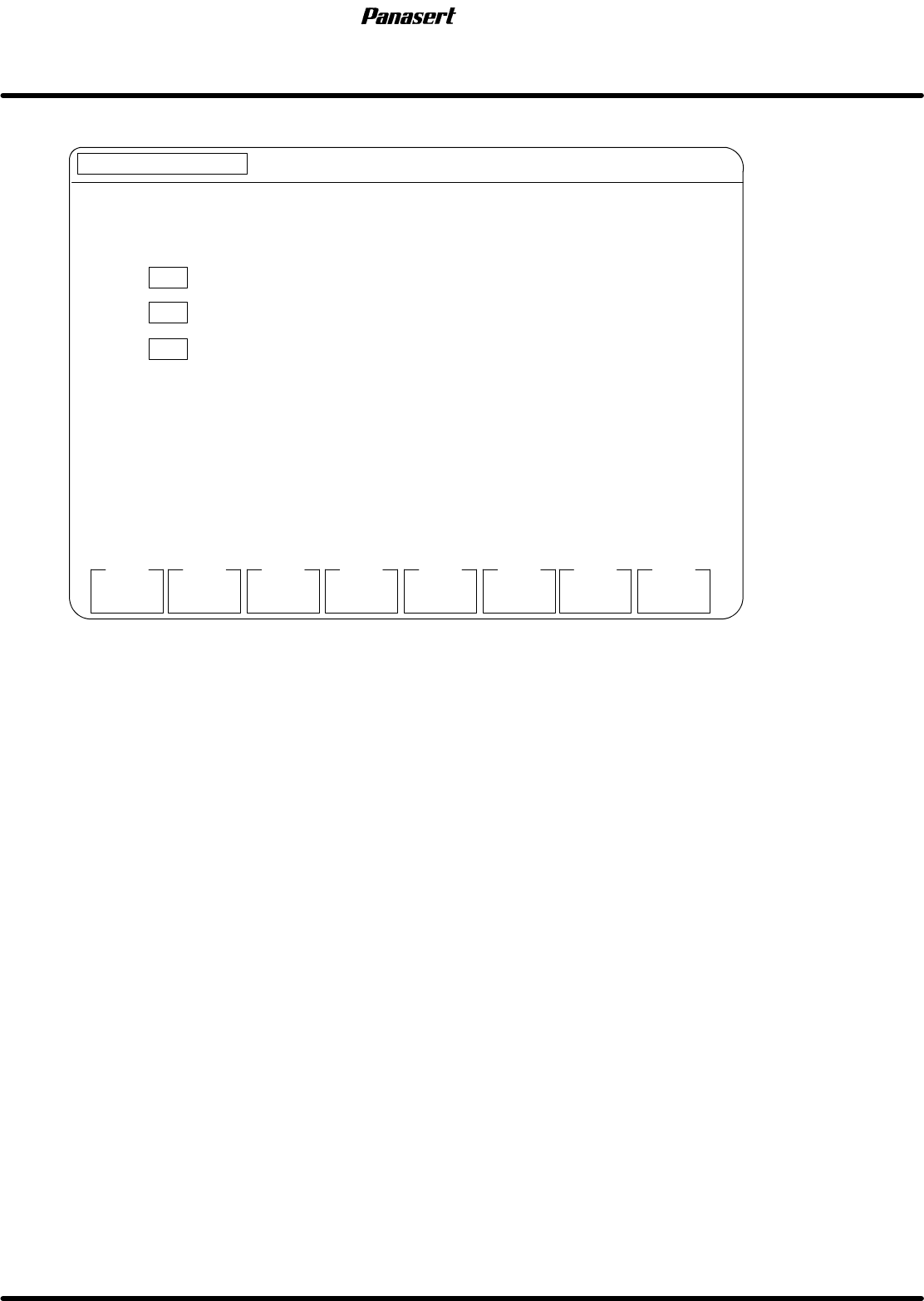
6.7.10 Approving
MANUAL : 1BLOCK
<<MACHINE INITIAL SETTING>>
XXXX−XX−XX XX:XX
F1
F2 F3 F4 F5 F6
F7 F8
[APPROVING]
EXIT
SELECT FUNCTION USING F KEYS.
F 1 SCREEN MARK APPROVING
F 2 PCB. MARK APPROVING
F3
PCB. MARK / PCB. ADJUST
S MARK
APPROVE
P MARK
APPROVE
(PCB ADJUSTING)
(REPEAT ADJUSTING)
REPEAT
APPROVE
Figure 6.7−18−Approving screen
Parameter explanation
Approving
· This is a designation of which function keys to execute upon the selection.
F1 : Carry out the screen mark certification.
F2 : Carry out the PCB mark certification.
F3 : Carry out the PCB mark and PCB proscription certification.
F8 : Setting is completed.

SPF
6.7 Secret Screen Service Functions (CONFIDENTIAL)
SERVICE MANUAL
6.7−20
D54SEC−85−080−A0
= MEMO =
6.8 Timing Belt Tension Measurement (Sonic Tension Meter)
SERVICE MANUAL
SPF
6.8−1
D54SEC−85−210−A0
6.8 Timing Belt Tension Measurement (Sonic Tension
Meter)
D54SEC−85−210−A0
Sentence No.
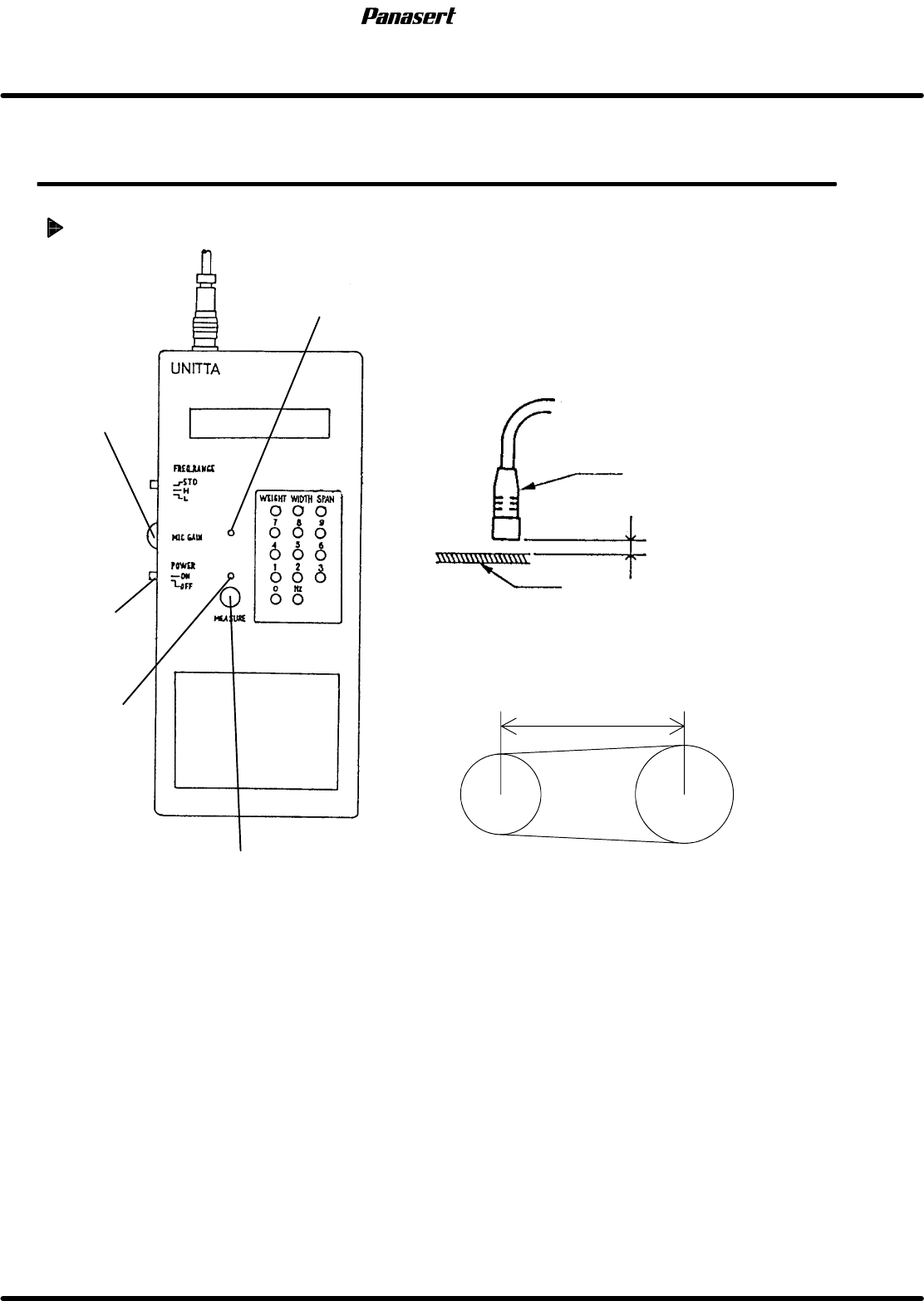
Timing belt tension measurement
Measurement switch
Power
[ON/OFF]
dip switch
MIC gain LED
Adjustment
volume
Measurement
LED
About 6mm
Microphone
Belt
Span
1. Turn the power [ON].
2. Press ”WEIGHT” and input the belt weight (gf/cm
2
).
3. Press ”WIDTH” and input the belt width (mm).
4. Press ”SPAN” and input the belt span (mm).
5. Keep the clearance between microphone and the belt is about 6mm.
6. Press ”MEASURE” (Measurement switch).
7. Snap the belt by finger for the measuring.
=CHECK=
Snap the belt while the measurement LED is illuminated.