Micron Maintenance Manual.pdf - 第76页
3 VACUUM FILTRATION UNITS 3.1 FILTER REPLACEMENT 76 MAINTENANCE MANUAL MICRON 11/2017 3.1.2 Vf35i Vacuum Filtration Unit MANDA TOR Y TOXIC CHEMICALS MA Y BE PRESENT . SAFETY GLOVES MUST BE WORN. MANDA TOR Y TOXIC CHEMICA…

3 VACUUM FILTRATION UNITS
3.1 FILTER REPLACEMENT
MAINTENANCE MANUAL MICRON 11/2017 75
3
VACUUM FILTRATION UNITS
3.1 FILTER REPLACEMENT
It is recommended that the filters in the vacuum filtration units are changed on a yearly basis with
the appropriate part number listed in the table below
NOTE
Not replacing the filters or using non-standard parts may have a serious impact on the effective
cleaning of the stencil.
3.1.1 Vacuum Filters
Description Part Number
VF35i Carbon Filter 173357
VF35i Standard Pre-Filter 173358
VF35i HEPA Pre-Filter (cleanroom use) 173359
VF35i Filter Kit (1x 173357 and 1x 173358) 173373
VF35i Filter Kit (1x 173357 and 1x 173359) 173374
.
VF30 Carbon Filter 225093
.
VF25 Carbon Filter 163552
VF25 Standard Pre-Filter 163551
VF25 Filter Kit (1x 163552 and 1x 163551) 173102
.
VF10 HDPE Foam Filter (pack of 3) 187871
3 VACUUM FILTRATION UNITS
3.1 FILTER REPLACEMENT
76 MAINTENANCE MANUAL MICRON 11/2017
3.1.2 Vf35i Vacuum Filtration Unit
MANDATORY
TOXIC CHEMICALS MAY BE PRESENT. SAFETY GLOVES MUST BE WORN.
MANDATORY
TOXIC CHEMICALS MAY BE PRESENT. EYE PROTECTION MUST BE WORN.
To replace any of the filters in the vacuum filtration unit, carry out the following:
Note
Numbers in brackets e.g. (1), refer to the numbers in the graphics in the procedure.
1. Ensure the printer is switched OFF.
2. Remove the printer front cover.
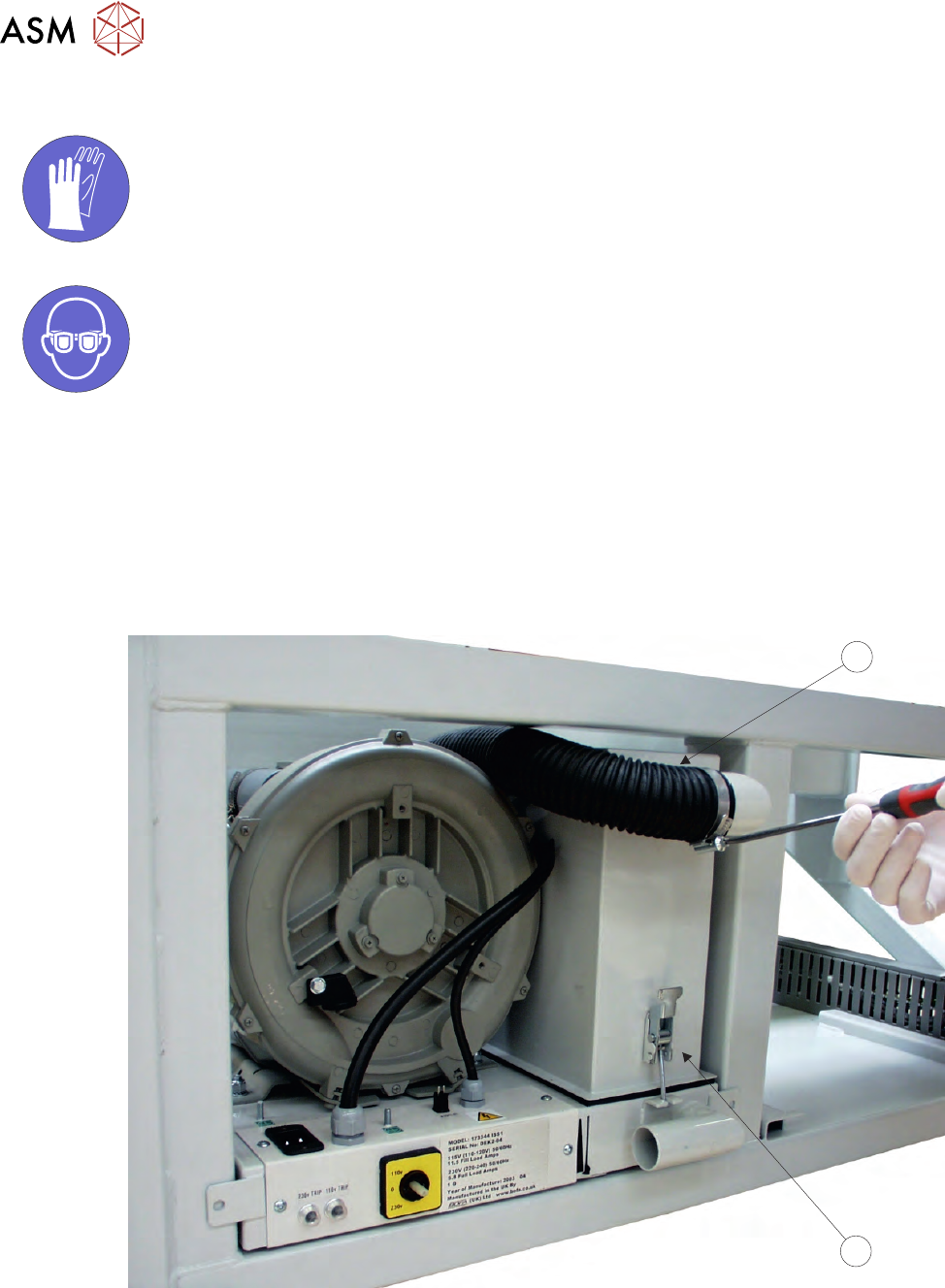
3. Remove the air duct (1) from the carbon filter unit (2) using a screwdriver or box spanner to
release the securing clip.
1
2
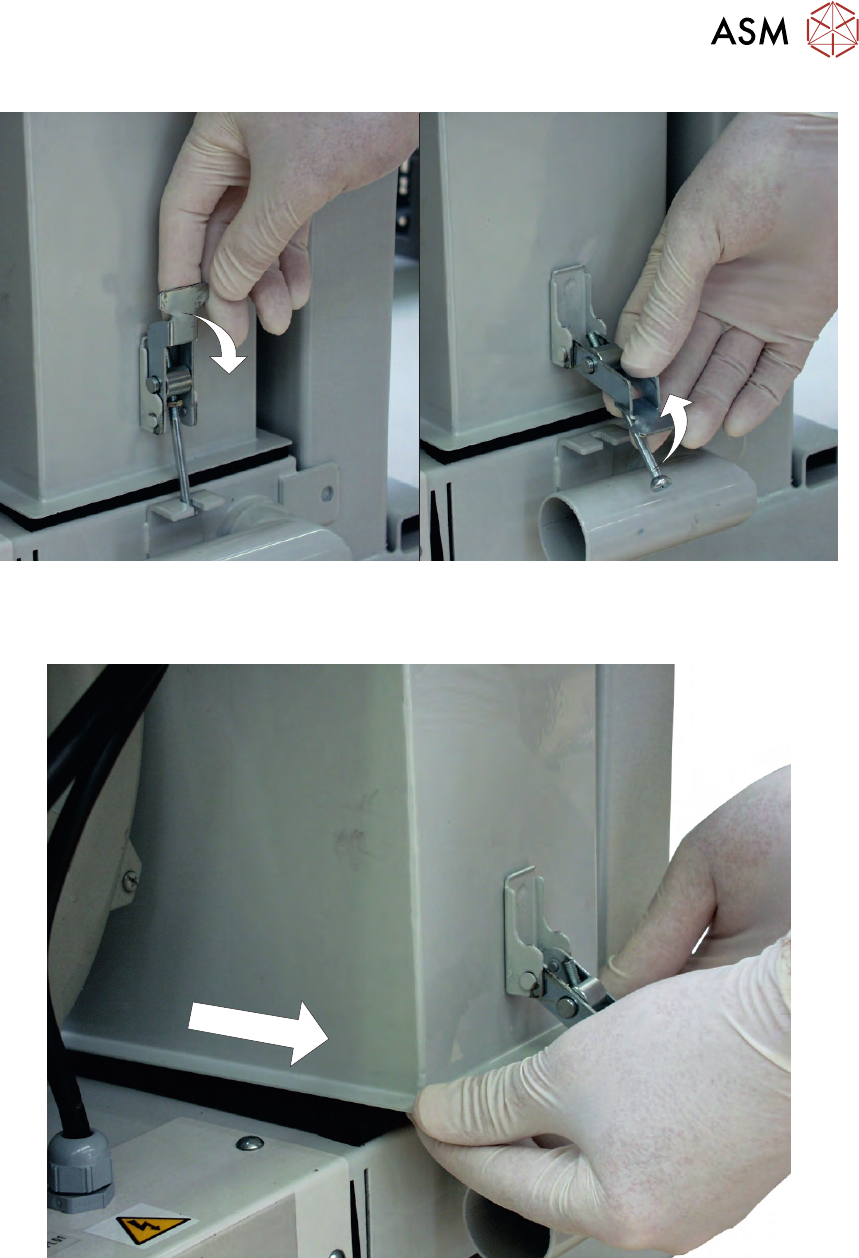
4. Release the filter retaining clip to detach the filters from the base unit.
3 VACUUM FILTRATION UNITS
3.1 FILTER REPLACEMENT
MAINTENANCE MANUAL MICRON 11/2017 77
5. The back of the carbon filter unit is secured beneath a filter securing bracket. To remove the
filter, lift the front and pull the filter out of the printer.
6. Turn the filter unit upside down.