Micron Maintenance Manual.pdf - 第82页
3 VACUUM FILTRATION UNITS 3.1 FILTER REPLACEMENT 82 MAINTENANCE MANUAL MICRON 11/2017 6 5 7. Disconnect the communications connector (6) from the vacuum filtration unit.
3 VACUUM FILTRATION UNITS
3.1 FILTER REPLACEMENT
MAINTENANCE MANUAL MICRON 11/2017 81
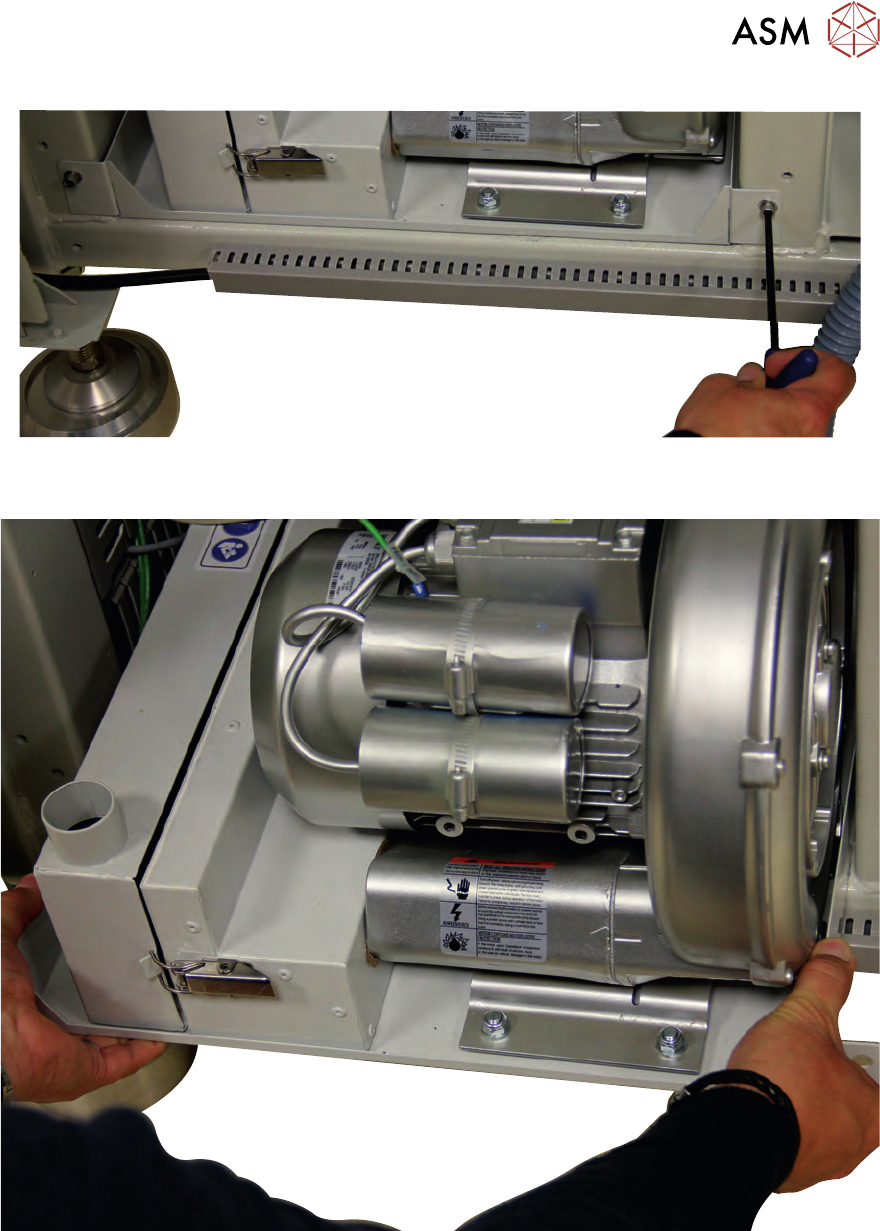
5. Carefully slide the vacuum filtration unit out of the printer ensuring that the cables do not snag
and place the unit on the floor.
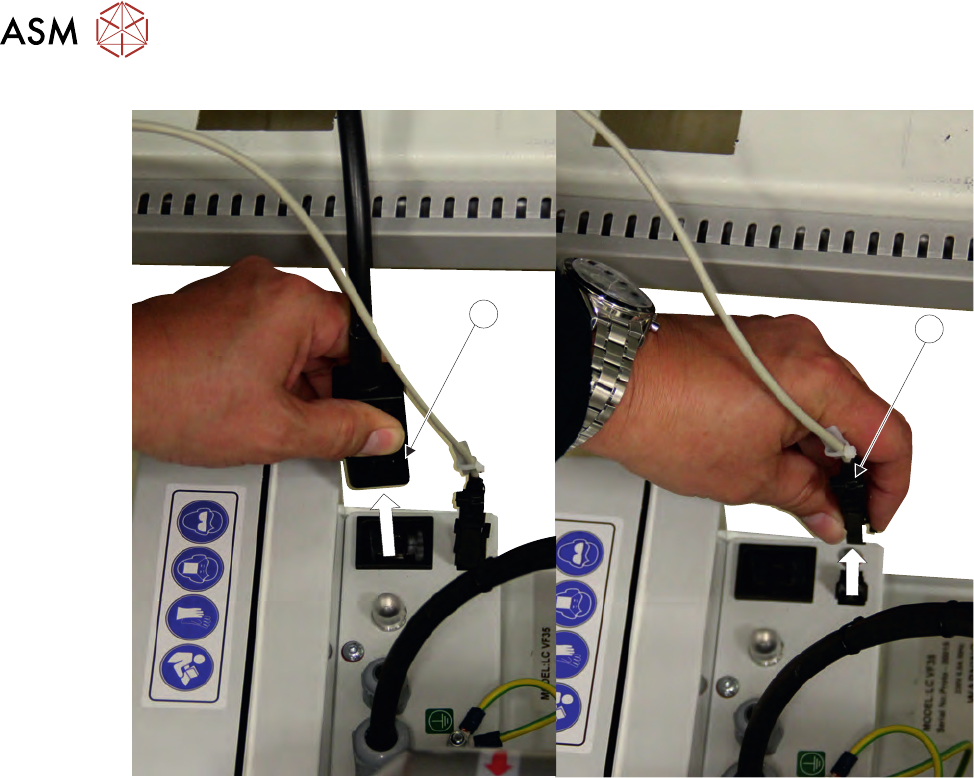
6. Disconnect the mains connector (5) from the vacuum filtration unit.
3 VACUUM FILTRATION UNITS
3.1 FILTER REPLACEMENT
82 MAINTENANCE MANUAL MICRON 11/2017
6
5
7. Disconnect the communications connector (6) from the vacuum filtration unit.
3 VACUUM FILTRATION UNITS
3.1 FILTER REPLACEMENT
MAINTENANCE MANUAL MICRON 11/2017 83
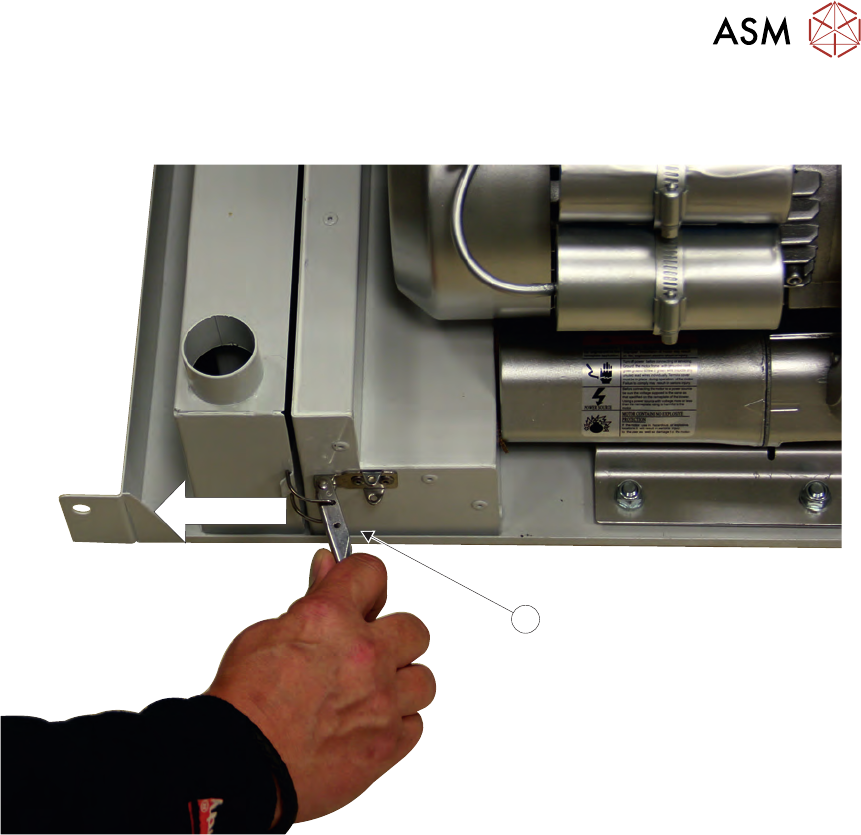
8. Release the filter retaining clip (7) to detach the carbon filter unit from the vacuum filtration
unit.
7
9. Remove the carbon filter unit.