Micron Maintenance Manual.pdf - 第83页
3 VACUUM FILTRATION UNITS 3.1 FILTER REPLACEMENT MAINTENANCE MANUAL MICRON 11/2017 83 8. Release the filter retaining clip (7) to detach the carbon filter unit from the vacuum filtration unit. 7 9. Remove the carbon filt…
3 VACUUM FILTRATION UNITS
3.1 FILTER REPLACEMENT
82 MAINTENANCE MANUAL MICRON 11/2017
6
5
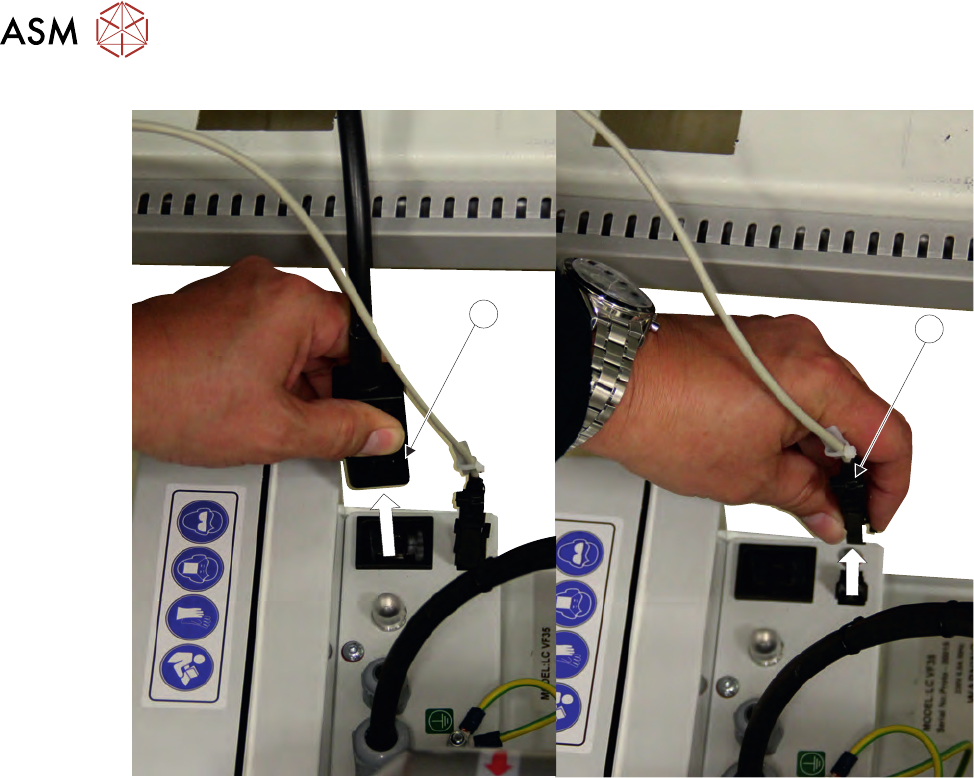
7. Disconnect the communications connector (6) from the vacuum filtration unit.
3 VACUUM FILTRATION UNITS
3.1 FILTER REPLACEMENT
MAINTENANCE MANUAL MICRON 11/2017 83
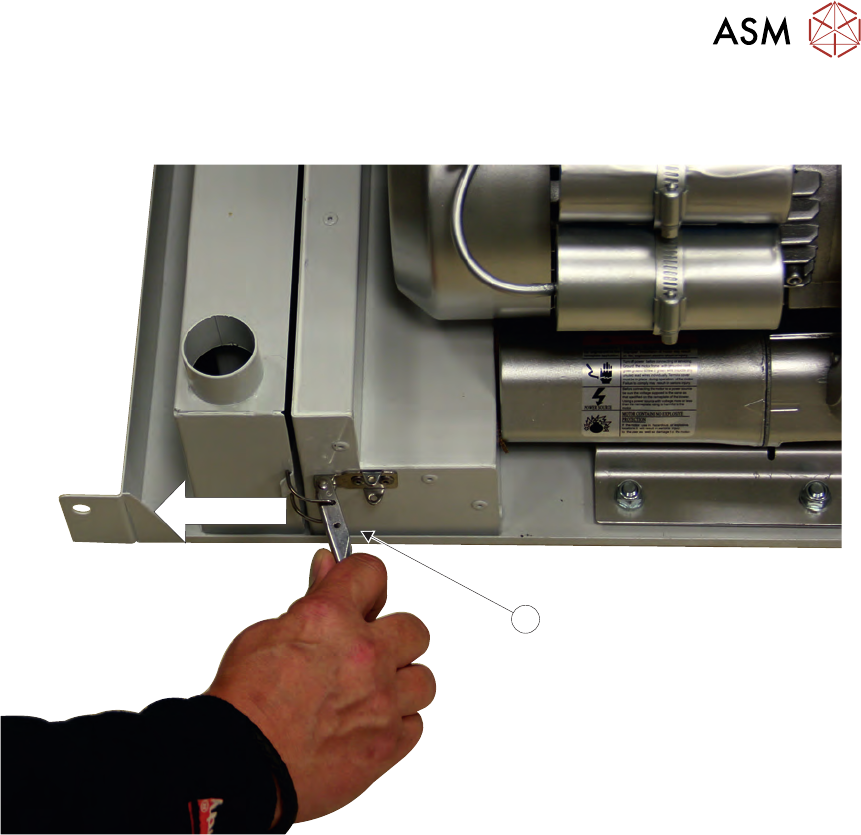
8. Release the filter retaining clip (7) to detach the carbon filter unit from the vacuum filtration
unit.
7
9. Remove the carbon filter unit.
3 VACUUM FILTRATION UNITS
3.1 FILTER REPLACEMENT
84 MAINTENANCE MANUAL MICRON 11/2017
8
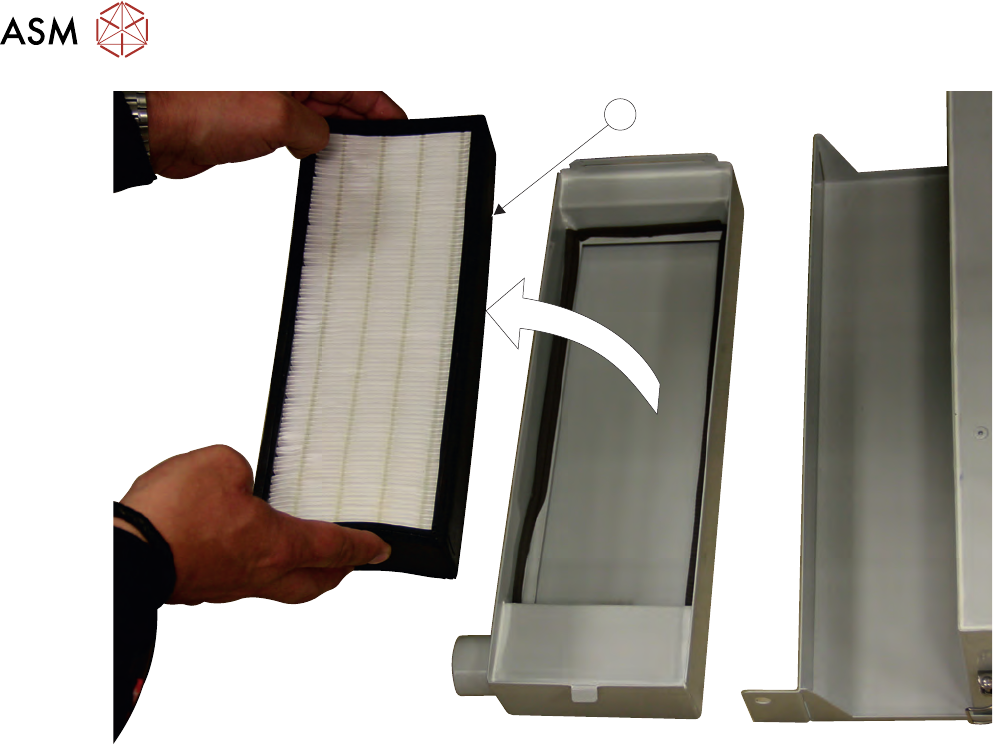
10. Lift the pre-filter unit (8) from the carbon filter unit.
11. Replace the pre-filter as required and refit the pre-filter into the carbon filter unit.
12. Refit the carbon filter unit to the vacuum filtration unit.
13. Secure the carbon filter unit using the filter retaining clip.
14. Refit the vacuum filtration unit and secure with the securing screws.
15. Refit and secure the air duct to the carbon filter unit.
16. Refit the panel removed in step 2.