Micron Maintenance Manual.pdf - 第87页
3 VACUUM FILTRATION UNITS 3.1 FILTER REPLACEMENT MAINTENANCE MANUAL MICRON 11/2017 87 12. To separate the pre-filter unit (11) from the carbon filter unit (12), pull the filter upwards using the pre-filter frame. 1 1 12 …
3 VACUUM FILTRATION UNITS
3.1 FILTER REPLACEMENT
86 MAINTENANCE MANUAL MICRON 11/2017
4
5
6
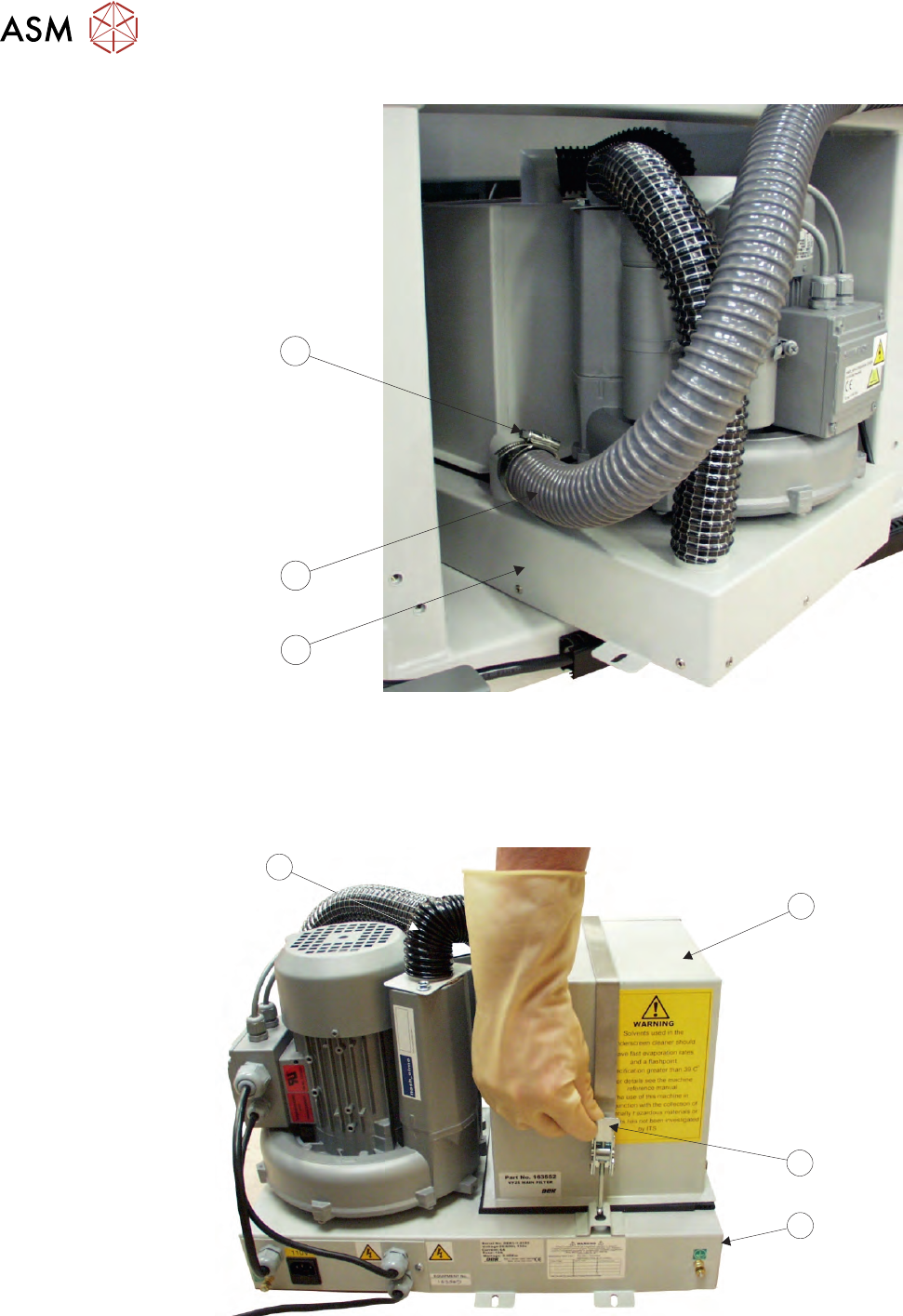
7. Pull off the vacuum tube (5) from the base unit (6)
8. Carefully slide the vacuum filtration unit out of the printer ensuring that the cables do not snag
and place on the floor.
9. Release the filter retaining clip (8) to detach the carbon filter unit (7) from the base unit (9).
7
8
9
10
10. Remove the air duct (10) from the filter unit.
11. Turn the carbon filter unit upside down
3 VACUUM FILTRATION UNITS
3.1 FILTER REPLACEMENT
MAINTENANCE MANUAL MICRON 11/2017 87
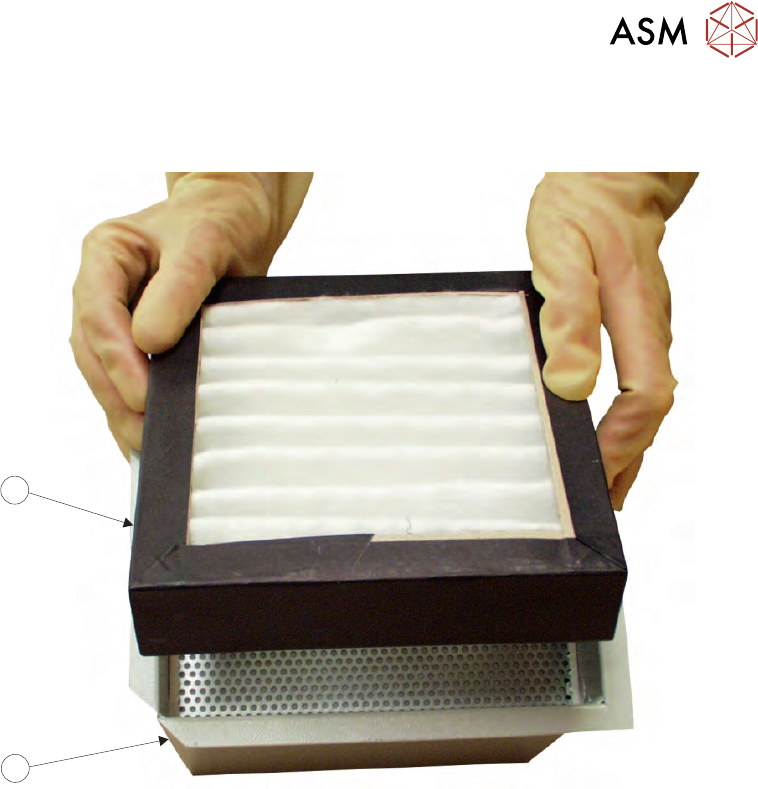
12. To separate the pre-filter unit (11) from the carbon filter unit (12), pull the filter upwards using
the pre-filter frame.
11
12
13. Replace the carbon\pre-filter as required and refit the pre-filter into the carbon filter unit.
14. Refit the air duct to the carbon filter unit.
15. Refit the carbon filter unit to the vacuum filtration unit.
16. Secure the carbon filter unit using the filter retaining clip.
17. Slide the vacuum filtration unit back into the printer approximately halfway and refit the va-
cuum tube.
18. Locate the vacuum filtration unit over its four securing holes and secure to the base of the
printer using four securing screws.
19. Reconnect the two earth leads and the mains connector.
20. Refit the panel removed in Step 2.
3 VACUUM FILTRATION UNITS
3.1 FILTER REPLACEMENT
88 MAINTENANCE MANUAL MICRON 11/2017
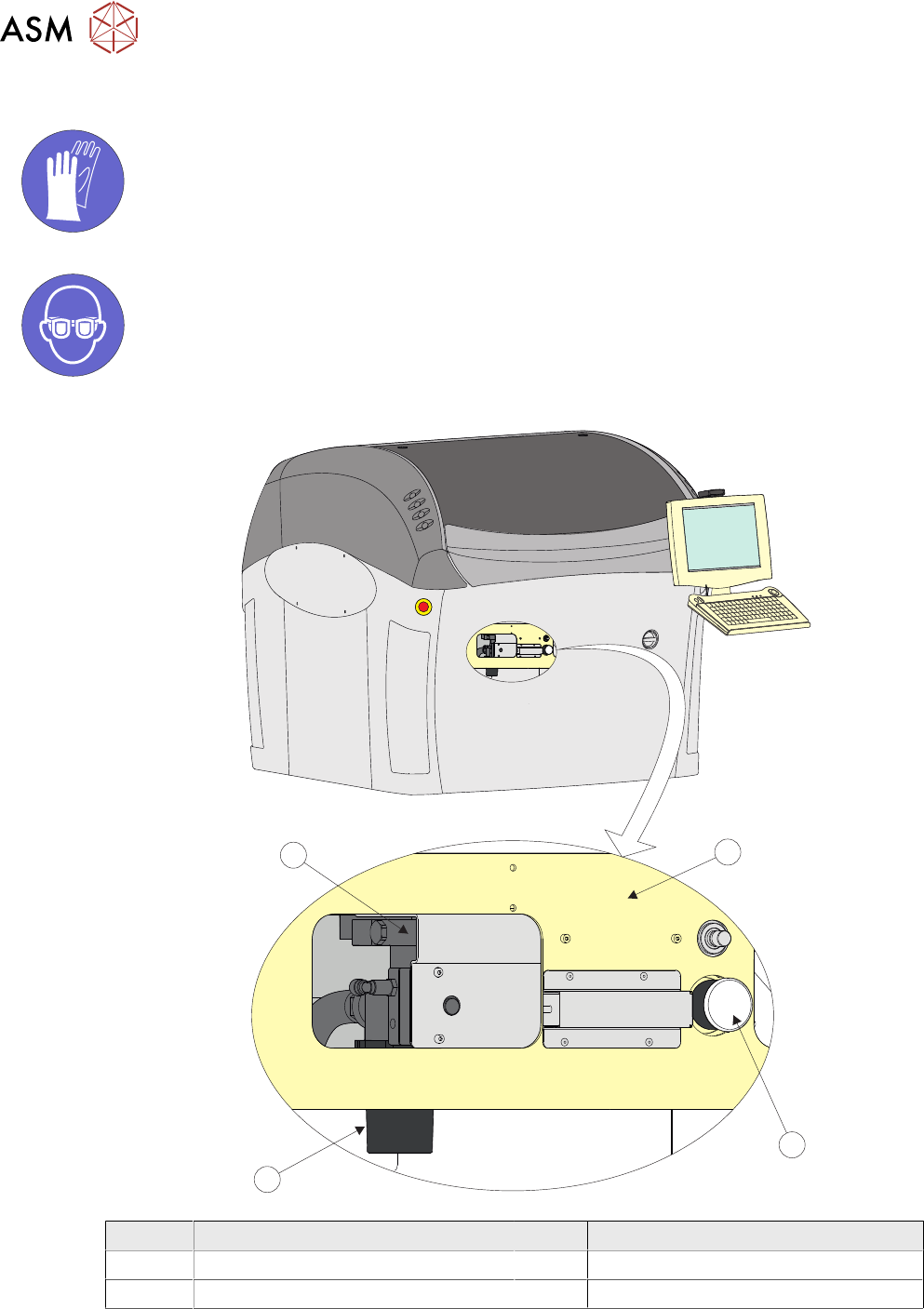
3.1.5 VF10 Vacuum Filtration Unit
MANDATORY
TOXIC CHEMICALS MAY BE PRESENT. SAFETY GLOVES MUST BE WORN.
MANDATORY
TOXIC CHEMICALS MAY BE PRESENT. EYE PROTECTION MUST BE WORN.
1
2
3
4
Item Description Item Description
1 Printer Frame 3 Filter Case
2 Vacuum Tooling (If fitted) 2 VF10 Vacuum Filtration Unit