Micron Maintenance Manual.pdf - 第90页
3 VACUUM FILTRATION UNITS 3.1 FILTER REPLACEMENT 90 MAINTENANCE MANUAL MICRON 11/2017
3 VACUUM FILTRATION UNITS
3.1 FILTER REPLACEMENT
MAINTENANCE MANUAL MICRON 11/2017 89
To replace the filter in the vacuum filtration unit, carry out the following:
NOTE
Numbers in brackets e.g. (1), refer to the numbers in the graphics in the procedure.
1. Ensure the printer is switched OFF.
2. Remove the printer front panel.
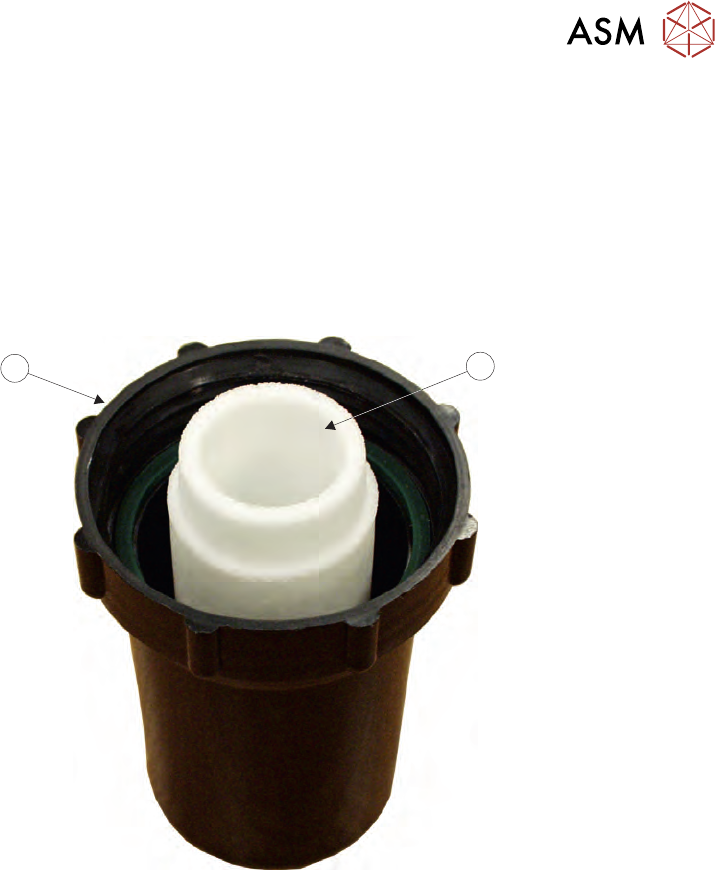
3. Unscrew the filter case (6) from the vacuum filtration unit.
4. Replace the white HDPE foam filter (5) and refit the filter case (6) to the vacuum filtration unit.
5
6
5. Refit the panel removed in Step 2.

3 VACUUM FILTRATION UNITS
3.1 FILTER REPLACEMENT
90 MAINTENANCE MANUAL MICRON 11/2017