00900067-02_OM_ProcessLens_EN - 第36页
Operation - Production Error Handling 36 www.asm-smt.com How To Transport PCB To Output 1. Click Cycle Stop 2. Click Transport PCB Out
Operation - Production Error Handling
35
www.asm-smt.com
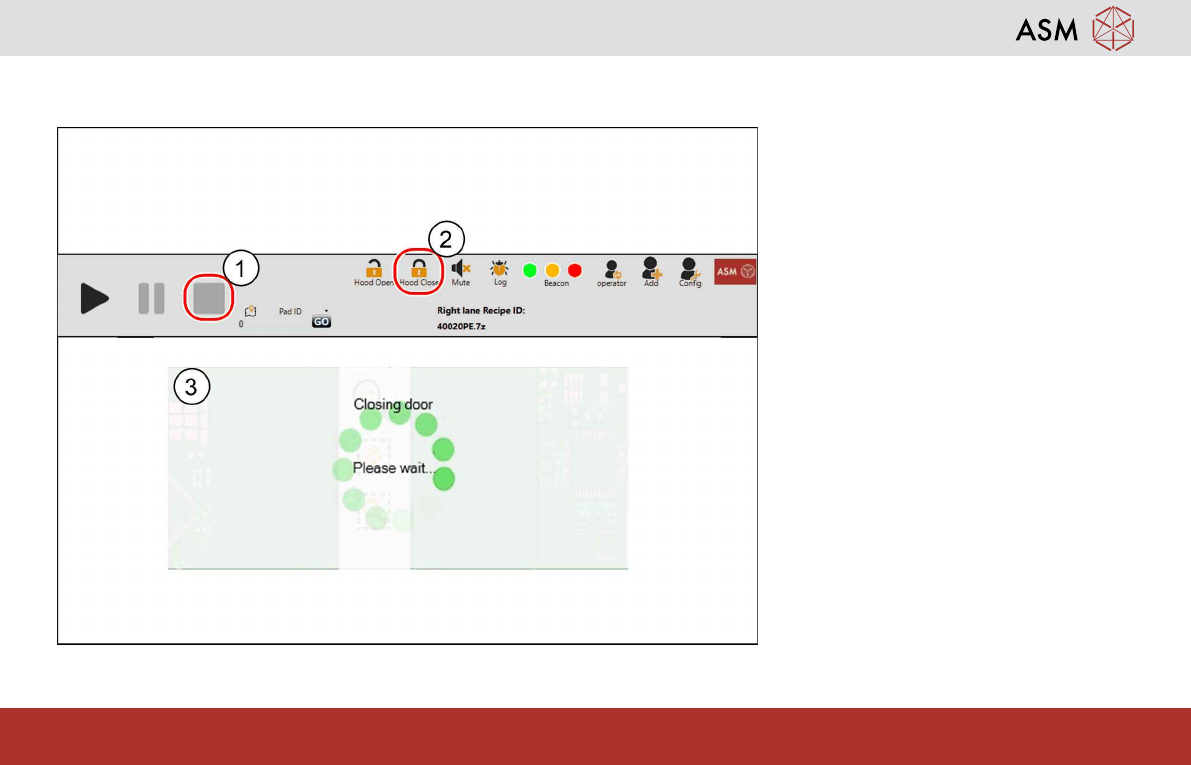
How To Close Cover
1. Close cover, click Close
2. Messages show Door Closing,
machine back to normal status
3. Click Start Inspect to resume in-
spection
Operation - Production Error Handling
36
www.asm-smt.com
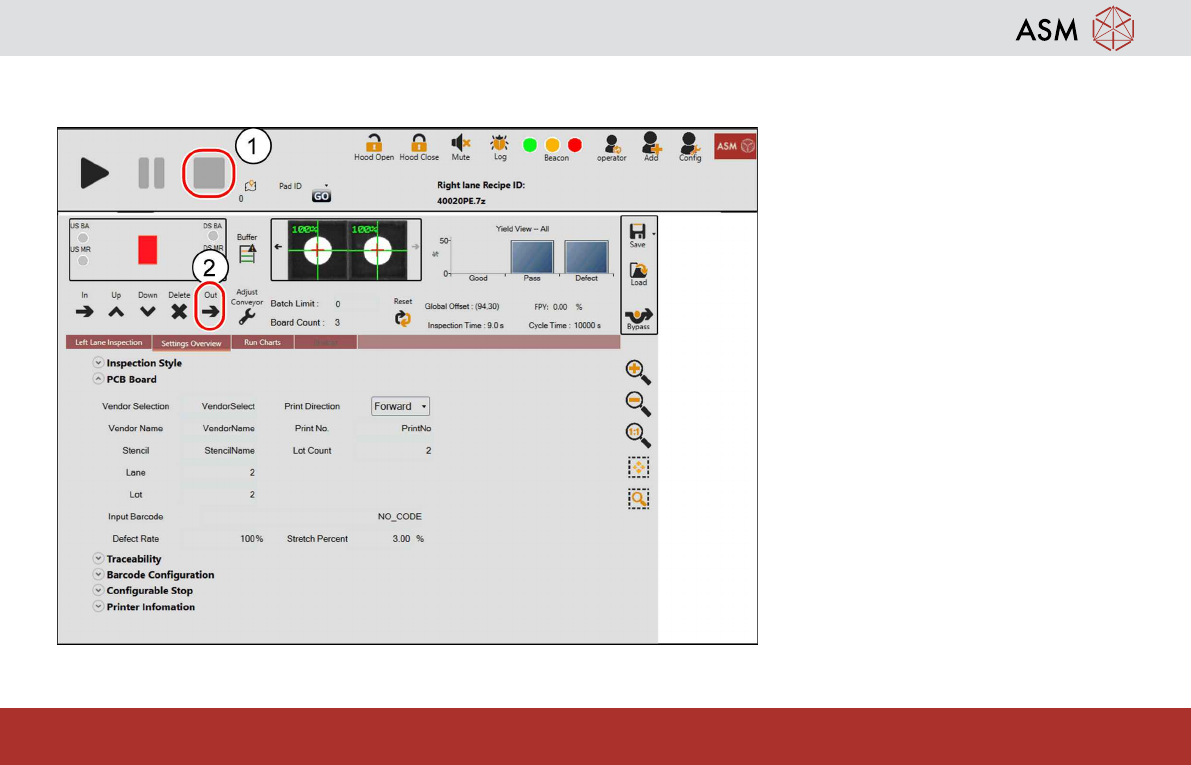
How To Transport PCB To Output
1. Click Cycle Stop
2. Click Transport PCB Out
Operation - Machine Bypass Mode
37
www.asm-smt.com
9 Operation - Machine Bypass Mode
Machine bypass mode operates under:
Scenario 1 No inspection required, machine operates as a conveyor.
Scenario 2 Inspection software failed or any other failure/ defect makes the inspection impossible, however the
vision PC which is still booting up correctly up windows.
Scenario 3 Inspection cannot be carry due to hardware failure which lead to vision PC failing to boot up.
NOTICE
Pre-condition for all scenarios is transport system fully in operation