00198536-02_AI_Mixed-Mode_TX2iV1_TX2V2_de_en - 第125页
4 Appendix 4.1 Excerpts from the Service Manual Assembly Instructions / Montageanleitung SIPLACE TX2i V1 SIPLACE TX2 V2 Option Mixed-Mode 01/2019 125 Removing the central unit Before removing the central unit, make sure …
4 Appendix
4.1 Excerpts from the Service Manual
124 Assembly Instructions / Montageanleitung SIPLACE TX2i V1 SIPLACE TX2 V2 Option Mixed-Mode 01/2019
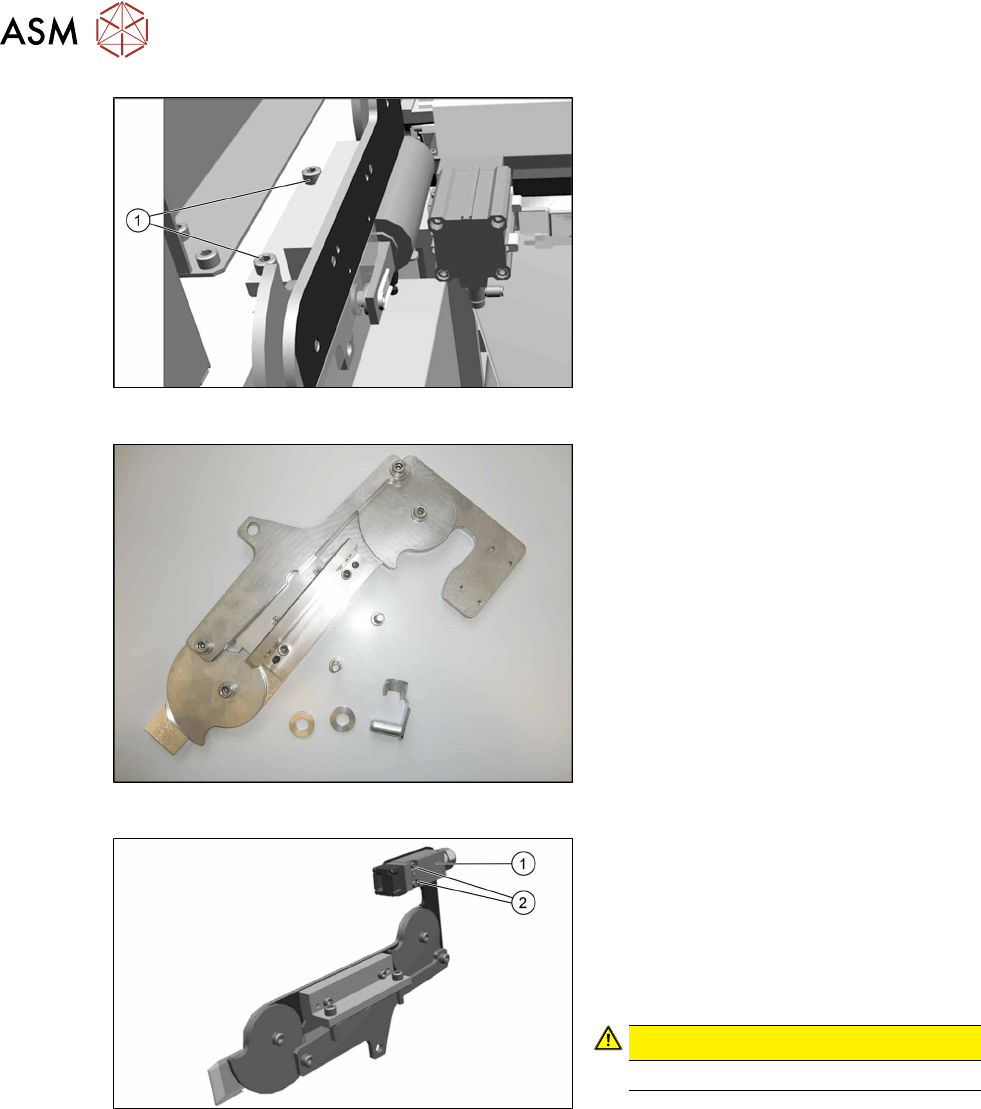
Fig.78: Removing the lifting mechanics
► Dismantle the lifting mechanics by re-
moving the screws(1).
Fig.79: Lifting mechanics parts
► Take out the "left lifting mechanics
assembly" [03126040‑xx].
Fig.80: Safety switch
► Repeat for the right lifting mechanics if
necessary.
The procedure for the right lifting mechanics
is the same, the only difference being that
the safety switch(1) must be removed.
► Remove the two fastening screws(2) of
the safety switch.
CAUTION!
Do not loose the sleeves.
.
4 Appendix
4.1 Excerpts from the Service Manual
Assembly Instructions / Montageanleitung SIPLACE TX2i V1 SIPLACE TX2 V2 Option Mixed-Mode 01/2019 125
Removing the central unit
Before removing the central unit, make sure that the lifting mechanics on the left and right have
been removed (see above).
CAUTION
Heavy machine part!
The COT-i central unit is heavy. To lift it out, you will need to use the mounting tool and a
suitable lifting device (hand-operated crane etc.).
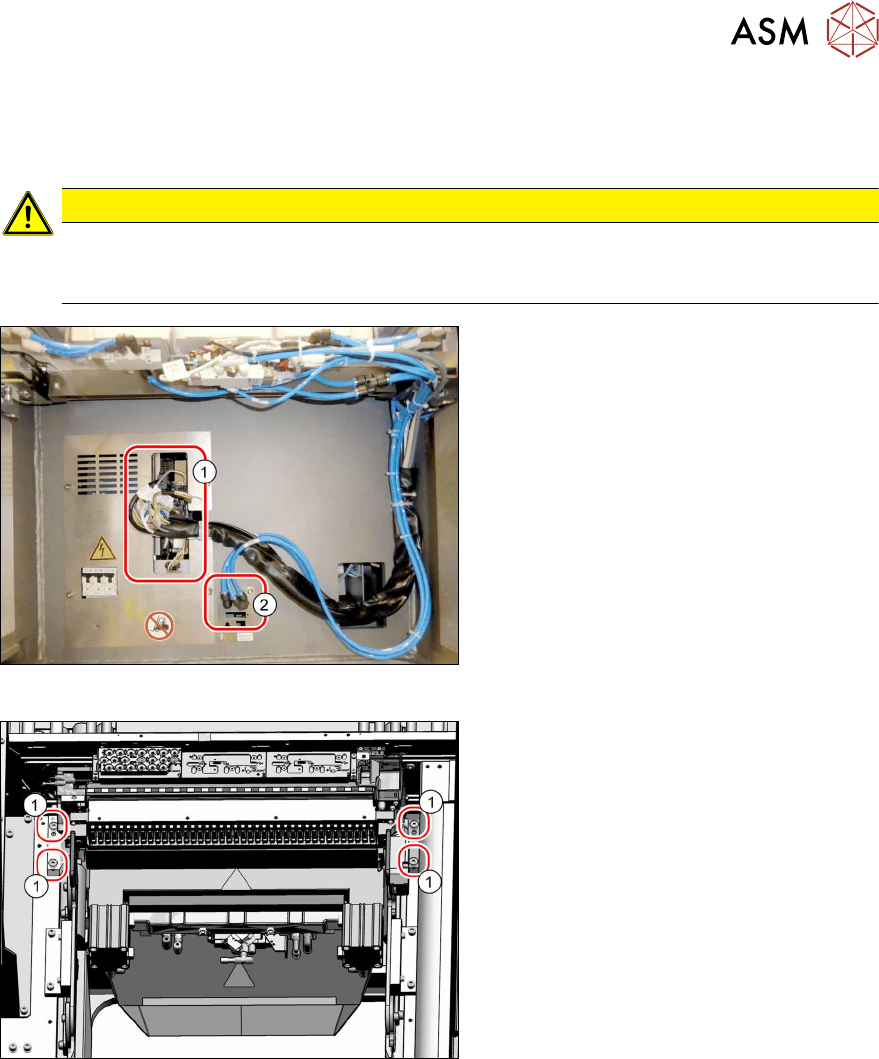
Fig.81: Central unit connections
► Unplug all electrical(1) and pneumatic
connections(2) from the COTi. You
might like to mark their positions to
make clear assignment easier later on.
Fig.82: Central unit fastening screws
► Remove the four fastening screws(1).
► Remove the central unit out of the
machine.
4 Appendix
4.1 Excerpts from the Service Manual
126 Assembly Instructions / Montageanleitung SIPLACE TX2i V1 SIPLACE TX2 V2 Option Mixed-Mode 01/2019
Installation of central unit
► Lift the central unit into the machine. Use a suitable lifting device.
► Reconnect all cables and hoses.
► Move the central unit into its final position on the machine base.
Take care not to damage the cables and hoses.
4.1.3.2 "Installation Positions of COT Insert (Table Positions)" [}121]
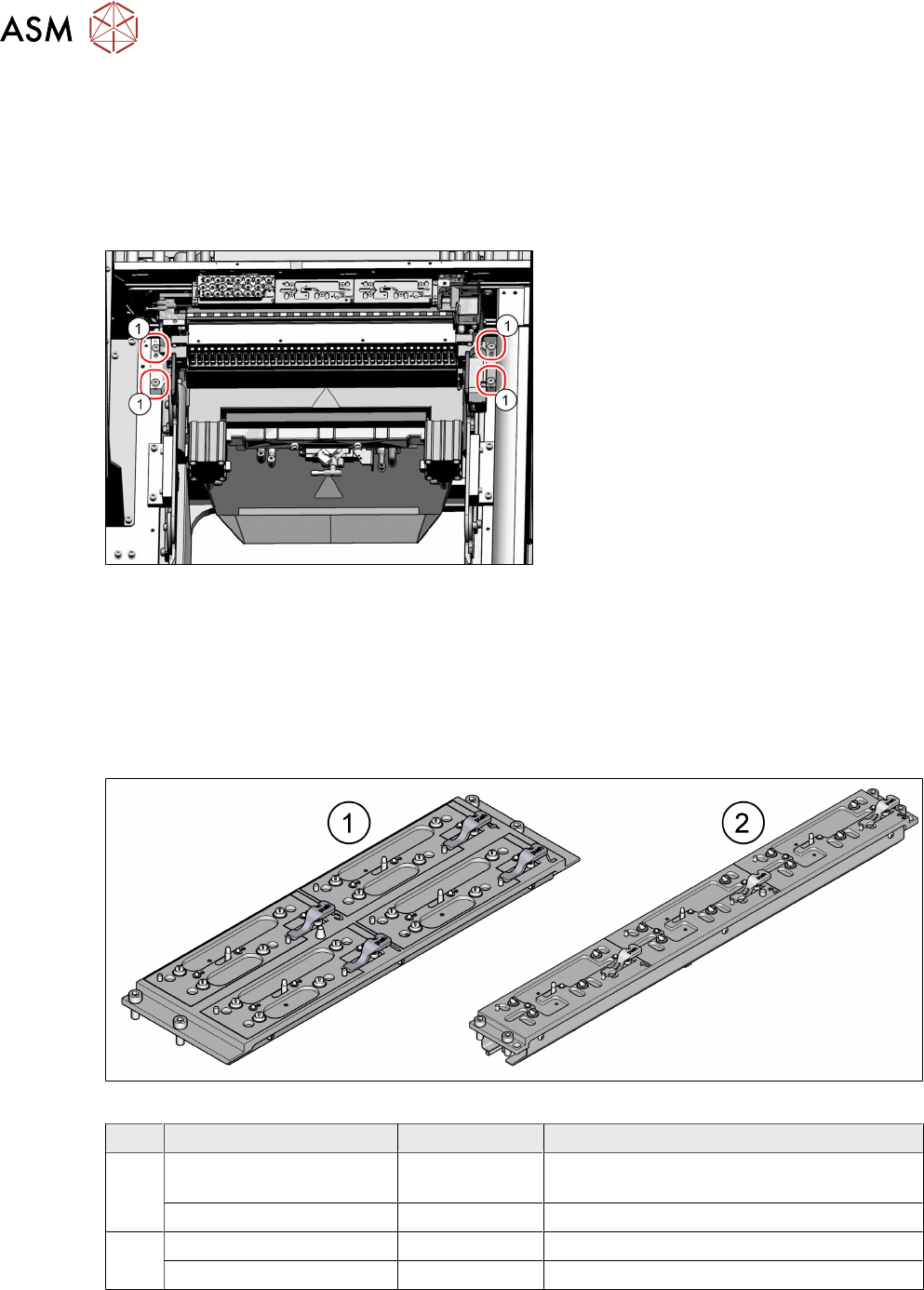
Fig.83: Fixing the central unit (shown from above)
► Insert the four screws(1) and loosely
tighten them.
► Push the central unit as far as possible
away from the conveyor to ensure a
maximum distance to the conveyor
edge.
► Tighten the four screws.
► The further installation of the central unit and lifting mechanics is performed by following the
above instructions in the reverse order.
► Perform necessary calibrations for the location.
4.1.3.4 Replacing the Nozzle Changer
Parts
Fig.84: Nozzle changer
Machine types Item no. Designation
1 SIPLACE TX1/TX2 V2 03103649-xx NC basic structure CPx/all complete assem-
bly short (four magazines)
SIPLACE TX1/TX2 V2 03021079-xx NC shim plate
2 SIPLACE TX2i V2 03129201-xx NC for TX2i V2 (three magazines)
SIPLACE TX2i V2 03133642-xx NC shim plate