00198536-02_AI_Mixed-Mode_TX2iV1_TX2V2_de_en - 第95页
3 Installation 3.2 Adapting the hose connections at the pneumatics block Assembly Instructions / Montageanleitung SIPLACE TX2i V1 SIPLACE TX2 V2 Option Mixed-Mode 01/2019 95 SIPLACE TX V1 and V2: Fig.26: Converting the …
3 Installation
3.2 Adapting the hose connections at the pneumatics block
94 Assembly Instructions / Montageanleitung SIPLACE TX2i V1 SIPLACE TX2 V2 Option Mixed-Mode 01/2019
3.2.2.2 Gantry with vacuum hoses(gantry with C&P20x)
SIPLACE TX V1:
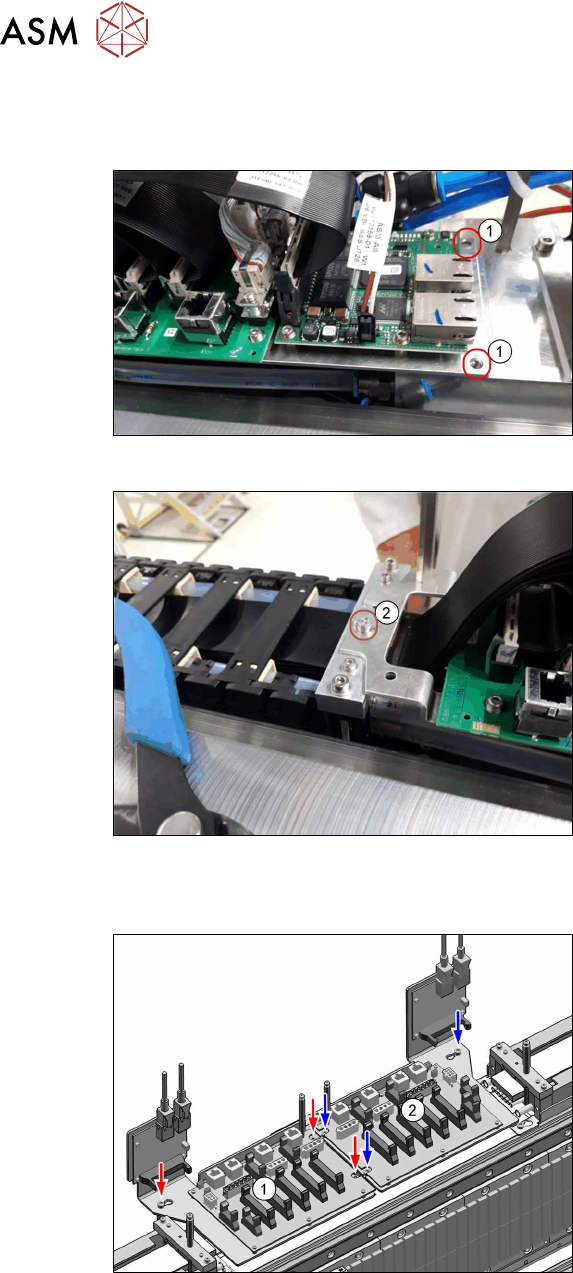
Fig.23: VBI (SIPLACETX2iV1)
Trailing interface and VBI are mounted on
the same mounting plate. Only the mounting
plate is removed, the boards can stay on the
mounting plate.
► Remove both screws (1).
Fig.24: Loosing the screw (SIPLACETX2iV1)
► Loosen the screw(2).
► Put the mounting plate with the trailing
interface and the VBI aside, so that you
have good access to the pneumatics
block lying underneath.
If necessary, unplug the GigE cables
from the VBI. Make sure that the cables
can be unequivocally assigned again
later on.
SIPLACE TX V2:
Fig.25: Trailing interfaces (SIPLACETX2V2)
Trailing interface and VBI are mounted on
the same mounting plate. Only the mounting
plate is removed, the boards can stay on the
mounting plate.
► Remove the mounting plate of the trail-
ing interface(1) (3screws).
► Put the trailing interface and the VBI
aside, so that you have good access to
the pneumatics block lying underneath.
If necessary, unplug the GigE cables
from the VBI. Make sure that the cables
can be unequivocally assigned again
later on.
3 Installation
3.2 Adapting the hose connections at the pneumatics block
Assembly Instructions / Montageanleitung SIPLACE TX2i V1 SIPLACE TX2 V2 Option Mixed-Mode 01/2019 95
SIPLACE TX V1 and V2:
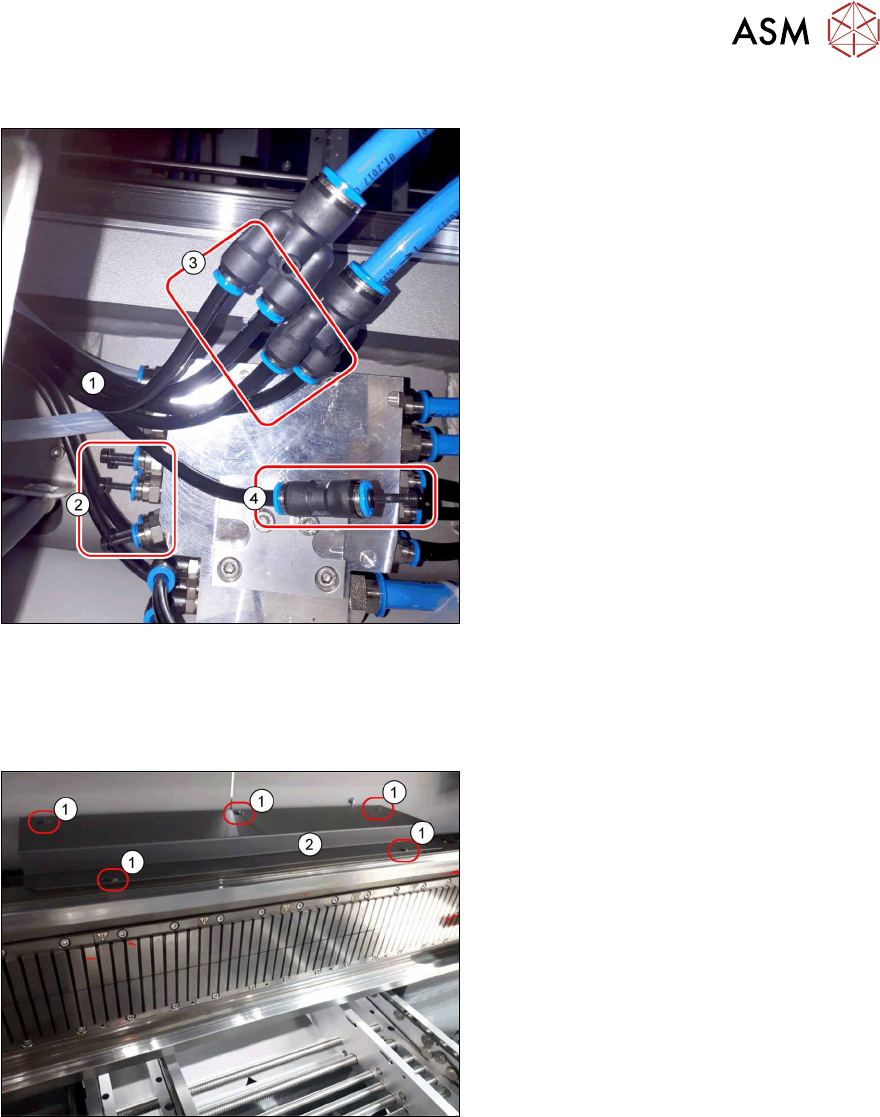
Fig.26: Converting the hoses (SIPLACETX2iV1)
► Pull the five black hoses(1) (1to5 of
the 7-fold hose) off the pneumatics
block(2).
► Connect the four hoses1 to4 to the Y
pieces(3).
The 7-fold hose may need to be separ-
ated for this.
► Close the pneumatics block with five
blanking plugs QSC‑6H(2) from the
retrofit kit.
► Close the hose5(4) (7-fold hose) with
a push-in connection QS‑6(1) and the
blanking plug QSC‑6H(2) from the ret-
rofit kit.
► Fit the mounting plate with trailing inter-
face and VBI.
3.2.3 Installing the cover of the trailing interface
SIPLACE TX V1:
Fig.27: Cover over the trailing interface 1 and2
► Use five screws(1) to fit the cover(2)
over the trailing interface1 and2.
ð The installation of the pneumatics
conversion kit has now been com-
pleted.
3 Installation
3.3 Connecting the vacuum pump
96 Assembly Instructions / Montageanleitung SIPLACE TX2i V1 SIPLACE TX2 V2 Option Mixed-Mode 01/2019
SIPLACE TX V2:
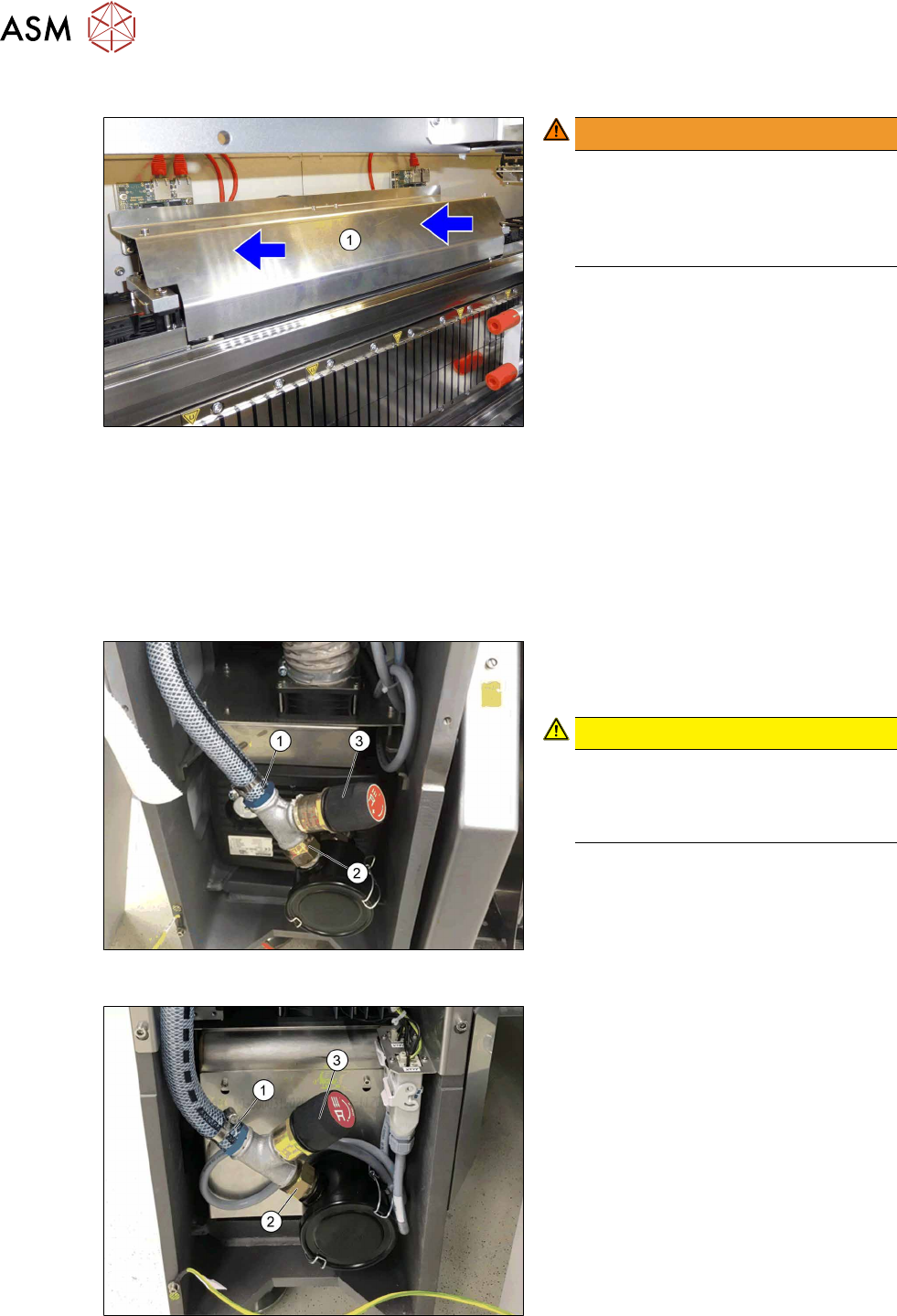
Fig.28: Fitting the cover
WARNING!
Crash hazard!
Make sure that the cover (1) does not
protrude.
A protruding cover could cause a colli-
sion with the gantry.
.
► Before you fix the cover into place,
push it right to the back.
► First, fix the cover with the outer, then
with the two inner screws.
3.3 Connecting the vacuum pump
► If no vacuum pump is installed yet, install it now. Read the assembly instructions for this.
●
Assembly instructions "Option Vacuum Pump SIPLACE TX V1/V2-Series" [DE+EN:00198147‑xx]
3.3.1 Installing the vacuum control valve
Fig.29: Vacuum control valve when installed
(SIPLACETX2iV1)
Fig.30: Vacuum control valve when installed
(SIPLACETX2V2)
► Remove the hose connector
N‑3/4‑P‑19(1) from the filter of the
vacuum pump.
CAUTION!
Seal all screwed connections with
Loctite55.
See also 3.1 "Sealing the Pneumatic
Screwed Connections" [}87]
.
► Screw the hose connector(1) to the left
side of the T piece3/4".
► Screw the double nipple3/4"(2) to the
right side of the T piece.
► Screw the vacuum control valve Becker
ST613‑0‑2 [03109300‑xx](3) into the T
piece.