OM-1076-001.pdf - 第113页
When the lighting pattern is set to "Auto", the inside setting values are as follows Lighting Back ltg Front ltg Front ltg Front ltg Conditions (Up) (Mid) (Dn) Back Lighting S t d Off Off Off Front Lighting and…
B02 Recognition Data
B02 Recognition Data (B02_01)
0111-002 2-86 Tg0502-PM-CL
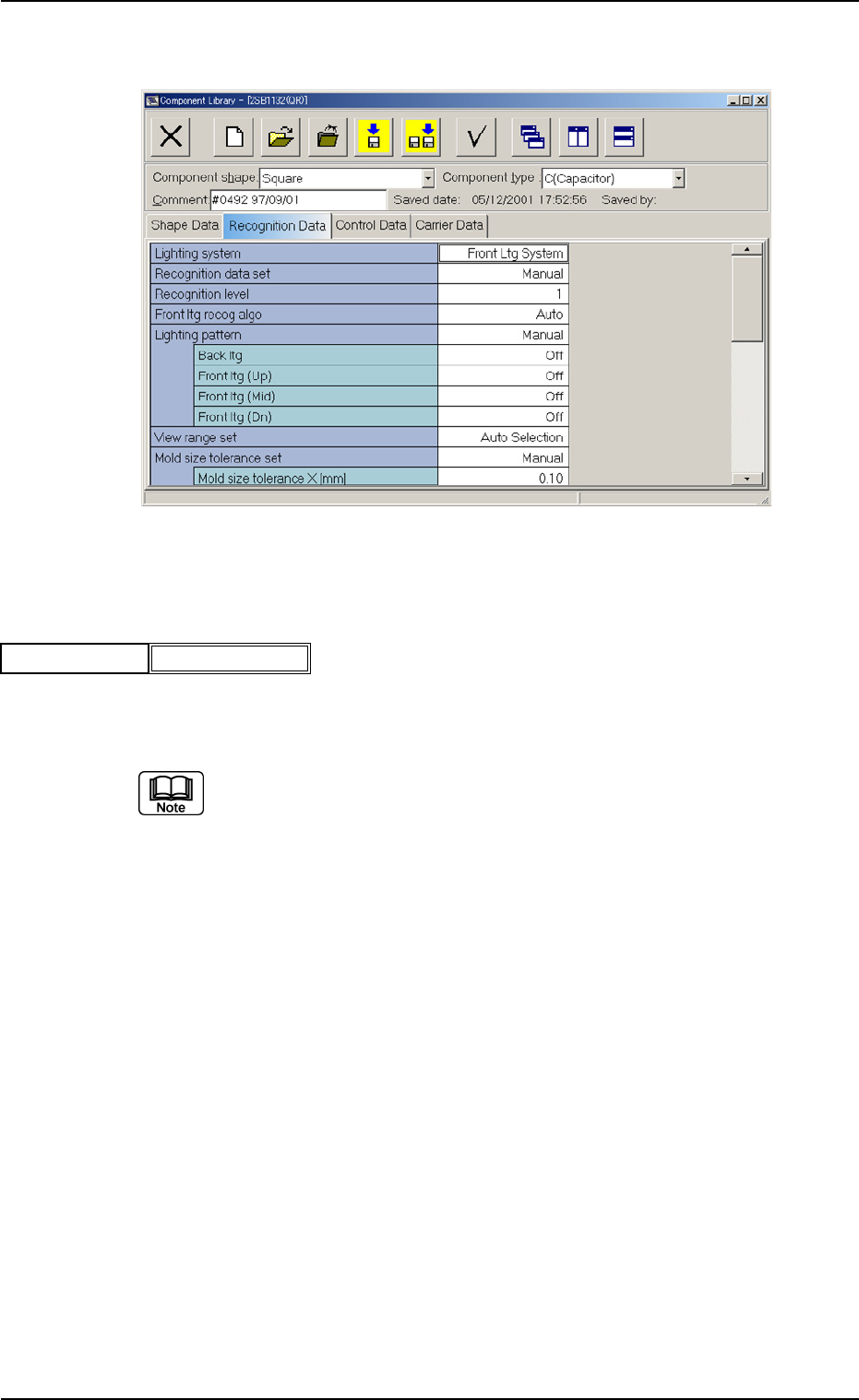
Fig. B187 Edit Window (Example) for Square Components
(B02_01) Lighting System
Set "Back" or "Front" to select a lighting system.
Back Ltg System, Front Ltg System
(a) For cylindrical components, set "Back Lighting".
(b) When small components (2012 or smaller) are recognized in the front
lighting recognition system, use a vacuum nozzle for front lighting
recognition, a dark image of whose pick-up surface is photo-scanned.
When a vacuum nozzle for back lighting recognition is used to recog-
nize components other than small ones and a bright image of the
nozzle’s pick-up surface is photo-scanned, a recognition error might
occur because the recognition is influenced by the vacuum nozzle.
(c) Square components can be recognized by the front lighting recogni-
tion system only when bright images of the electrodes are photo-
scanned equally and an ample contrast between the electrodes and
the background is made.
(d) For BGA/CSP Components, set "Front Lighting".
For LGA components, set as follows:
Recognition Data : Manual
Lighting Pattern Designation : Manual
Reflection (Middle) : Standard
Reflection (Bottom) : Standard
Applicable Components : Applicable to all subjected components.
Fig. B188
Back Ltg SystemLighting system
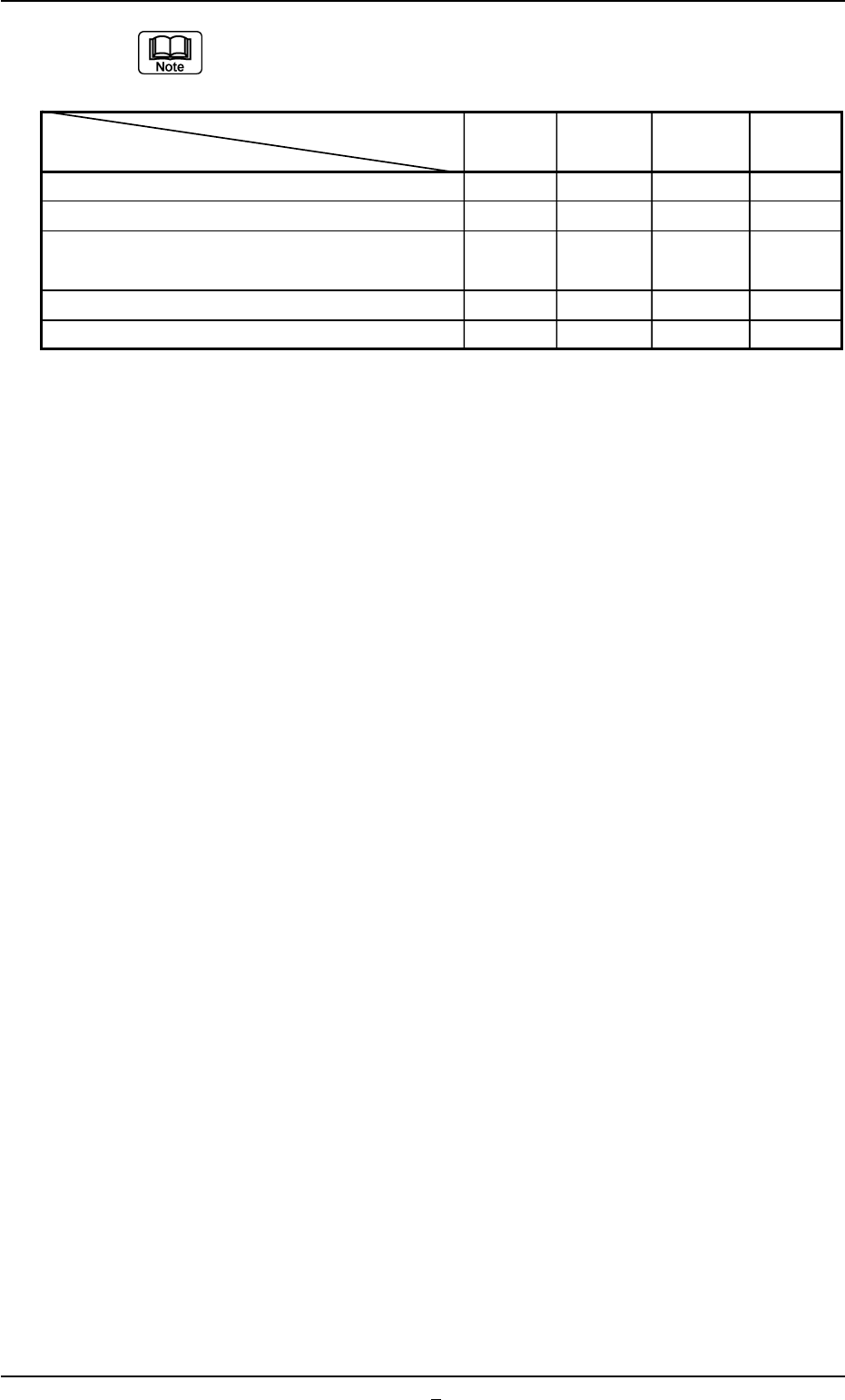
When the lighting pattern is set to "Auto", the inside setting values are
as follows
Lighting Back ltg Front ltg Front ltg Front ltg
Conditions (Up) (Mid) (Dn)
Back Lighting Std Off Off Off
Front Lighting and Component Shape of BGA/CSP Off Std Off Off
Front Lighting, Component Shape of IC and Lead Off
−
40% Std Std
Type of J Vend.
Front Lighting and Component Shape of Square Off
−
40% Std Std
Front Lighting and Conditions other than the above Off Off Std Std
B02 Recognition Data (B02_01)
0206-003 2-87 Tg0502-PM-CL
Table B19-1
B02 Recognition Data (B02_02)
0206-001 2-87-1 Tg0502-PM-CL
(B02_02) Recognition Data Set
Select one of the options to specify whether the recognition data re-
lated to each individual component shapes should be set automati-
cally or manually.
Auto : The defaults (determined in advance) are automatically
set.
Manual : Each recognition data can be set manually.
(a) Select "Auto" in normal cases.
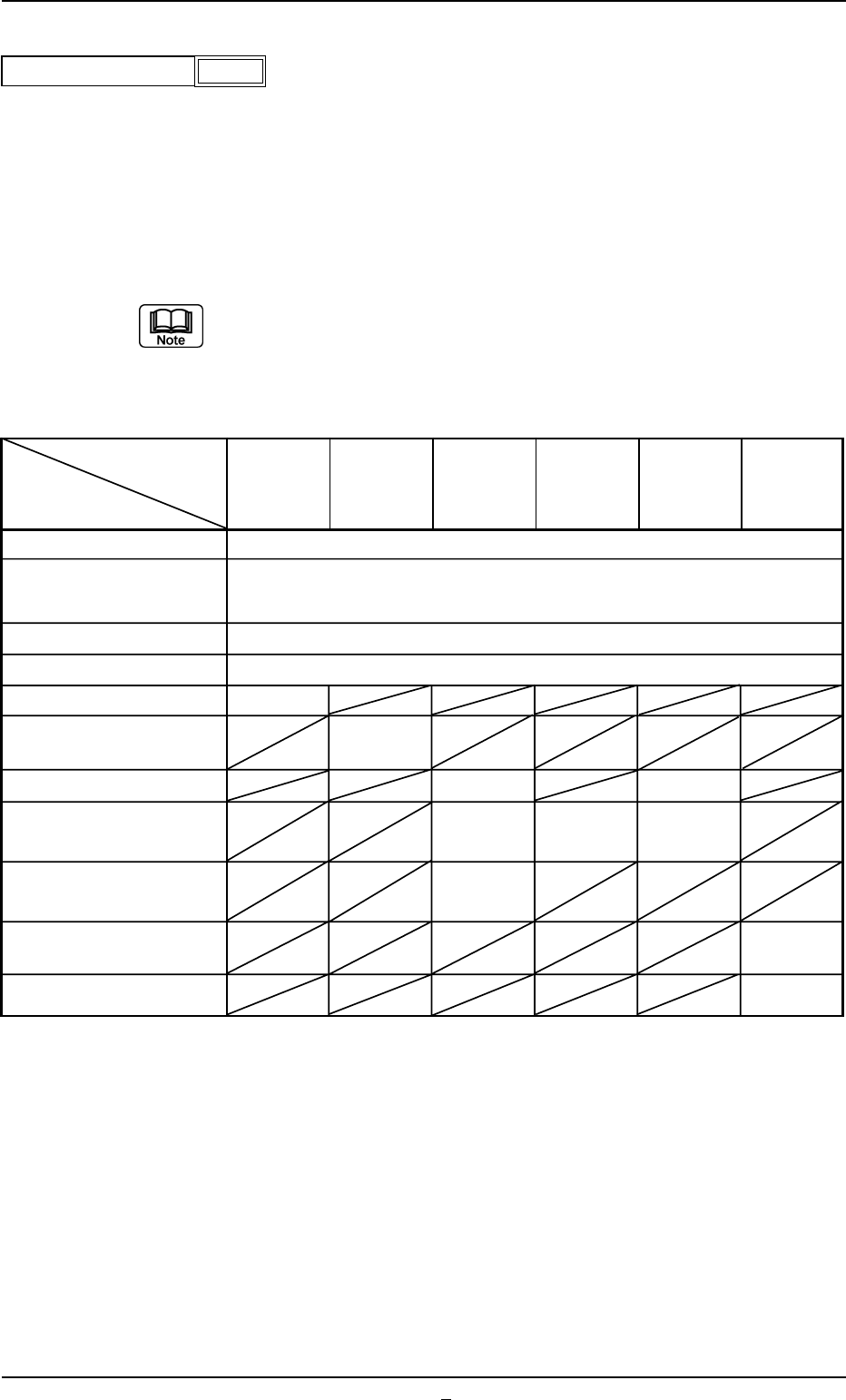
(b) When the recognition data setting is set to "Auto", each data item is
automatically set as follows: For the set values, in the case of "Auto"
in the table, they are described in each data item.
Applicable Components : Applicable for all subjected components
Component
Cylindrical,
Deform IC Connector Other BGA/CSP
Shapes
Square,
(Complex)
Data Items
Deform
Recognition Level
(Simple)
1
Back Ltg Recog Algo or
Auto
Front Ltg Recog Algo
Lighting Pattern Auto
View Range Set Auto Selection
Mold Size Tolerance Set Auto
Outward length detn
Enable
(Auto)
Lead Width Detn Disable Disable
Lead Posn (Latl Dir) Detn
Enable Enable Enable
(Auto) (Auto) (Auto)
Lead Posn (Long Dir) Detn Disable
Electd pos Detn
Enable
(Auto)
Elected Size Detn Disable
Fig. B189
Auto
Recognition data set
Table B19-2