OM-1076-001.pdf - 第134页
0206-001 2-103 Tg0502-PM-CL Example : Regarding the missing ball as a polarity T op View of Component Fig. B222 Example : Regarding the mark on the mold as a polarity T op View of Component Fig. B223 Example : Regarding …
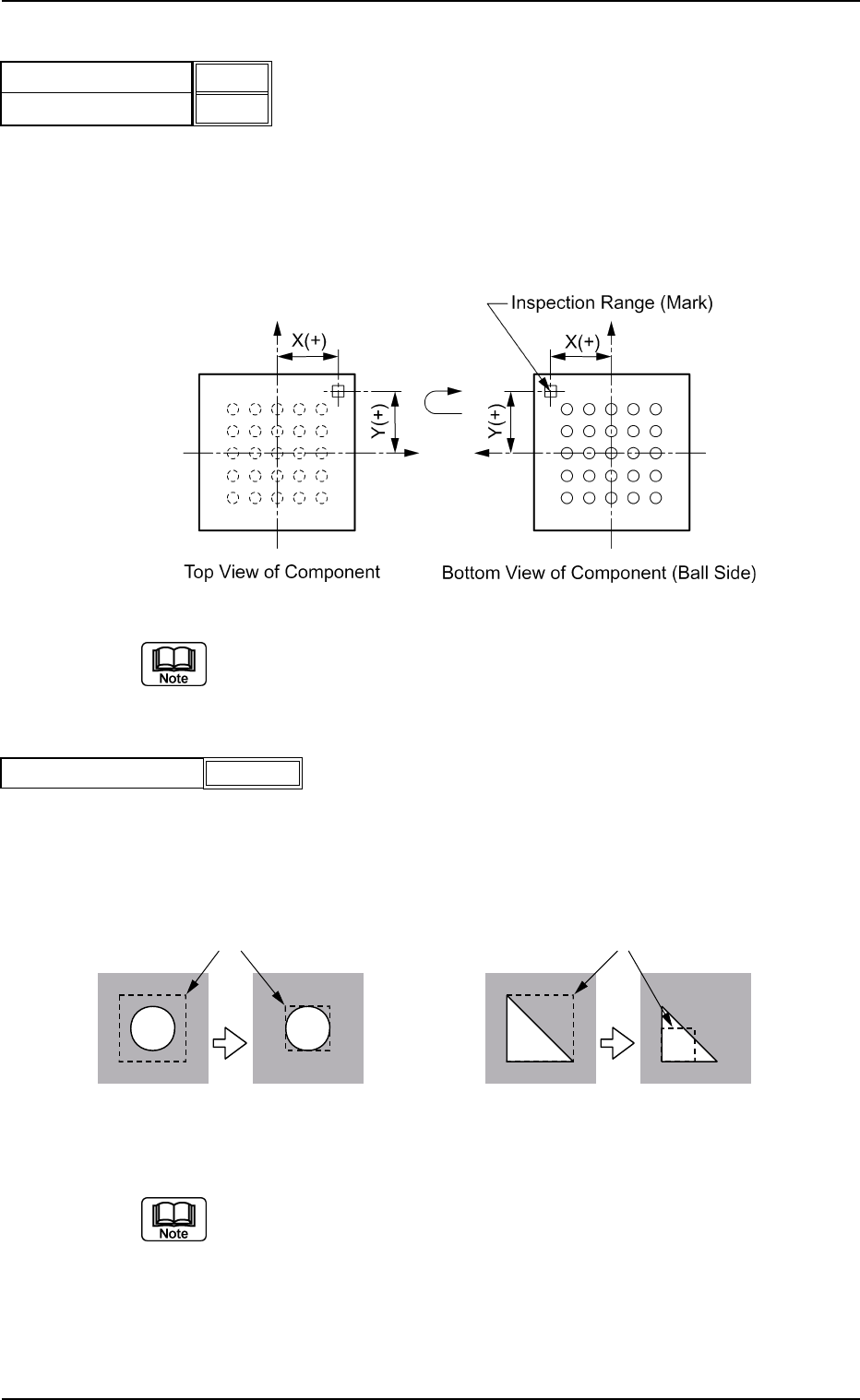
(3) Polarity position X[mm] , Y[mm]
Set the distance between the center of the mold and the center of the
inspection range.
Unit : mm
Data Input Range
X: -99.99 to +99.99
Y: -99.99 to +99.99
Fig. B219
When this data is set, set "Enable (Discard)" or "Enable (Placement)" in
the "Polarity detn" text box.
(4) Inspection range [mm]
Set the range to be inspected in the data box.
Unit: mm
Data Input Range : 0.1 to 9.9
Fig. B221
(a) Set the inspection range to select clear brightness or darkness, which
can raise (lower) the determined value and facilitate the determina-
tion.
(b) When this data is set, set "Enable (Discard)" or "Enable (Placement)"
in the "Polarity detn" text box.
0206-001 2-102
Tg0502-PM-CL
PossibleImpossible
PossibleImpossible
Inspection Ranges
Inspection Ranges
Determined Value: 50 Determined Value: 100 Determined Value: 50 Determined Value: 100
Fig. B218
Polarity position X[mm]
Polarity position Y[mm]
+0.00
+0.00
Fig. B220
Inspection range [mm]
0.1
B02 Recognition Data (B02_16)
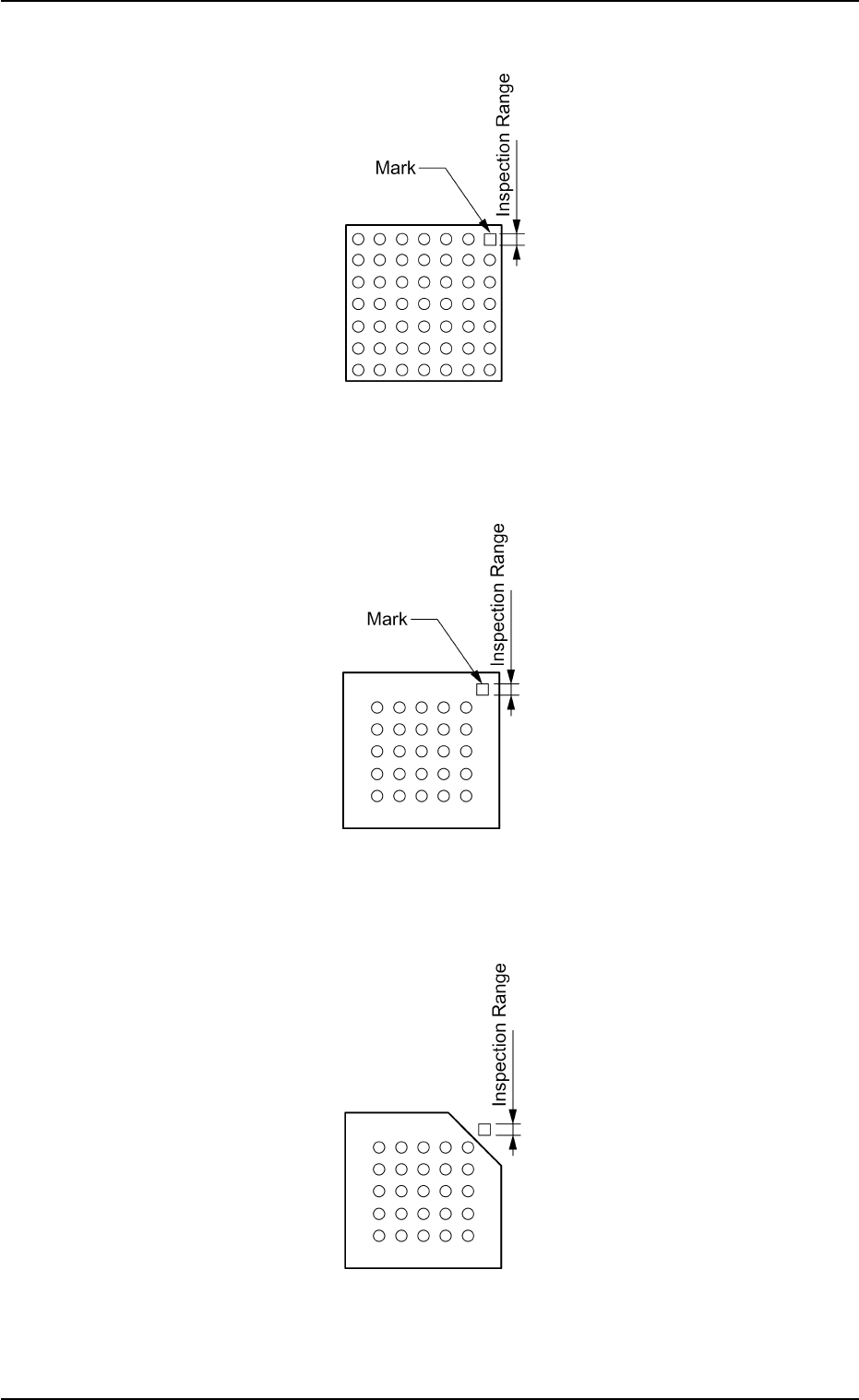
0206-001 2-103 Tg0502-PM-CL
Example: Regarding the missing ball as a polarity
Top View of Component
Fig. B222
Example: Regarding the mark on the mold as a polarity
Top View of Component
Fig. B223
Example: Regarding the cutout of the mold as a polarity
Top View of Component
Fig. B224
B02 Recognition Data (B02_16)
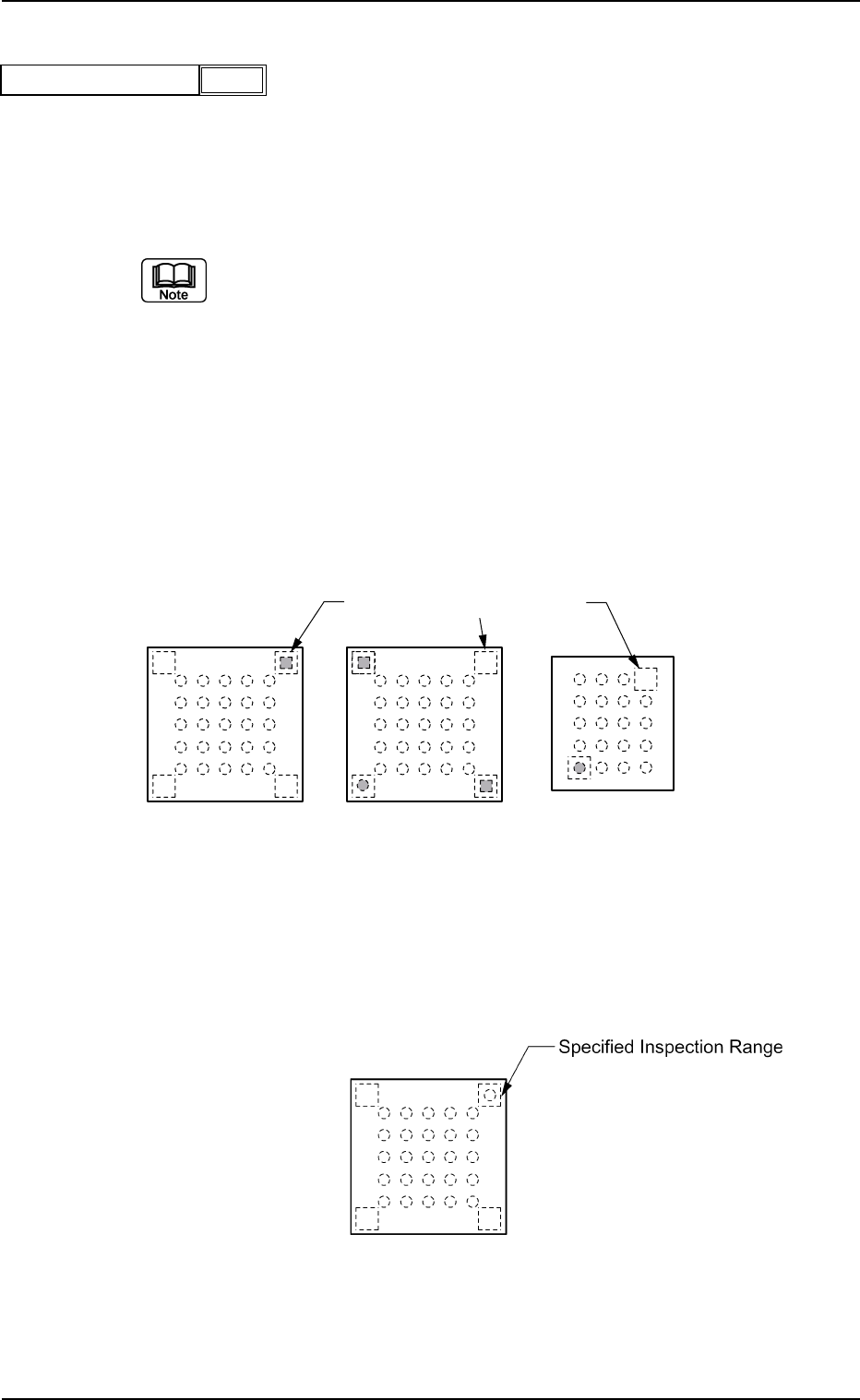
(5) Inspection range image
Select the brightness within the inspection range from the follow-
ing options.
Bright : Select when the specified range is brighter than the other
inspection ranges.
Dark : Select when the specified range is darker than the other
inspection ranges.
(a) When this data is set, set "Enable (Discard)" or "Enable (Placement)"
in the "Polarity detn" text box.
(b) In polarity determination, the polarity of the mold is determined ac-
cording to the brightness of the specified inspection range. There-
fore, select the inspection range that is clearly brighter or darker than
those in the other inspection ranges.
Example of Prominent Difference:
The system can determine whether or not components have a po-
larity because the difference in brightness is prominent between the
specified inspection range and the others.
Top View of Component
Fig. B226
Example of No Difference:
The system cannot determine whether or not the component has a
polarity because there is no difference in brightness between the
specified inspection range and the others.
Top View of Component
Fig. B227
0206-001 2-104
Tg0502-PM-CL
Bright
Fig. B225
Inspection range image
Specified Inspection Ranges
B02 Recognition Data (B02_16)