OM-1076-001.pdf - 第159页
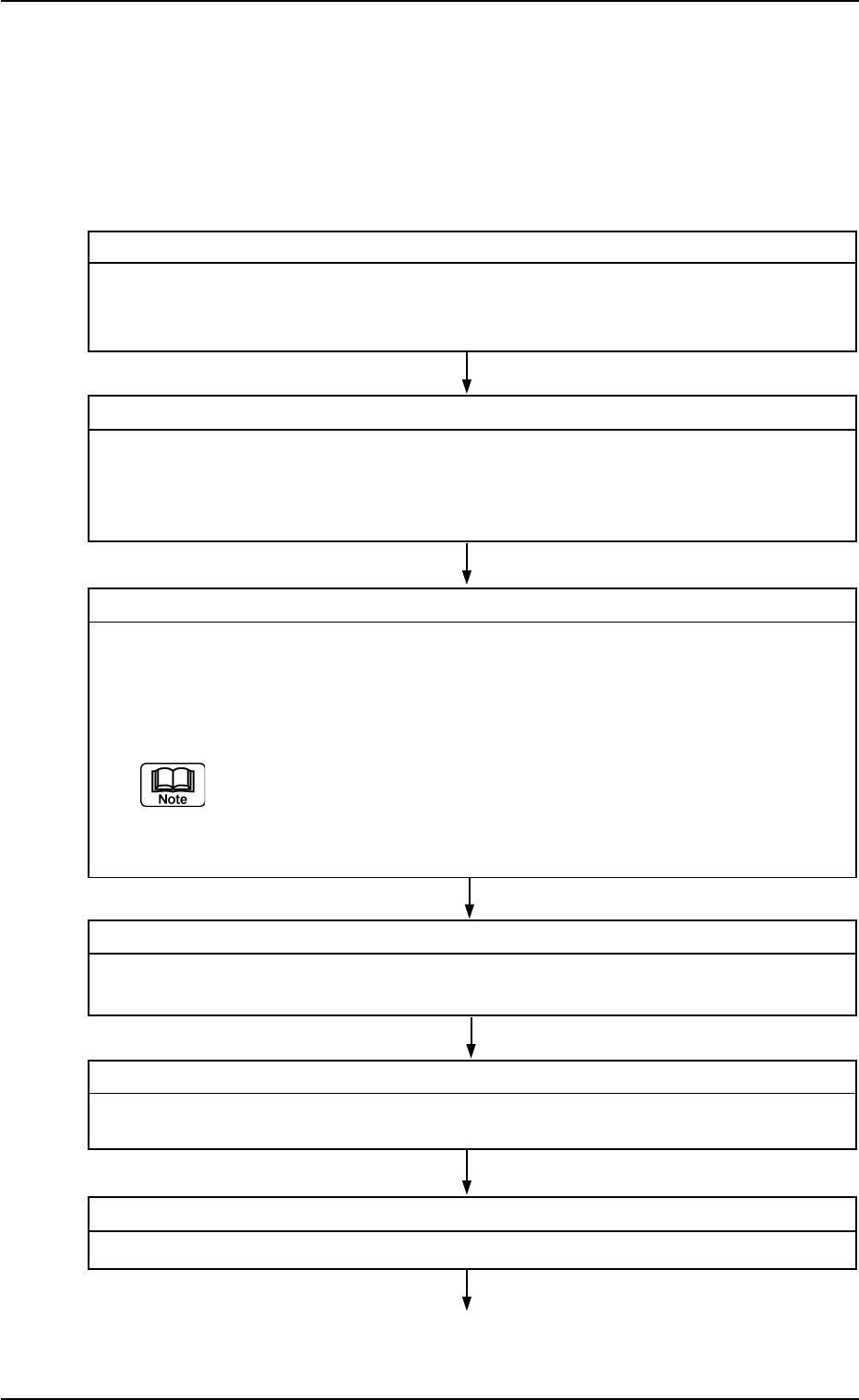
1. Steps for Data Creation 0107-001 4-2 Tg0502-PM-CL Step 7 Sending of User-Specified Component Library Send the edited user-specified component library from the network terminal to the main machine. Step 8 Component Rec…
1. Steps for Data Creation
0107-001 4-1 Tg0502-PM-CL
1. Steps for Data Creation
• First of all, a user-created component library must be registered by
making a copy of the standard component library.
After that, modify only the different part of the user-created compo-
nent library registered as a new component library.
Step 1 Confirmation of Component Shape
Confirm to which component shape the selected component has, following the flow
chart.
Refer to "2. Confirmation of Component Shape" in "Section 4" for details.
Step 2 Measurement of Component Dimensions
Measure a component according to the shape and packaged posture with a projec-
tor, etc., and fill in the individual data sheets.
The approval drawing or catalogue can also be referred to.
Refer to "3. Measurement of Component Dimensions" in "Section 4" for details.
Step 3 Selection of Source Standard Component Library
Select the source standard component library from those saved in the network termi-
nal (option).
(1) Refer to the first 8 characters of the standard component ID.
The first 8 characters represent the type and size (approx.) of the component.
Refer to "Section 3 Naming Standards of Component Library" for nam-
ing of a standard component ID.
(2) Find a component ID whose dimensions are similar to the measured ones.
Step 4 Copying of Standard Component Library
Copy the selected component library and register it as a user-specified component
library.
Step 5 Editing of User-Specified Component Library
Edit the user-specified component library data according to each individual data sheets.
Step 6 Saving of User-Specified Component Library
Save the edited user-specified component library data in the network terminal.
1. Steps for Data Creation
0107-001 4-2 Tg0502-PM-CL
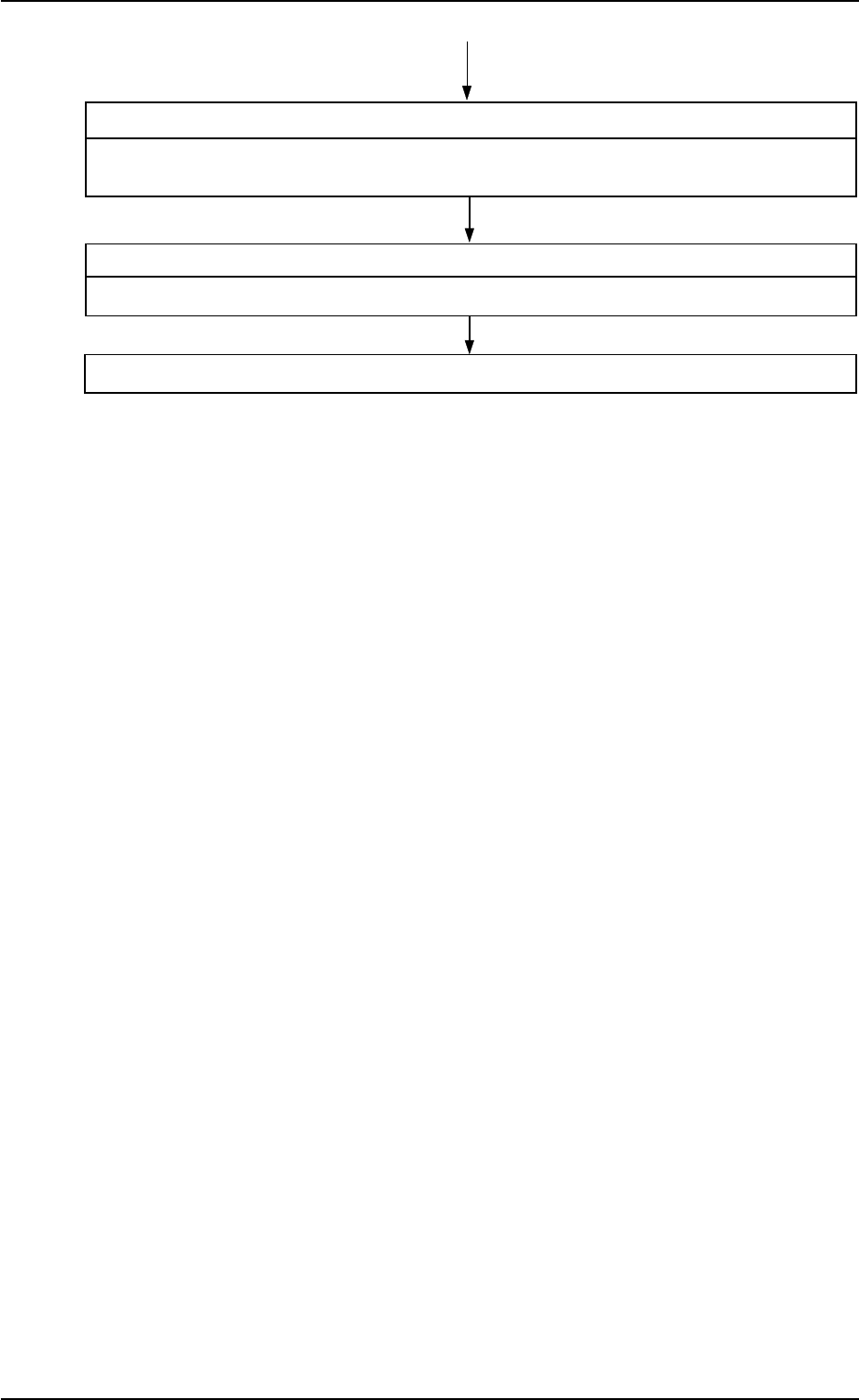
Step 7 Sending of User-Specified Component Library
Send the edited user-specified component library from the network terminal to the
main machine.
Step 8 Component Recognition Test
Perform a component recognition test.
If the result of the component recognition test is OK, the data creation is completed.
2. Confirmation of Component Shape
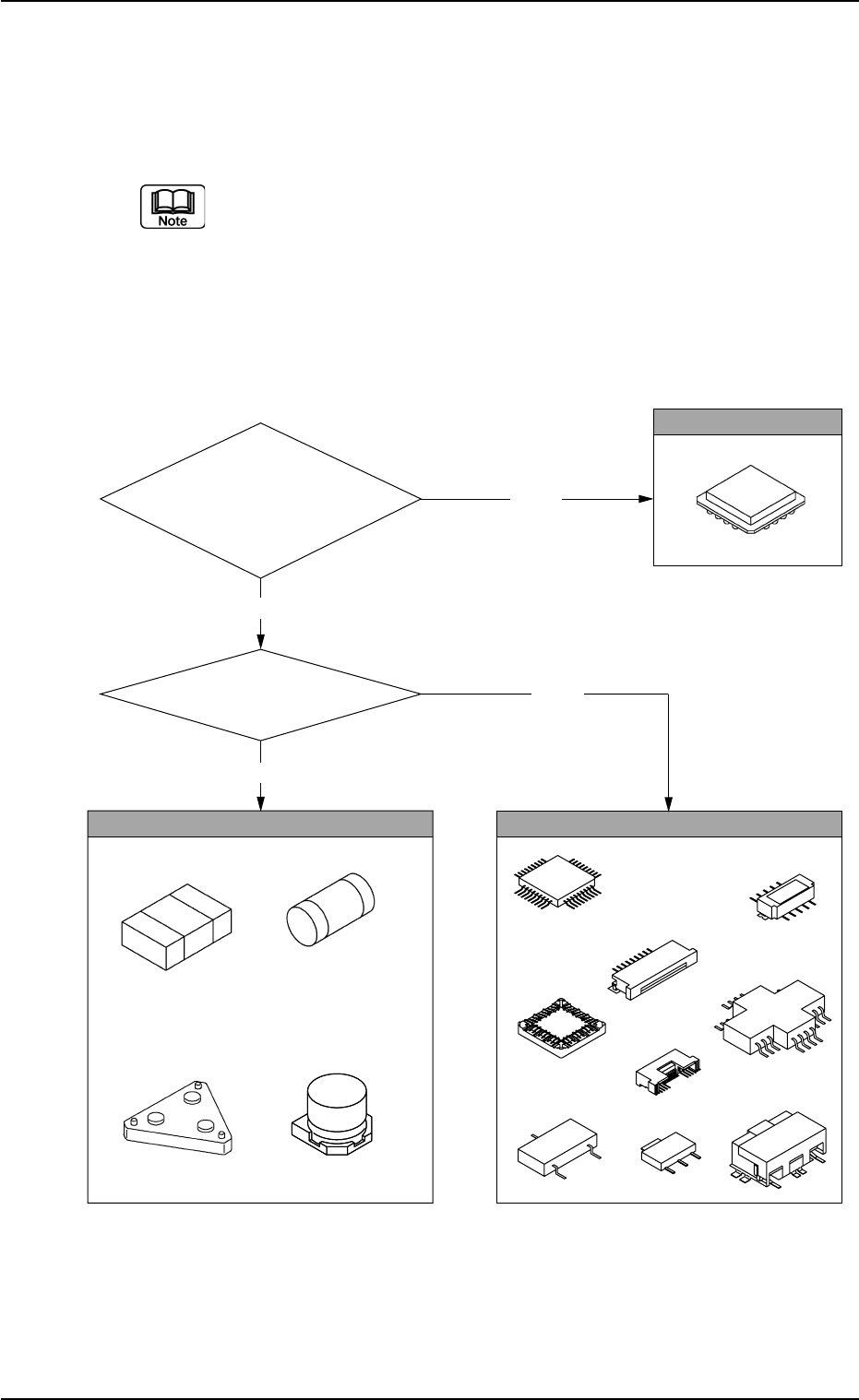
This confirmation should be made to look for similar-shaped compo-
nents in the standard component library.
Confirm to which component shape the selected component has.
When a component shape is specified at the time of new creation, data
can be created easily.
2.1 Check Procedure
(1) Confirm whether or not leads are attached to the components.
2. Confirmation of Component Shape
0107-001 4-3 Tg0502-PM-CL
Fig. D1
Leadless
Are they leaded components?
Yes
No
Area Array
Yes
No
Are round
shaped electrodes
(such as balls) attached on
the placement surface
in a grid pattern?
Leaded