OM-1076-001.pdf - 第42页
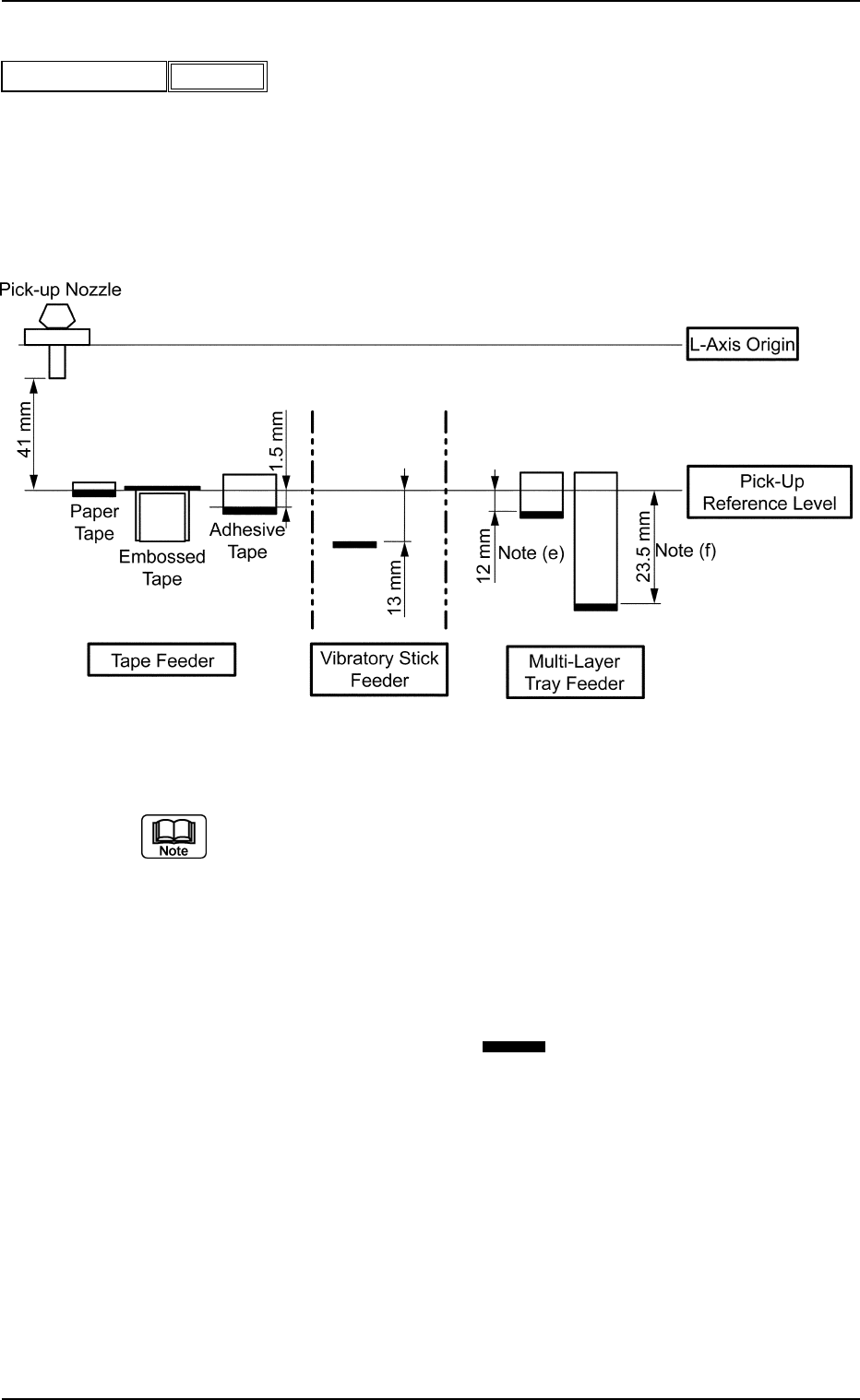
(A02_06) Pickup Level [mm] Set a parameter to adjust the head descending level for component pick-up. Unit: mm Data Input Range: − 99.99 to + 99.99 A02 Control Data (A02_06) 0107-001 2-23 Tg0502-PM-CL Fig.B37 Pickup leve…
A02 Control Data (A02_04), (A02_05)
0206-002 2-22 Tg0502-PM-CL
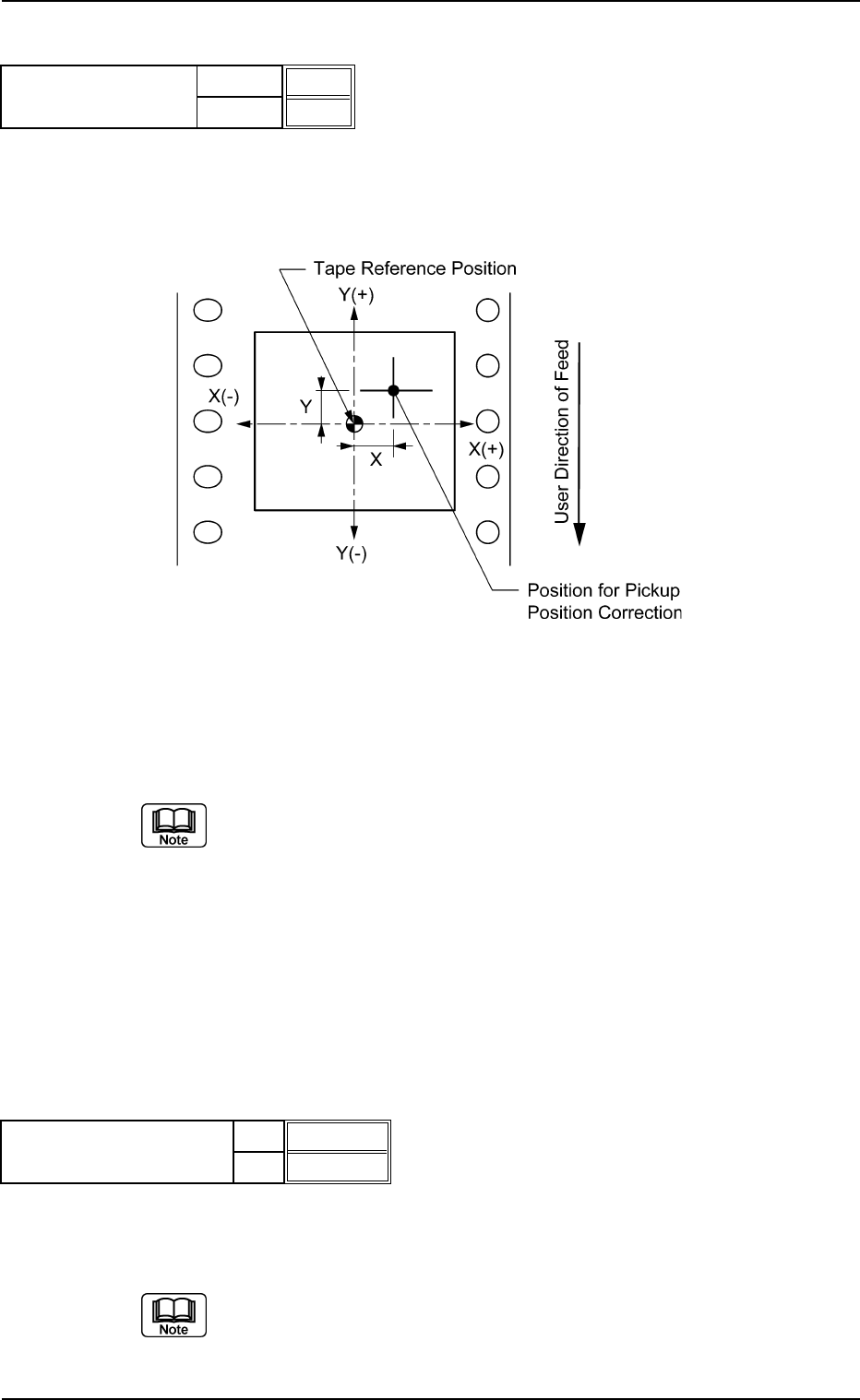
(A02_04) Pickup Pos Correction X [mm], Y [mm]
Enter the coordinates of component pickup position based on the tape
reference position.
Determine which sign (+) or (−) should be used according to the fol-
lowing coordinate system.
Top View of Component
Unit: mm
Data Input Range: −99.9 to +99.9
(a) When a component has a groove, a protrusion, etc., and cannot be
picked up at the center without any hindrance, the pickup position
can be shifted deliberately from the center of component according
to the set parameters. In this case, the automatic feeder axis adjust-
ment function for the pickup position works such that the corrected
position is maintained.
(b) Actual operating range may be regulated (different from the set val-
ues) due to the control of the machine.
(A02_05) Auto Fdr Axis Adjustment X, Y
Select "Enable" or "Disable" to determine whether or not the auto-
matic feeder axis adjustment function should be used.
This function statistically processes the difference between the nozzle
and component center positions calculated at component recognition and
is used to follow up and correct the "Feeder (B) offset".
X
Y
Enable
Enable
Fig. B36
Auto fdr axis adjustment
X [mm]
Y [mm]
+0.0
+0.0
Fig. B34
Pickup pos correction
Fig. B35
(A02_06) Pickup Level [mm]
Set a parameter to adjust the head descending level for component
pick-up.
Unit: mm
Data Input Range: −99.99 to +99.99
A02 Control Data (A02_06)
0107-001 2-23 Tg0502-PM-CL
Fig.B37
Pickup level [mm]
−99.99
Fig. B38
(a) When an embossed tape is used, a gap may be left between the
head and the packaged component, depending on the relation be-
tween the depth of the cavity and the thickness of the component in
the cavity. In that event, set a parameter in the data box to adjust the
head descending stroke.
(b) To increase the stroke for component pick-up (to make the head de-
scend further), set a parameter with a "+" sign.
(c) Consider the thickness (t) of the components (the distance from the
lower surface references ( ) shown in the figure) except for the
embossed tape and figure out the pick-up level. (Various groups of
offset data must also be taken into consideration separately).
(d) Actual operation range may be regulated (differ from the set values)
due to the control of the machine.
(e) Maximum Thickness of Tray at Pull-out to Upper Chute
: Max. 16.5 mm
(f) Maximum Thickness of Tray at Pull-out to Lower Chute (Option)
: Max. 28 mm
Side View
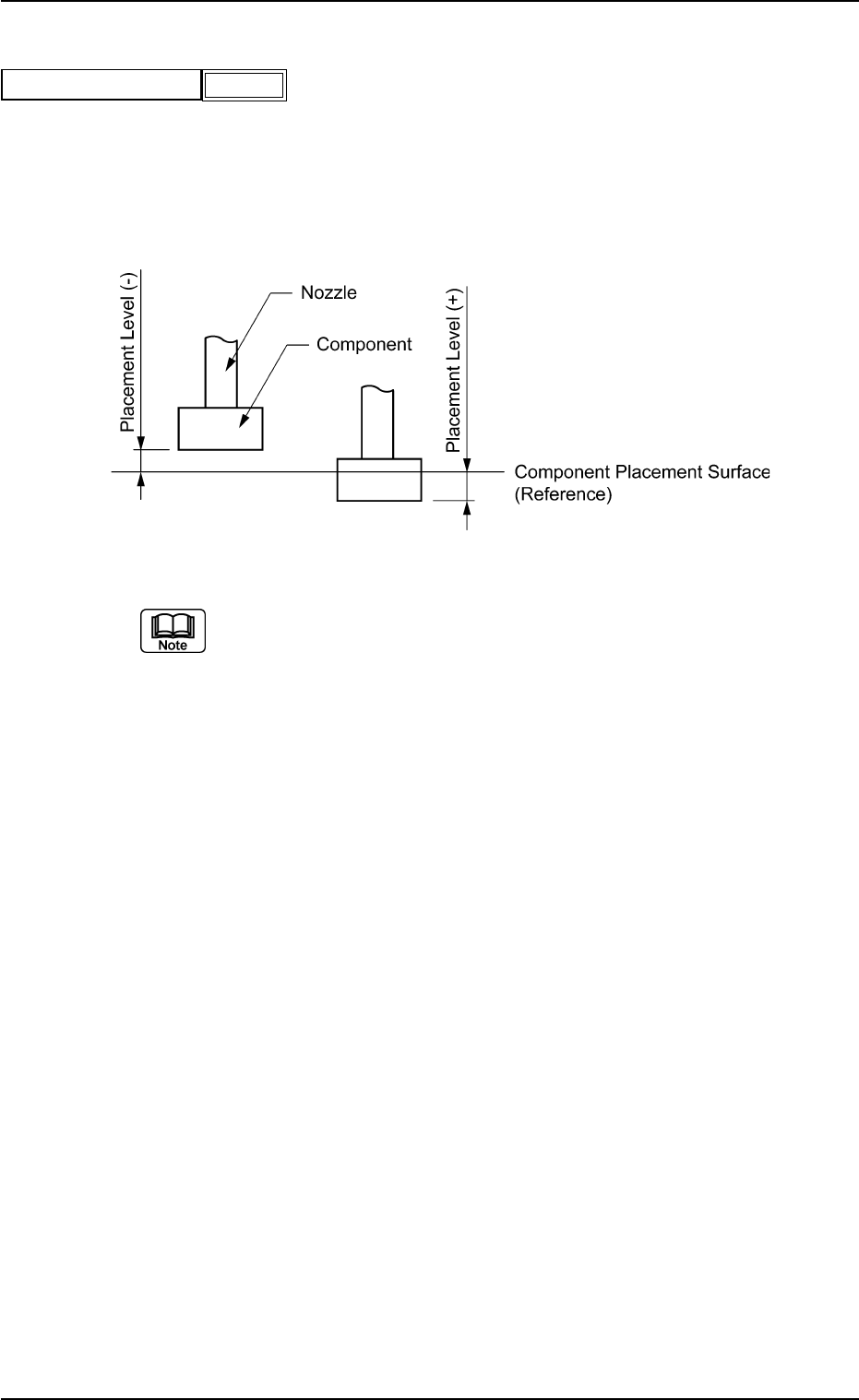
(A02_07) Placement Level [mm]
Set the nozzle descent level for component placement, based on the
component placement surface.
Unit: mm
Data Input Range: −9.99 to +9.99
(a) The nozzle descent level for component placement is controlled ac-
cording to the parameter set in the "t" (component thickness) text box
of the label "Mold Size" in "Shape Data". However, it can be changed
deliberately by setting a parameter in this text box.
In normal cases, a value with "+" sign must be entered to avoid the
warpage (sagging) of a PCB.
(b) Enter a plus (+) value to set the nozzle descent level lower than the
component placement surface for component placement.
(c) Actual operating range may be regulated (different from the set value)
due to the control of the machine.
A02 Control Data (A02_07)
0107-001 2-24 Tg0502-PM-CL
Fig. B39
Placement level [mm]
+0.30
Fig. B40