OM-1076-001.pdf - 第75页
( a ) Set parameters only when "Convexoconcave" is selected in the "Shape" text box. (b) Detectable Point P is the point that meets the following two require- ments. It is recommended that Detectable …
(1) Shape
Select the following parameters (edge shapes at each detectable po-
sition).
Table B13
Straight
Convexoconcave
No Detection Select this when the component mold has
slanted edges (not straight) and the edge
detection positions described in "(2) Detec-
tion Posn X and Y" cannot be specified. In
this case, the component center is calcu-
lated based on the result of the opposite
edge detection and according to the com-
ponent size.
Components without any straight edge cannot be recognized by the edge
detection function.
(2) Detection Posn X [mm] and Y [mm]
Set edge detectable positions X and Y originating from the center of
the mold.
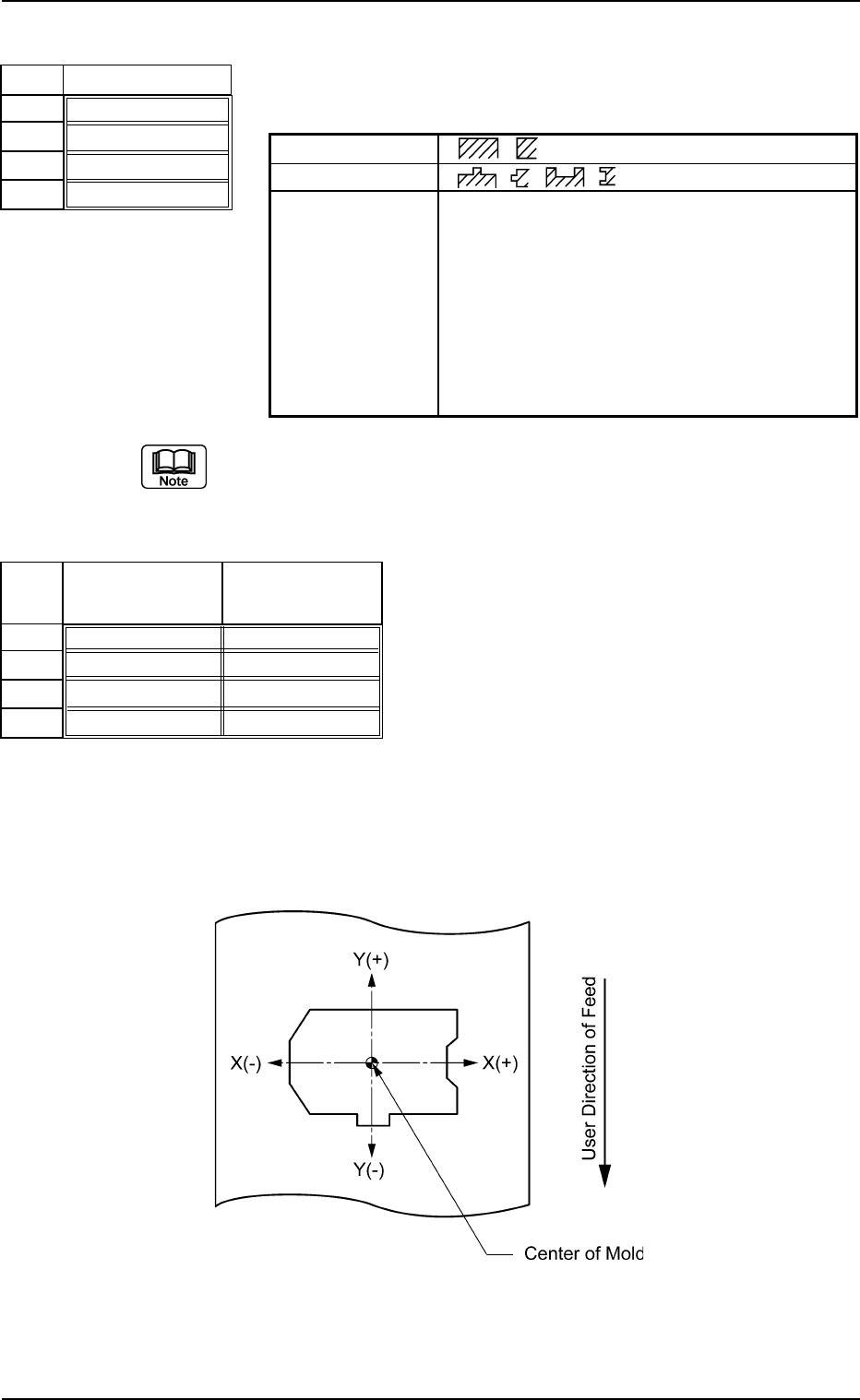
When the center of the mold is assumed as an origin, the sign "+" or "-
" must be affixed to the coordinates of the edge detectable position as
shown below.
Top View
B01 Shape Data (B01_06)
0107-001 2-50 Tg0502-PM-CL
Fig. B103
Shape
Straight
Straight
Convexoconcave
Convexoconcave
No.
1
2
3
4
Fig. B104
Detection Posn
X [mm]
+00.000
+00.000
-01.400
+02.300
Detection Posn
Y [mm]
+00.000
+00.000
-01.200
+01.000
No.
1
2
3
4
Fig. B105
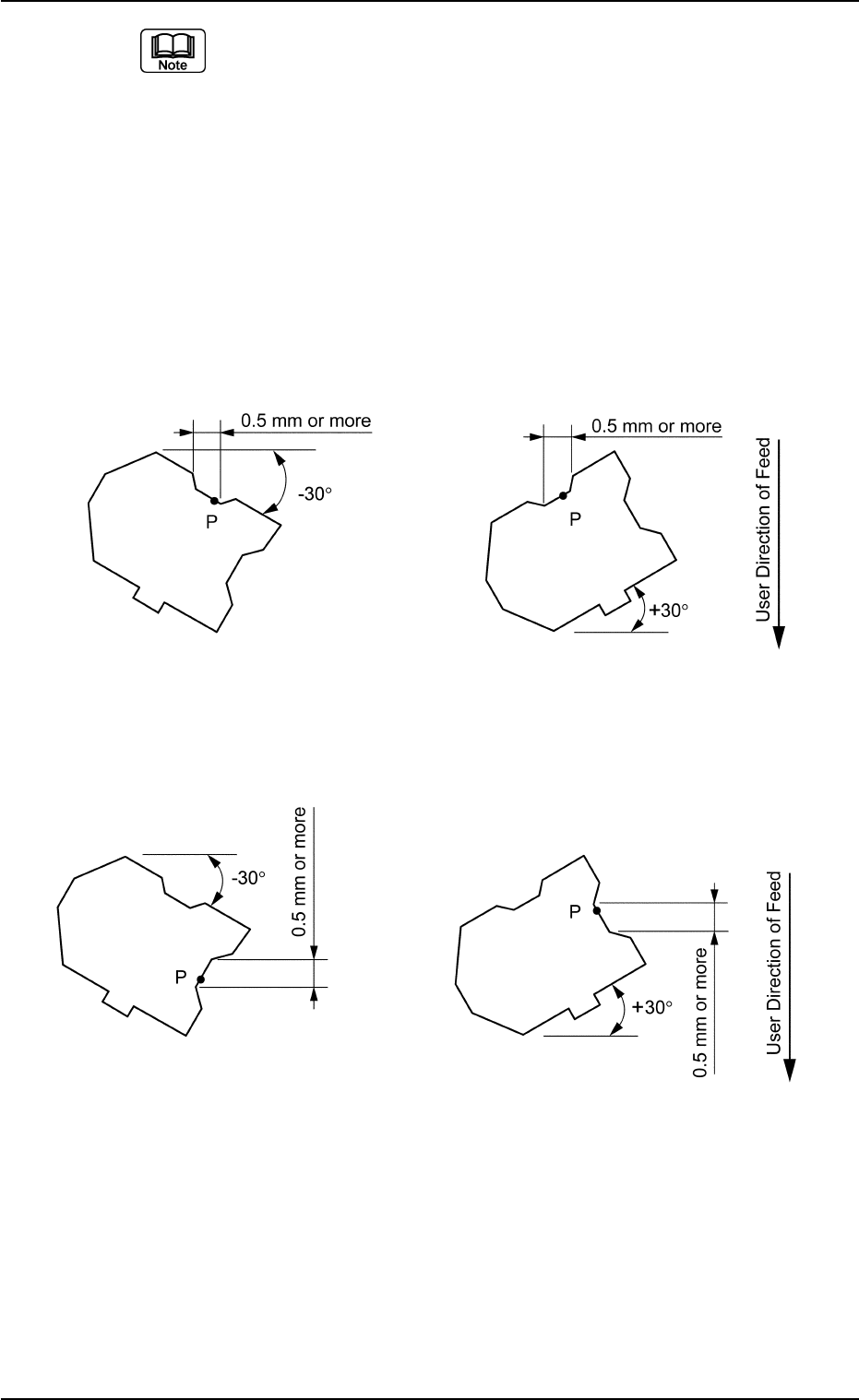
(a) Set parameters only when "Convexoconcave" is selected in the
"Shape" text box.
(b) Detectable Point P is the point that meets the following two require-
ments.
It is recommended that Detectable Point P should be located as close
to a corner as possible.
• Point P must be on a straight line parallel to the detection edge and
the length of the line must be 0.5 mm or more.
• If there is a projection nearby, a space of at least 0.5 mm must be
assured in the X or Y element when the component is tilted ±30°
(approx.) as in the figures below.
Case: X Element
Top View of Component
Fig. B106
Case: Y Element
Top View of Component
Unit: mm
Data Input Range
X: −99.999 to +99.999
Y: −99.999 to +99.999
Applicable Components: Deform (Simple)
0206-002 2-51
Tg0502-PM-CL
B01 Shape Data (B01_06)
Fig. B107
(a) When "Straight" or "No Detection" is set in the "Shape" text boxes,
set "+00.00" in the "Detection Posn X" and "Detection Posn Y" text
boxes.
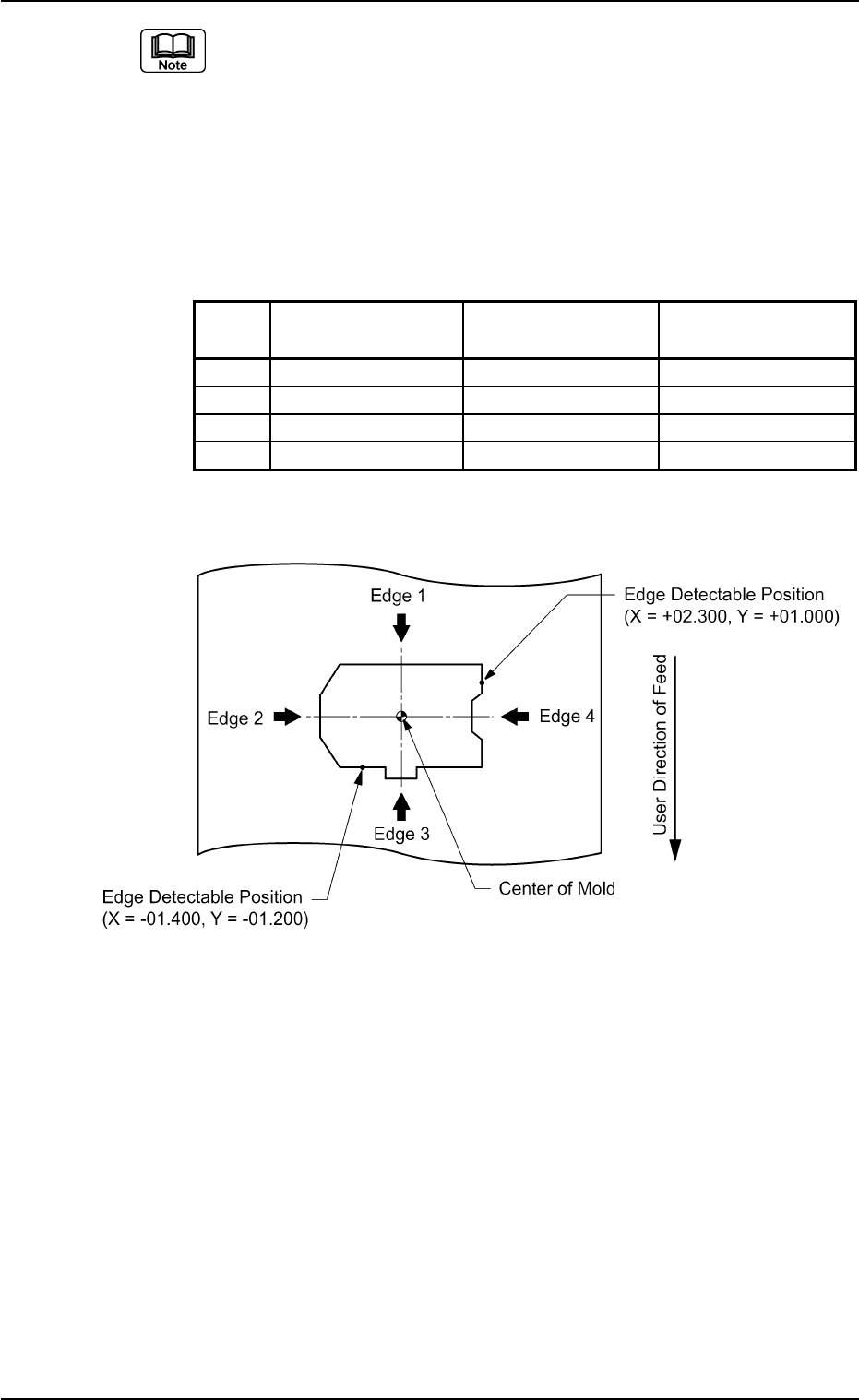
(b) When a component shape is similar to one in the figure below, set
each edge data as follows.
The condition of the corners is not used to detect the shape of the
edges.
Edges 1 and 2 in the above examples are detected as straight lines.
Table B14
No. Shape Detection Posn Detection Posn
X [mm] Y [mm]
1 Straight +00.000 +00.000
2 Straight +00.000 +00.000
3 Convexoconcave −01.400 −01.200
4 Convexoconcave +02.300 +01.000
Top View of Component
B01 Shape Data (B01_06)
0206-002 2-52 Tg0502-PM-CL
Fig. B108