OM-1076-001.pdf - 第76页
(a) When "Straight" or "No Detection" is set in the "Shape" text boxes, set "+00.00" in the "Detection Posn X" and "Detection Posn Y" text boxes. (b) When a com…
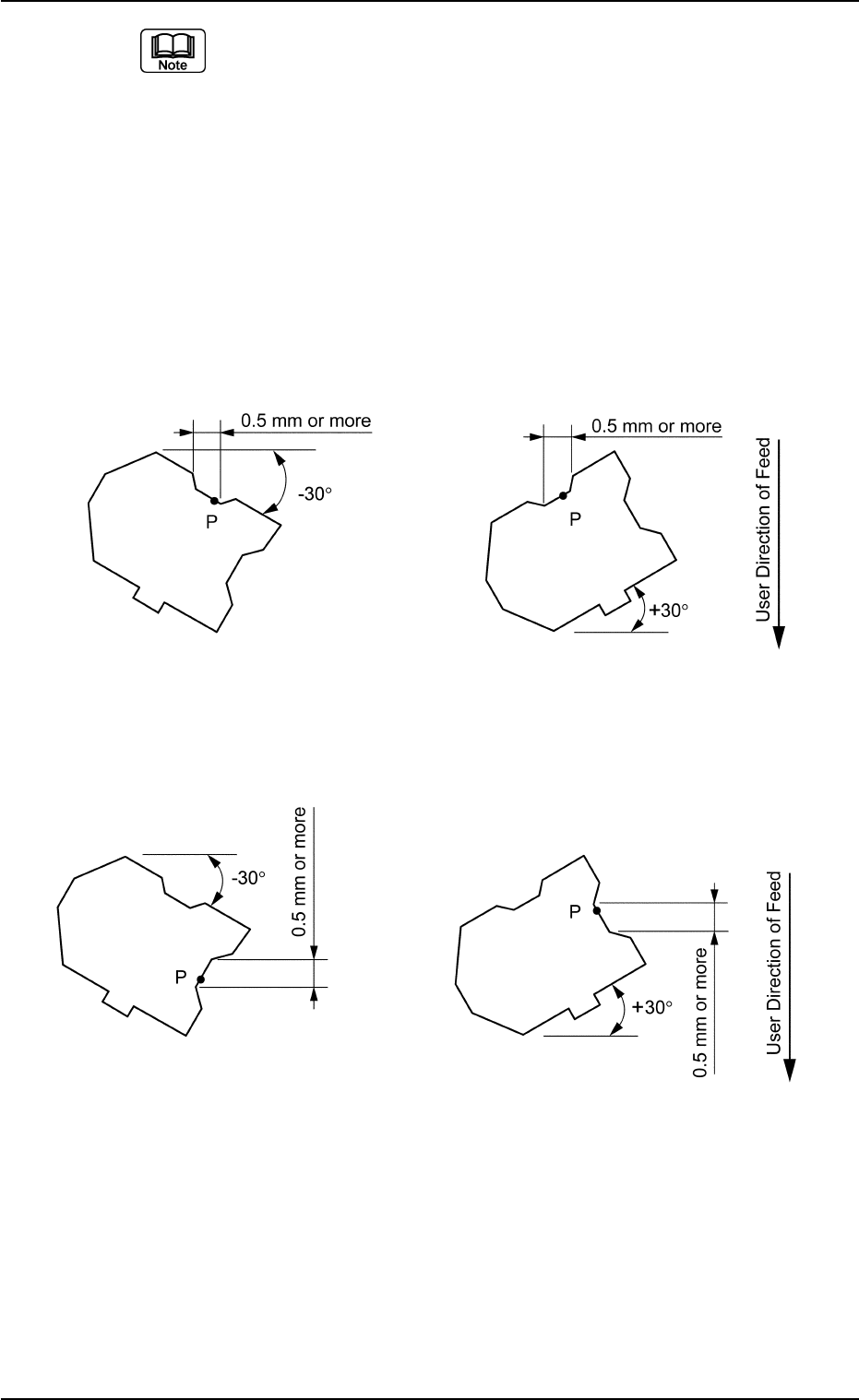
(a) Set parameters only when "Convexoconcave" is selected in the
"Shape" text box.
(b) Detectable Point P is the point that meets the following two require-
ments.
It is recommended that Detectable Point P should be located as close
to a corner as possible.
• Point P must be on a straight line parallel to the detection edge and
the length of the line must be 0.5 mm or more.
• If there is a projection nearby, a space of at least 0.5 mm must be
assured in the X or Y element when the component is tilted ±30°
(approx.) as in the figures below.
Case: X Element
Top View of Component
Fig. B106
Case: Y Element
Top View of Component
Unit: mm
Data Input Range
X: −99.999 to +99.999
Y: −99.999 to +99.999
Applicable Components: Deform (Simple)
0206-002 2-51
Tg0502-PM-CL
B01 Shape Data (B01_06)
Fig. B107
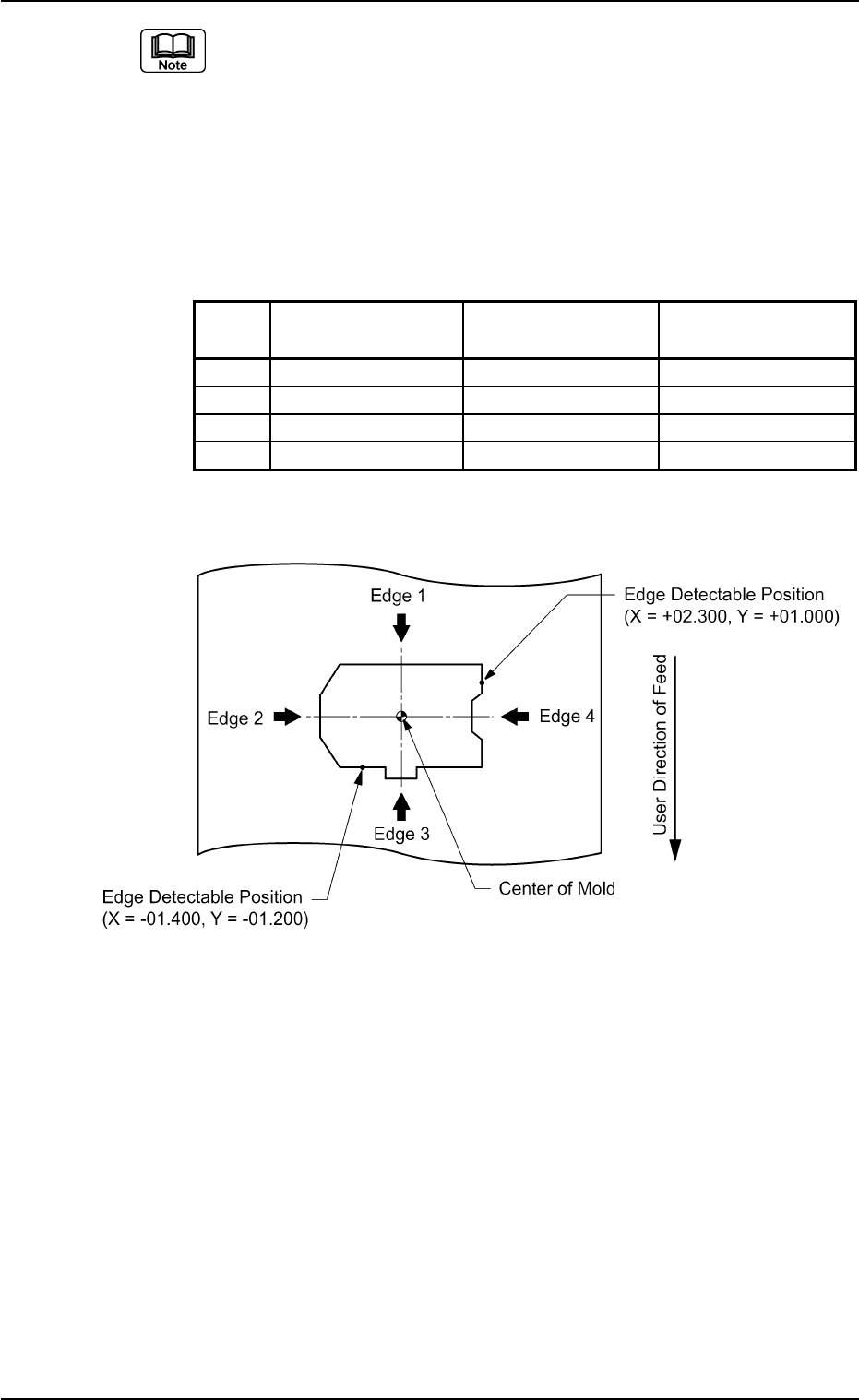
(a) When "Straight" or "No Detection" is set in the "Shape" text boxes,
set "+00.00" in the "Detection Posn X" and "Detection Posn Y" text
boxes.
(b) When a component shape is similar to one in the figure below, set
each edge data as follows.
The condition of the corners is not used to detect the shape of the
edges.
Edges 1 and 2 in the above examples are detected as straight lines.
Table B14
No. Shape Detection Posn Detection Posn
X [mm] Y [mm]
1 Straight +00.000 +00.000
2 Straight +00.000 +00.000
3 Convexoconcave −01.400 −01.200
4 Convexoconcave +02.300 +01.000
Top View of Component
B01 Shape Data (B01_06)
0206-002 2-52 Tg0502-PM-CL
Fig. B108
B01 Shape Data (B01_07)
0111-002 2-53 Tg0502-PM-CL
(B01_07) Linear Edge Data
Set the linear edges which form the shape of a component.
Applicable Components: Deform (Complex)
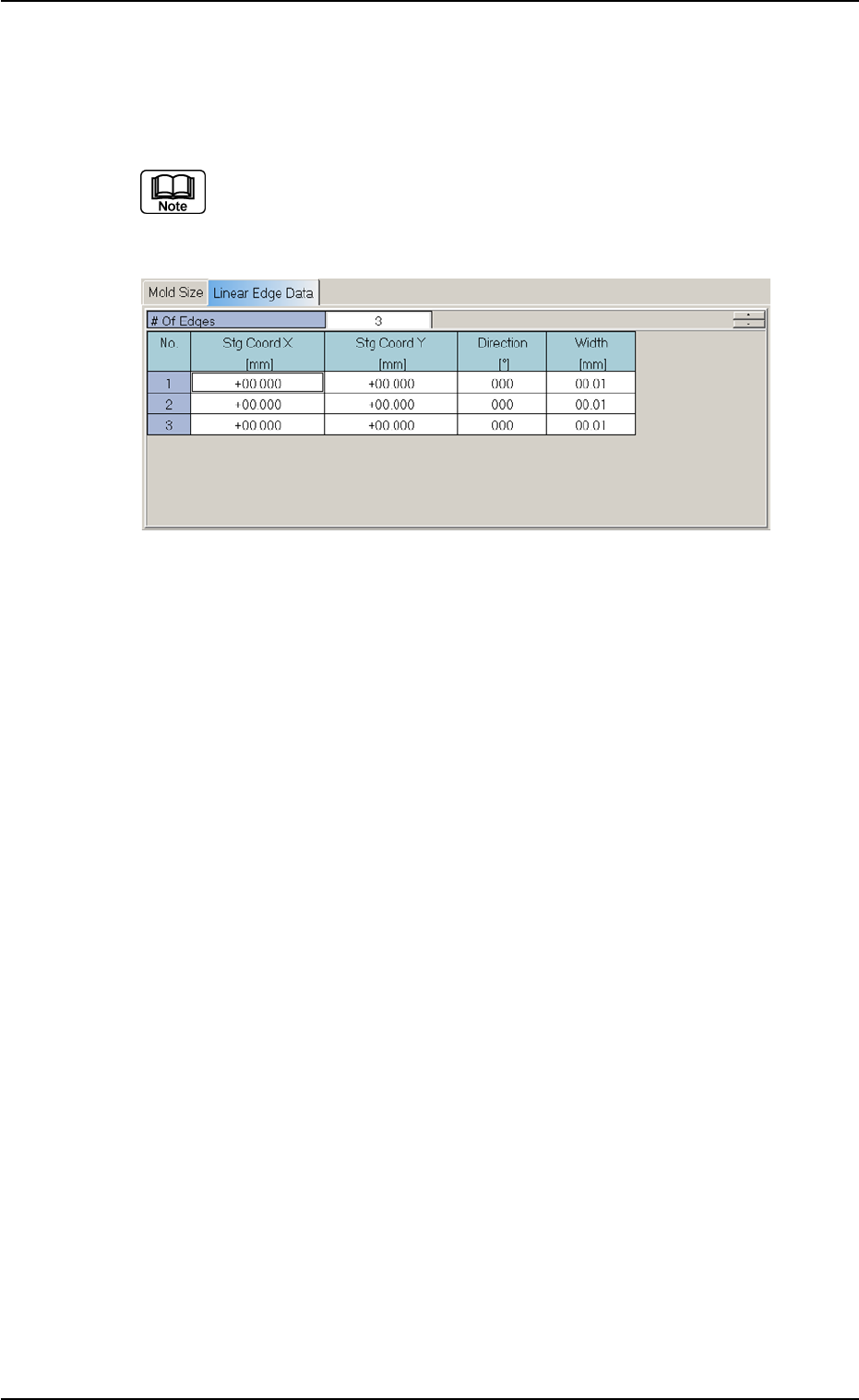
(1) It is required to enter parameters (parameters described in "(2)" to
"(4)") equivalent to the number of linear edges specified in the "# of
Edges" data box.
Definition of Linear Edges
Define the linear edges in the light of the following points from (a) to
(e).
(a) Linear edges must be defined such that the shape of a compo-
nent is formed from the linear edges which clarify the maximum
outside dimensions of the component.
Fig. B109 Edit Window (Example) for Deform (Complex) Components