OM-1076-001.pdf - 第84页
B01 Shape Data (B01_08) 0206-003 2-60 Tg0502-PM-CL Standard Normal leaded components, including connec- tor , transistor , diode, switch and coil Electd Normal components with electrical con tacts at the rear including t…
(B01_08) Lead Data
Set the basic parameters related to the overall elements of leads such
as a type of leads, the number of lead types, and the number of lead
groups.
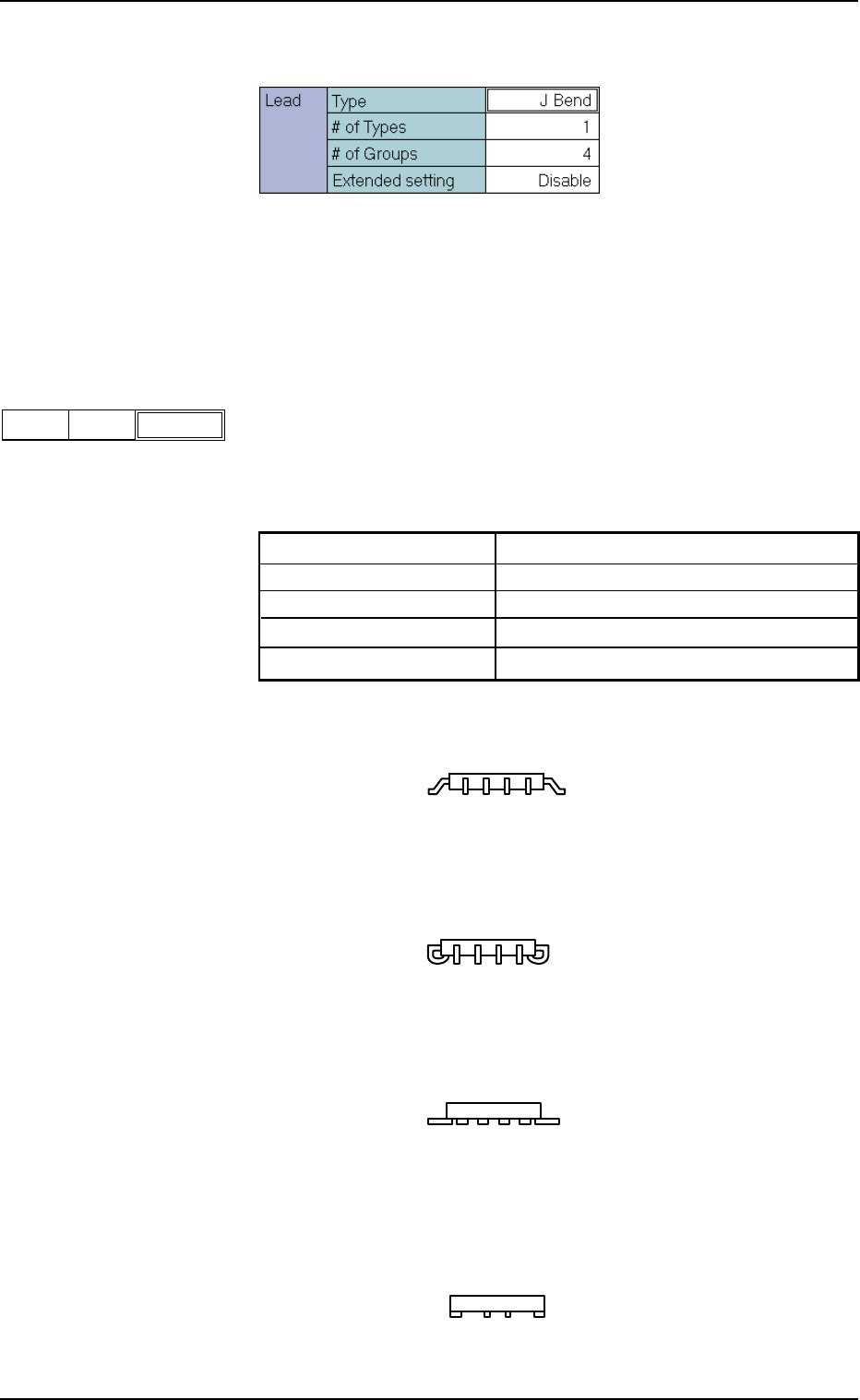
(1) Lead Type
Set the type of the leads.
Select the lead type from the following options. The option might vary
depending on the component shapes.
Gull wing SOP, QFP component, etc.
J Bend SOJ, PLCC component, etc,
Straight Components with straight leads
Leadless Components where the leads are not extended
from the component outline
Table B14-1
IC Gull Wing, J Bend, Straight, Leadless
Connector (Simplex) Standard, Electd
Connector (Complex) Standard, Electd, Others
Other Leaded (Simplex) Standard, Electd
Other Leaded (Complex) Standard, Electd, Others
B01 Shape Data (B01_08)
0111-002 2-59 Tg0502-PM-CL
J Bend
Fig. B125
TypeLead
Fig. B124 Edit Window (Example) for IC (Simple) Components
Fig. B126
Fig. B126-1
Fig. B126-2
Fig. B126-3

B01 Shape Data (B01_08)
0206-003 2-60 Tg0502-PM-CL
Standard Normal leaded components, including connec-
tor, transistor, diode, switch and coil
Electd Normal components with electrical con tacts at
the rear including tantalum, aluminum electroly-
sis components
Other Special lead components except for the above
Applicable Components : IC (Simple), Connector (Simple), Con-
nector (Complex), Other Leaded
(Simple), and Other Leaded (Complex)
Fig. B126-4
Fig. B126-5
Fig. B126-6
0107-001 2-61 Tg0502-PM-CL
B01 Shape Data (B01_08)
1
Fig. B128
# of TypesLead
4
Fig. B129
# of Groups
Lead
Fig. B130
(2) Lead # of Types
Set the number of lead types in the text box.
When a component has several leads different in width and length,
set the number of lead types in the text box.
Parameters can be set in the "Width", "Length", "Full Length", and
"Shape" text boxes as many as the number of lead types specified in
this text box.
Unit: Type
Data Input Range : 1 to 4
Applicable Components : IC (Simple), IC (Complex), Connector
(Simple), Connector (Complex), Other
Leaded (Simple), and Other Leaded
(Complex)
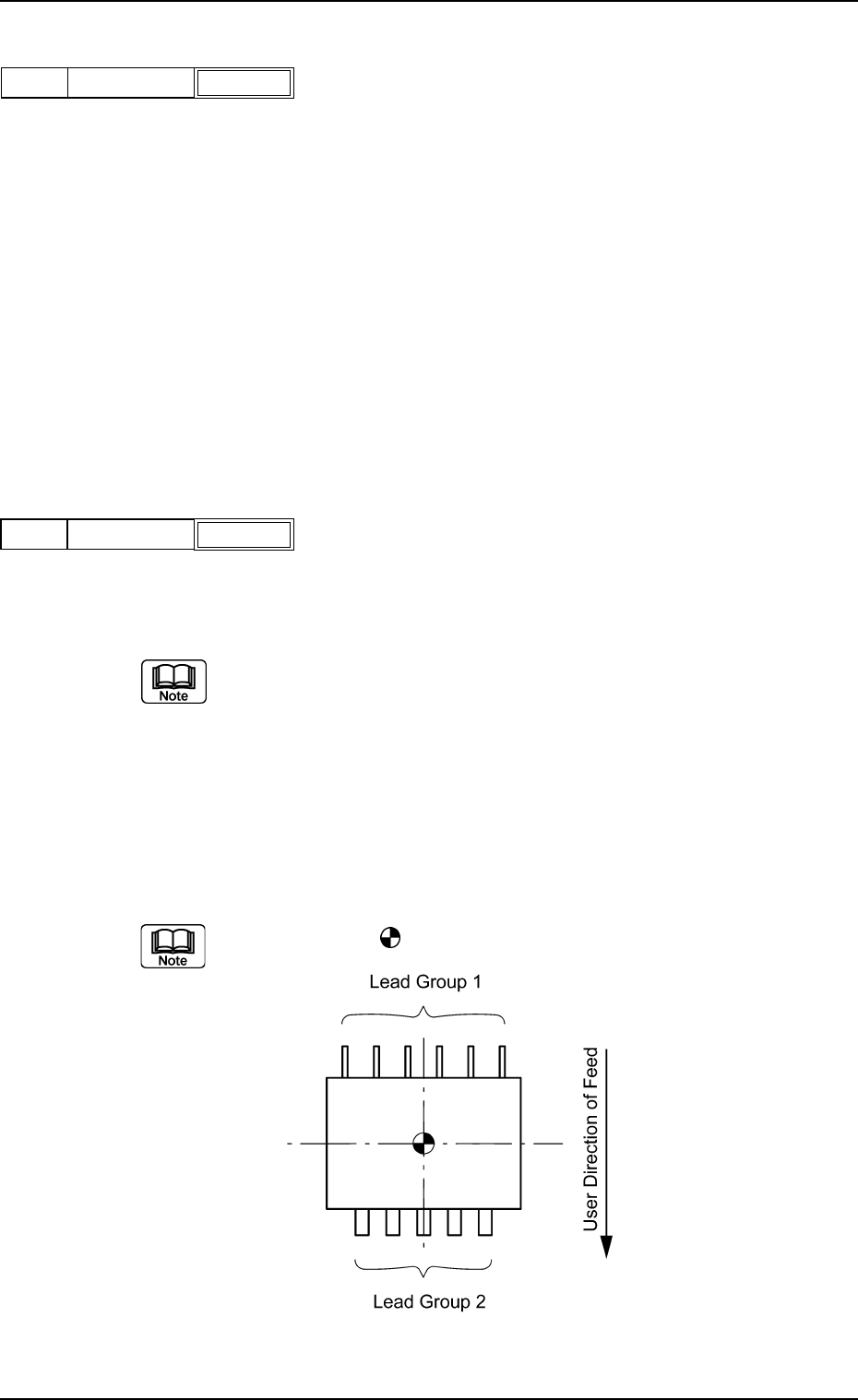
(3) Lead # of Groups
Set the number of lead groups (grouped leads) in the text box.
Unit: Group
Data Input Range: 1 to 8
When some areas of the lead groups overlap each other, do not set any
parameter in the text box because such areas cannot be handled.
Applicable Components : IC (Simple), IC (Complex), Connector
(Simple), Connector (Complex), Other
Leaded (Simple), and Other Leaded
(Complex)
Example: "2" is set in the "# of Groups" text box.
The center of the
mark is the reference position for outward length
setting.