OM-1076-001.pdf - 第86页
(4) Lead Extended Setting Select "Enable" or "Disable" to determine whether or not the extended data should be set. When "Enable" is set in the "Extended Setting" text box, the ext…
0107-001 2-61 Tg0502-PM-CL
B01 Shape Data (B01_08)
1
Fig. B128
# of TypesLead
4
Fig. B129
# of Groups
Lead
Fig. B130
(2) Lead # of Types
Set the number of lead types in the text box.
When a component has several leads different in width and length,
set the number of lead types in the text box.
Parameters can be set in the "Width", "Length", "Full Length", and
"Shape" text boxes as many as the number of lead types specified in
this text box.
Unit: Type
Data Input Range : 1 to 4
Applicable Components : IC (Simple), IC (Complex), Connector
(Simple), Connector (Complex), Other
Leaded (Simple), and Other Leaded
(Complex)
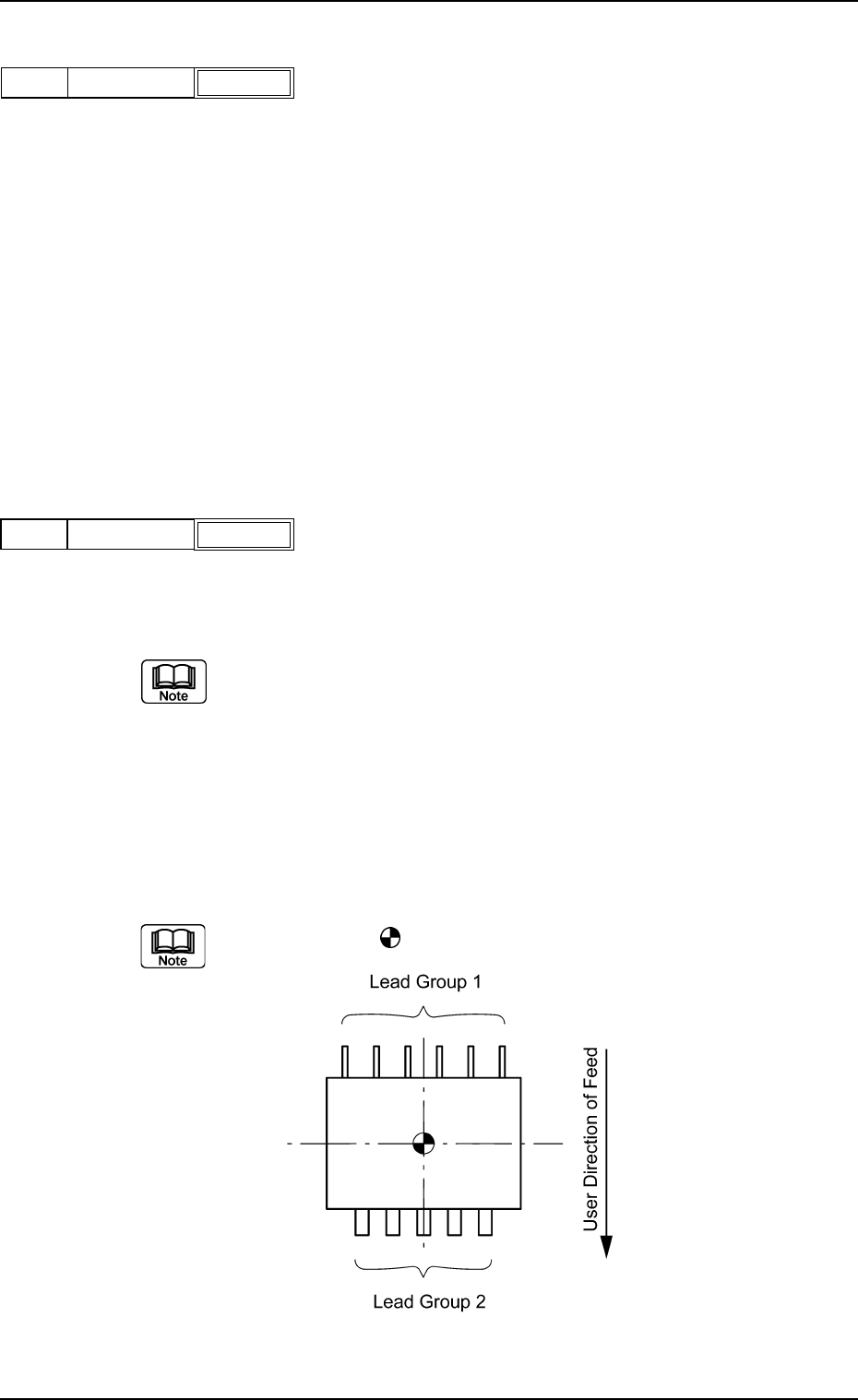
(3) Lead # of Groups
Set the number of lead groups (grouped leads) in the text box.
Unit: Group
Data Input Range: 1 to 8
When some areas of the lead groups overlap each other, do not set any
parameter in the text box because such areas cannot be handled.
Applicable Components : IC (Simple), IC (Complex), Connector
(Simple), Connector (Complex), Other
Leaded (Simple), and Other Leaded
(Complex)
Example: "2" is set in the "# of Groups" text box.
The center of the
mark is the reference position for outward length
setting.
(4) Lead Extended Setting
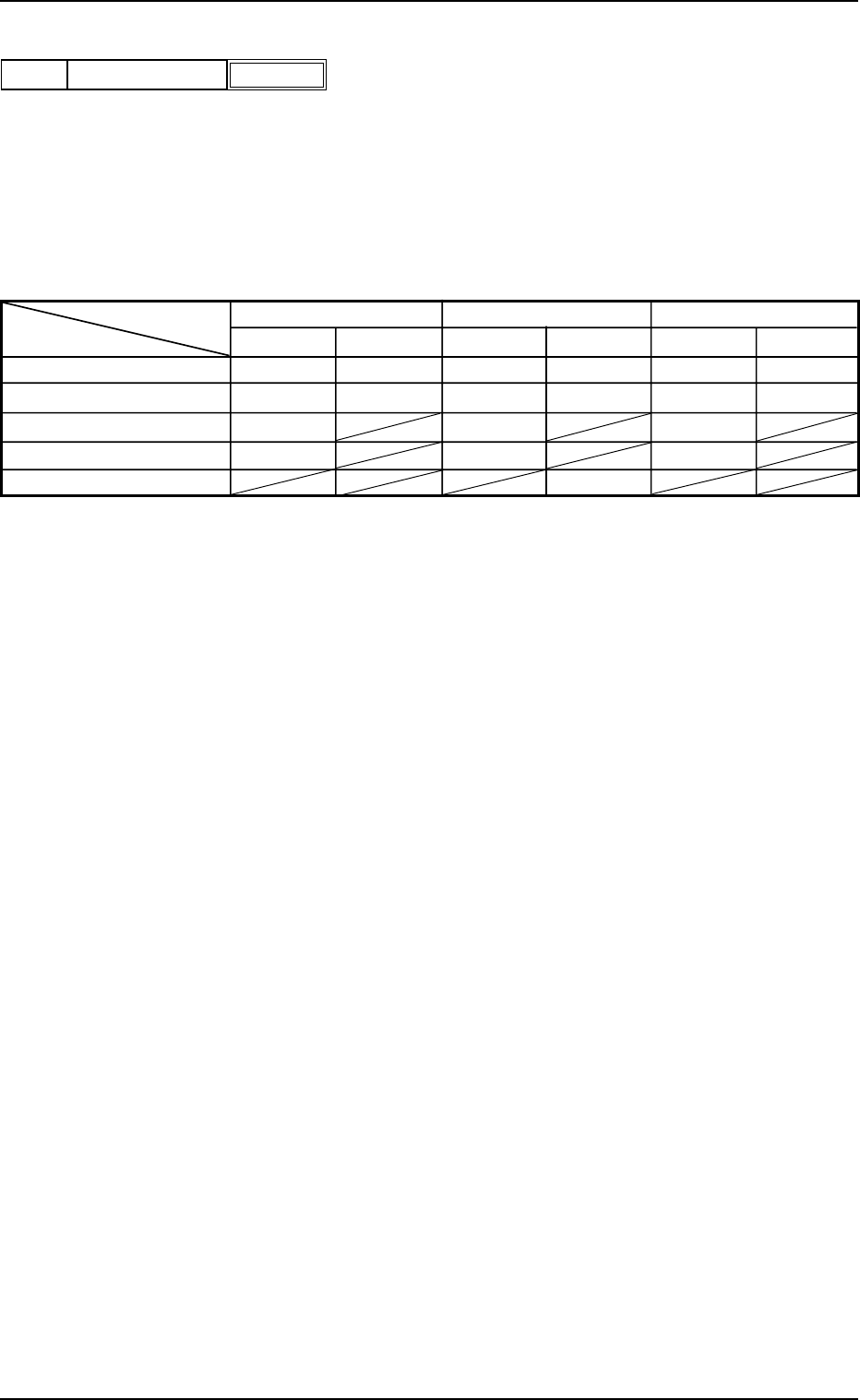
Select "Enable" or "Disable" to determine whether or not the extended
data should be set.
When "Enable" is set in the "Extended Setting" text box, the extended
data such as information on missing leads can be specified.
The following shows the extended data that can be specified.
Table B15
IC Connector Other Leaded
Simple Complex Simple Complex Simple Complex
Missing Lead Start {{{ {{{
# of Missing Leads {{{ {{{
Posn (Latl) Det {{ {
Posn (Long) Det {{ {
Insp Condtn {
Applicable Components : IC (Simple), IC (Complex), Connector
(Simple), Connector (Complex), Other
Leaded (Simple), and Other Leaded
(Complex)
B01 Shape Data (B01_08)
0111-002 2-62 Tg0502-PM-CL
Disable
Fig. B131
Extended settingLead
Component Shape Type Shape Width Length Full Length
IC Gull Wing
{{
J Bend
{{{
Straight
{{{
Leadless
{{
Connector and
Standard
{{
Other Leaded
Electd
{{ {
Other {{{
(B01_09) Lead Type Data
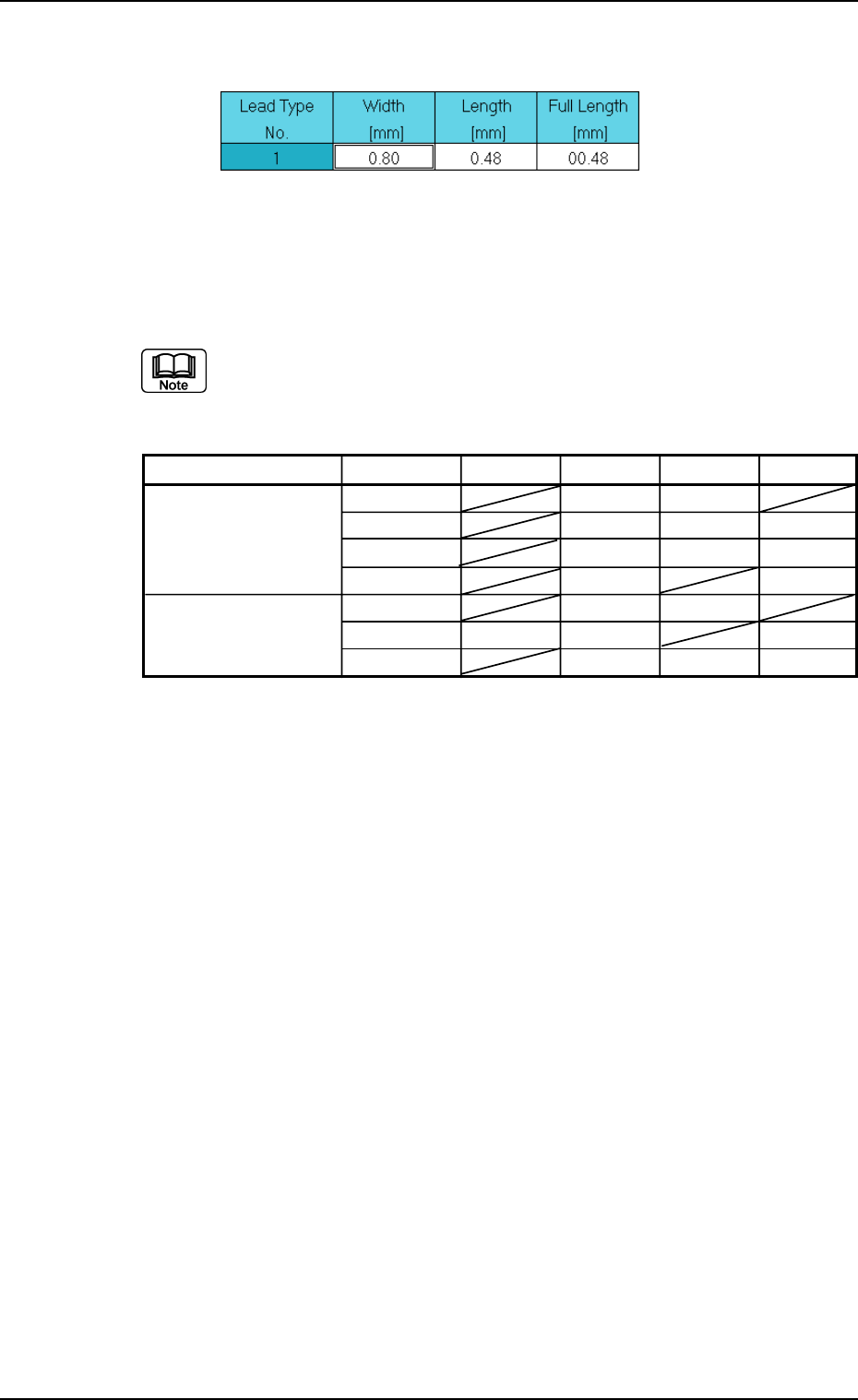
Set parameters to specify the shapes of individual leads such as width
and length.
The data to be set varies depending on the component shape and type.
B01 Shape Data (B01_09)
0206-003 2-63 Tg0502-PM-CL
Fig. B132 Edit Window (Example) for IC (Simple) Components
Table B16