OM-1076-001.pdf - 第88页
B01 Shape Data (B01_09) 01 11-002 2-64 Tg0502-PM-CL Fig. B133 Shape Rectangle Lead type No. 1 Fig. B134 (1) Lead T ype Shape Select the lead shape from the following options. Circled : Select this to specify a circular e…
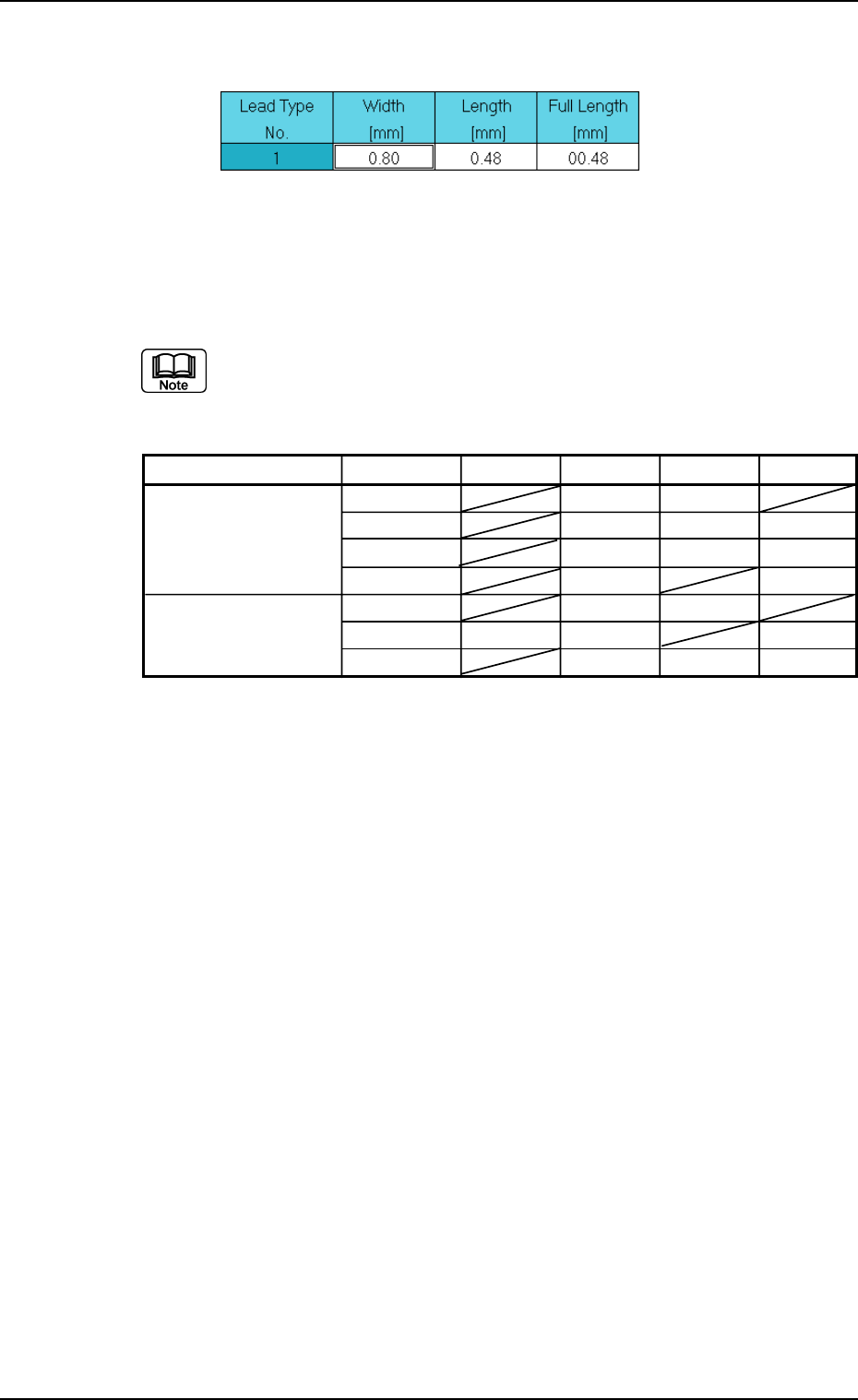
Component Shape Type Shape Width Length Full Length
IC Gull Wing
{{
J Bend
{{{
Straight
{{{
Leadless
{{
Connector and
Standard
{{
Other Leaded
Electd
{{ {
Other {{{
(B01_09) Lead Type Data
Set parameters to specify the shapes of individual leads such as width
and length.
The data to be set varies depending on the component shape and type.
B01 Shape Data (B01_09)
0206-003 2-63 Tg0502-PM-CL
Fig. B132 Edit Window (Example) for IC (Simple) Components
Table B16
B01 Shape Data (B01_09)
0111-002 2-64 Tg0502-PM-CL
Fig. B133
Shape
Rectangle
Lead type
No.
1
Fig. B134
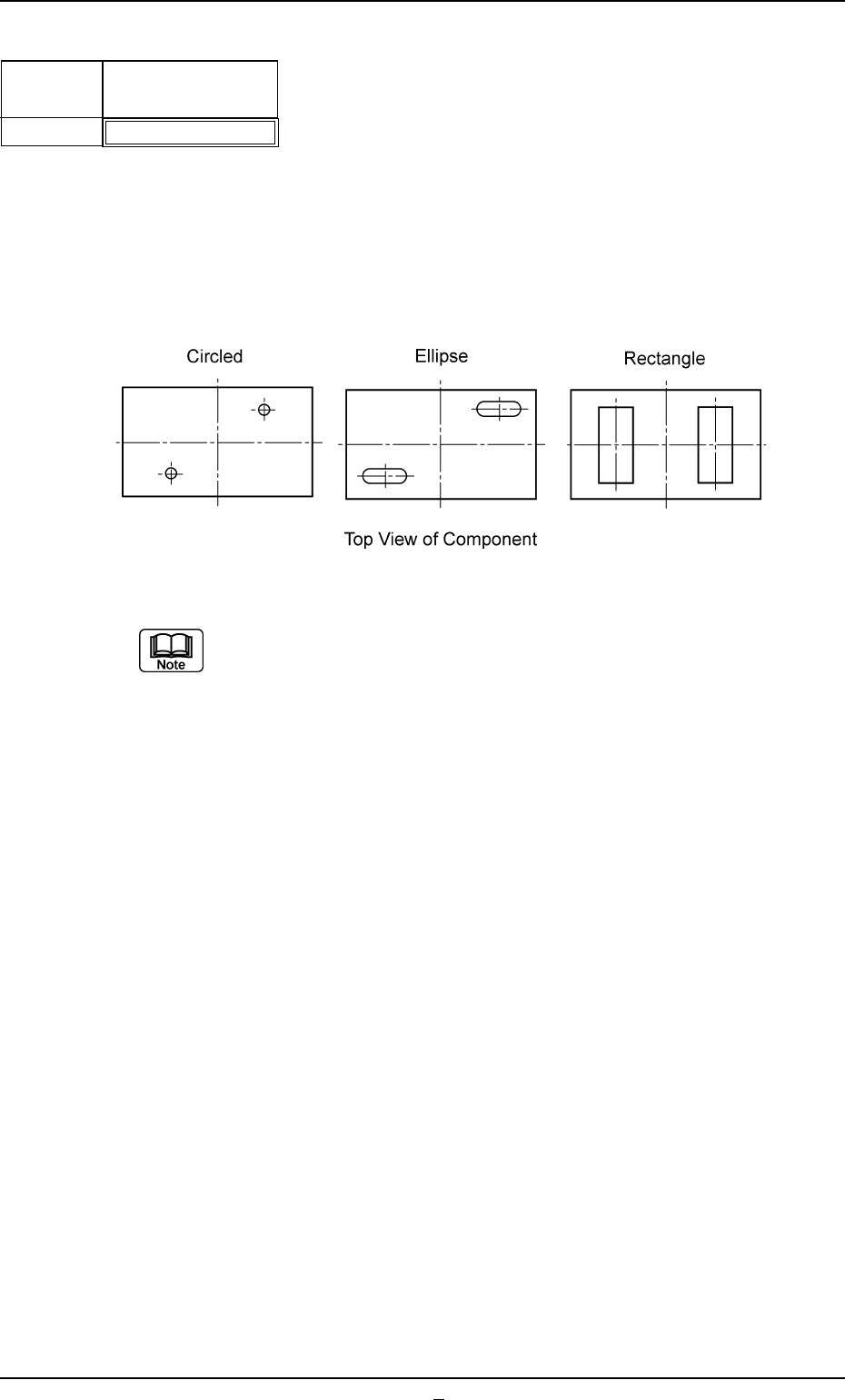
(1) Lead Type Shape
Select the lead shape from the following options.
Circled : Select this to specify a circular electrode.
Ellipse : Select this to specify an elliptical electrode.
Rectangle : Select this to specify a rectangular electrode.
(a) Set this when "Electd" is specified in the "Type" text box.
(b) It must be checked whether or not the following conditions are ful-
filled when "Circled" or "Ellipse" should be specified.
• The entire electrode to be specified looks completely independent.
Applicable Components : Connector (Simple), Connector
(Complex), Other Leaded (Simple),
and Other Leaded (Complex)
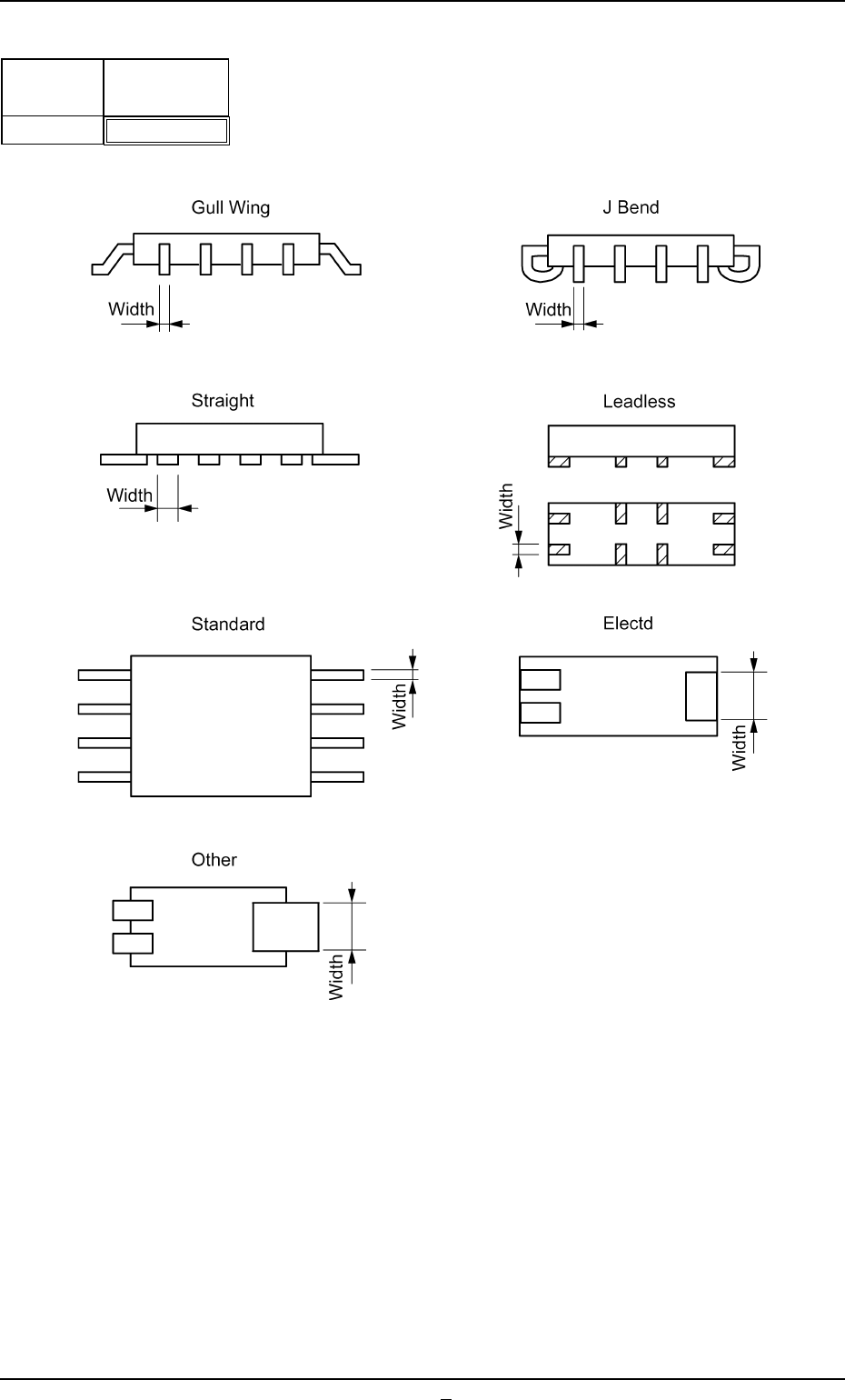
Fig. B135
Width [mm]
0.01
Lead type
No.
1
(2) Lead Type Width [mm]
Set the width of the lead in the text box.
IC
Connector and Other Leaded
Unit: mm
Data Input Range: 0.01 to 9.99
Applicable Components : IC (Simple), IC (Complex), Connector
(Simple), Connector (Complex), Other
Leaded (Simple), and Other Leaded
(Complex)
B01 Shape Data (B01_09)
0206-002 2-64-1 Tg0502-PM-CL
Fig. B135-1