OM-1076-001.pdf - 第89页
Fig. B135 Width [mm] 0.01 Lead type No. 1 (2) Lead T ype Width [mm] Set the width of the lead in the text box. IC Connector and Other Leaded Unit: mm Data Input Range : 0.01 to 9.99 Applicable Components : IC (Simple), I…
B01 Shape Data (B01_09)
0111-002 2-64 Tg0502-PM-CL
Fig. B133
Shape
Rectangle
Lead type
No.
1
Fig. B134
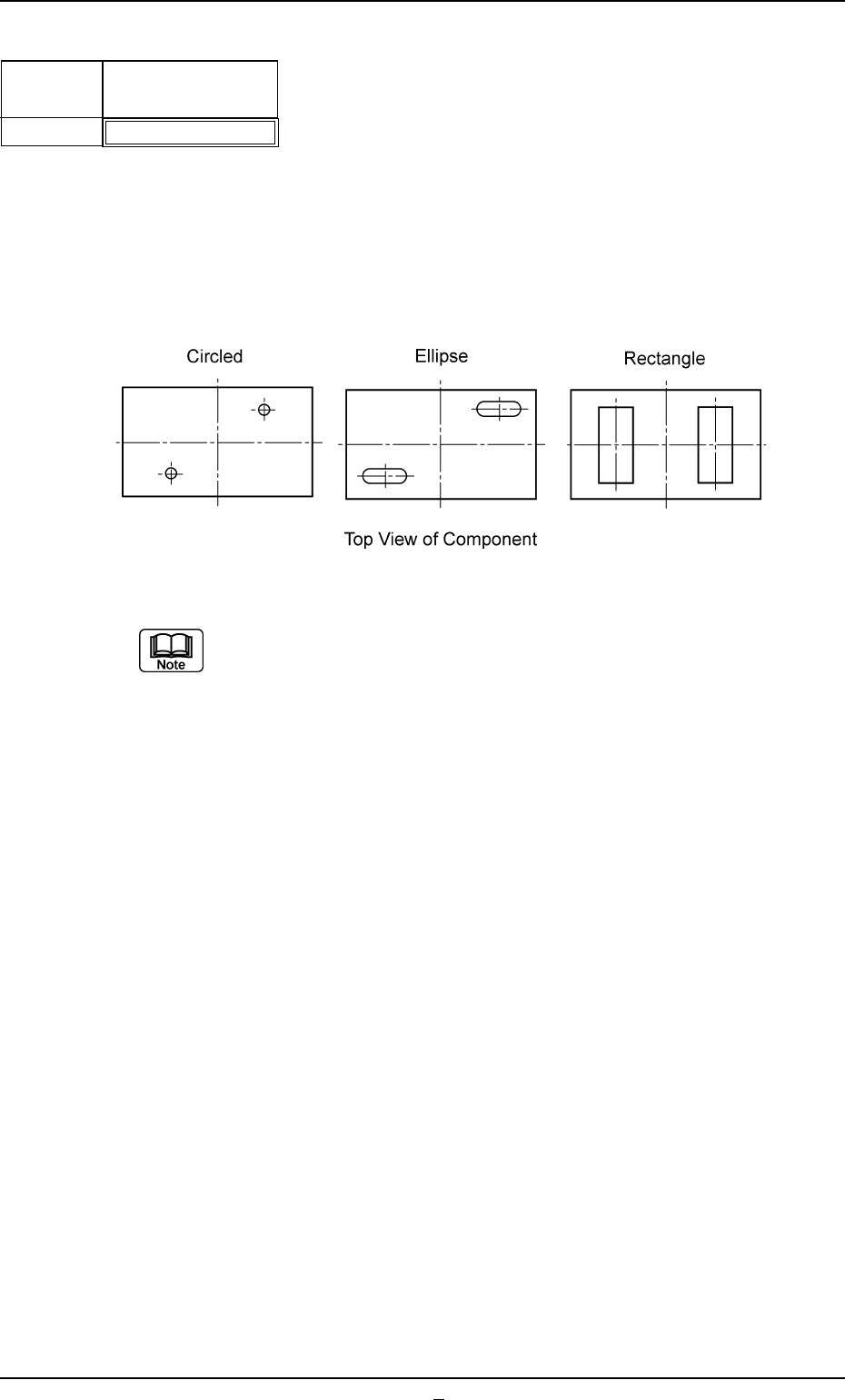
(1) Lead Type Shape
Select the lead shape from the following options.
Circled : Select this to specify a circular electrode.
Ellipse : Select this to specify an elliptical electrode.
Rectangle : Select this to specify a rectangular electrode.
(a) Set this when "Electd" is specified in the "Type" text box.
(b) It must be checked whether or not the following conditions are ful-
filled when "Circled" or "Ellipse" should be specified.
• The entire electrode to be specified looks completely independent.
Applicable Components : Connector (Simple), Connector
(Complex), Other Leaded (Simple),
and Other Leaded (Complex)
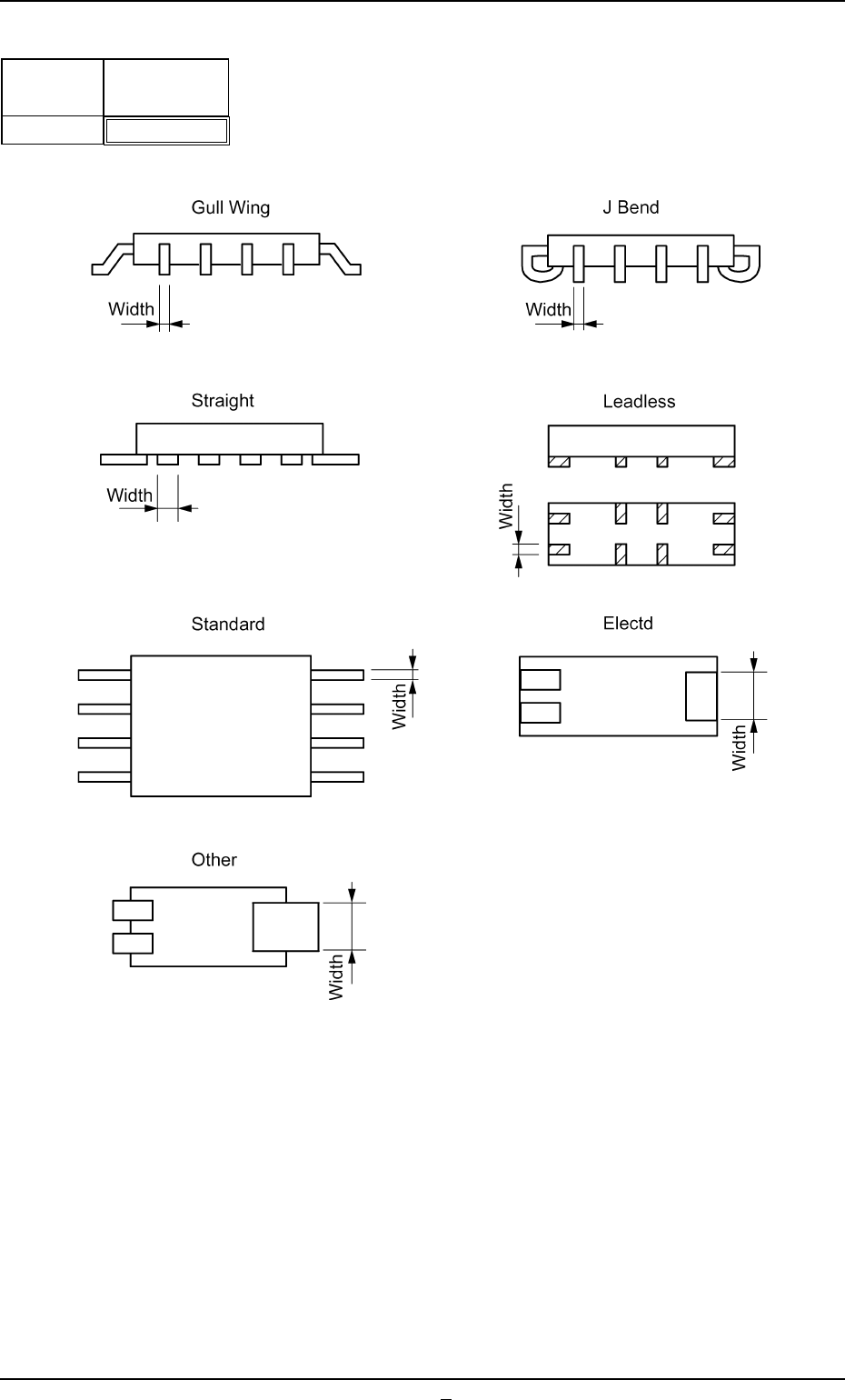
Fig. B135
Width [mm]
0.01
Lead type
No.
1
(2) Lead Type Width [mm]
Set the width of the lead in the text box.
IC
Connector and Other Leaded
Unit: mm
Data Input Range: 0.01 to 9.99
Applicable Components : IC (Simple), IC (Complex), Connector
(Simple), Connector (Complex), Other
Leaded (Simple), and Other Leaded
(Complex)
B01 Shape Data (B01_09)
0206-002 2-64-1 Tg0502-PM-CL
Fig. B135-1
B01 Shape Data (B01_09)
0206-003 2-65 Tg0502-PM-CL
Fig. B136
Length [mm]
0.01
Lead type
No.
1
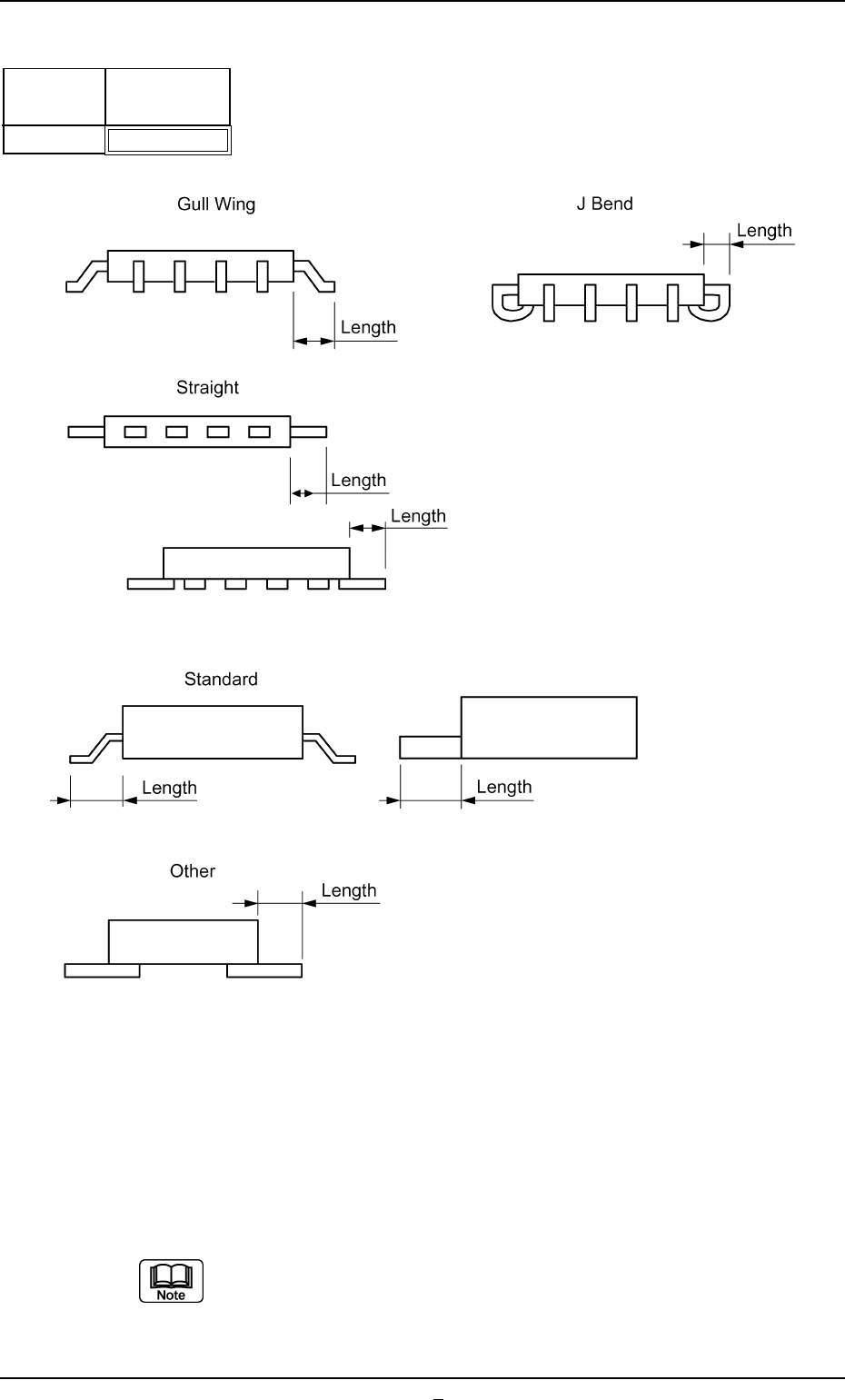
(3) Lead Type Length [mm]
Set the length of the lead running from the mold in the text box.
IC
Connector and Other Leaded
Unit: mm
Data Input Range: 0.00 to 9.99
Applicable Components : IC (Simple), IC (Complex), Connector
(Simple), Connector (Complex), Other
Leaded (Simple), and Other Leaded
(Complex)
Set a parameter in the "Length" text box only when "Gull Wing", "J Bend",
or "Straight" is selected in the "Type" text box for ICs. A parameter must
be set only when "Standard" or "Other" is selected in the "Type" text box
for connectors or other leaded.
Fig. B136-1