00197835-04_JC_PM_WF3_SX12_EN.pdf - 第16页
1 WF3 SX1/2 Test the tape cutter. 2 min 2 / 3 C A U T I O N ! R e f e r t o s a f e t y i n s t r u c t i o n s i n u s e r m a n u a l b e f o r e c o m m e n c i n g M a i n t e n a n c e Machine Status ON Transport …
1 WF3 SX1/2 Test the tape cutter. 2 min 1 / 3
CAUTION! Refer to safety instructions in user manual before commencing Maintenance
Machine Status ON Transport Empty
NOTICE! ESD guidelines are to be followed Tool: Wear Part: Consumables:
C1
www.asm-smt.com
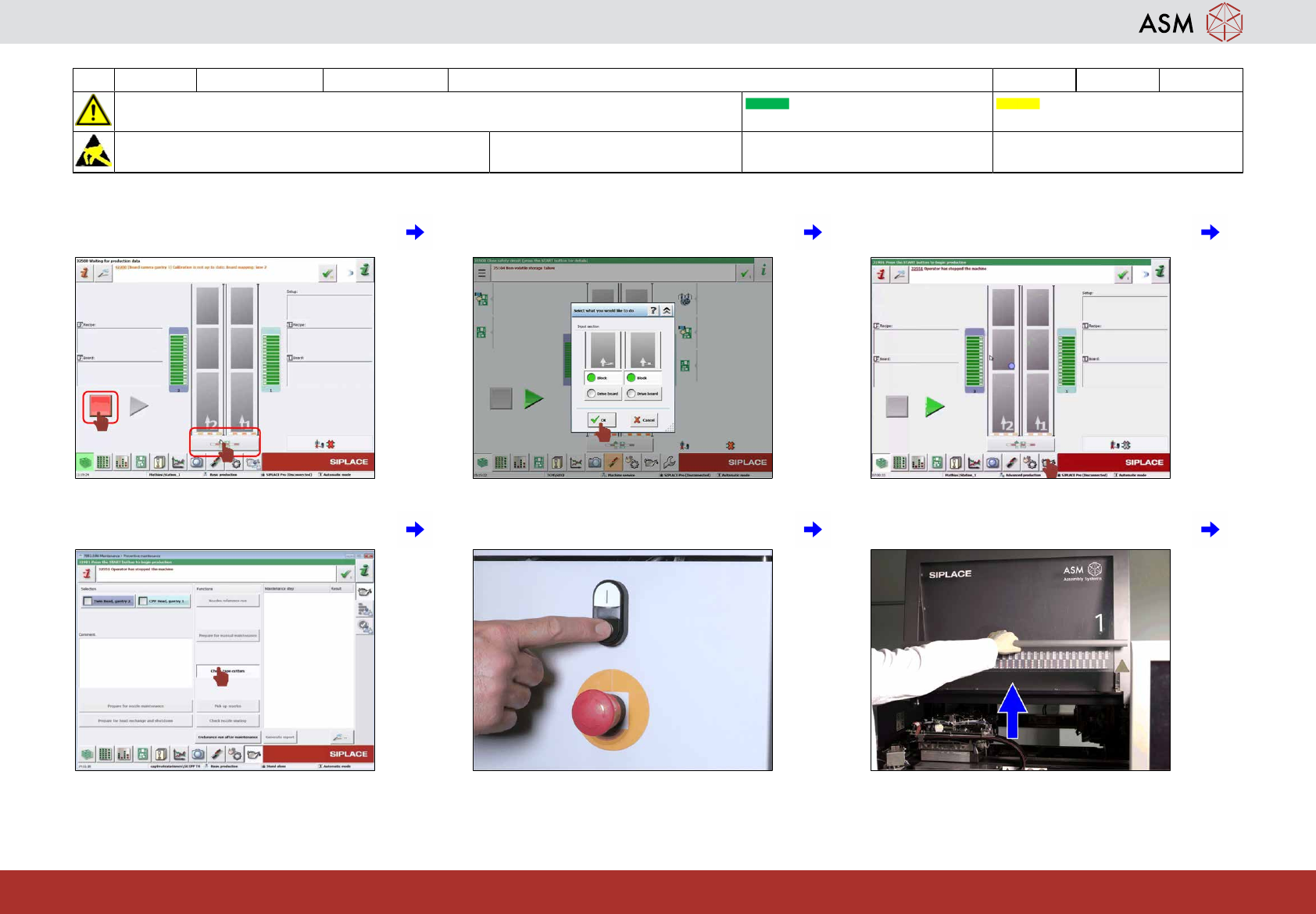
1 Stop production and click on " Block con-
veyor ".
2 Block all lanes and click "OK". 3 Click on "Maintenance".
4 Click on "Check tape cutters". 5 Press the stop button. 6 Open all covers.
1 WF3 SX1/2 Test the tape cutter. 2 min 2 / 3
CAUTION! Refer to safety instructions in user manual before commencing Maintenance
Machine Status ON Transport Empty
NOTICE! ESD guidelines are to be followed Tool: Wear Part: Consumables:
C1
www.asm-smt.com
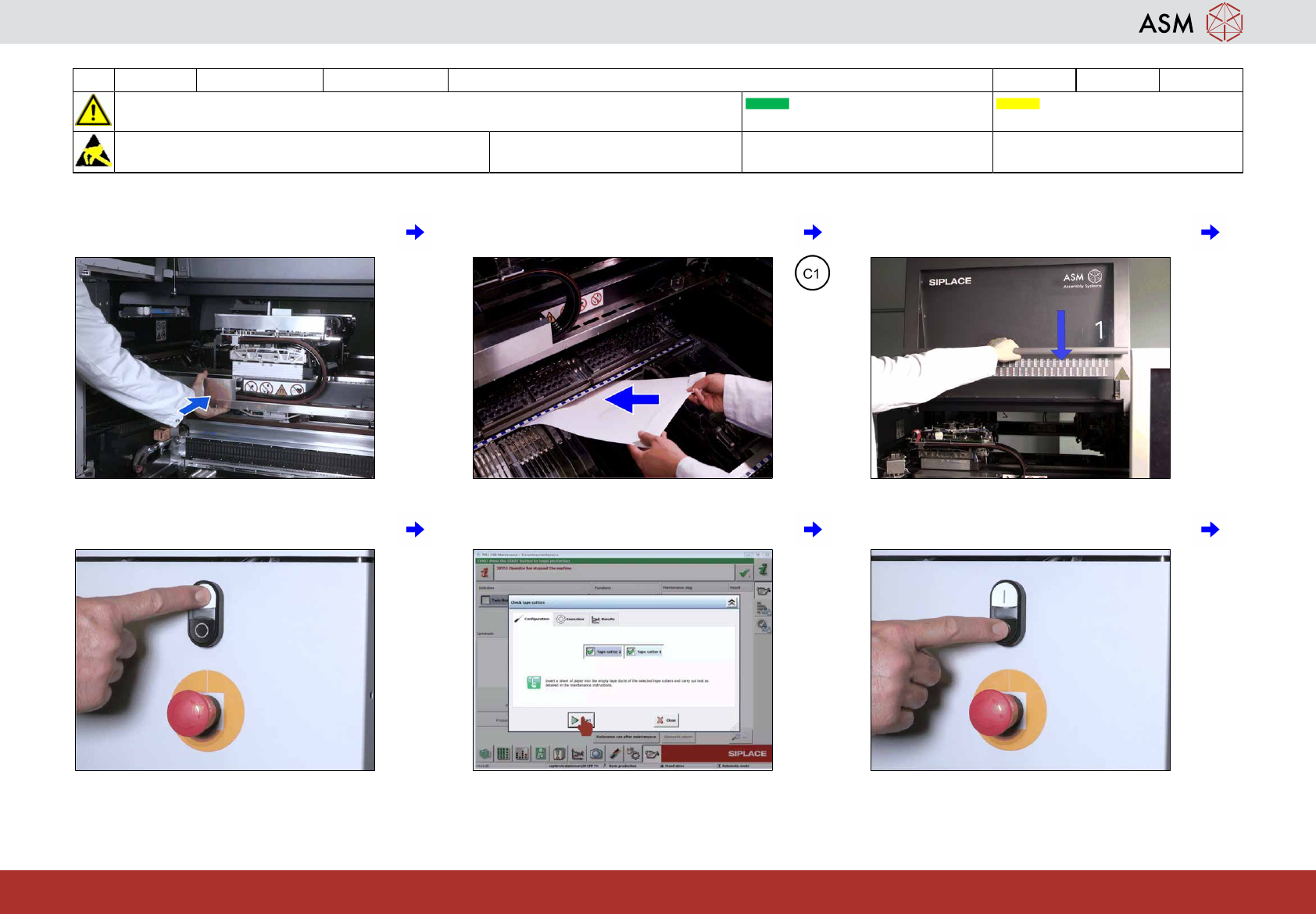
7 Move the gantries over the conveyor. 8 Place a sheet of paper in both tape cut-
ters.
9 Close all covers.
10 Press the start button. 11 Click on "Start". 12 Press the stop button.
1 WF3 SX1/2 Test the tape cutter. 2 min 3 / 3
CAUTION! Refer to safety instructions in user manual before commencing Maintenance
Machine Status ON Transport Empty
NOTICE! ESD guidelines are to be followed Tool: Wear Part: Consumables:
C1
www.asm-smt.com
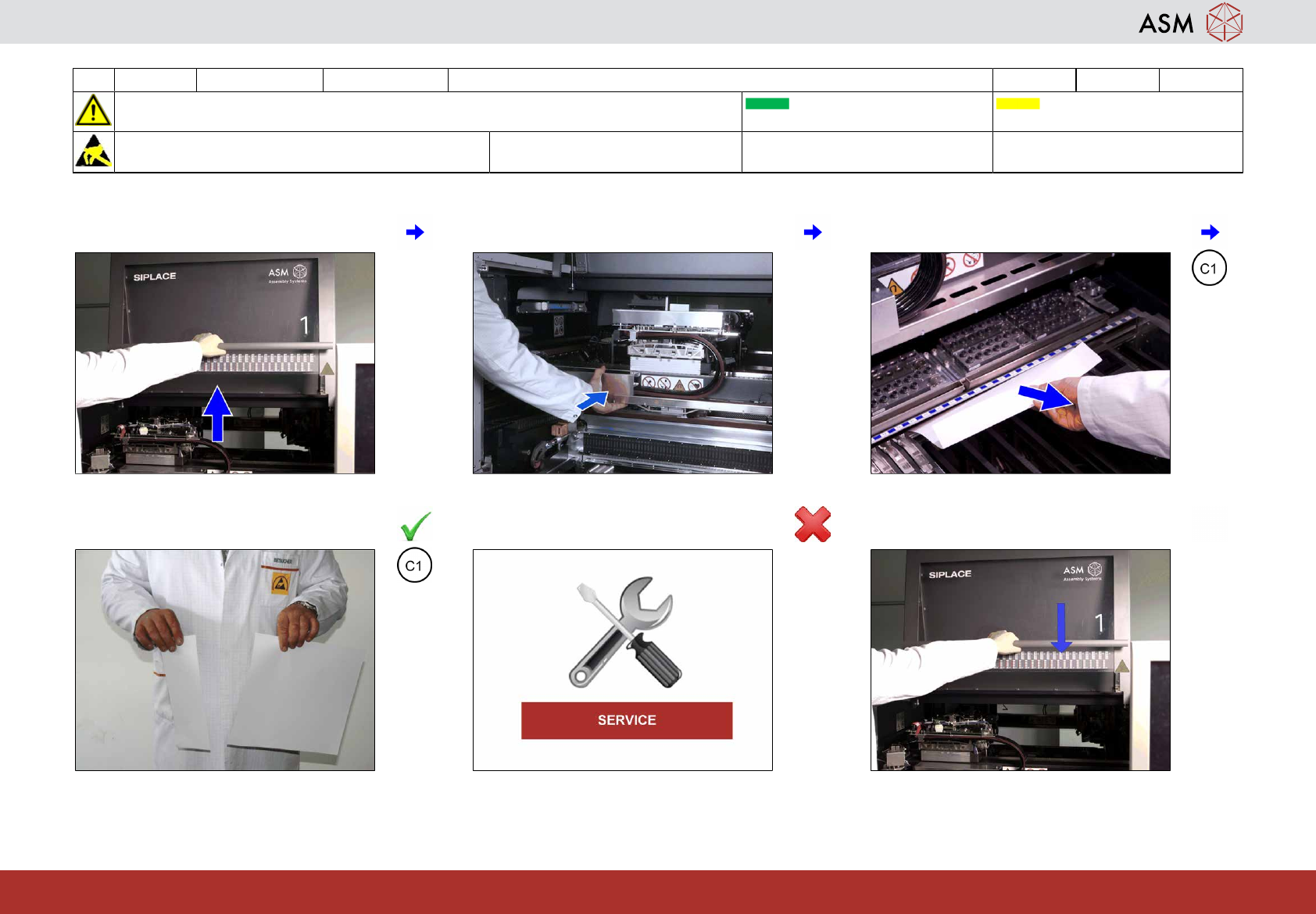
13 Open all covers. 14 Move the gantries over the conveyor. 15 Remove the paper from both tape cutters.
16 Check for clean cut and if OK go to step
18.
17 If not OK inform Service. 18 Close all covers.