How to Read a Long Barcode with CAM Barcode_ENG_ Ver.1.0 - 第7页
How to Read a Long Barcode with CAM Barcode T echnical Note Page | 7 K OH Y OUNG T ECHNOLOGY I NC . (6) Click on the PCB Jog button to move to the starting position of a barcode and click on the Set button. ① ②
How to Read a Long Barcode with CAM Barcode Technical Note Page | 6
KOH YOUNG TECHNOLOGY INC.
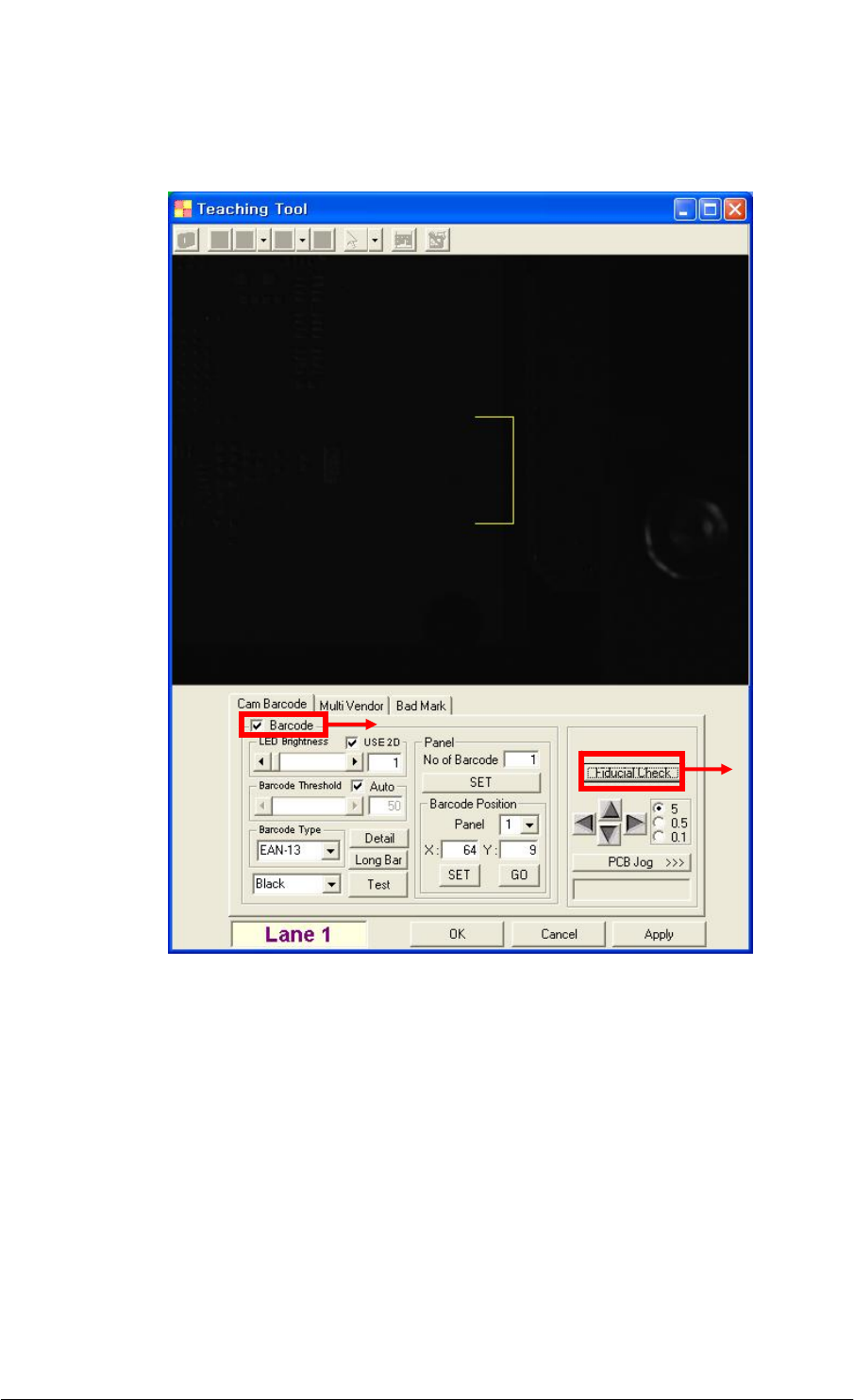
(5) Click on the Fiducial Check button after selecting the Barcode check box on the
Teaching Tool dialog box.
①
②
How to Read a Long Barcode with CAM Barcode Technical Note Page | 7
KOH YOUNG TECHNOLOGY INC.
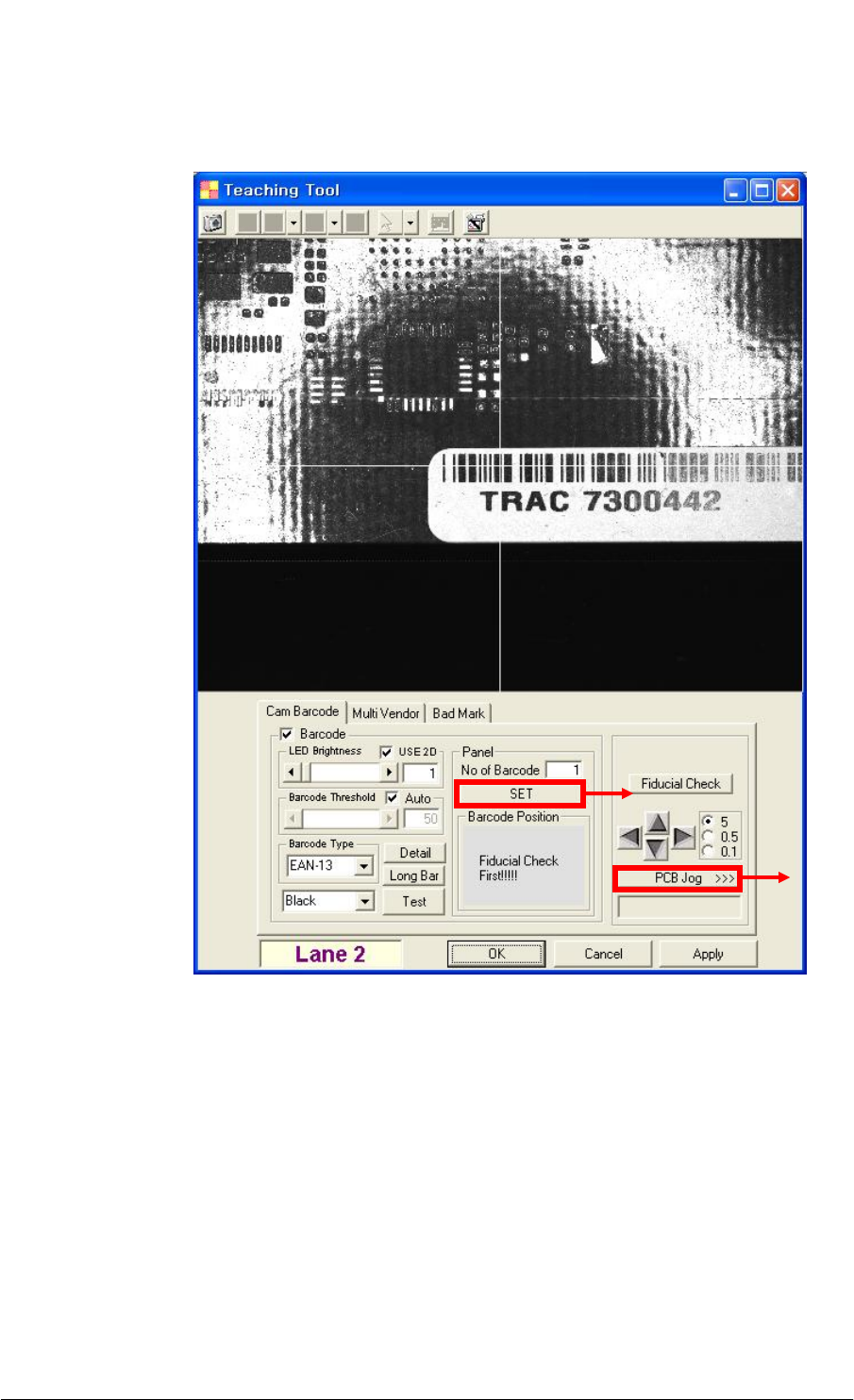
(6) Click on the PCB Jog button to move to the starting position of a barcode and click on
the Set button.
①
②
How to Read a Long Barcode with CAM Barcode Technical Note Page | 8
KOH YOUNG TECHNOLOGY INC.
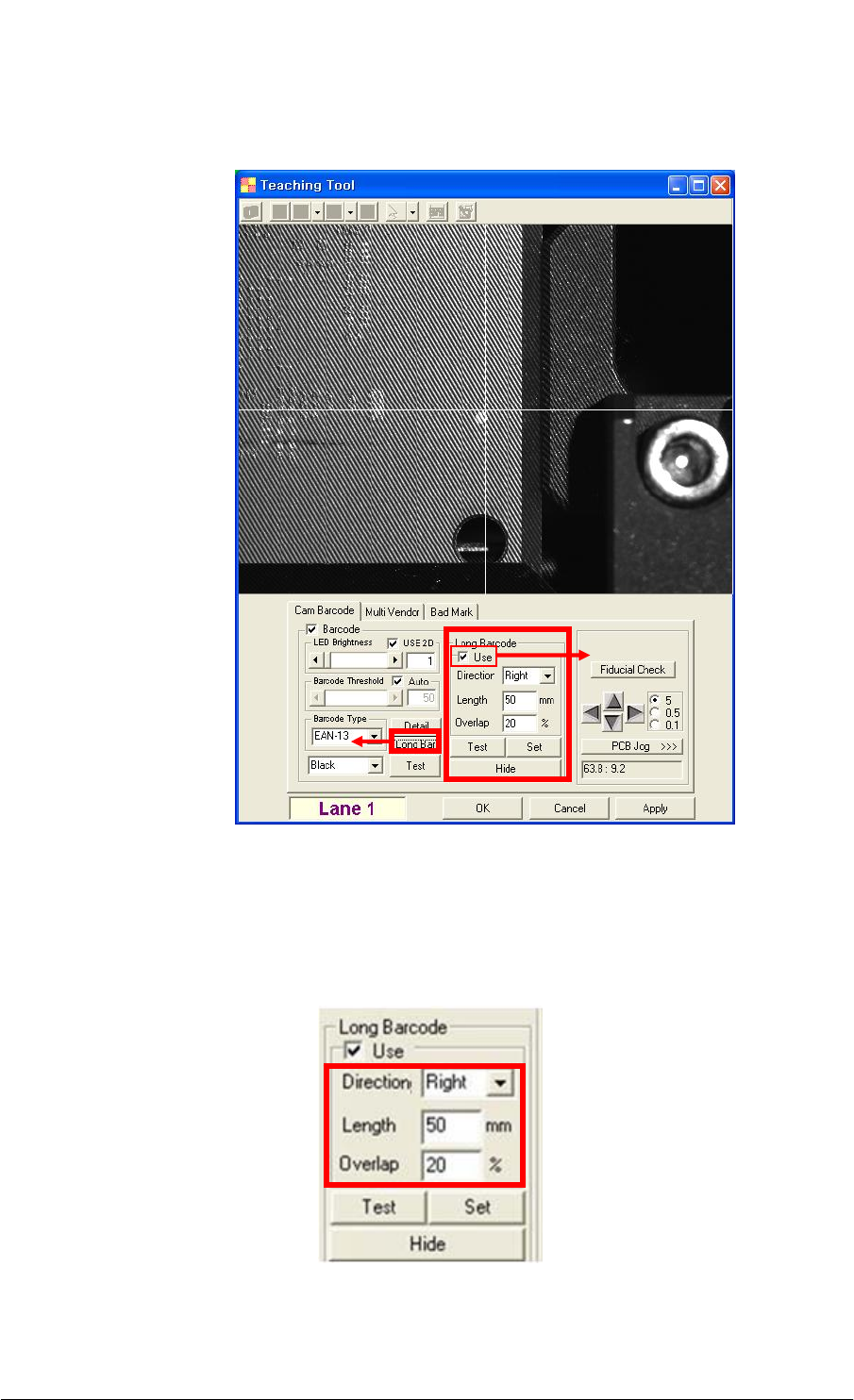
(7) Click on the Long Bar button to show the Long Barcode section. Select the Use check
box to enable the Direction, Length and Overlap fields.
(8) Select the direction (e.g. Right & Down) that a barcode is read from the Direction drop-
down list box. Enter the length of a barcode into the Length text box and also enter the
number into the Overlap text box.
For detailed field information, see the [Table 2].
①
②