卧式standard头部.pdf - 第38页
Page 36 T50090901 Rev . F V/S Standard Insertion Head Assembly This Document Supports Assembly 50090901 Rev. D The following message is displayed. 6. Click on Yes . This zeros all axes. The following screen is displayed …

Page 35
V/S Standard Insertion Head Assembly T50090901 Rev. F
This Document Supports Assembly 50090901 Rev. D
Centering Adjustments
Purpose:
The centering mechanism centers the components in the head chain two
chain index positions prior to insertion. The following procedures ensure
proper operation of the centering mechanism.
Prerequisite:
Head Drive Position Set Up
Head Chain to Tooling Alignment
Cam Orientation
Purpose:
This adjustment is used to establish the basic relationship between the center-
ing cam and the insertion tooling down stroke. This procedure should be
performed whenever the centering mechanism is reinstalled into the insertion
head housing.
Adjustment Procedure:
1. Push the STOP push button.
2. Palm the machine down as detailed in the Operation Manual.
3. Activate the IM Diagnostics as follows. Refer to the IM-UPS and IM
Diagnostics documentation for specific details relating to the operation
of the machine terminal.
Select the IM Diagnostics icon.
WARNING
When the machine is in the IM Diagnostics function power is provided to
the machine. Exercise caution when performing the following
procedures to avoid Injury to personnel and equipment.
4. Palm the machine up and push the INTLK RESET push button.
5. After the IM Diagnostics has completed its initialization, select the fol-
lowing. Machine Set Up>Critical Axis Positions
Page 36
T50090901 Rev. F V/S Standard Insertion Head Assembly
This Document Supports Assembly 50090901 Rev. D
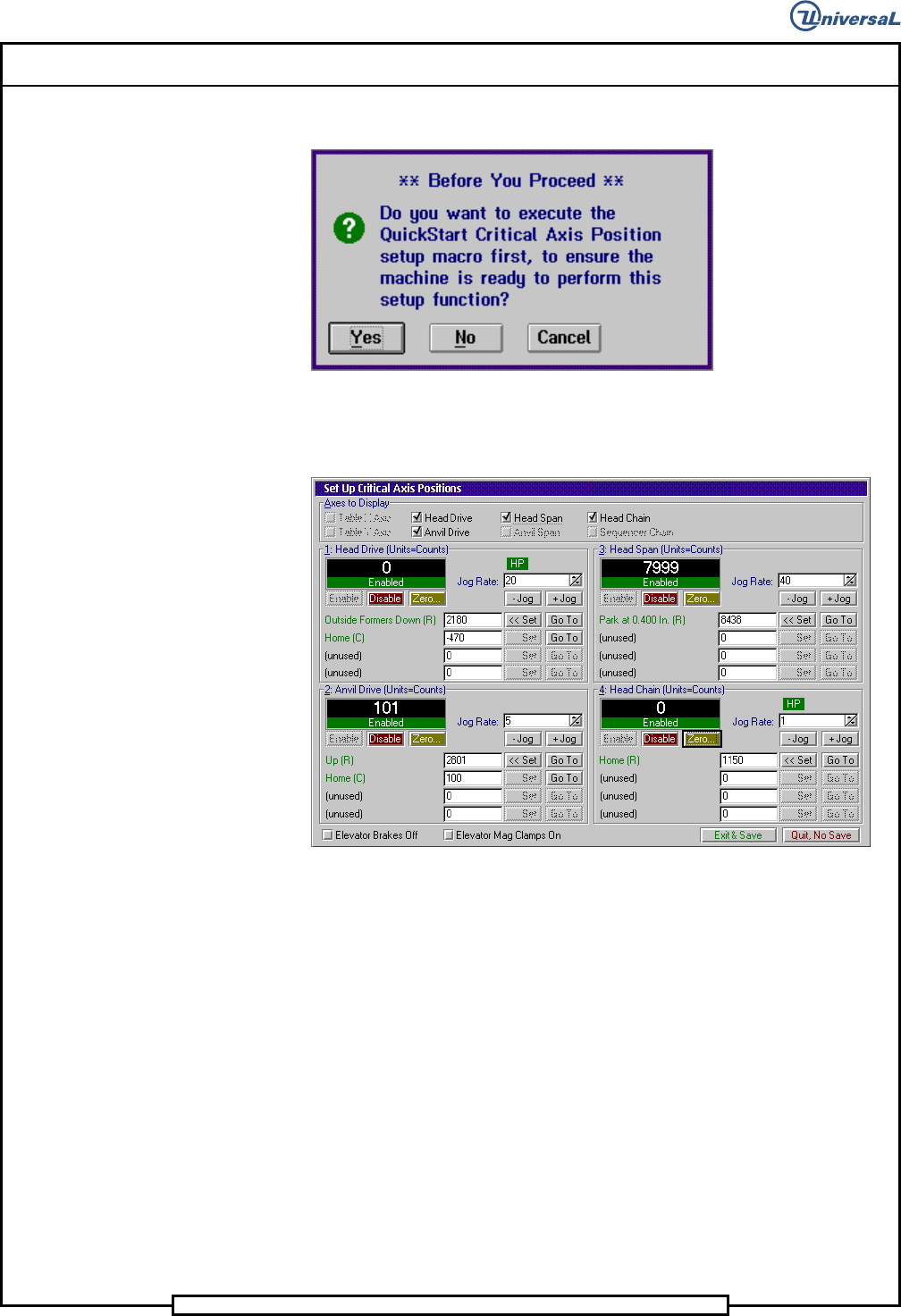
The following message is displayed.
6. Click on Yes. This zeros all axes.
The following screen is displayed
7. In the Set Up Critical Axis Positions screen, click on the Head Chain
and Head Drive.
8. Select Zero to zero the head drive axis.
9. Select Go To to drive the head drive to the home position.
10. Loosen the cap screw that secures the centering drive belt tensioner,
move the tensioner to relieve the belt tension then secure the tensioner
to the housing.
11. Remove the centering drive belt from the centering driven pulley.
Page 37
V/S Standard Insertion Head Assembly T50090901 Rev. F
This Document Supports Assembly 50090901 Rev. D
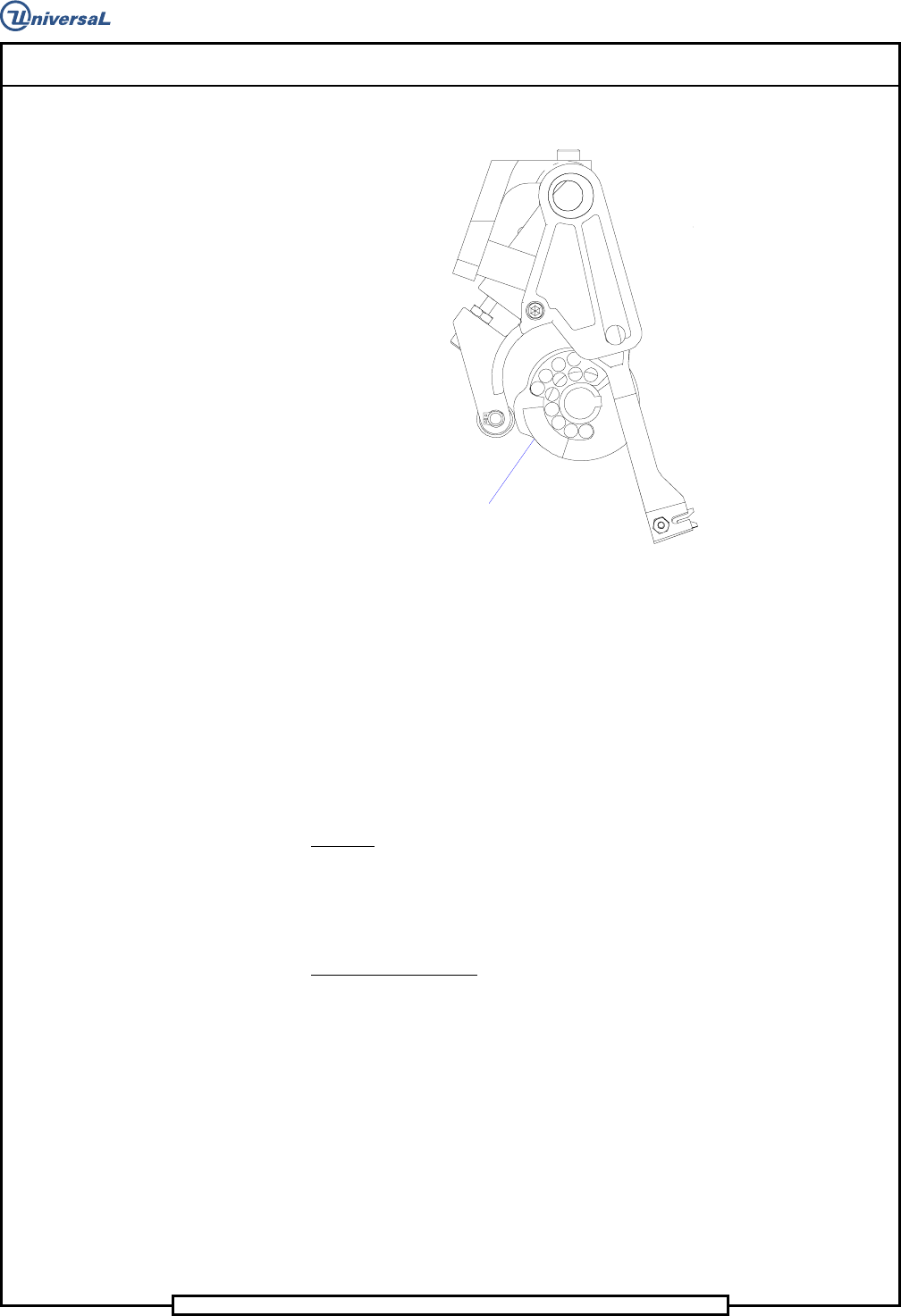
12. Manually rotate the centering cam to the orientation shown.
Centering Cam
Oriented as shown
13. While holding the centering cam in the orientation shown, engage the
centering drive belt on the centering driven pulley.
14. Loosen the cap screw securing the centering belt tensioner, allow the
tensioner to engage the belt then tighten the cap screw to secure the
tensioner in position.
End of procedure.
Cam Alignment
Purpose:
This procedure centers the cam on the cam shaft so it is properly aligned with
the insertion tooling providing the initial adjustment for component center-
ing.
Adjustment Procedure:
1. Push the STOP push button.
2. Palm the machine down as detailed in the Operation Reference
Manual.
3. Remove the two 1/4-20 socket head cap screws and then remove the
centering housing assembly.
4. With the 1/4 inch allen wrench between the tooling housings, manu-
ally close the head span axis until the allen wrench is held in place.
The allen wrench is used as an indicator of the centerline of the tool-
ing.