5TROUBLESHOOTING_.pdf - 第150页
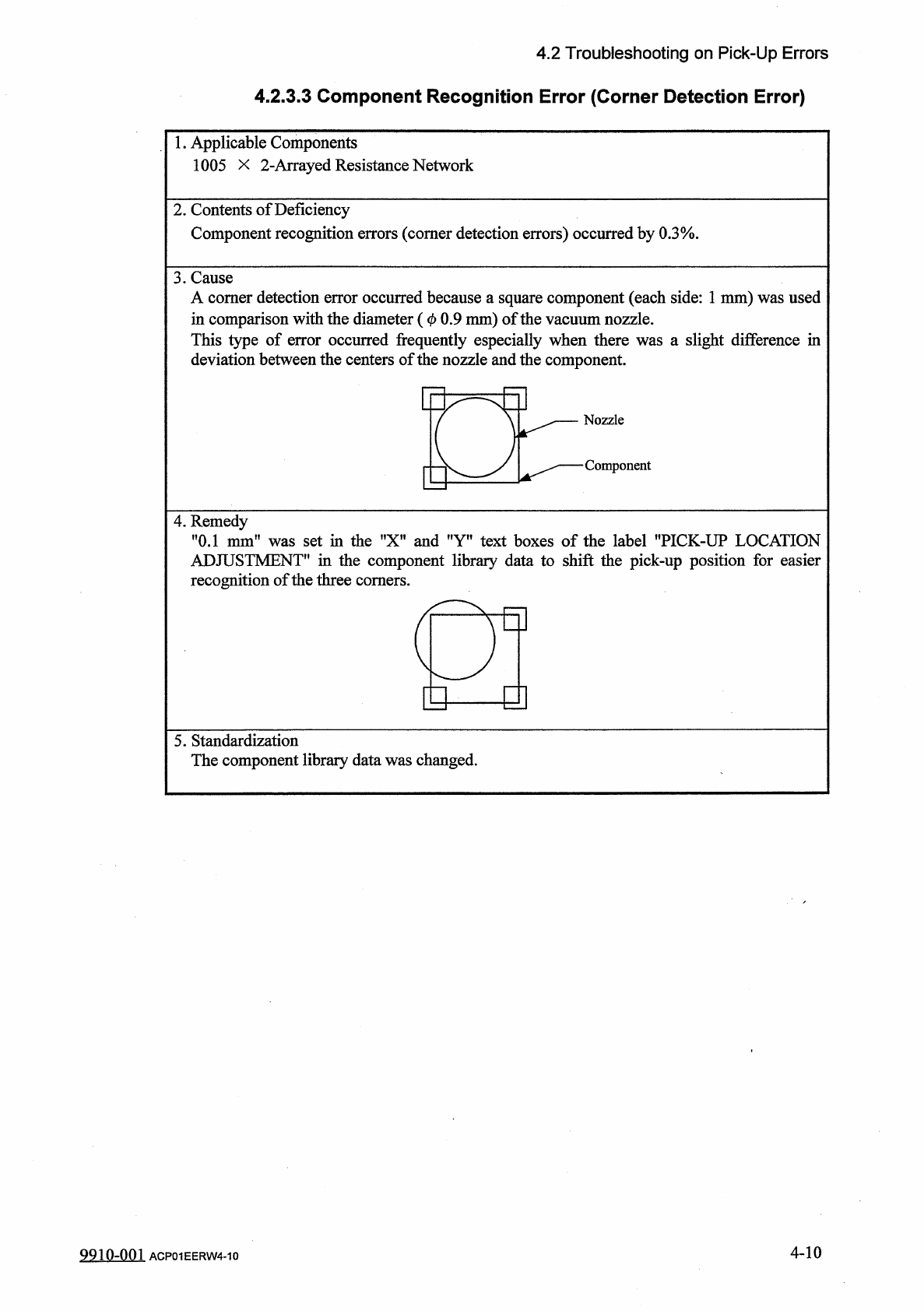
4.2 Troubleshooting on Pick - Up Errors 4.2 . 3.3 Component Recognition Error ( Corner Detection Error ) 1 • Applicable Components 1005 X 2 - Arrayed Resistance Network 2 . Contents of Deficiency Component recognition er…
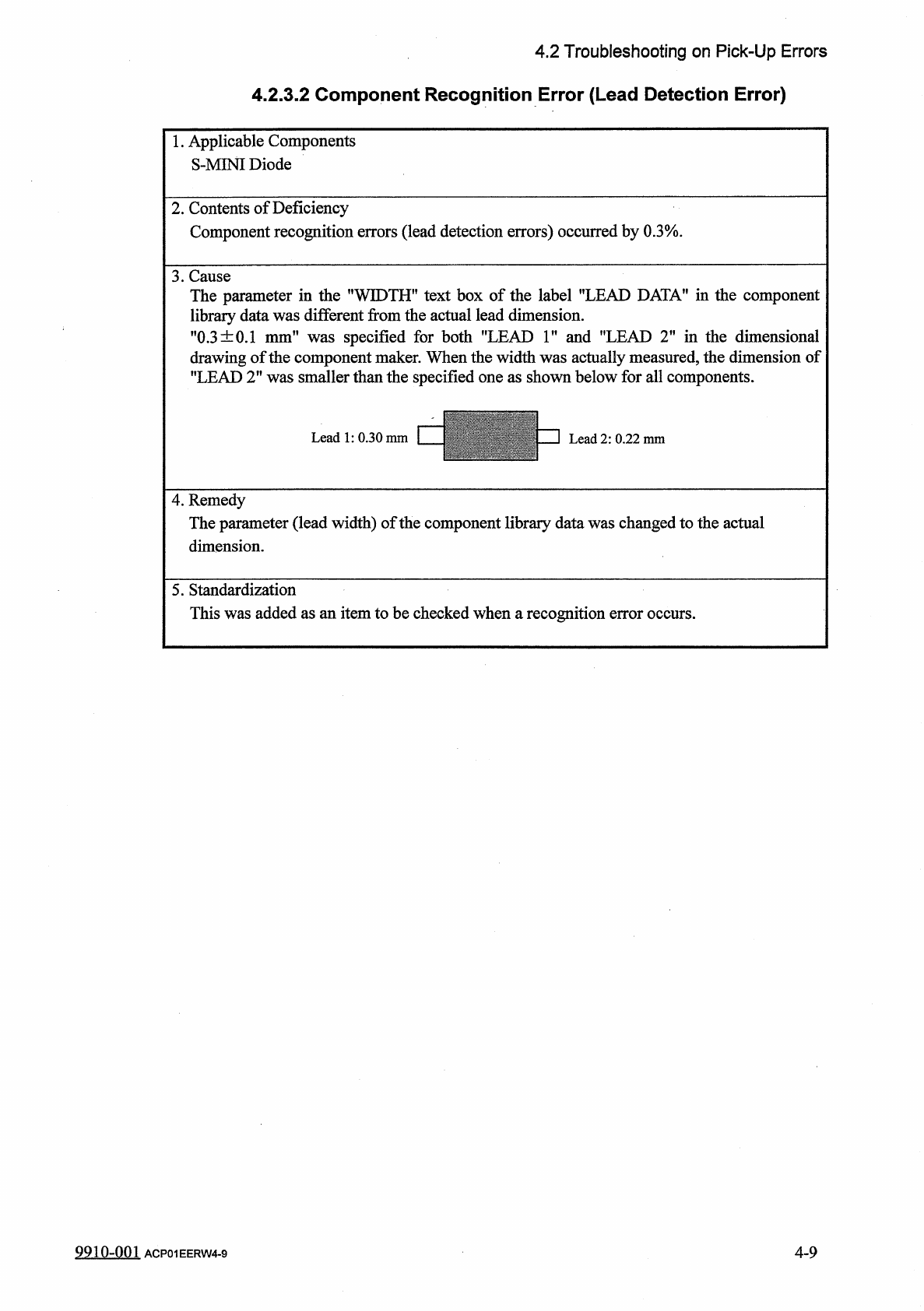
4.2
Troubleshooting
on
Pick
-
Up
Errors
4.2
.
3.2
Component
Recognition
Error
(
Lead
Detection
Error
)
1
.
Applicable
Components
S
-
MINI
Diode
2
.
Contents
of
Deficiency
Component
recognition
errors
(
lead
detection
errors
)
occurred
by
0.3
%
3
.
Cause
TH
"
text
box
of
the
label
"
LEAD
DATA
"
in
the
component
m
the
actual
lead
dimension
.
was
specified
for
both
"
LEAD
1
"
and
"
LEAD
2
"
in
the
dimensional
drawing
of
the
component
maker
.
When
the
width
was
actually
measured
,
the
dimension
of
"
LEAD
2
"
was
smaller
than
the
specified
one
as
shown
below
for
all
components
.
The
parameter
in
the
T
library
data
was
differe
:
"
0.3
±
0.1
mm
"
,
WID
nt
fro
:
4
.
Remedy
The
parameter
(
lead
width
)
of
the
component
library
data
was
changed
to
the
actual
dimension
.
5
.
Standardization
This
was
added
as
an
item
to
be
checked
when
a
recognition
error
occurs
.
9910
-
001
ACP
01
EERW
4
-
9
4
-
9
4.2
Troubleshooting
on
Pick
-
Up
Errors
4.2
.
3.3
Component
Recognition
Error
(
Corner
Detection
Error
)
1
•
Applicable
Components
1005
X
2
-
Arrayed
Resistance
Network
2
.
Contents
of
Deficiency
Component
recognition
errors
(
comer
detection
errors
)
occurred
by
0.3
%
.
3
.
Cause
A
comer
detection
error
occurred
because
a
square
component
(
each
side
:
1
mm
)
was
used
in
comparison
with
the
diameter
(
0
0.9
mm
)
of
the
vacuum
nozzle
.
This
type
of
error
occurred
frequently
especially
when
there
was
a
slight
difference
in
deviation
between
the
centers
of
the
nozzle
and
the
component
.
4
.
Remedy
"
0.1
mm
"
was
set
in
the
"
X
"
and
"
Y
"
text
boxes
of
the
label
"
PICK
-
UP
LOCATION
ADJUSTMENT
*
'
in
the
component
library
data
to
shift
the
pick
-
up
position
for
easier
recognition
of
the
three
comers
.
a
E
y
]
5
.
Standardization
The
component
library
data
was
changed
.
4
-
10
9910
-
001
ACP
01
EERW
4
-
10
4.3
Troubleshooting
for
Placement
Errors
4.3
Troubleshooting
for
Placement
Errors
4.3
.
1
Cause
and
Remedy
of
Placement
Errors
4.3
.
1
-
1
Positional
and
Angular
Deviations
of
Component
Placement
(
1
)
Situational
Grasp
of
Error
Generation
Positional
and
angular
deviations
may
be
generated
in
either
Process
C
or
D
and
E
.
See
Fig
.
4.1
.
By
placing
a
component
on
the
P
.
C
.
B
.
where
a
double
-
faced
adhesive
tape
is
affixed
,
it
can
be
checked
and
determined
in
which
process
positional
and
angular
deviations
are
generated
.
When
a
positional
deviation
is
generated
on
the
double
-
faced
tape
,
it
indicates
that
positional
and
angular
deviations
occur
in
Process
C
.
When
no
positional
deviation
is
generated
,
it
means
that
positional
and
angular
deviations
occur
in
Process
D
or
E
.
(
2
)
Positional
and
Angular
Deviations
in
Process
C
When
a
positional
deviation
is
generated
due
to
the
movement
of
the
head
after
component
recognition
or
a
rotational
deviation
by
placement
angle
correction
,
the
deviation
may
be
caused
mainly
by
the
following
two
factors
.
①
Deterioration
of
Vacuum
Suction
Force
②
Vibration
or
Shock
during
Nozzle
(
Head
)
Movement
of
the
above
factors
exists
,
unstable
components
(
components
that
cannot
be
picked
up
in
stable
condition
)
such
as
those
shown
in
Fig
.
4.5
are
directly
affected
.
When
a
positional
deviation
is
generated
on
the
components
(
the
components
of
the
same
type
that
have
been
used
in
the
past
actual
production
)
,
check
for
the
factors
described
in
®
and
②
.
As
for
vacuum
suction
force
,
check
the
nozzle
and
the
vacuum
line
.
As
for
vibration
during
nozzle
movement
,
check
the
related
spots
in
the
range
of
Process
C
.
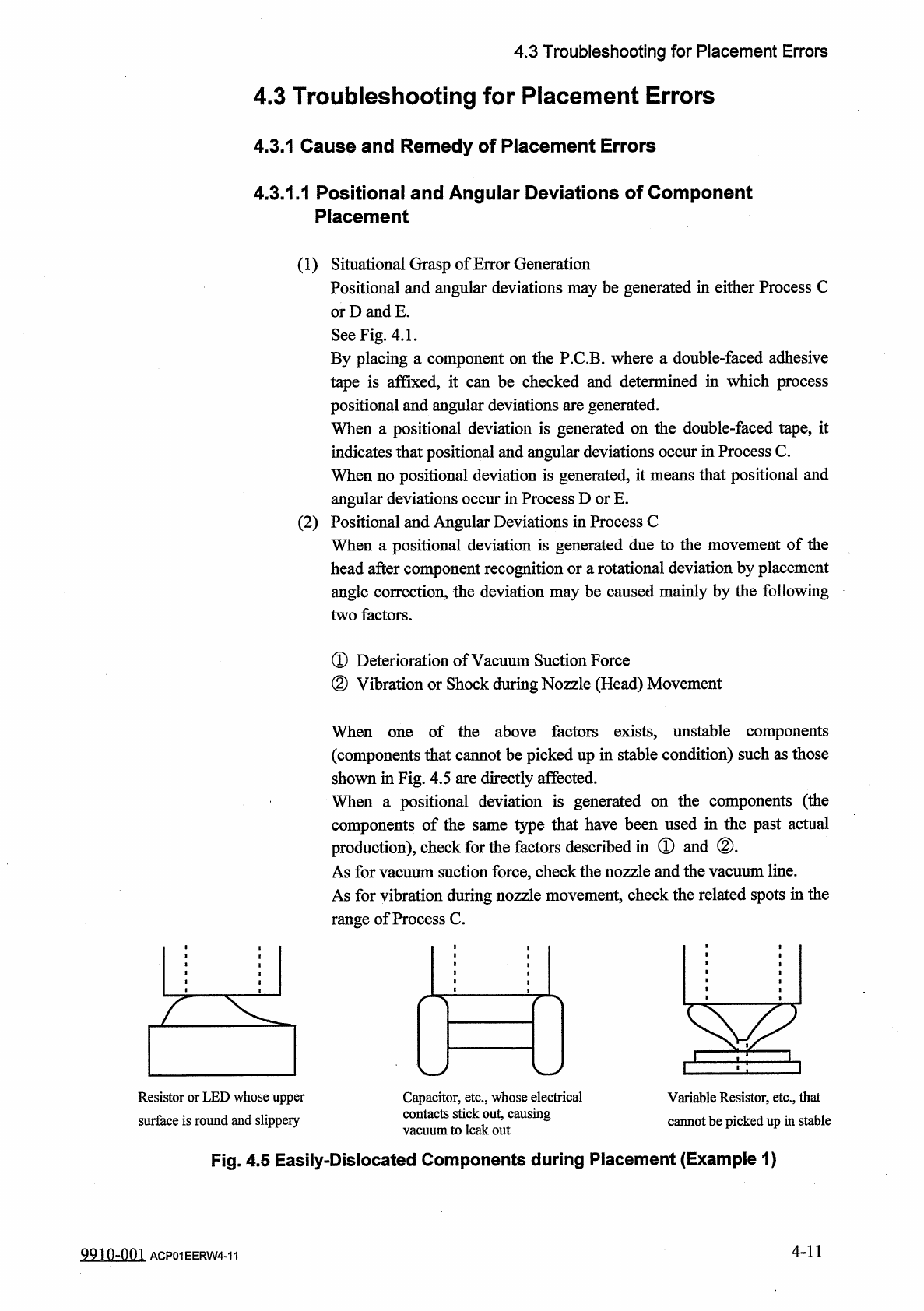
When
Resistor
or
LED
whose
upper
surface
is
round
and
slippery
Capacitor
,
etc
.
,
whose
electrical
contacts
stick
out
,
causing
vacuum
to
leak
out
Variable
Resistor
,
etc
.
,
that
cannot
be
picked
up
in
stable
Fig
.
4.5
Easily
-
Dislocated
Components
during
Placement
(
Example
1
)
4
-
11
9910
-
001
ACP
01
EERW
4
-
11