00196591-04 UM S-Feeder Test Station EN.pdf - 第32页
Service Work Conveyor Replace the ring light illuminat ion board 6.1.2 Removal/installa tion of Lightning Board 32 User Manual SIPLACE S-Feeder Test Station 6.1.2 6 . 1 . 2 R e m o v a l/ in s t a lla t io n o f L ig h t…
Service Work Conveyor
6.1.1 Required Tools Replace the ring light illumination board
User Manual SIPLACE S-Feeder Test Station 31
6
6 Service Work Conveyor
Service Work Conveyor
6.1
6.1 Replace the ring light illumination board
Replace the ring light illumination board
6.1.1
6.1.1 Required Tools
Required Tools
Spare part
Calibration tools
Tools
▪ Allen key set
▪ Set of socket keys
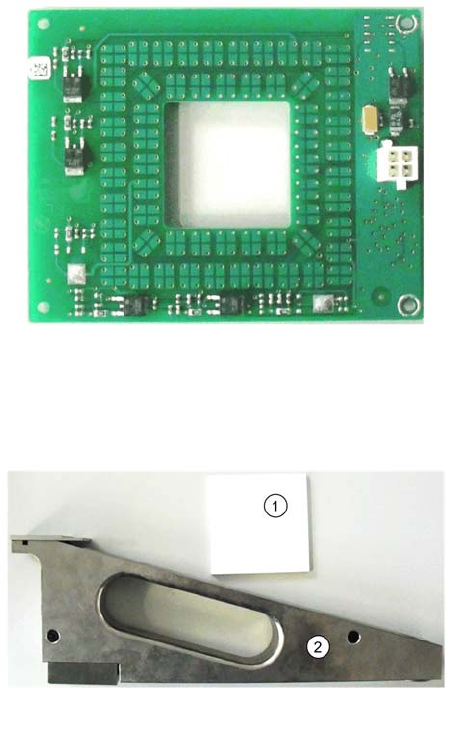
▪ Adjustment tool (plastic or ceramic - non-conductive!)
▪ 03072792-xx Ringlicht Beleuchtungspl.
1. 03048660-03 Normal White 70x70
2. 03073729-01 calibration part SFTS
Service Work Conveyor
Replace the ring light illumination board 6.1.2 Removal/installation of Lightning Board
32 User Manual SIPLACE S-Feeder Test Station
6.1.2
6.1.2 Removal/installation of Lightning Board
Removal/installation of Lightning Board
Removal
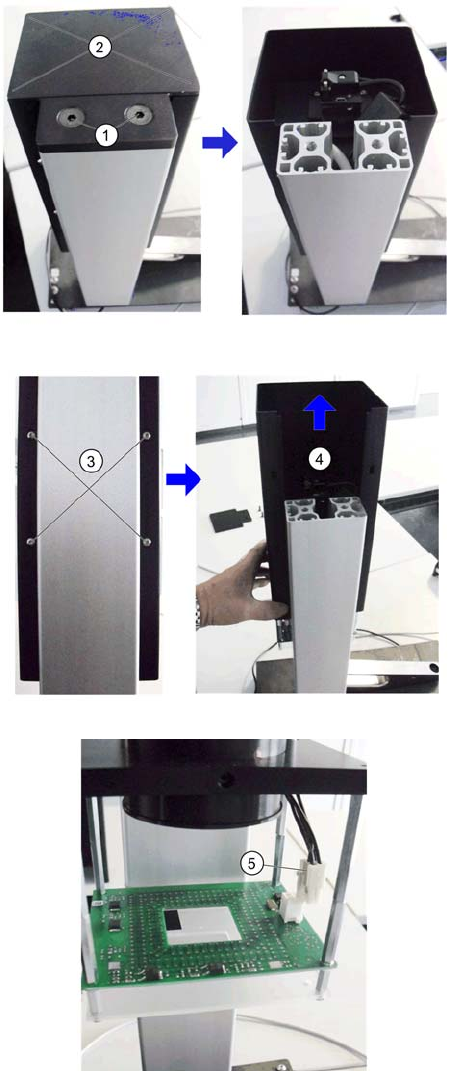
1. Open the two screws (1)
2. Lift up the cover (2).
3. Hold the camera body firmly and open the 4 fix-
ing screws (3).
4. Slide the housing (4) upwards.
5. Put it on the cable (5) of the lighting board.
Service Work Conveyor
6.1.2 Removal/installation of Lightning Board Replace the ring light illumination board
User Manual SIPLACE S-Feeder Test Station 33
Installation
Proceed with the installation in the reverse order of removal.
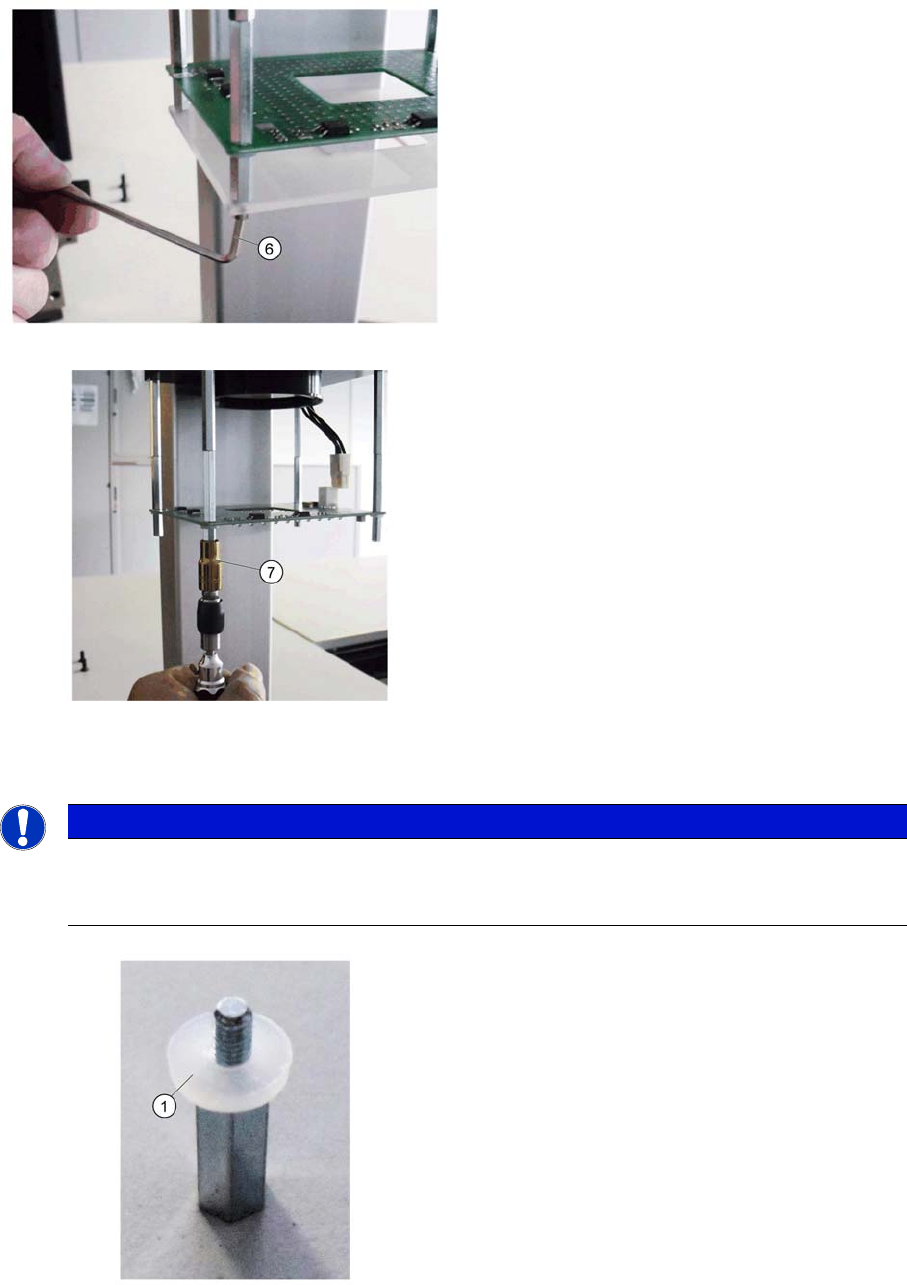
6. Open the 4 screws (6) of the focusing screen and
remove them.Loosen and remove the 6 fastening
screws from the guide rail.
7. Open the 4 bolts (7) of the lighting board and re-
move it.
The disassembly is completed
NOTICE
Observe correct installation.
Pay attention for installing the correct orientation of the modules, otherwise the correct mount-
ing is not possible.
1. Please do not forget the plastic washer (1) to the
stud
Note that there is a socket for the connection cable,
on the right side