2500_Users_Manual-.pdf - 第201页
1931-2 MAIN PLATE CONTROLLER BOARD 1955-2 +5 V -1 2V +1 2V +36 V +90 V CR111 CR75 CR99 CR51 CR87 CR63 CR112 CR76 CR100 CR52 CR88 CR64 CR113 CR77 CR101 CR53 CR89 CR65 CR114 CR78 CR102 CR54 CR90 CR66 +24V S8 S7 S5 S6 S2 S3…
PRINT TEST
Preventive
Maintenance
Up
to
three
lines
of
text
with
25
characters
per
line
are
available,
but
the
number
of
lines
and
characters
that
will
fit
on
a
device
is
limited
by
the
size
of
the
device,
and
type
(font).
See
the
charts
on
pages
5-15
and
5-17.
Three
lines
is
the
maximum
number
currently
available.
Enter
the
text
you
want
on
the
label.
Existing
text
is
overwritten.
To
delete
a
character,
move
the
cursor
one
space
to
the
right
of
the
character
you
want
to
delete,
and
press
DEL.
To
insert
a
space
between
two
characters,
move
the
cursor
to
the
right
of
the
place
you
want
to
add
a
space,
and
press
SHIFT
and
SPACE
at
the
same
time.
When
you
are
finished
editing,
press
STOP.
Print
Test
(Dot
Matrix
Printer)
This
test
activates
the
24
print
head
wires
(pins)
to
verify
that
they
are
all
operating.
Check
the
labeler
wires
by
performing
the
following
steps:
1.
Press
CAL
to
calibrate
the
labels.
2.
With
the
2500
in
local
mode,
go
to
the
Diagnostics
menu.
3.
From
the
Diagnostics
menu,
press
5
to
select
.
4.
Press
and
release
START
quickly.
The
labeler
continuously
fires
all
print
head
wires
(pins)
while
START
is
pressed.
Holding
START
too
long
will
result
in
a
blurred
image
on
the
label
and
you
will
not
be
able
to
see
the
printed
points.
5.
Press
RESET
to
exit
the
Print
Test
and
return
to
the
Diagnostics
menu.
6.
Press
CAL
to
calibrate
the
labels.
You
should
see
two
clear,
parallel
lines
printed
on
the
label.
Use
an
eye
loupe
to
check
that
there
are
24
printed
dots.
If
you
suspect
that
one
of
the
wires
is
not
firing,
you
may
check
the
control
circuit
on
the
handler
controller
board
that
drives
each
wire.
Each
circuit
includes
an
LED
that
turns
on
when
the
labeler
wire
is
enabled
by
its
control
circuit.
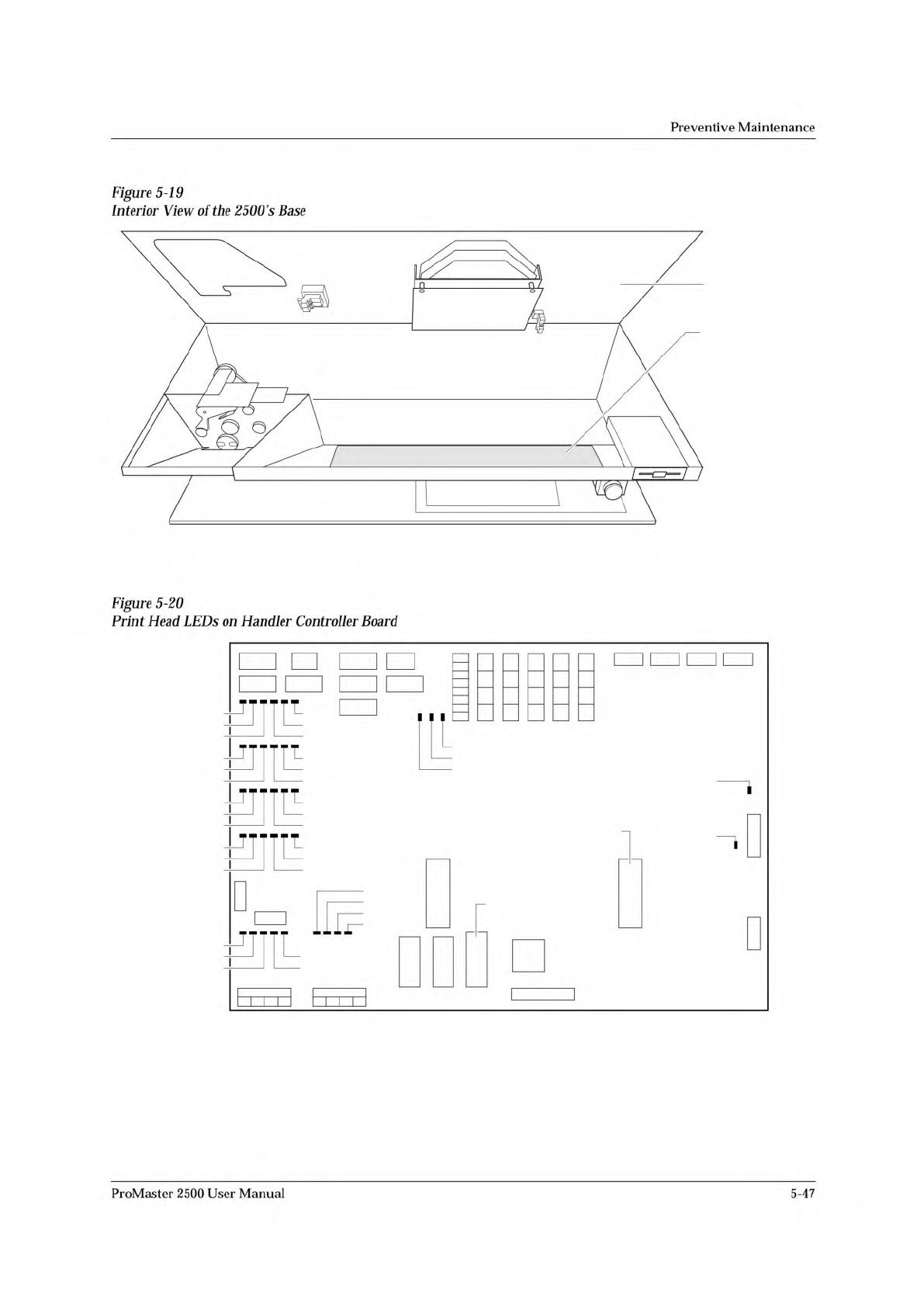
Refer
to
Figure
5-20
for
the
location
of
these
LEDs.
Each
LED
number
has
a
CR
prefix.
Check
the
LEDs
while
you
are
running
the
print
test
to
confirm
that
all
the
LEDs
are
turned
on.
Disconnect
the
two
print
head
cables
to
determine
whether
that
problem
is
on
the
handler
controller
board,
the
cable,
or
the
print
head.
5-46
ProMaster
2500
User
Manual
1931-2
MAIN PLATE
CONTROLLER
BOARD
1955-2
+5V
-12V
+12V
+36V
+90V
CR111
CR75
CR99
CR51
CR87
CR63
CR112
CR76
CR100
CR52
CR88
CR64
CR113
CR77
CR101
CR53
CR89
CR65
CR114
CR78
CR102
CR54
CR90
CR66
+24V
S8
S7
S5
S6
S2
S3
S1
S4
U15
EPROM
U43
EPROM
Preventive
Maintenance
Figure
5-19
Interior
View
of
the
2500
's
Base
Figure
5-20
Print
Head
LEDs
on
Handler
Controller
Board
ProMaster
2500
User
Manual
5-47
PRESS 1 FOR KEY TEST, 2 FOR DISPLAY TEST
PRESS KEYS TO TEST, STOP TO ABORT
EEPROM TEST - PRESS ANY KEY TO START
Preventive
Maintenance
Key/Display
Test
Testing
the
Keys
Testing
the
Display
EEPROM
Test
This
test
verifies
that
the
keypad
keys
and
the
display
dot
matrixes
are
operating
correctly.
To
select
the
Key/Display
test,
press
6
from
the
Diagnostic
menu.
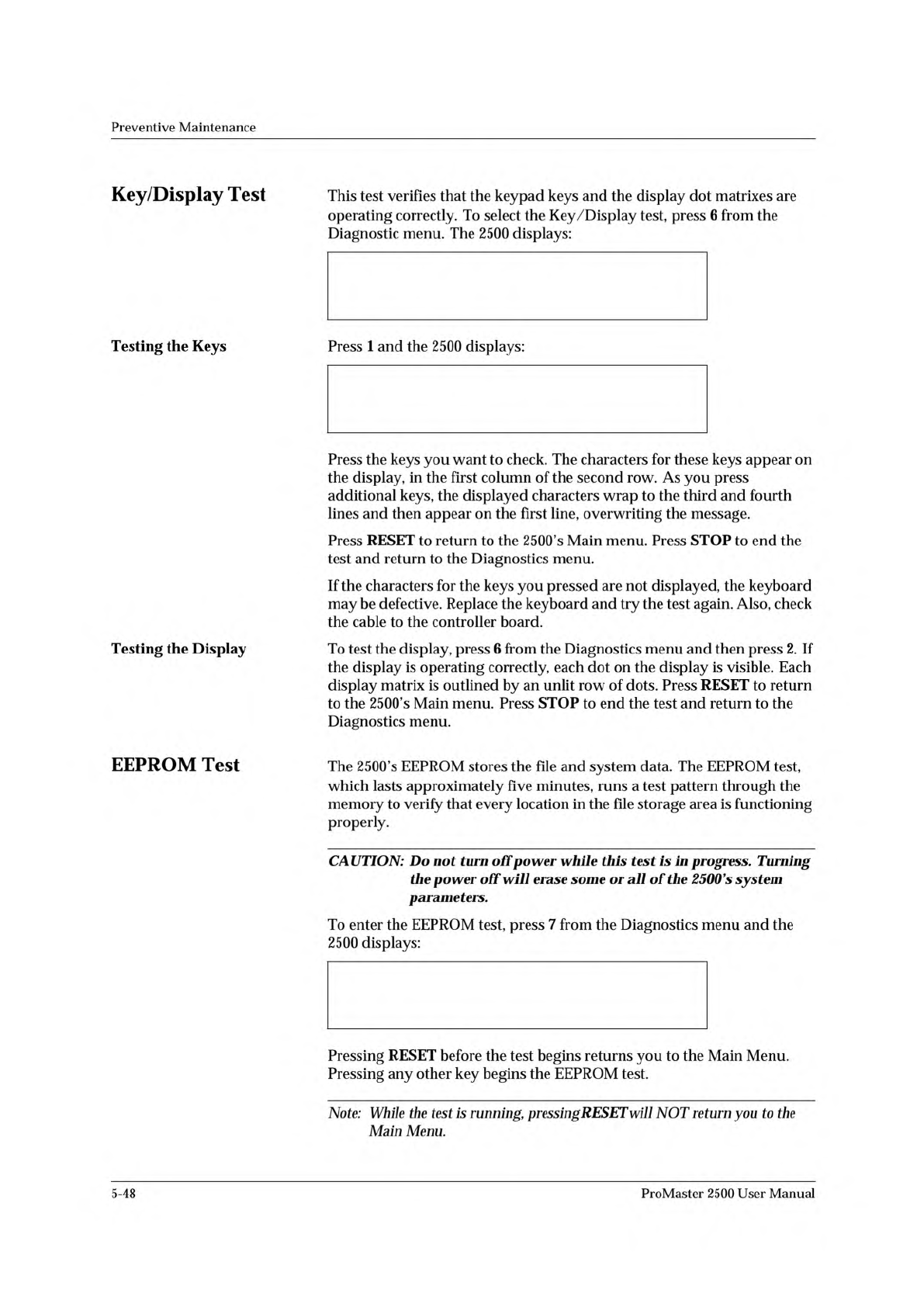
The
2500
displays:
Press
1
and
the
2500
displays:
Press
the
keys
you
want
to
check.
The
characters
for
these
keys
appear
on
the
display,
in
the
first
column
of
the
second
row.
As
you
press
additional
keys,
the
displayed
characters
wrap
to
the
third
and
fourth
lines
and
then
appear
on
the
first
line,
overwriting
the
message.
Press
RESET
to
return
to
the
2500's
Main
menu.
Press
STOP
to
end
the
test
and
return
to
the
Diagnostics
menu.
If
the
characters
for
the
keys
you
pressed
are
not
displayed,
the
keyboard
may
be
defective.
Replace
the
keyboard
and
try
the
test
again.
Also,
check
the
cable
to
the
controller
board.
To
test
the
display,
press
6
from
the
Diagnostics
menu
and
then
press
2.
If
the
display
is
operating
correctly,
each
dot
on
the
display
is
visible.
Each
display
matrix
is
outlined
by
an
unlit
row
of
dots.
Press
RESET
to
return
to
the
2500's
Main
menu.
Press
STOP
to
end
the
test
and
return
to
the
Diagnostics
menu.
The
2500's
EEPROM
stores
the
file
and
system
data.
The
EEPROM
test,
which
lasts
approximately
five
minutes,
runs
a
test
pattern
through
the
memory
to
verify
that
every
location
in
the
file
storage
area
is
functioning
properly.
CAUTION:
Do
not
turn
off
power
while
this
test
is
in
progress.
Turning
the
power
off
will
erase
some
or
of
the
2500's
system
parameters.
To
enter
the
EEPROM
test,
press
7
from
the
Diagnostics
menu
and
the
2500
displays:
Pressing
RESET
before
the
test
begins
returns
you
to
the
Main
Menu.
Pressing
any
other
key
begins
the
EEPROM
test.
Note:
While
the
test
is
running,
pressing
RESET
will
NOT
return
you
to
the
Main
Menu.
5-48
ProMaster
2500
User
Manual