2500_Users_Manual-.pdf - 第222页
Preventive Maintenance 5-68 ProMaster 2500 User Manual
Preventive
Maintenance
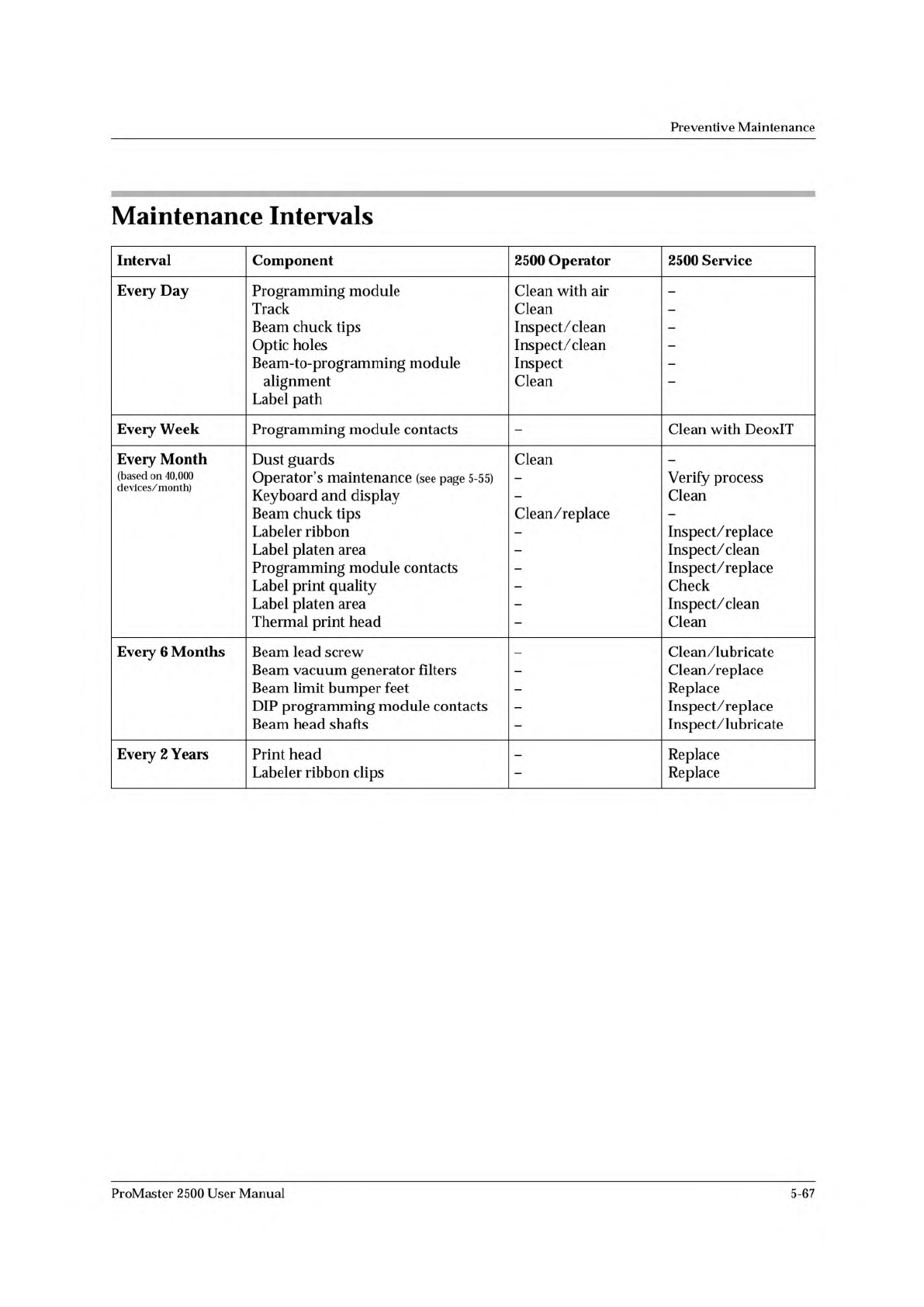
Maintenance
Intervals
Interval
Component
2500
Operator
2500
Service
Eveiy
Day
Programming
module
Track
Beam
chuck
tips
Optic
holes
Beam-to-programming
module
alignment
Label
path
Clean
with
air
Clean
Inspect/
clean
Inspect/clean
Inspect
Clean
-
Every
Week
Programming
module
contacts
-
Clean
with
DeoxIT
Every
Month
Dust
guards
Clean
-
(based
on
40,000
devices/month)
Operator's
maintenance
(see
page
5-55)
Keyboard
and
display
Beam
chuck
tips
Labeler
ribbon
Label
platen
area
Programming
module
contacts
Label
print
quality
Label
platen
area
Thermal
print
head
Clean/replace
Verify
process
Clean
Inspect/replace
Inspect/clean
Inspect/replace
Check
Inspect/clean
Clean
Every
6
Months
Beam
lead
screw
Beam
vacuum
generator
filters
Beam
limit
bumper
feet
DIP
programming
module
contacts
Beam
head
shafts
Clean/lubricate
Clean/replace
Replace
Inspect/replace
Inspect/lubricate
Every
2
Years
Print
head
Labeler
ribbon
clips
-
Replace
Replace
ProMaster
2500
User
Manual
5-67
Preventive
Maintenance
5-68
ProMaster
2500
User
Manual
6
Troubleshooting
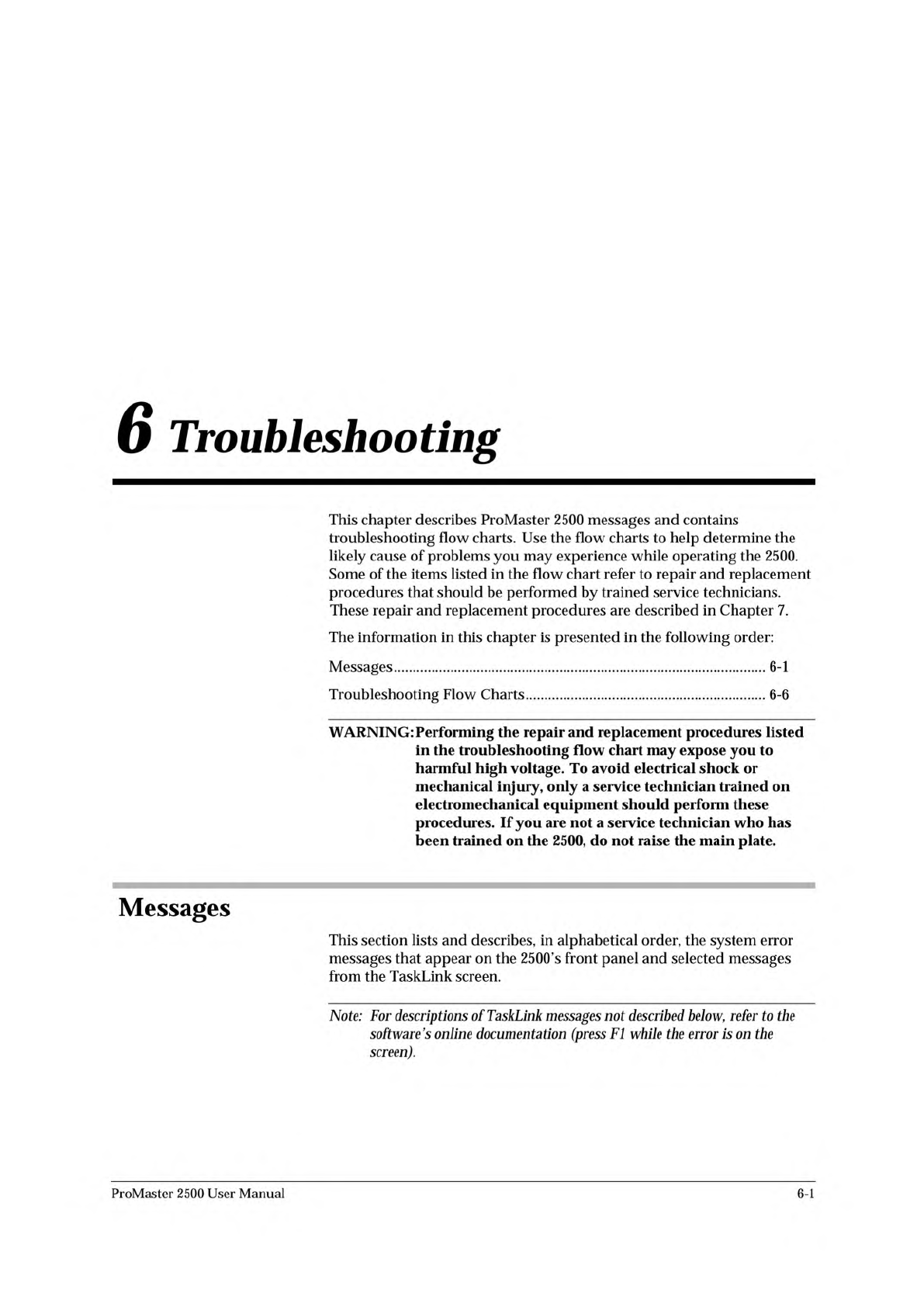
This
chapter
describes
ProMaster
2500
messages
and
contains
troubleshooting
flow
charts.
Use
the
flow
charts
to
help
determine
the
likely
cause
of
problems
you
may
experience
while
operating
the
2500.
Some
of
the
items
listed
in
the
flow
chart
refer
to
repair
and
replacement
procedures
that
should
be
performed
by
trained
service
technicians.
These
repair
and
replacement
procedures
are
described
in
Chapter
7.
The
information
in
this
chapter
is
presented
in
the
following
order:
Messages
6-1
Troubleshooting
Flow
Charts
6-6
WARNING:
Performing
the
repair
and
replacement
procedures
listed
in
the
troubleshooting
flow
chart
may
expose
you
to
harmful
high
voltage.
To
avoid
electrical
shock
or
mechanical
injury,
only
a
service
technician
trained
on
electromechanical
equipment
should
perform
these
procedures.
If
you
are
not
a
service
technician
who
has
been
trained
on
the
2500,
do
not
raise
the
main
plate.
Messages
This
section
lists
and
describes,
in
alphabetical
order,
the
system
error
messages
that
appear
on
the
2500's
front
panel
and
selected
messages
from
the
TaskLink
screen.
Note:
For
descriptions
of
TaskLink
messages
described
below,
refer
to
协
e
software's
online
documentation
(press
Fl
while
the
error
is
on
the
screen).
ProMaster
2500
User
Manual
6-1