2500_Users_Manual-.pdf - 第8页
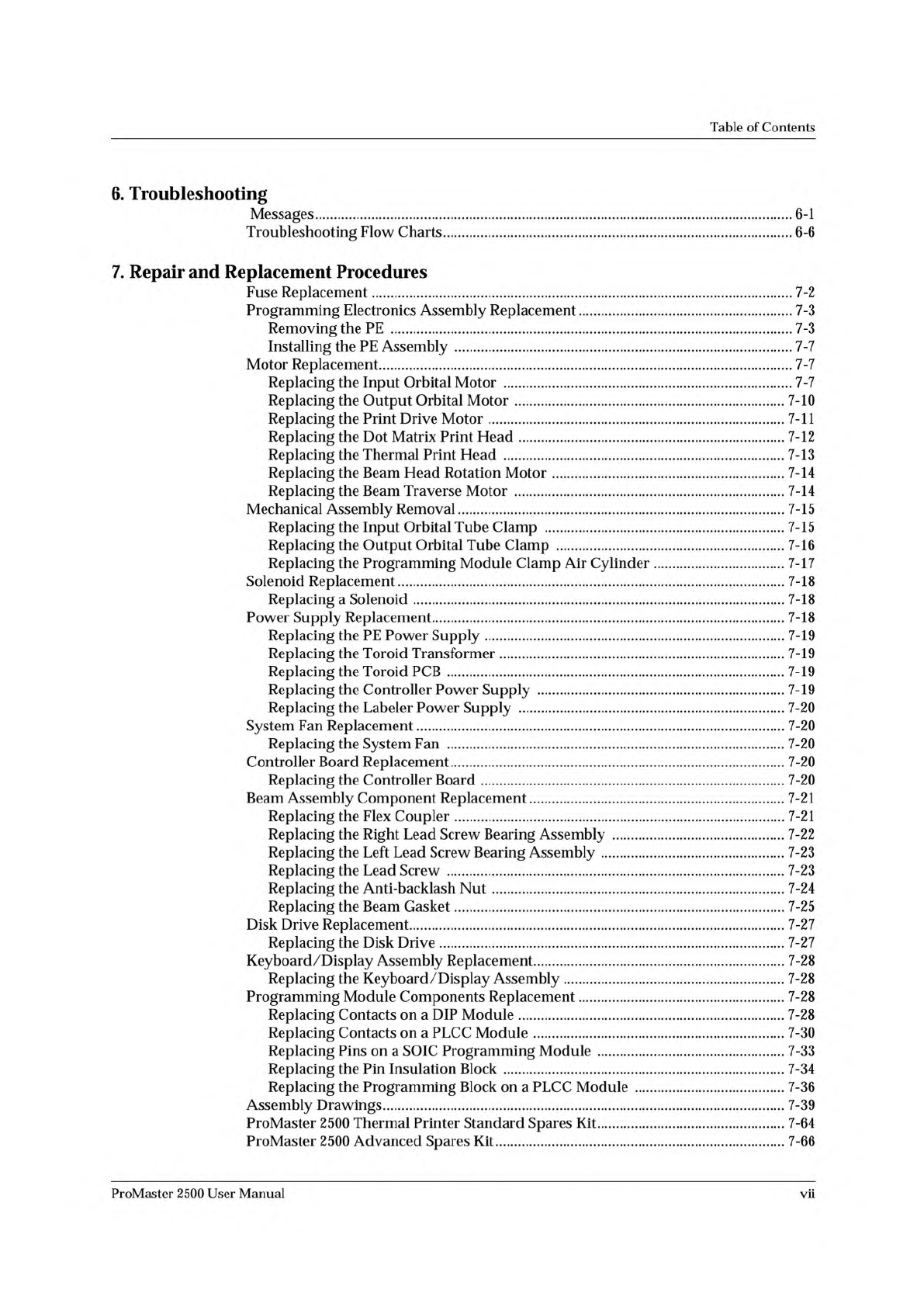
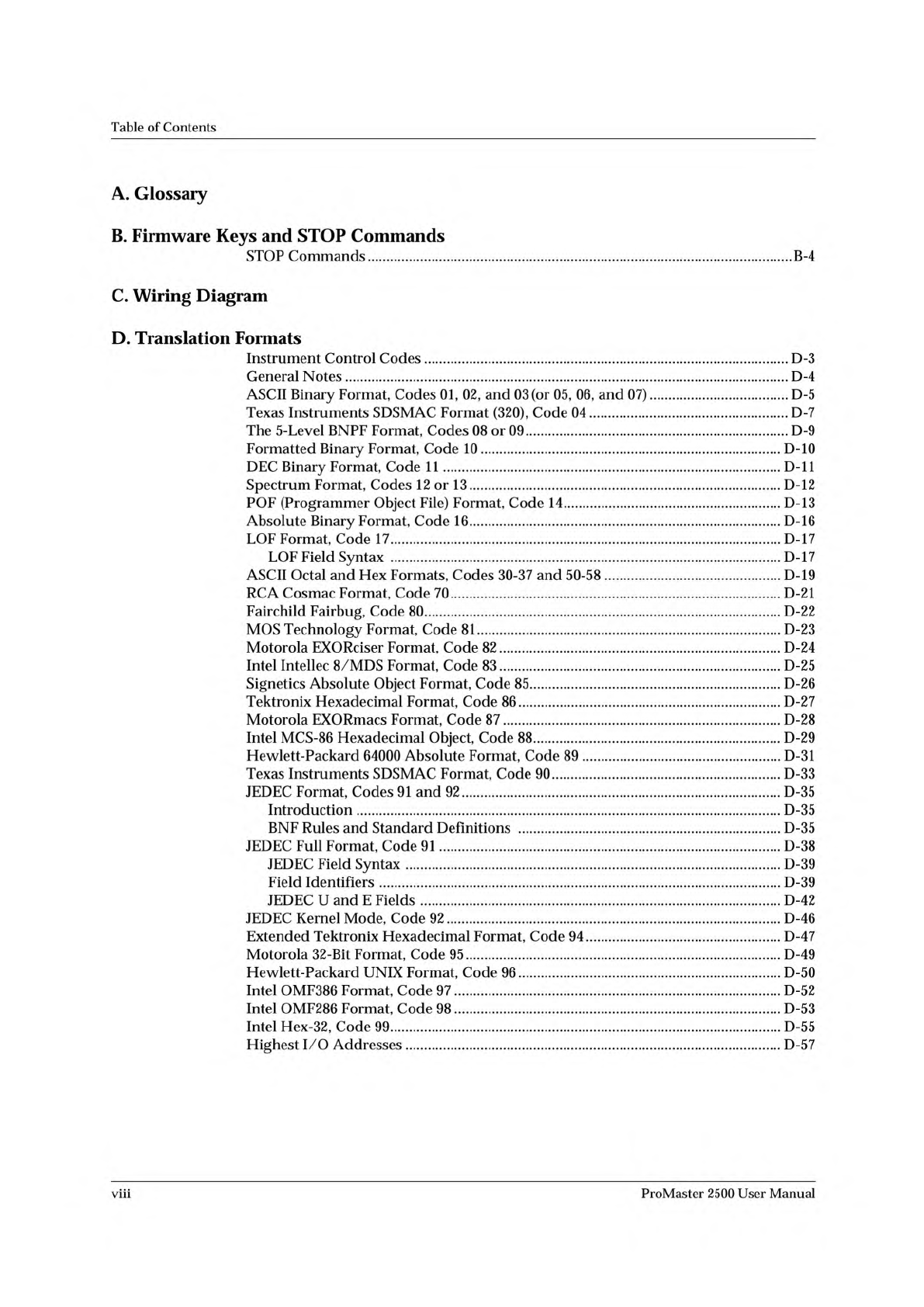
Table of Contents A. Glossary B. Firmware Keys and STOP Commands STOP Commands B-4 C. Wiring Diagram D. Translation Formats Instrument Control Codes D-3 General Notes D-4 ASCII Binary Format, Codes 01, 02, and 03 (or 05,…
Table
of
Contents
6.
Troubleshooting
Messages
6-1
Troubleshooting
Flow
Charts
6-6
7.
Repair
and
Replacement
Procedures
Fuse
Replacement
7-2
Programming
Electronics
Assembly
Replacement
7-3
Removing
the
PE
7-3
Installing
the
PE
Assembly
7-7
Motor
Replacement
7-7
Replacing
the
Input
Orbital
Motor
7-7
Replacing
the
Output
Orbital
Motor
7-10
Replacing
the
Print
Drive
Motor
7-11
Replacing
the
Dot
Matrix
Print
Head
7-12
Replacing
the
Thermal
Print
Head
7-13
Replacing
the
Beam
Head
Rotation
Motor
7-14
Replacing
the
Beam
Traverse
Motor
7-14
Mechanical
Assembly
Removal
7-15
Replacing
the
Input
Orbital
Tube
Clamp
7-15
Replacing
the
Output
Orbital
Tube
Clamp
7-16
Replacing
the
Programming
Module
Clamp
Air
Cylinder
7-17
Solenoid
Replacement
7-18
Replacing
a
Solenoid
7-18
Power
Supply
Replacement
7-18
Replacing
the
PE
Power
Supply
7-19
Replacing
the
Toroid
Transformer
7-19
Replacing
the
Toroid
PCB
7-19
Replacing
the
Controller
Power
Supply
7-19
Replacing
the
Labeler
Power
Supply
7-20
System
Fan
Replacement
7-20
Replacing
the
System
Fan
7-20
Controller
Board
Replacement
7-20
Replacing
the
Controller
Board
7-20
Beam
Assembly
Component
Replacement
7-21
Replacing
the
Flex
Coupler
7-21
Replacing
the
Right
Lead
Screw
Bearing
Assembly
7-22
Replacing
the
Left
Lead
Screw
Bearing
Assembly
7-23
Replacing
the
Lead
Screw
7-23
Replacing
the
Anti-backlash
Nut
7-24
Replacing
the
Beam
Gasket
7-25
Disk
Drive
Replacement
7-27
Replacing
the
Disk
Drive
7-27
Keyboard/Display
Assembly
Replacement
7-28
Replacing
the
Keyboard
/
Display
Assembly
7-28
Programming
Module
Components
Replacement
7-28
Replacing
Contacts
on
a
DIP
Module
7-28
Replacing
Contacts
on
a
PLCC
Module
7-30
Replacing
Pins
on
a
SOIC
Programming
Module
7-33
Replacing
the
Pin
Insulation
Block
7-34
Replacing
the
Programming
Block
on
a
PLCC
Module
7-36
Assembly
Drawings
7-39
ProMaster
2500
Thermal
Printer
Standard
Spares
Kit
7-64
ProMaster
2500
Advanced
Spares
Kit
7-66
ProMaster
2500
User
Manual
vii
Table
of
Contents
A.
Glossary
B.
Firmware
Keys
and
STOP
Commands
STOP
Commands
B-4
C.
Wiring
Diagram
D.
Translation
Formats
Instrument
Control
Codes
D-3
General
Notes
D-4
ASCII
Binary
Format,
Codes
01, 02,
and
03
(or
05,
06,
and
07)
D-5
Texas
Instruments
SDSMAC
Format
(320),
Code
04
D-7
The
5-Level
BNPF
Format,
Codes
08
or
09
D-9
Formatted
Binary
Format,
Code
10
D-10
DEC
Binary
Format,
Code
11
D-ll
Spectrum
Format,
Codes
12
or
13
D-12
POF
(Programmer
Object
File)
Format,
Code
14
D-13
Absolute
Binary
Format,
Code
16
D-16
LOF
Format,
Code
17
D-17
LOF
Field
Syntax
D-17
ASCII
Octal
and
Hex
Formats,
Codes
30-37
and
50-58
D-19
RCA
Cosmac
Format,
Code
70
D-21
Fairchild
Fairbug,
Code
80
D-22
MOS
Technology
Format,
Code
81
D-23
Motorola
EXORciser
Format,
Code
82
D-24
Intel
Intellec
8/MDS
Format,
Code
83
D-25
Signetics
Absolute
Object
Format,
Code
85
D-26
Tektronix
Hexadecimal
Format,
Code
86
D-27
Motorola
EXORmacs
Format,
Code
87
D-28
Intel
MCS-86
Hexadecimal
Object,
Code
88
D-29
Hewlett-Packard
64000
Absolute
Format,
Code
89
D-31
Texas
Instruments
SDSMAC
Format,
Code
90
D-33
JEDEC
Format,
Codes
91
and
92
D-35
Introduction
D-35
BNF
Rules
and
Standard
Definitions
D-35
JEDEC
Full
Format,
Code
91
D-38
JEDEC
Field
Syntax
D-39
Field
Identifiers
D-39
JEDEC
U
and
E
Fields
D-42
JEDEC
Kernel
Mode,
Code
92
D-46
Extended
Tektronix
Hexadecimal
Format,
Code
94
D-47
Motorola
32-Bit
Format,
Code
95
D-49
Hewlett-Packard
UNIX
Format,
Code
96
D-50
Intel
OMF386
Format,
Code
97
D-52
Intel
OMF286
Format,
Code
98
D-53
Intel
Hex-32,
Code
99
D-55
Highest
I/O
Addresses
D-57
viii
ProMaster
2500
User
Manual
Table
of
Contents
E.
Computer
Remote
Control
Handler
Computer
Remote
Control
E-2
System
Setup
E-2
Remote
Mode
Command
Set
E-3
Handler
CRC
Error
Codes
E-10
Hex
Label
Format
E-ll
Label
Record
Content
E-ll
Label
Record
Types
E-ll
Creating
Hex
Label
Records
E-14
Source
Code
of
LABEL.C
Program
E-16
Programming
Electronics
Computer
Remote
Control
E-17
System
Setup
E-17
Programming
Electronics
CRC
Commands
E-18
CRC
Error
Codes
E-22
F・
Local
Mode
Switching
Between
Local
and
Remote
Modes
F-l
System
Configuration
F-l
The
Main
Menu
Commands
F-2
Operations
Menu
F-2
File
Utilities
Menu
F-6
System
Setup
Menu
F-9
Index
Keep
Current
Subscription
Service
System
Requirements
1
Version
Compatibility
2
Using
Keep
Current
2
Accessing
the
BBS
2
Using
a
Text-based
FTP
Program
4
Using
a
Web
Browser
4
Sample
Keep
Current
Scenario
5
List
of
Figures
Figure
1-1.
ProMaster
2500
System
1-2
Figure
1-2.
External
Features
of
the
2500
1-3
Figure
1-3.
System
Air
Adjustment
Knobs
1-5
Figure
1-4.
External
Features
on
the
ProMaster
2500
(rear
view)
1-5
Figure
1-5.
Major
Features
Under
the
Hood
1-6
Figure
1-6.
Dot
Matrix
Labeler
Component
Identification
Drawing
1-7
Figure
1-7.
Beams
and
Programming
Station
Component
Identification
Drawing...
1-8
Figure
1-8.
The
ProMaster
2500
Front
Panel
1-10
Figure
1-9.
TaskLink
Main
Screen:
Options
Pull-Down
Menu
Selected
1-13
Figure
1-10.
TaskLink
General
Parameters
Dialog
Box
1-14
Figure
2-1.
Connecting
the
Air
Line
from
the
External
Source
to
the
2500
2-2
Figure
2-2.
The
2500
Shipping
Crate
2-3
Figure
2-3.
System
Contents
2-4
Figure
2-4.
Selecting
the
Correct
Quick
Connect
2-5
Figure
2-5.
Connecting
the
External
Air
to
the
2500
2-6
Figure
2-6.
Adjusting
High
and
Low
Air
Pressure
2-7
Figure
2-7.
Chuck
Selection
Chart
2-8
ProMaster
2500
User
Manual
ix