192277 - Micron Technical Reference Volume 1.pdf - 第80页
COVERS PRINTER COVERS 3.38 Technical Reference Manual Chapter Issue 11, Jan 17 T ype 5 Covers In order to protect personnel and preven t damage to the printer , four panels are fitted around the base of the printer . • F…
COVERS
PRINTER COVERS
Chapter Issue 11, Jan 17 Technical Reference Manual 3.37
9. Repeat Steps 1 and 6 to 8 for the other lower side panel, if required.
Upper Side Panels To remove the upper side panels, carry out the following:
1. Remove and disconnect the beacon.
2. Remove the corresponding safety cover (as detailed previously).
3. Open the front printhead cover.
4. Remove the upper front corner panel (as detailed previously).
5. Remove the lower front corner panel (as detailed previously).
6. Remove the MMI panel (as detailed previously).
7. Remove the corresponding rear corner panel (as detailed previously).
8. Remove the corresponding front corner panel (as detailed previously).
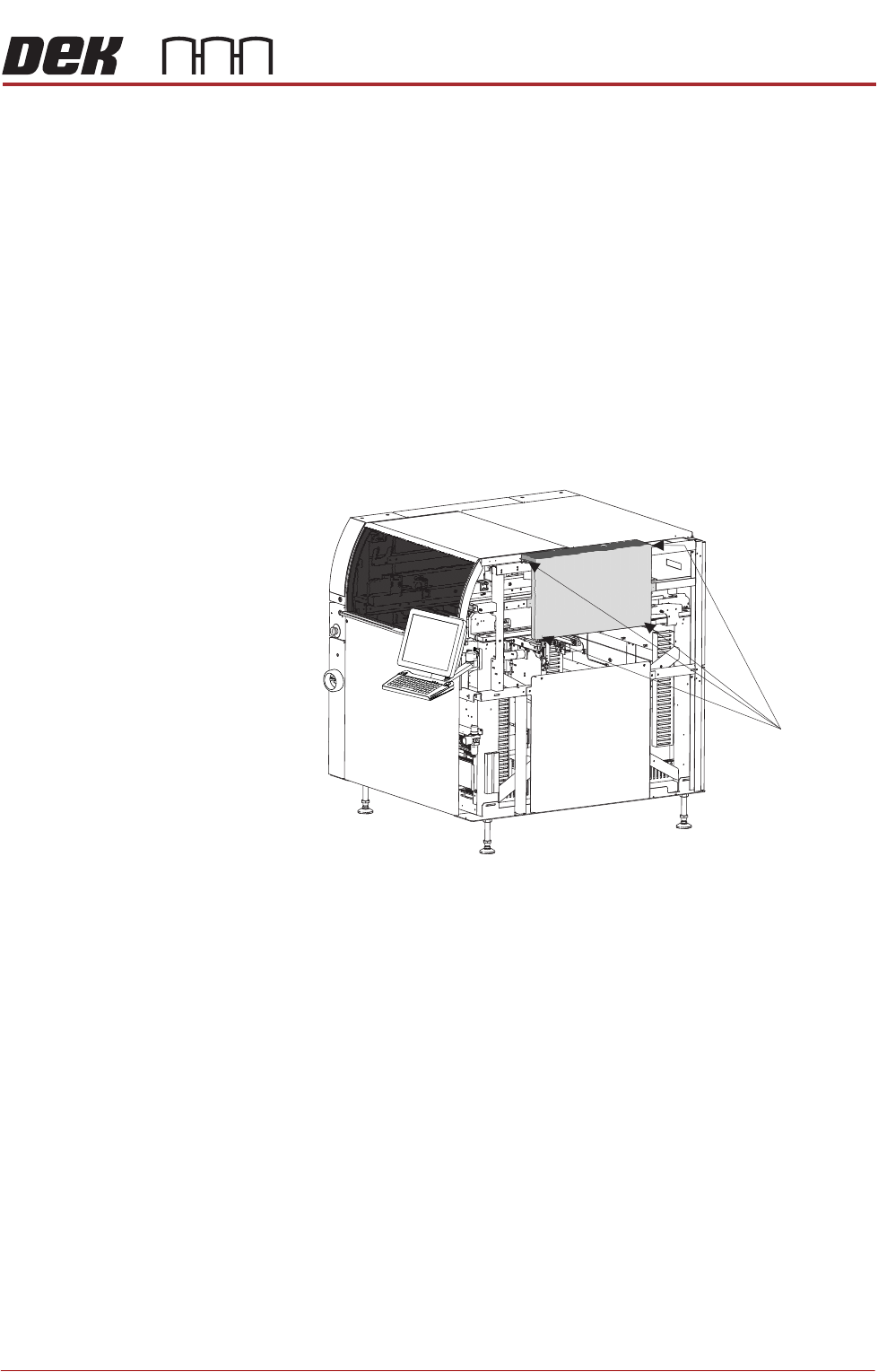
9. Using an 4mm Allen key, undo the four captive screws.
10. Lift the panel away from the printer, taking care not to damage the earth
cable.
11. Repeat Steps 1 and 6 to 9 for the other upper side panel, if required.
Front Right Quarter View
Captive Screws
(in 4 positions)
COVERS
PRINTER COVERS
3.38 Technical Reference Manual Chapter Issue 11, Jan 17
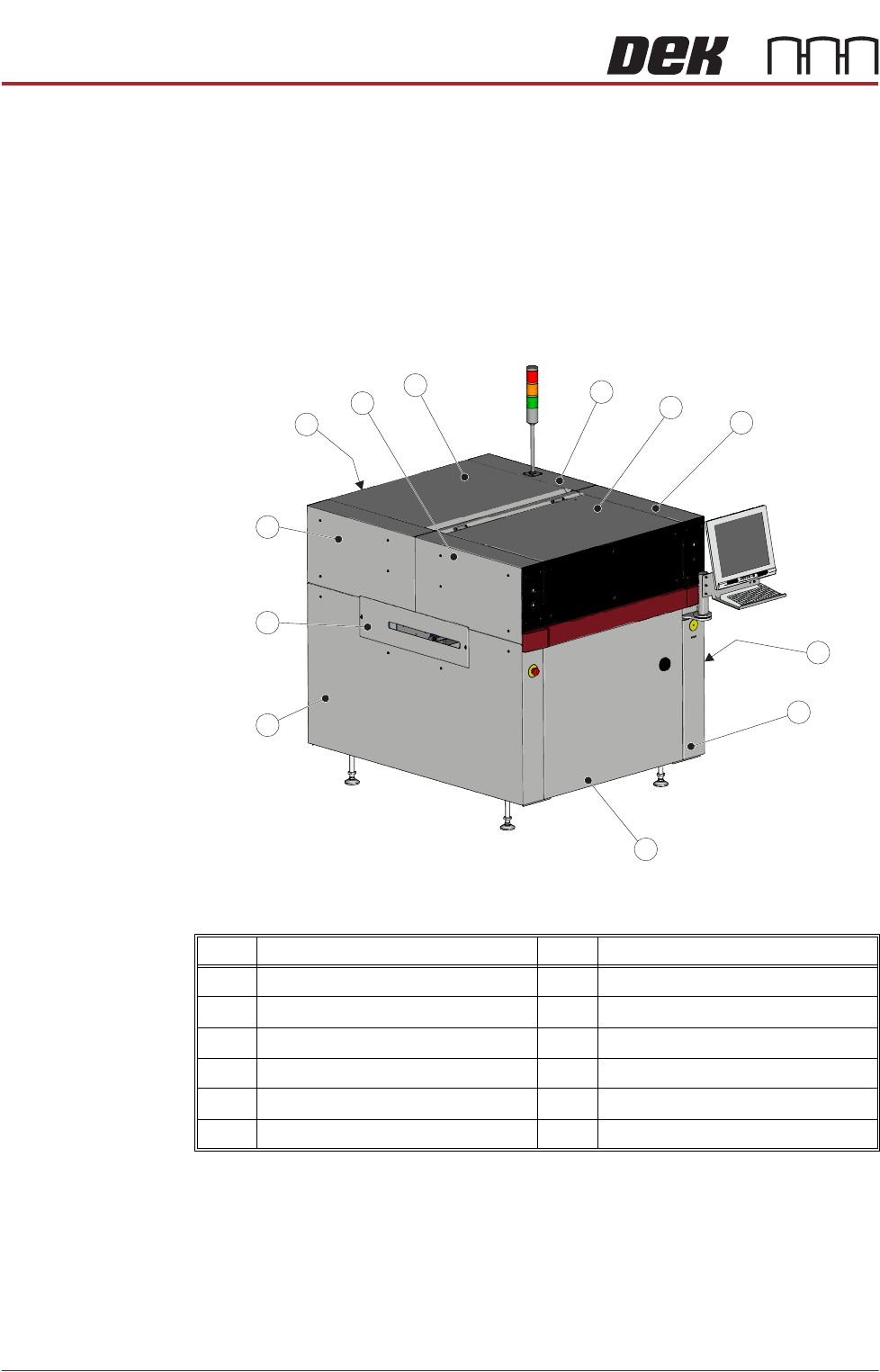
Type 5 Covers In order to protect personnel and prevent damage to the printer, four panels are
fitted around the base of the printer.
• Front Panel
• Rear Panel
• Lower Side Panels (2 positions)
The upper part of the printer is protected by the front printhead cover, two front
corner panels, two rear corner panels, a rear upper panel, and a top rear panel.
NOTE
Some of the covers can only be removed in a specific order due to the covers
interlocking with each other.
Item Description Item Description
1 Right Hand Upper Rear Corner Panel 7 Left Hand Side Cover
2 Front Printhead Cover 8 Left Hand Safety Cover
3 Right Hand Upper Front Corner Panel 9 Left Hand Upper Rear Corner Panel
4 Right Hand Safety Cover 10 Lower Rear Panel
5 Right Hand Side Cover 11 Left Hand Upper Front Corner Panel
6 Front Panel 12 Upper Rear Panel
Front Left Quarter View
4
8
6
7
3
5
2
9
10
1
11
12