192277 - Micron Technical Reference Volume 1.pdf - 第84页
COVERS PRINTER COVERS 3.42 Technical Reference Manual Chapter Issue 11, Jan 17 T o remove the safety cover , remove the two securing screws. Rear Corner Panels T o remove the rear corner panels, carry out th e following:…
COVERS
PRINTER COVERS
3.42 Technical Reference Manual Chapter Issue 11, Jan 17
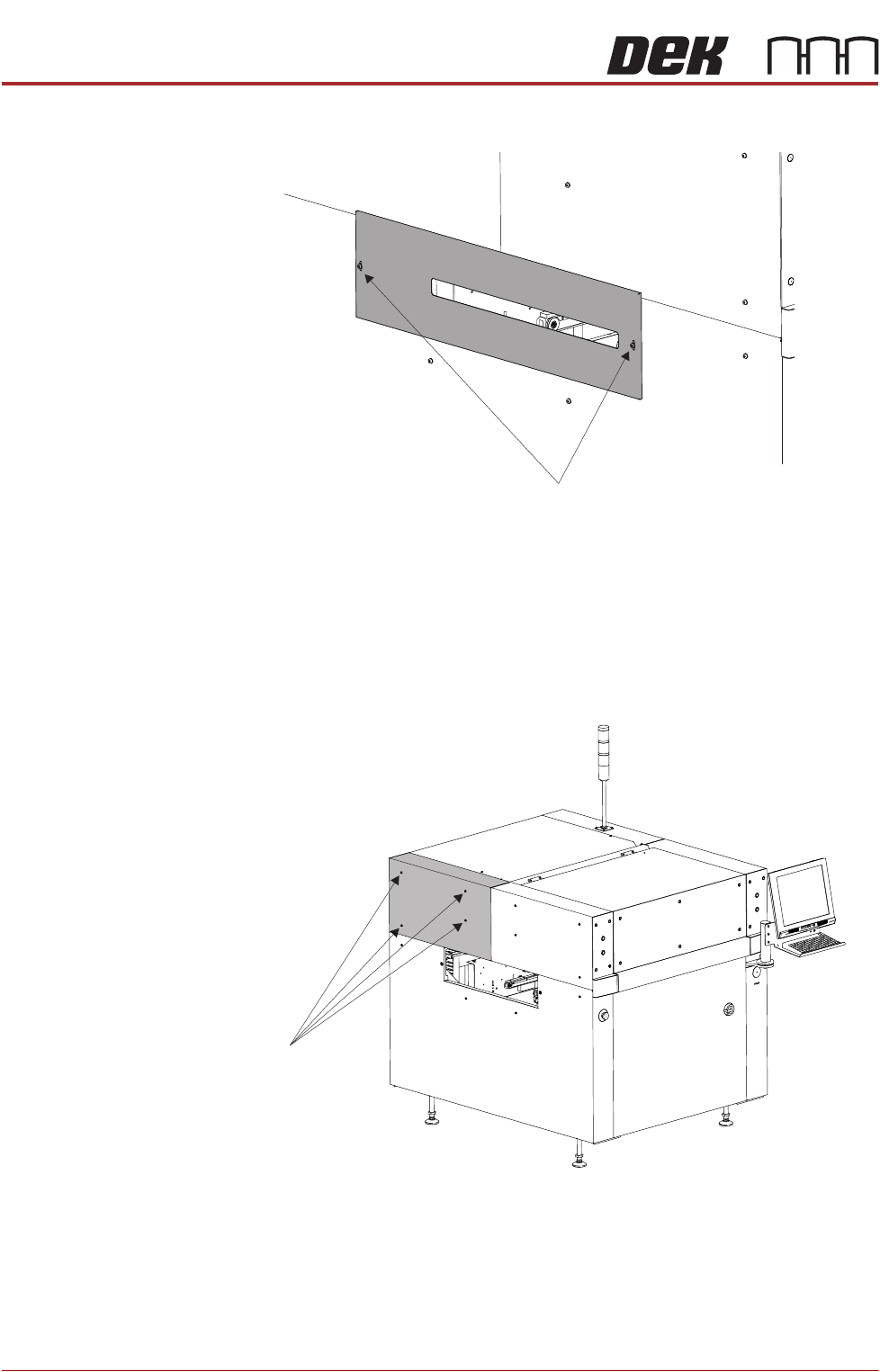
To remove the safety cover, remove the two securing screws.
Rear Corner Panels To remove the rear corner panels, carry out the following:
1. Remove the Left Hand Safety Cover (as detailed previously).
2. Remove the Right Hand Safety Cover (as detailed previously).
3. Using a 4mm Allen key, undo the appropriate four captive screws.
4. Lift the panel clear of the printer frame, taking care not to damage the earth
cable.
5. Repeat Steps 3 and 4 for the other rear corner panel, if required.
Safety Cover Securing Screws
Front Left Quarter View
Captive Screws
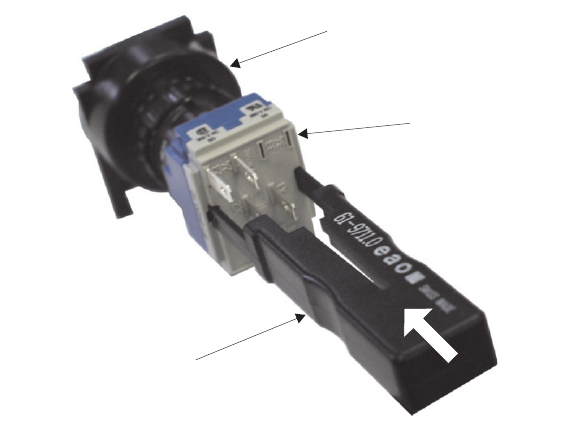
View on Rear of Switch
Switch Release Tool
Switch Body
Contact Assembly