00195424-01.pdf - 第107页
Ins tall ati ons- und K onfi gurat ion sanle i tung SI PLAC E Expl ore r 5 Dei nst alla tio n Au sgab e 05 /200 7 D E 5.3 R epai r 107 5. 3 Re p air 5 Ab b. 5 - 6 S IPLA CE E xplo rer 2.2 - In stalls hiel d-A ssiste nt →…
5 Deinstallation Installations- und Konfigurationsanleitung SIPLACE Explorer
5.2 Modify Ausgabe 05/2007 DE
106
→ Haben Sie die entsprechenden Installationsoptionen ausgewählt, klicken Sie die Schaltfläche
Next (Weiter) an.
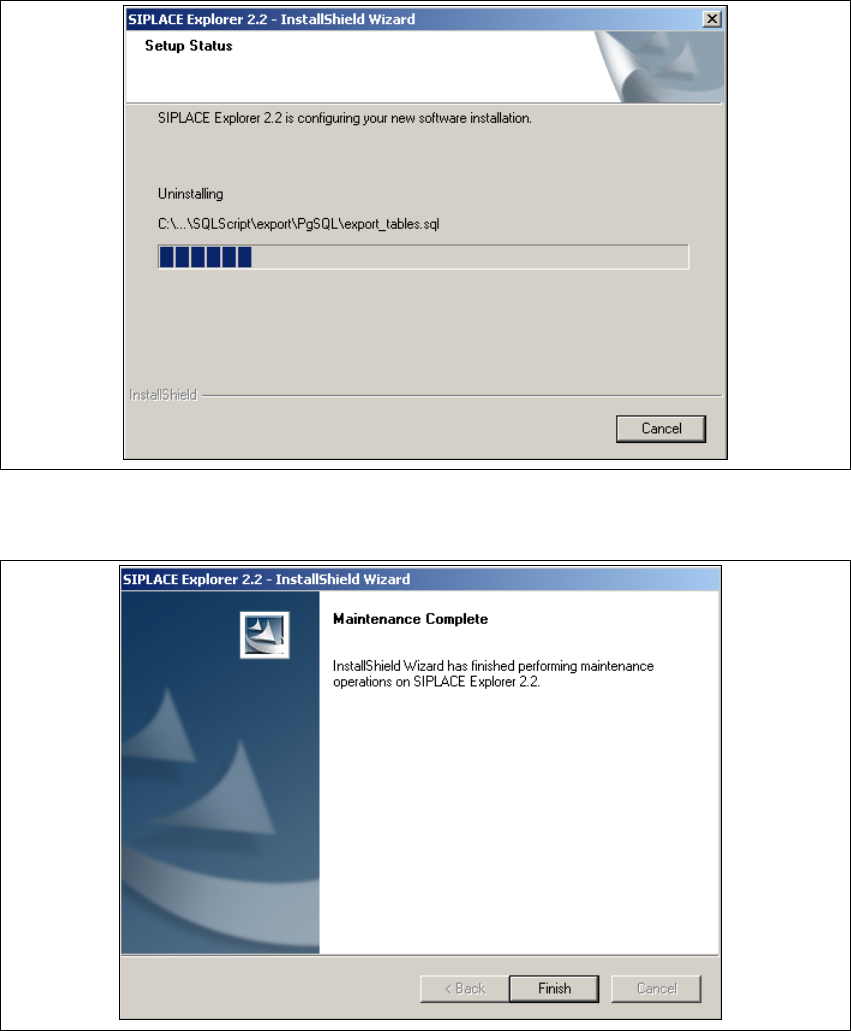
→ Der Deinstallations-/Installationsvorgang wird durchgeführt. In dem Dialogfenster Setup
Status, sehen Sie welche Komponenten deinstalliert bzw. installiert werden.
5
Abb. 5 - 4 SIPLACE Explorer 2.2 - Installshield-Assistent
→ Die Deinstallations-/Installation des SIPLACE Explorer 2.2 ist komplett.
5
Abb. 5 - 5 Modify komplett
→ Klicken Sie Finish (Beenden). Der SIPLACE Explorer 2.2 - Installshield-Assistent wird
geschlossen.
Installations- und Konfigurationsanleitung SIPLACE Explorer 5 Deinstallation
Ausgabe 05/2007 DE 5.3 Repair
107
5.3 Repair
5
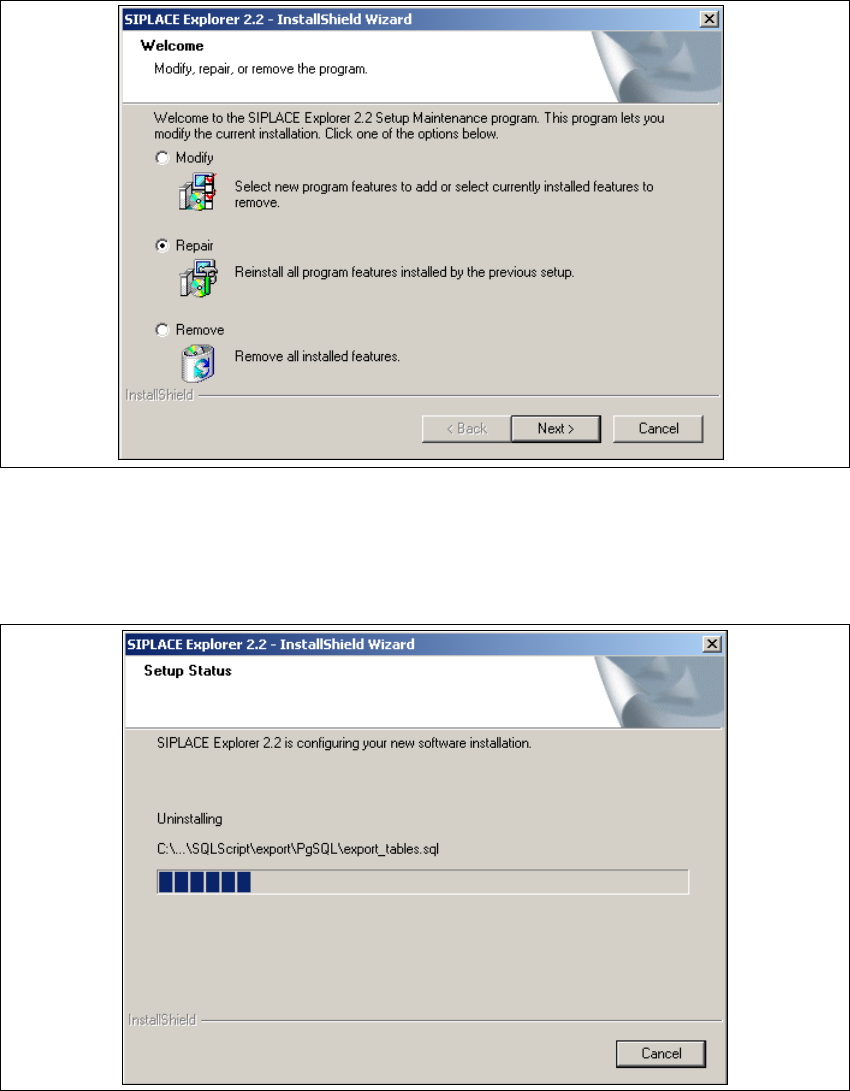
Abb. 5 - 6 SIPLACE Explorer 2.2 - Installshield-Assistent
→ Klicken Sie Repair (Wiederherstellen) an und klicken Sie auf Next (Weiter).
→ Der Wiederherstellungsvorgang wird durchgeführt. In dem Dialogfenster Setup Status sehen
Sie welche Komponenten deinstalliert bzw. installiert werden.
5
Abb. 5 - 7 SIPLACE Explorer 2.2 - Installshield-Assistent
5 Deinstallation Installations- und Konfigurationsanleitung SIPLACE Explorer
5.3 Repair Ausgabe 05/2007 DE
108
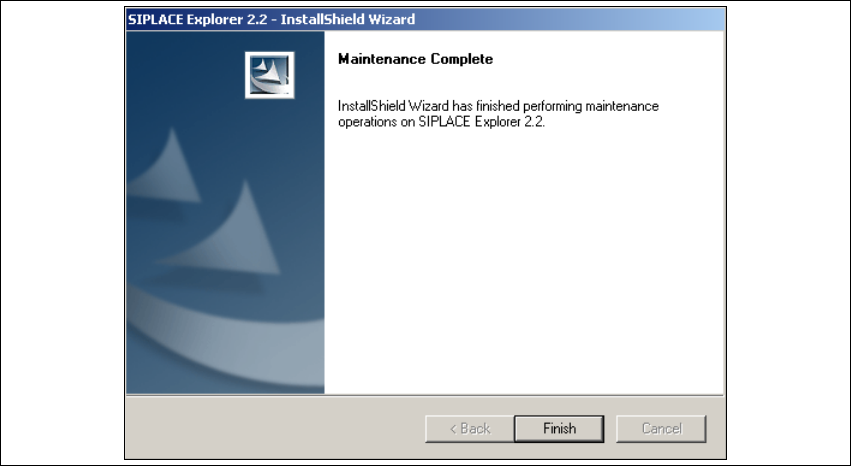
→ Die Wiederherstellung des SIPLACE Explorer 2.2 ist komplett.
5
Abb. 5 - 8 Repair komplett
→ Klicken Sie Finish (Beenden). Der SIPLACE Explorer 2.2 - Installshield-Assistent wird
geschlossen.