00195424-01.pdf - 第41页
In stal latio ns- u nd K onf igura tio nsa nleit ung SIPL ACE Explo rer 3 I ns tall ation des SIP LACE Expl orer Au sgab e 05 /200 7 D E 3. 2 Upd ate -Inst allat io n von S IPL ACE Exp lorer 2.2 41 → I n di esem F all kö…
3 Installation des SIPLACE Explorer Installations- und Konfigurationsanleitung SIPLACE Explorer
3.2 Update-Installation von SIPLACE Explorer 2.2 Ausgabe 05/2007 DE
40
3
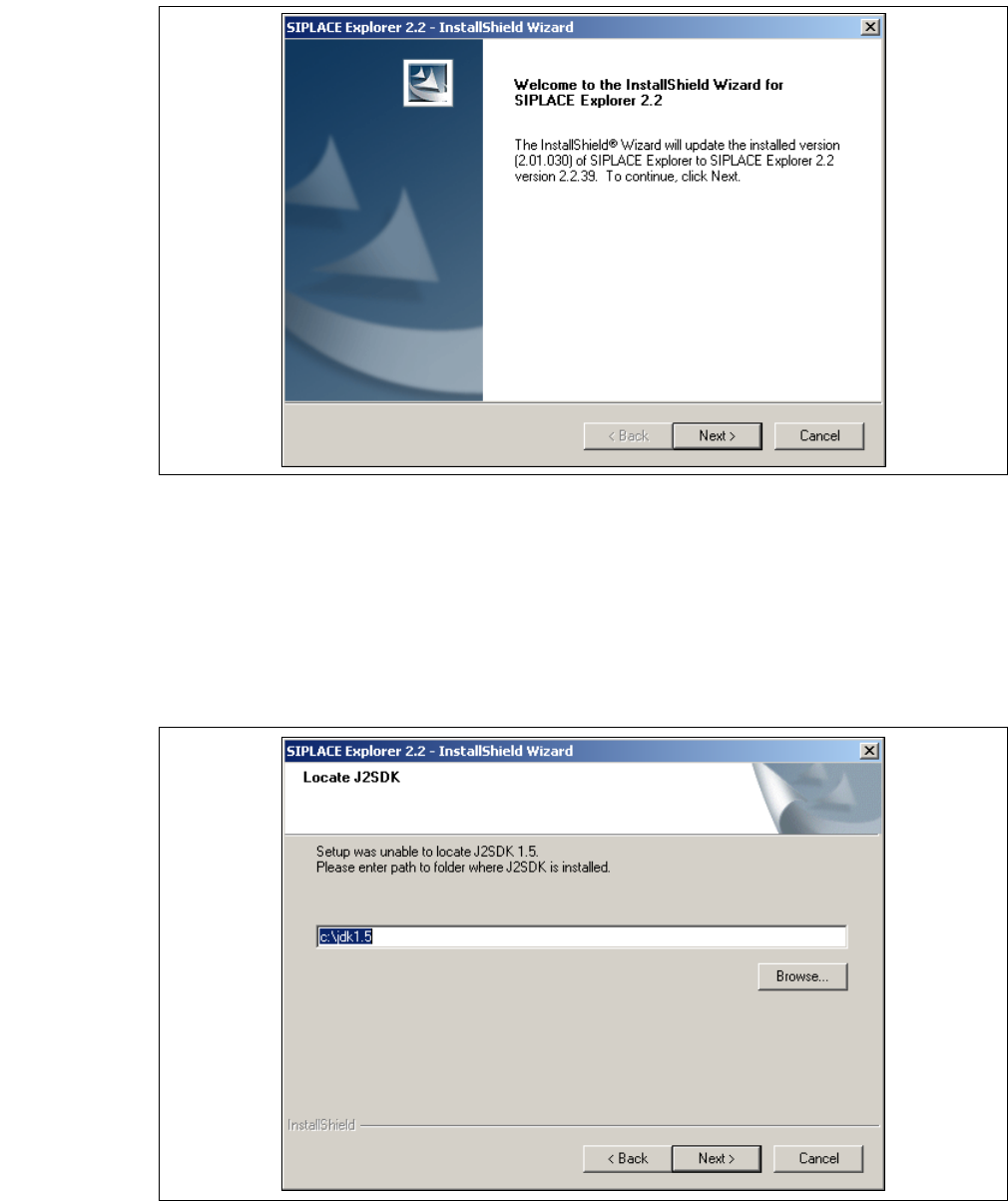
Abb. 3 - 14 SIPLACE Explorer setup - Willkommen im SIPLACE Explorer
→ Beenden Sie alle anderen Programme und klicken Sie dann auf Next (Weiter).
→ Damit SIPLACE Explorer lauffähig ist, muss J2SE Runtime Environment 5.0. Update 7 oder
höher auf Ihrem PC installiert sein. Wenn es bereits installiert ist beginnt die Installation des
SIPLACE Explorer automatisch.
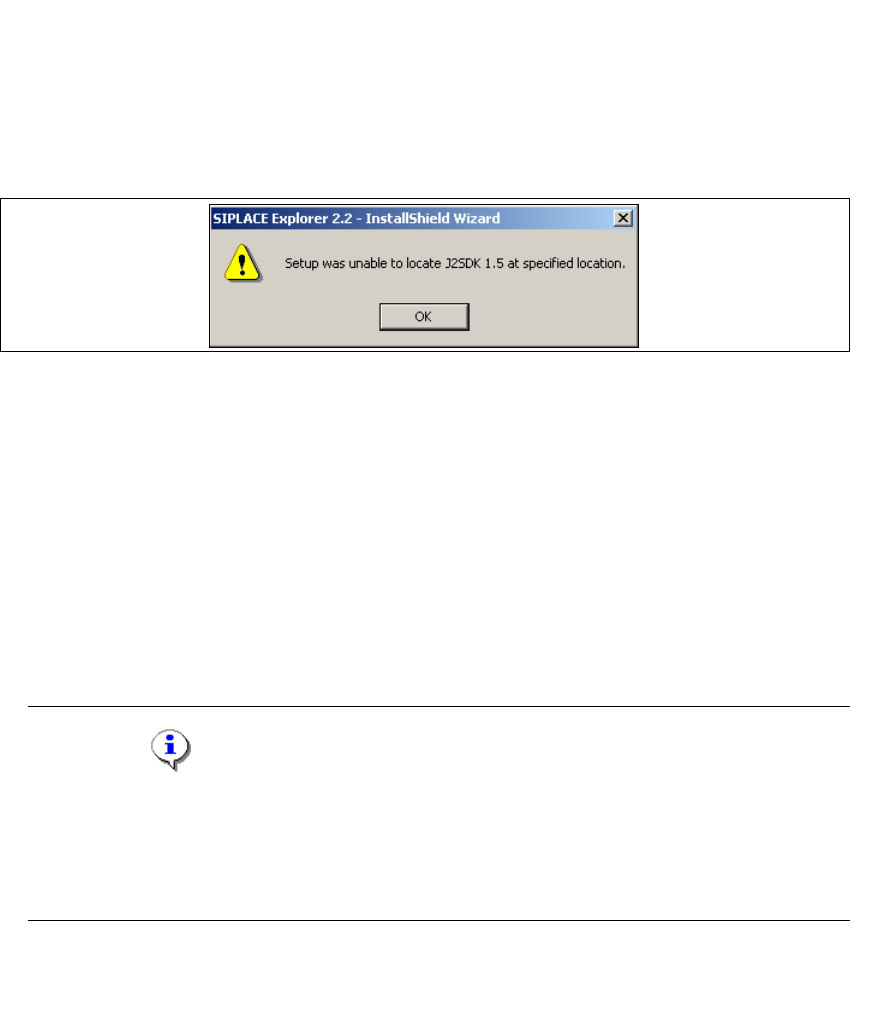
→ Wenn beim Installationsversuch J2SE RTE 5.0.07 nicht gefunden wird, erscheint auf Ihrem
Bildschirm das Fenster Locate J2SDK (Finden).
3
Abb. 3 - 15 SIPLACE Explorer Setup - JAVA 2SDK finden
Installations- und Konfigurationsanleitung SIPLACE Explorer 3 Installation des SIPLACE Explorer
Ausgabe 05/2007 DE 3.2 Update-Installation von SIPLACE Explorer 2.2
41
→ In diesem Fall können Sie entweder den Pfad des Ordners J2SE Runtime Environment 5.0
direkt im Textfeld eingeben oder die Schaltfläche Browse (Durchsuchen) anklicken und mit
Hilfe des Dialogfensters Open File (Datei öffnen) den Ordner J2SE Runtime Environment 5.0
suchen.
→ Wenn Sie den Ordner nicht korrekt angegeben haben, in dem J2SE Runtime Environment 5.0
installiert ist, erhalten Sie nachfolgende Meldung.
3
Abb. 3 - 16 SIPLACE Explorer Setup - J2SE kann nicht gefunden werden
→ Klicken Sie OK, um zum vorangegangenen Dialogfenster zurückzukehren. SIPLACE Explorer
erfordert vor der Installation von SIPLACE Explorer, dass J2SE Runtime Environment 5.0
installiert wurde.
→ An dieser Stelle können Sie entweder den J2SE Runtime Environment 5.0 Ordner nochmals
eingeben oder Cancel (Abbrechen) anklicken, um die Installation des SIPLACE Explorer
abzubrechen.
→ Haben Sie Cancel (Abbrechen) gewählt, installieren Sie die auf der Support Media DVD
enthaltene Version von J2SE Runtime Environment 5.0. Beginnen Sie anschließend die
Installation des SIPLACE Explorer erneut.
HINWEIS
Wenn auf Ihrem System die von Sun Microsystems unter http://java.sun.com/j2se erhältliche
J2 Runtime Umgebung (und nicht J2SE Runtime Environment 5.0) installiert ist, funktioniert
die von SIPLACE Explorer Website Builder erstellte Website nicht einwandfrei, da diese auf
JSP basiert, was wiederum J2SE Runtime Environment 5.0 voraussetzt. 3
→ Die Installation von SIPLACE Explorer 2.2 wird nach Lokalisierung von J2SE Runtime
Environment 5.0 fortgesetzt. Das Dialogfenster Setup Status wird geöffnet.
3 Installation des SIPLACE Explorer Installations- und Konfigurationsanleitung SIPLACE Explorer
3.2 Update-Installation von SIPLACE Explorer 2.2 Ausgabe 05/2007 DE
42
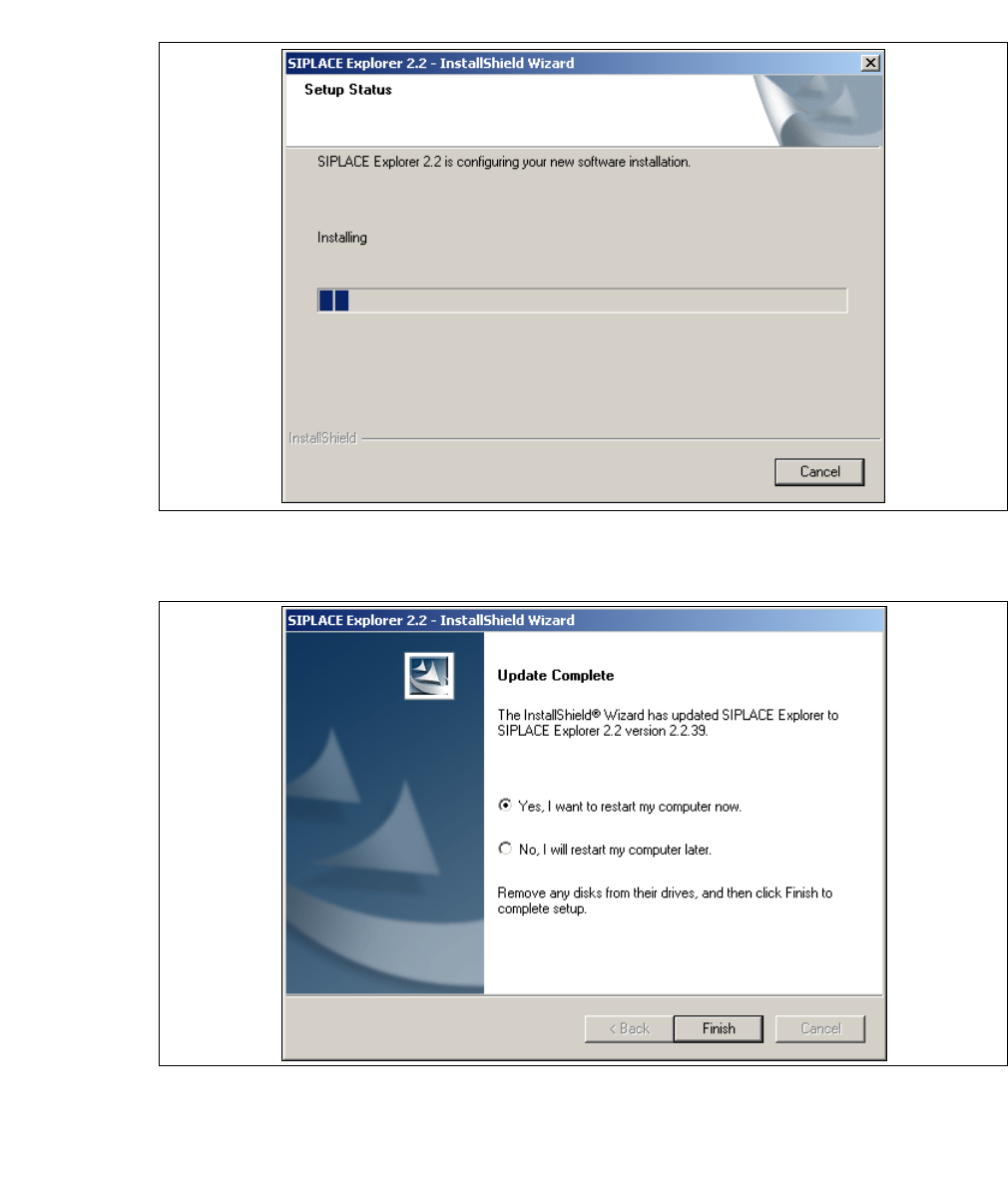
→ Die eigentliche Update-Installation von SIPLACE Explorer V2.2 beginnt.
3
Abb. 3 - 17 SIPLACE Explorer Setup - Dialogfenster 'Setup Status' (Status der Installation)
→ Wenn die Installation beendet ist, erscheint nachfolgendes Dialogfenster.
3
Abb. 3 - 18 SIPLACE Explorer Setup - Installation beendet
→ Klicken Sie auf Finish. Nach dem nächsten Start Ihres Computers steht Ihnen die Update-
Version SIPLACE Explorer V2.2 zur Verfügung. Zum Starten von SIPLACE Explorer gehen Sie
vor, wie unter “SIPLACE Explorer starten” auf Seite 43 beschrieben.