00195424-01.pdf - 第48页
3 In stal lati on de s SIPL ACE E xplore r Inst all atio ns- u nd Ko nfigu rat ions anle itun g SI P L AC E E xplo rer 3. 4 K onfig ur ation von Tom cat Au sga be 05 /200 7 DE 48 3 Ab b. 3 - 2 4 W indo ws F irew all - Ex…
Installations- und Konfigurationsanleitung SIPLACE Explorer 3 Installation des SIPLACE Explorer
Ausgabe 05/2007 DE 3.4 Konfiguration von Tomcat
47
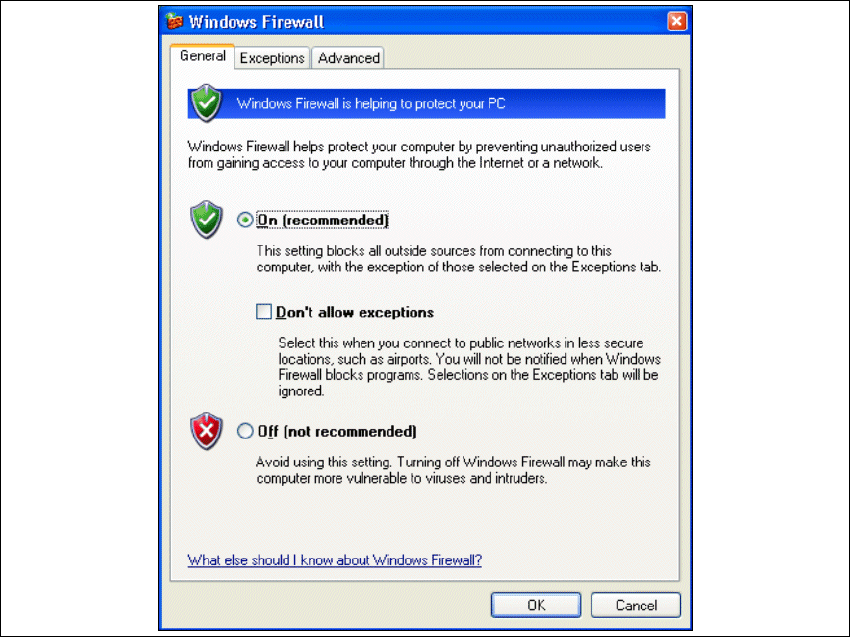
→ Das Dialogfenster Windows Firewall öffnet sich:
3
Abb. 3 - 23 Windows Firewall
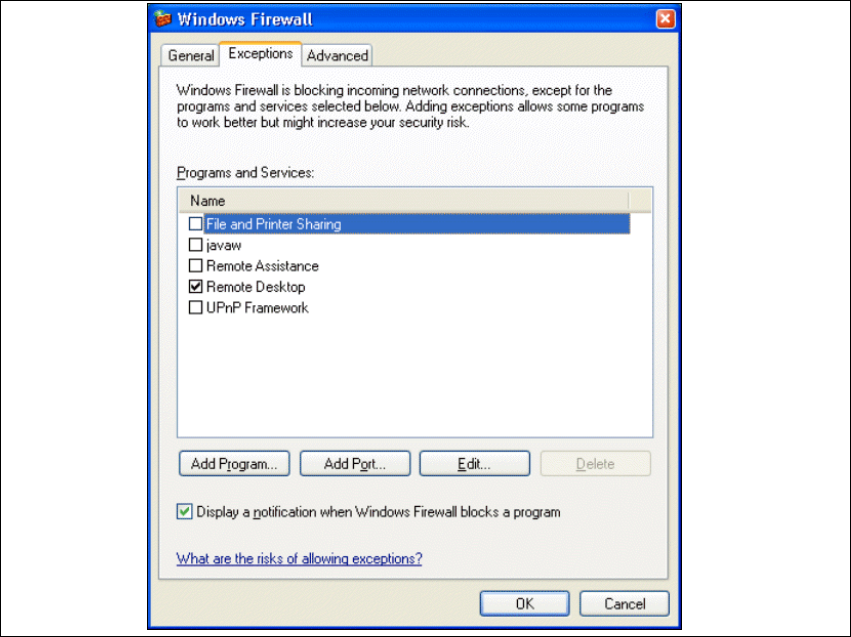
→ Wählen Sie das Register Exeptions aus.
3 Installation des SIPLACE Explorer Installations- und Konfigurationsanleitung SIPLACE Explorer
3.4 Konfiguration von Tomcat Ausgabe 05/2007 DE
48
3
Abb. 3 - 24 Windows Firewall - Exeptions
→ Betätigen Sie die Schaltfläche Add Program.
Installations- und Konfigurationsanleitung SIPLACE Explorer 3 Installation des SIPLACE Explorer
Ausgabe 05/2007 DE 3.4 Konfiguration von Tomcat
49
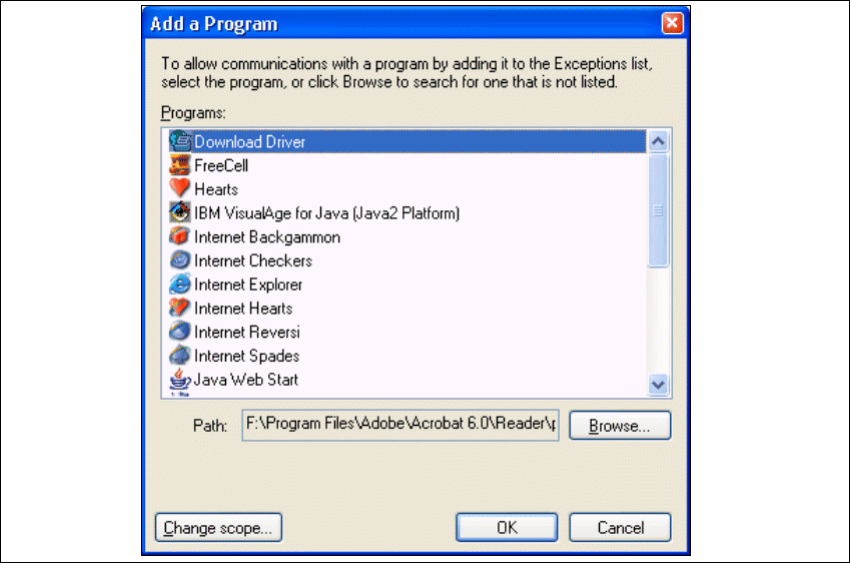
→ Das Dialogfenster Add a Program öffnet sich:
3
Abb. 3 - 25 Add a Programm
→ Geben Sie hier den Pfad an, in welchem sich die Tomcat.exe-Datei befindet. Dazu betätigen
Sie die Schaltfläche Browse.