np134 mechanical reference-1.1e.pdf.pdf - 第108页
4. Connecting the Data Cable Objective Connect the machine to the host using an Ethernet cable (class 5) for the transmission of data between the machine and the host. Procedure 1. The machine must be registered in the l…
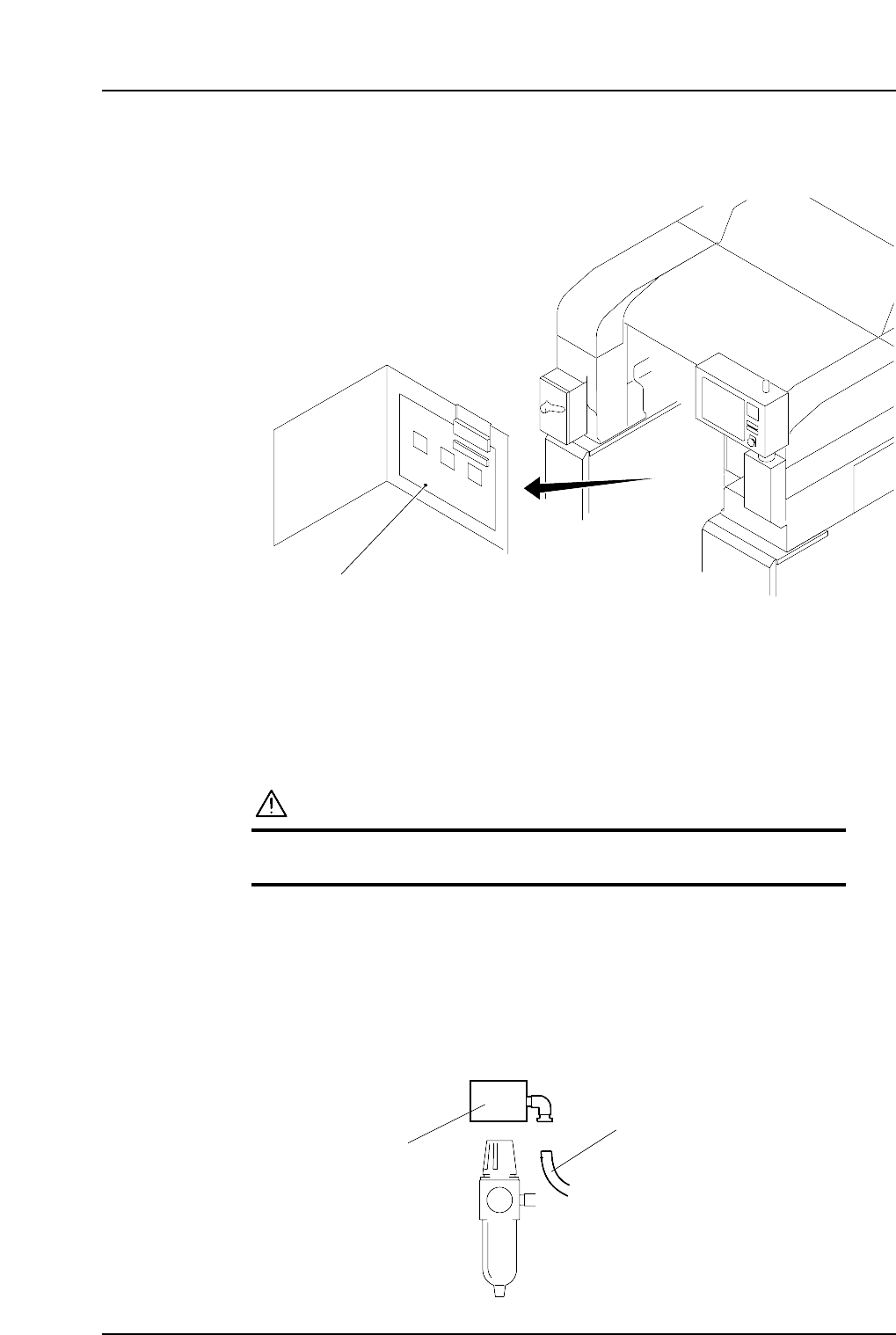
Wiring the Transformer
1. Remove the transformer box cover.
2. Wire the primary taps to match the supplied voltage.
Checking the Three Phases
Confirm that the three phasee have been connected by checking the direction the motors
rotate in.
CAUTION
The machine may be damaged if the motor rotates in the
reverse direction.
1. Supply 100V to the machine.
2. Disconnect the tubing from the pressure switch next to the regulator.
3. With your finger, check the flow of air of the outlet. If there is suction, the wiring
is correct. If there is air blown from the outlet, it means the three phases are not
connected properly and need to be rewired. In this case, rewire the wiring of the
U and V phase, and then check the wiring again using the same method.
NP1MS054
Pressure switch
Tube
NP1MS053
Transformer box
Part 4 Chapter 3 Electric Power Supply & Transformer Wiring
Edition 1.0 4-3-2 NP-134E/134ME Mechanical
4. Connecting the Data Cable
Objective
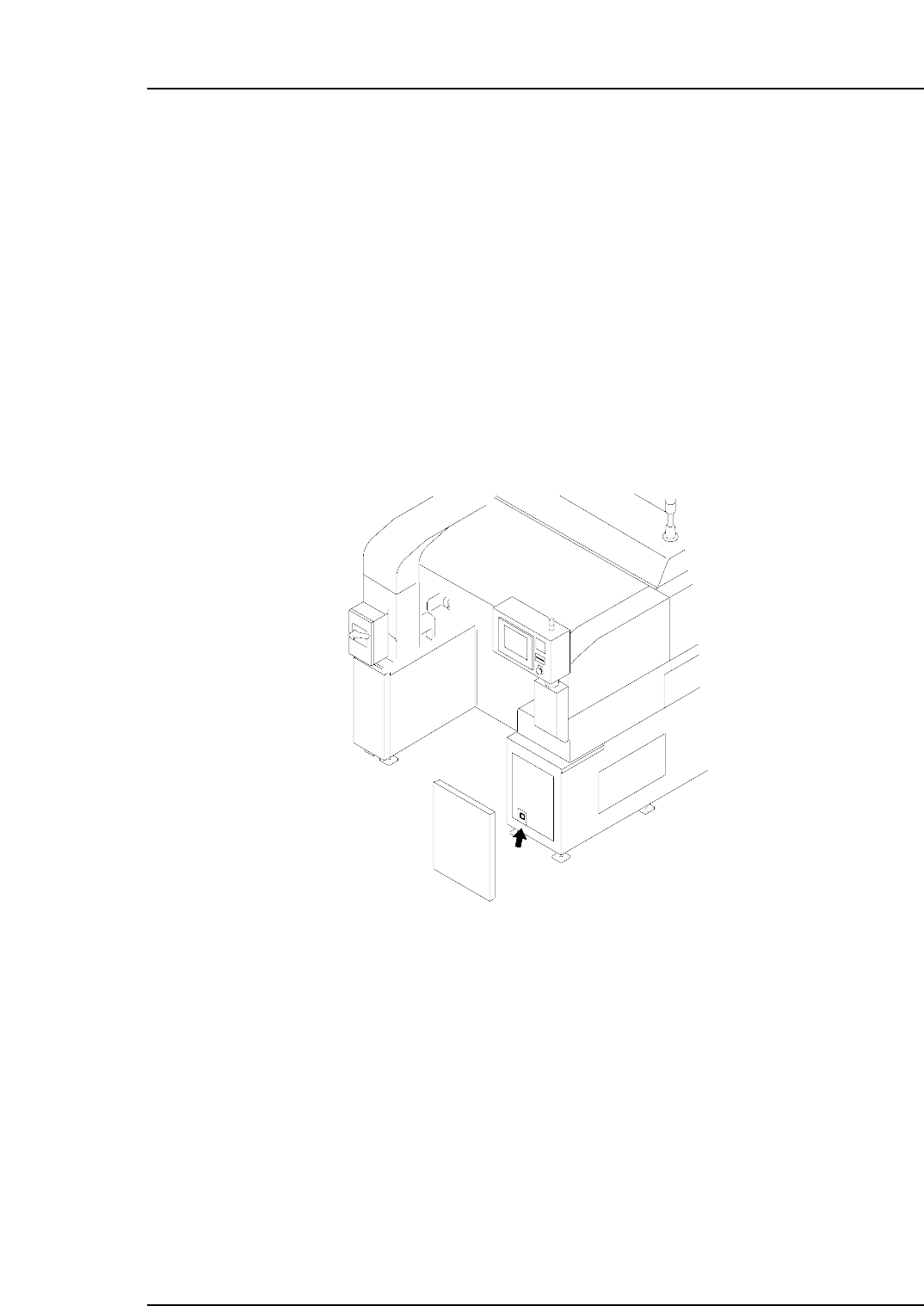
Connect the machine to the host using an Ethernet cable (class 5) for the transmission of
data between the machine and the host.
Procedure
1. The machine must be registered in the line descriptor file at the host.
Note: For details of registering the machine, refer to your host system documentation.
2. Connect one end of the cable to the Ethernet connector at the host, and the other
end to the connector on the machine.
Note: Shielded cables are recommended if cable types other than Ethernet are used.
NP1MS055
Part 4 Chapter 4 Connecting the Data Cable
Edition 1.0 4-4-1 NP-134E/134ME Mechanical

Notes:
Part 4 Chapter 4 Connecting the Data Cable
Edition 1.0 4-4-2 NP-134E/134ME Mechanical