np134 mechanical reference-1.1e.pdf.pdf - 第50页
2. Changing the Back-up Pin Position Point Positions and quantities of the back-up pin must be changed in accordance with the panel shape, size, and rear-side positions of pre-mounted parts. Moreover, if the panel is war…

Notes:
Part 2 Chapter 1 Conveyor Width Adjustment
Edition 1.0 2-1-2 NP-134E/134ME Mechanical
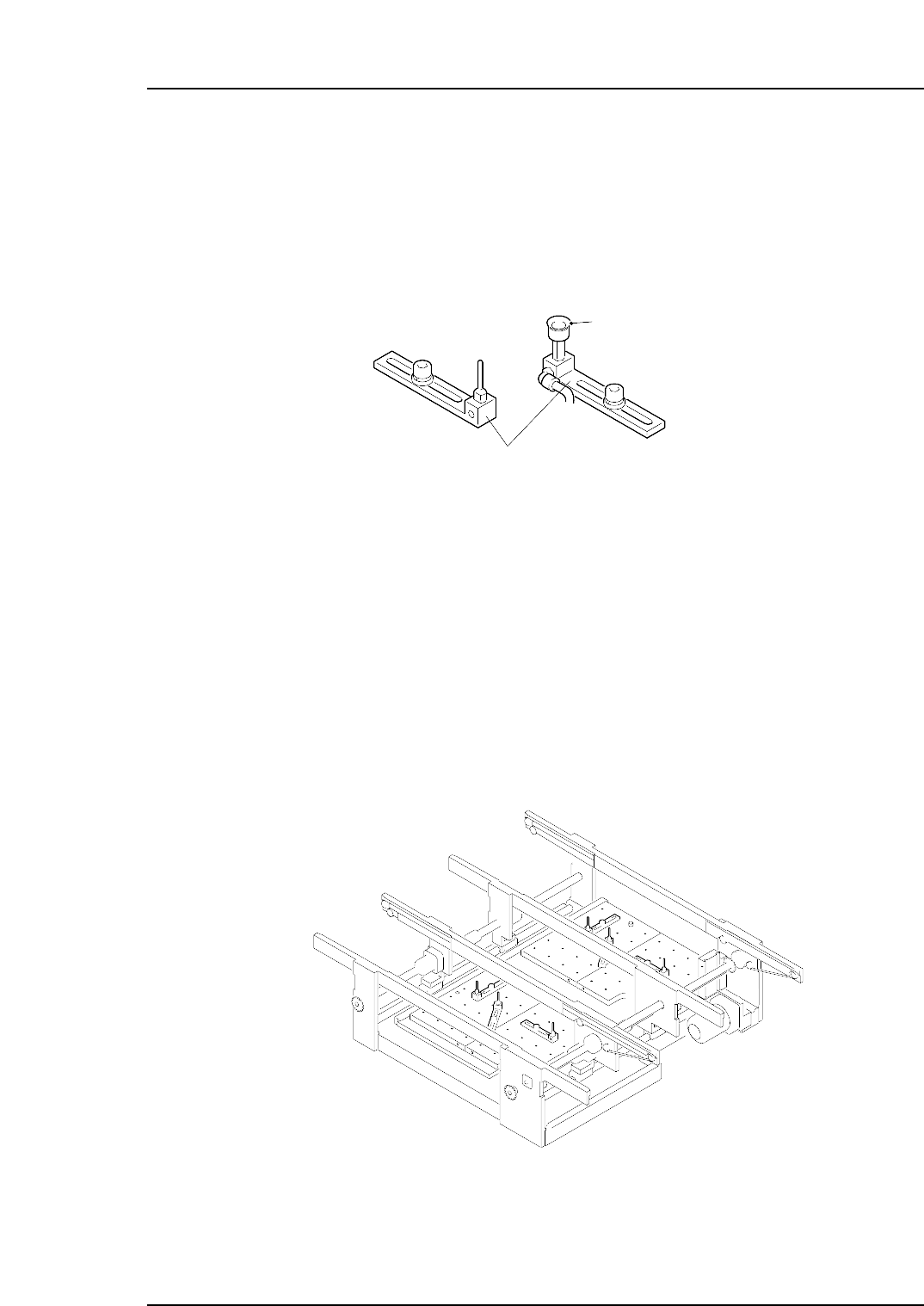
2. Changing the Back-up Pin Position
Point
Positions and quantities of the back-up pin must be changed in accordance with the
panel shape, size, and rear-side positions of pre-mounted parts. Moreover, if the panel is
warped upward, use a back-up pin with a vacuum pad in order to hold the panel flat.
Procedure
First detach the PFU-4E or PFU-5E from the machine.
1. Lower the panel lifter.
2. Adjust the conveyor width to the maximum.
3. Remove the back-up plates from the panel lifter.
4. Loosen the mounting bolt and change the back-up pin positions.
5. Reinstall the back-up plates to the panel lifter. Make sure that the plates are fit in
close contact with the lifter plate.
6. Check to be sure that the back-up pins do not interfare with the conveyor, and
make adjustments as required.
NP1MC053
NP1MC052
Vacuum pad
Back-up pin
Part 2 Chapter 2 Changing the Back-up Pin Position
Edition 1.0 2-2-1 NP-134E/134ME Mechanical

Notes:
Part 2 Chapter 2 Changing the Back-up Pin Position
Edition 1.0 2-2-2 NP-134E/134ME Mechanical