np134 mechanical reference-1.1e.pdf.pdf - 第58页
1.2 Cleaning the Filter inside the Nozzle Sleeve (W eekly) <For machines that do not support automatic nozzle cleaning> Point Because air is sucked through the nozzle, minute dust or glue particles, etc., can build…
1. Cleaning
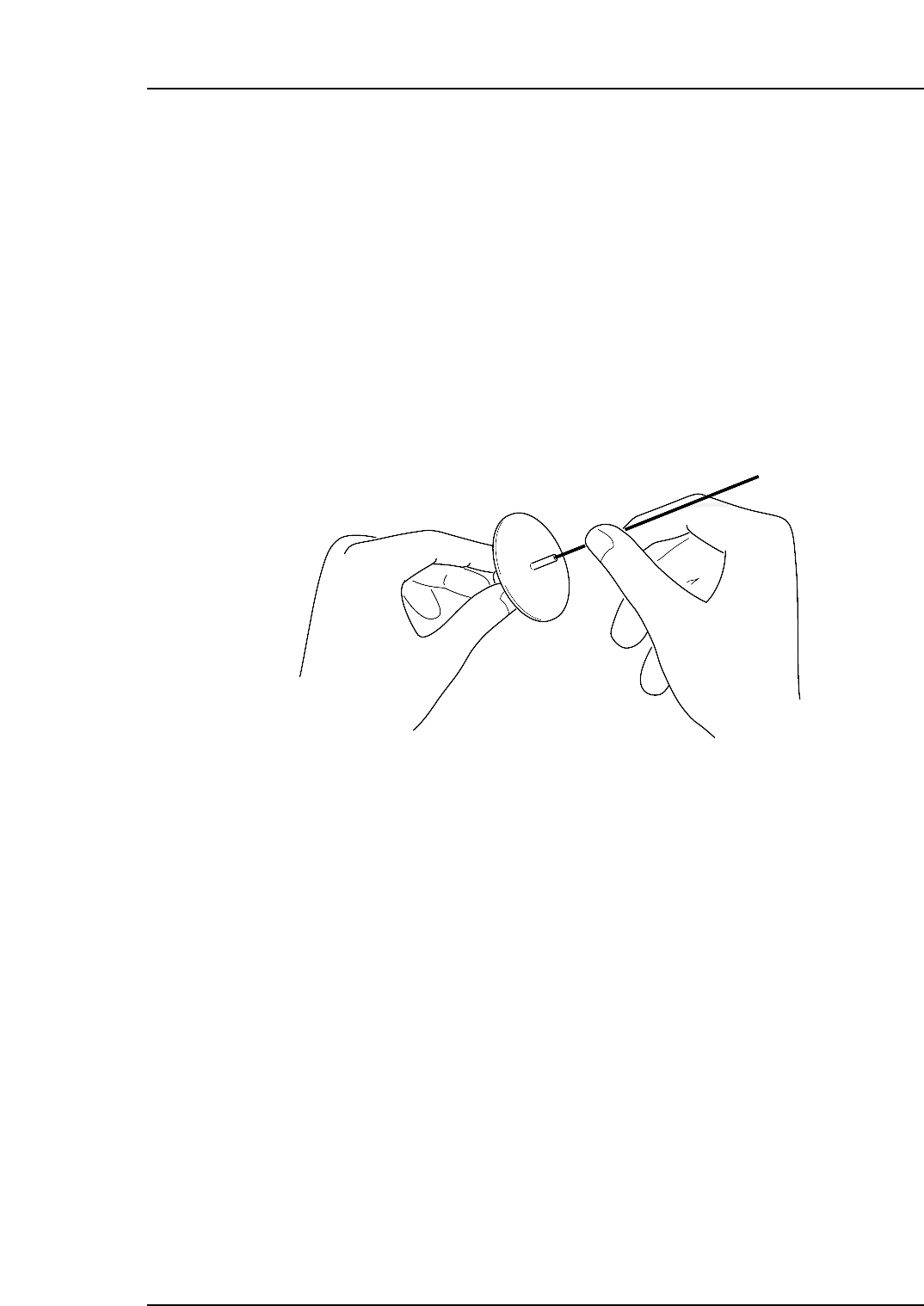
1.1 Cleaning the Nozzle (Weekly)
Point
Because air is sucked through the nozzle, minute dust or glue particles, etc., can build up
inside the nozzle tube, causing clogging. Such clogging reduces the nozzle suction,
causing problems when picking up parts. The nozzle tube should therefore be cleaned
out once a week, or when clogging problems occur.
Procedure
Use a drill to remove foreign matter from the nozzle tube.
NP1ML050
Part 3 Chapter 1 Cleaning
Edition 1.0 3-1-1 NP-134E/134ME Mechanical
1.2 Cleaning the Filter inside the Nozzle Sleeve
(Weekly)
<For machines that do not support automatic nozzle
cleaning>
Point
Because air is sucked through the nozzle, minute dust or glue particles, etc., can build up
inside the nozzle tube, causing clogging. Such clogging reduces the nozzle suction,
causing problems when picking up parts. The filter inside the nozzle sleeve should
therefore be cleaned out once a week, or when clogging problems occur.
Procedure
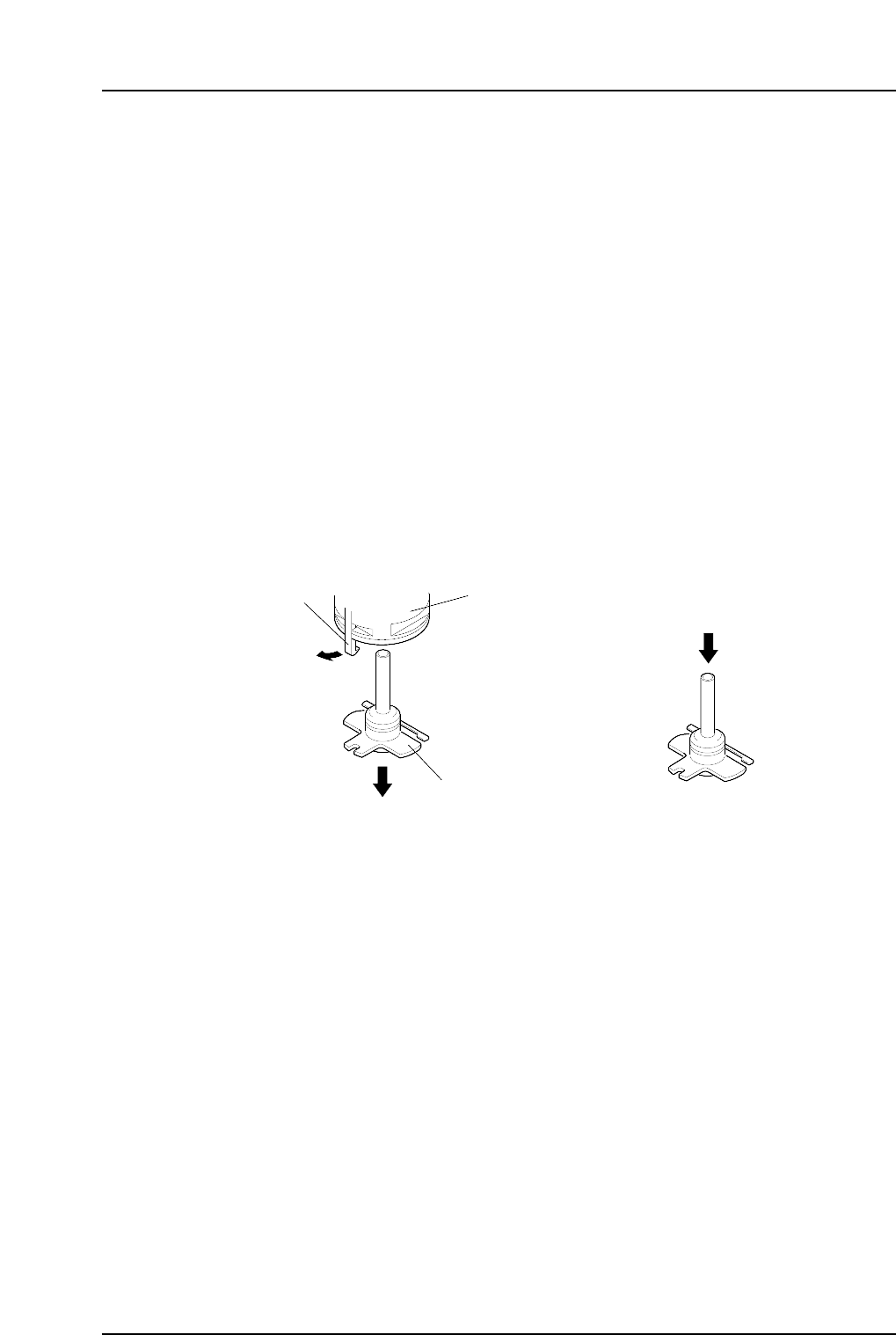
Detach the nozzle sleeve from the nozzle holder by gently pulling the nozzle holder
catch. Clean the filter in the nozzle sleeve by blowing compressed air through the unit
from the top.
<For machines that support automatic nozzle cleaning>
Procedure
1. Position the dummy nozzle in the nozzle station, and register it as a "CLEANING"
nozzle in nest data. The pockets in the nozzle station next to the dummy nozzle
should be left empty.
2. Select the [Nozzle Filter Cleaning] command on the [Maintenance] screen.
3. Select one or both robots and then press [Nozzle Filter Cleaning].
4. The START button is enabled and should be pressed to commence cleaning.
NP1ML050-1
Nozzle holder
Catch
Nozzle sleeve
Compressed air
Part 3 Chapter 1 Cleaning
Edition 1.0 3-1-2 NP-134E/134ME Mechanical
1.3 Cleaning the Nozzle Fluorescent Seal (Monthly)
Point
A soiled nozzle seal can diminish the light required for CCD camera operation, resulting
in unstable vision processing.
Procedure
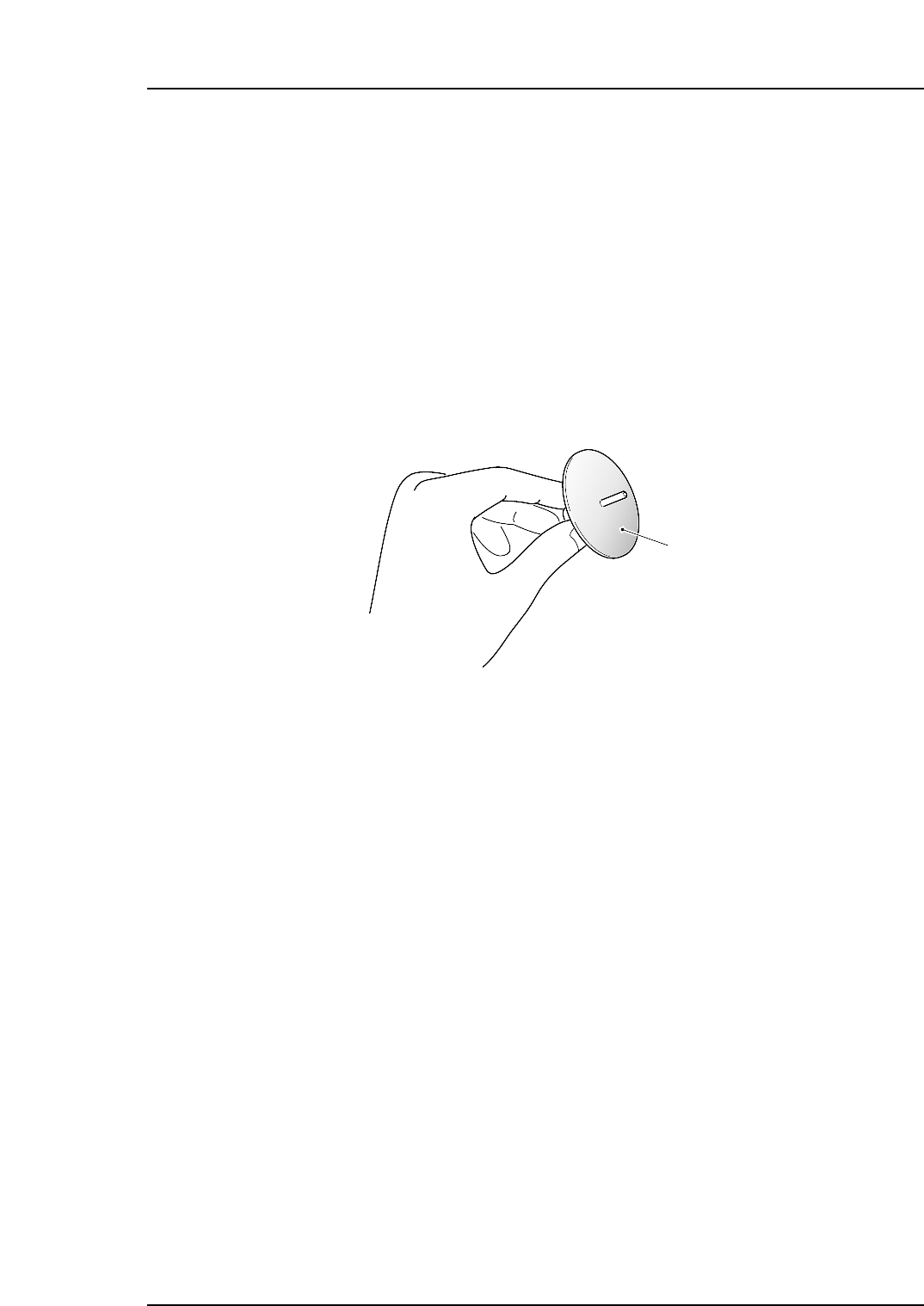
Use a brush to remove dust from the nozzle seal. If vision processing errors still occur
frequently, replace the nozzle seal.
(Refer to 3.2 “Replacing the Nozzle’s Fluorescent Seal” for detailed procedure of
replacing the nozzle seal.)
Note: Do not use a cloth to wipe dust off the nozzle seal. Rubbing the seal's surface in this
manner can embed the dust making it impossible to remove.
NP1ML051
Nozzle seal
Part 3 Chapter 1 Cleaning
Edition 1.0 3-1-3 NP-134E/134ME Mechanical