SiplaceX4_en.pdf - 第121页
1 - 51 S tudent Guide SIPLACE X Edition 09/2005 3 Communication and Control 51 Fig. 3.5 - 9 NC control board only at the 20 C&P head nozzle ch anger Fig. 3.5 - 10 Position of temperature sensors on the head plate Fig…
1 - 50
Student Guide SIPLACE X
3 Communication and Control Edition 09/2005
50
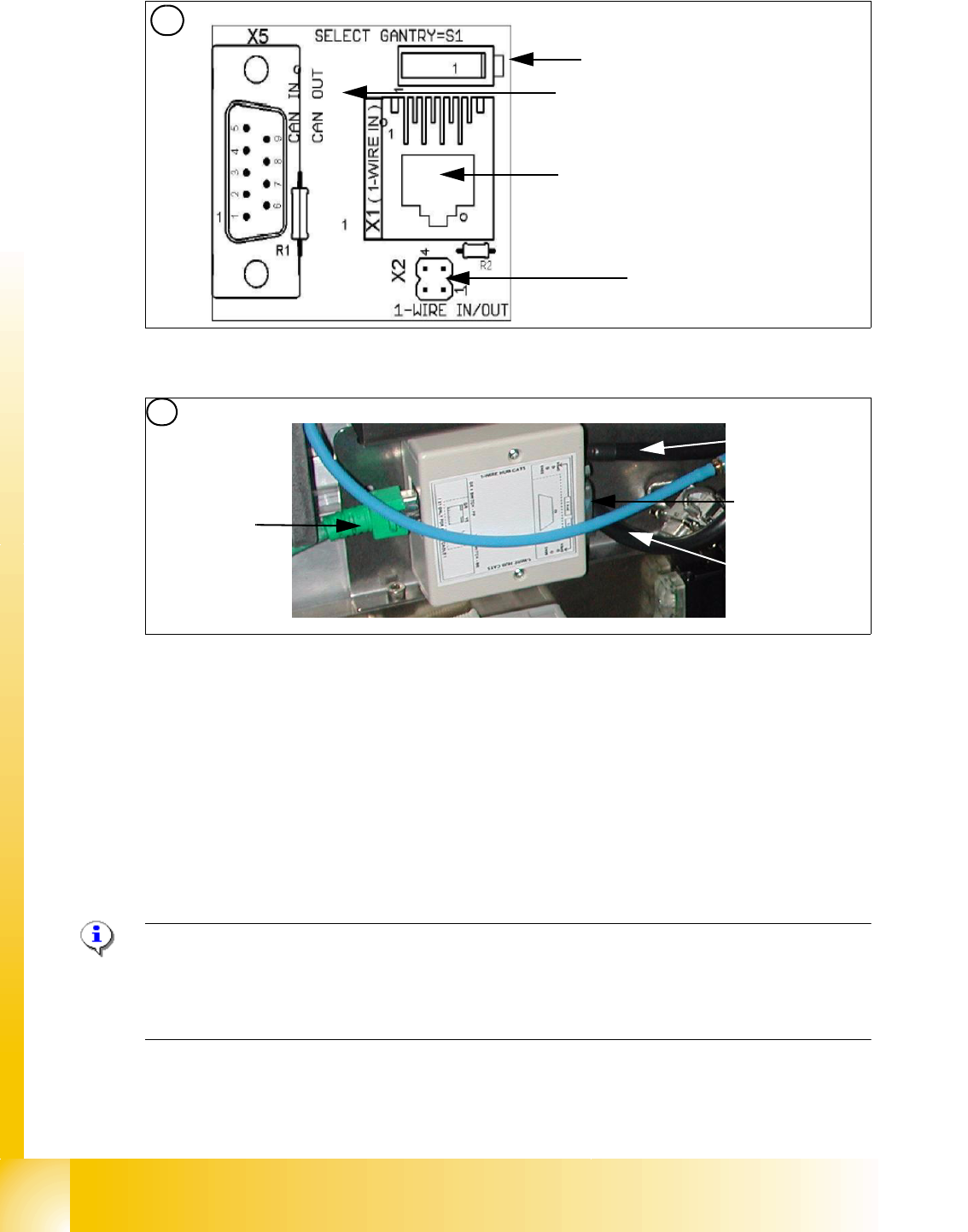
Fig. 3.5 - 7 1 Wire trailing interface board (03042214-01)
Fig. 3.5 - 8 1 wire hub for NC (03041473-02)
Note:
In future we don‘t have the switch for the location code (only HF). The location code for the
nozzlechanger will be realized via hardware, directly in the connector on the location (X112 / X122
/ X132 / X142) at HF and Siplace X. 3
(1) Input CAT 5 cable from the CAT 5
splitter
(2) SUB-D connector for option (query reject con-
tainer)
(3) Connection NC 1 (4) Connection NC 2
on the right side display (2 LED‘s) for NC C&P6/12 Light barrier NC open/closed and Valve NC
open/closed for each row
on the left side two LED‘s directly on the connector
yellow LED: Reject box components connected
green LED: Reject box nozzles connected
3
Switch: position below Gantry 1/2
position above Gantry 3/4
This board is located directly on the CAN
bus connector of the trailing interface.
Connector CAT5 cable from the 1 wire
distributor
Connection to the second Gantry in the
placement area
4
1
2
3
4
1 - 51
Student Guide SIPLACE X
Edition 09/2005 3 Communication and Control
51
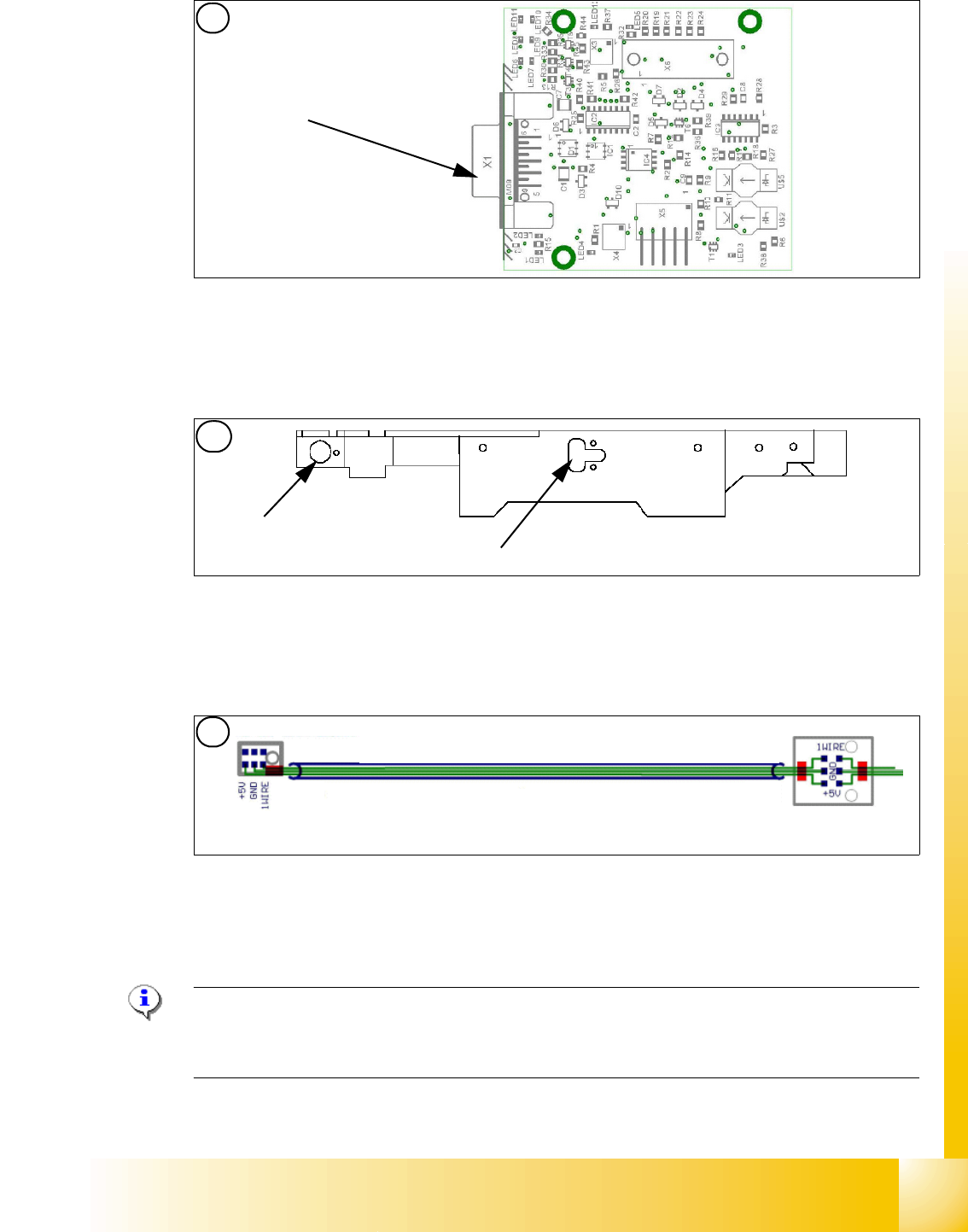
Fig. 3.5 - 9 NC control board only at the 20 C&P head nozzle changer
Fig. 3.5 - 10
Position of temperature sensors on the head plate
Fig. 3.5 - 11 Temperature sensors / gantry recognition
Hinweis:
The temperatursensor are connected directly on the connector X20 or X21 on the Head interface
C500. You can use one of the two connectors. 3
Display (2 LED‘s) for NC C&P20 (The LED‘s are invisible because there is a cover under the NC)
Light barrier NC open/closed and Valve NC open/closed
5. Temperature sensor on the PCB cam-
era
(6) Temperature sensor/ EEPROM gantry recog-
nition
7. Temperature sensor on the PCB cam-
era
(8) Temperature sensor/ EEPROM gantry recog-
nition
5
Connection to 1 wire
hub for NC
1
2
6
6
21
1 - 52
Student Guide SIPLACE X
3 Communication and Control Edition 09/2005
52
3.5.2 Function Control and Troubleshooting for Service Work
This section provides an overview of how to assign the one wire bus subsystems to the relevant
hardware assemblies, enabling a structured approach to service work.
3.5.2.1 Subsystem Query in PA1
– Connect the service laptop to the machine CAN bus at PA1.
Make sure that the cable is connected to channel 1 for PA1 and that, at least the transmitter is
connected to channel 2 of the Kvaser card.
– Start the "CACCIA" software and check the machine configuration with Caccia.
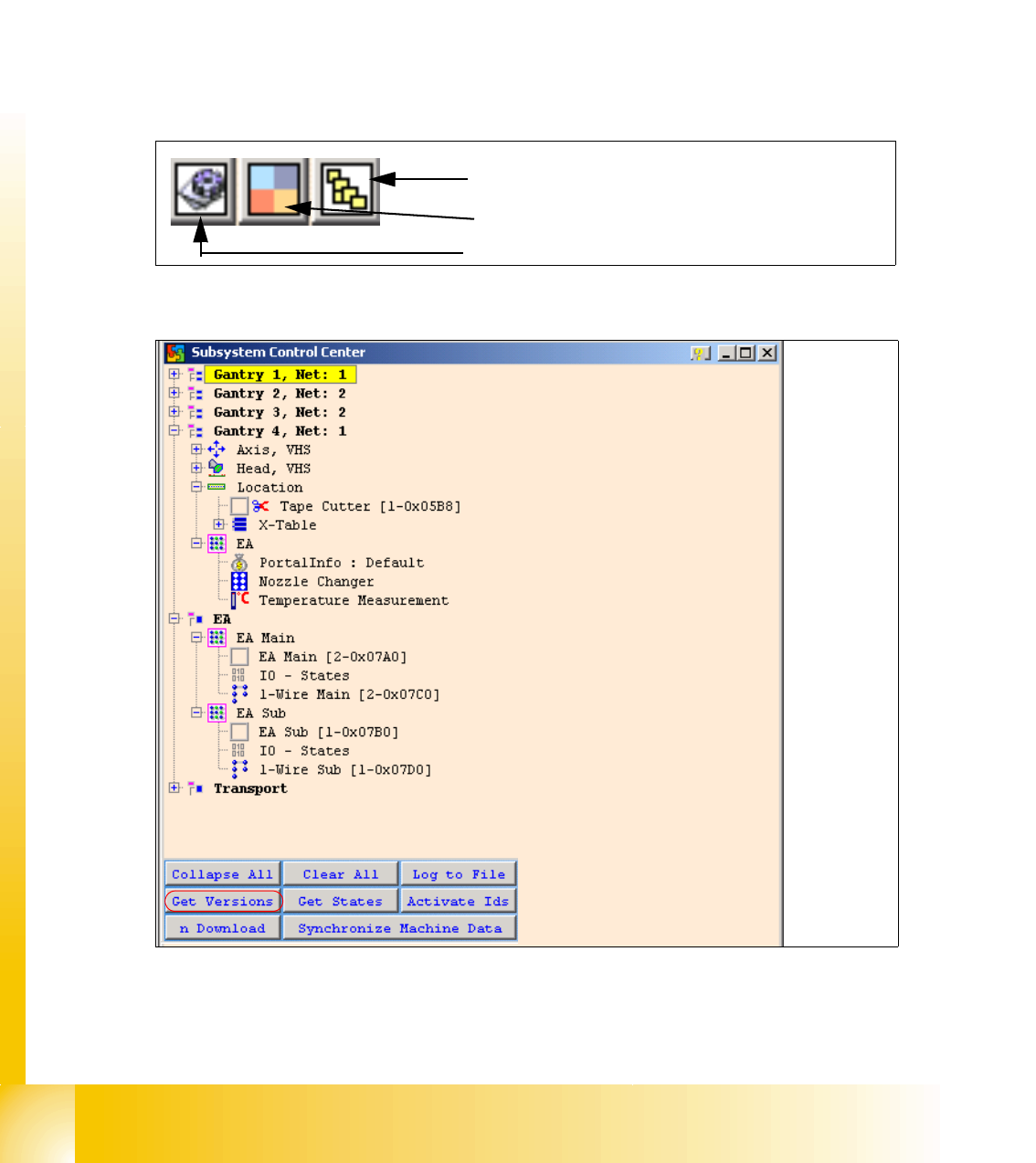
– Doubleclick to open the subsystem control center.
Fig. 3.5 - 12 Icons: properties, machine configuration, subsystem control center
Fig. 3.5 - 13 Subsystem control
–Click on the "Get Versions" button.
The system will display all available subsystems with their firmware versions and CAN IDs.
Subsystem control center
Machine configuration window
Properties (settings, restart Kvaser card)