SiplaceX4_en.pdf - 第206页
1 - 12 S tudent Guide SIPLACE X 5 Gantry Edition 09/2005 12 5.3.3 Description of the PCB boards on the Gantry The PCB board which are described in this chapter are basically identical on each ga ntry , independent from t…
1 - 11
Student Guide SIPLACE X
Edition 09/2005 5 Gantry
11
5.3.2.1 Adjustments BERO‘s
On each axis are two BERO‘s installed, which need a distance about 0,4 mm to the metal actuator.
The metal actuator are installed on the left and right side from the incremental scale. Adjust cor-
rectly the distance with a
feeler gauge of 0,4 mm. After this adjustment calibrate the travel range
for the respective axis with the Sitest program.
5.3.2.2 Description of the BERO‘s on the Y-Axis
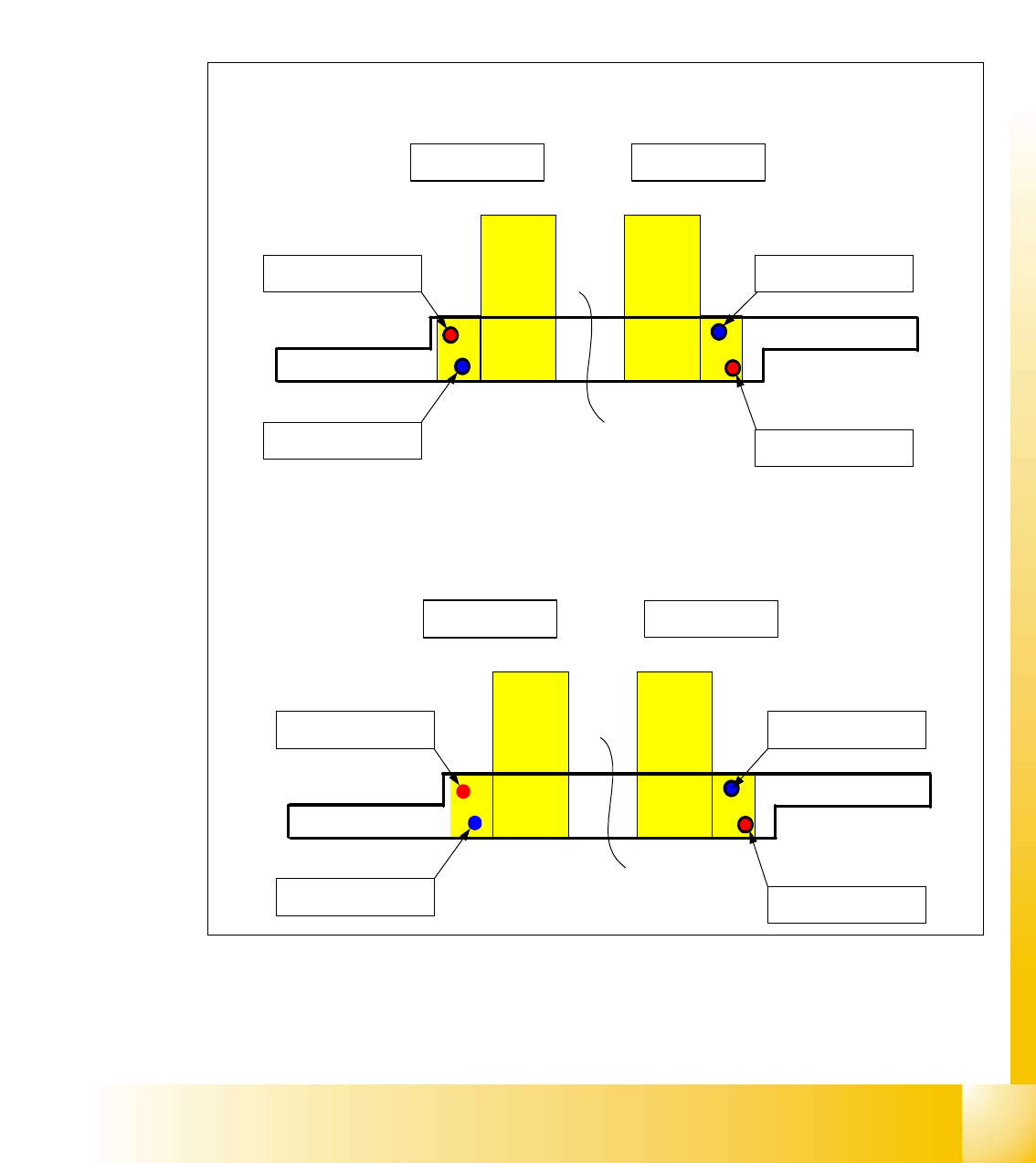
Fig. 5.3 - 3 Positions of the BERO‘s depend on the gantries
– Theoretical position of the BERO‘s if gantry 2 available.
Triggering plate Y - Axes SIPLACE X
for Placement area 1
Gantry 4 Gantry 1
Reference - BERO
Gantry 4
BERO - Limit switch
Gantry 4
Reference - BERO
Gantry 1
BERO - Limit switch
Gantry 1
Triggering plate Y - Axes SIPLACE X
for Placement area 2
Gantry 2 Gantry 3
Reference - BERO
Gantry 2
BERO - Limit switch
Gantry 2
Reference - BERO
Gantry 3
BERO - Limit switch
Gantry 3
1 - 12
Student Guide SIPLACE X
5 Gantry Edition 09/2005
12
5.3.3 Description of the PCB boards on the Gantry
The PCB board which are described in this chapter are basically identical on each gantry,
independent from the head configuration. The adjustment of the gantry identification and
CAN Bus - Terminator will make via the DIP Switches on the head interface.
5.3.3.1 Head interface C500
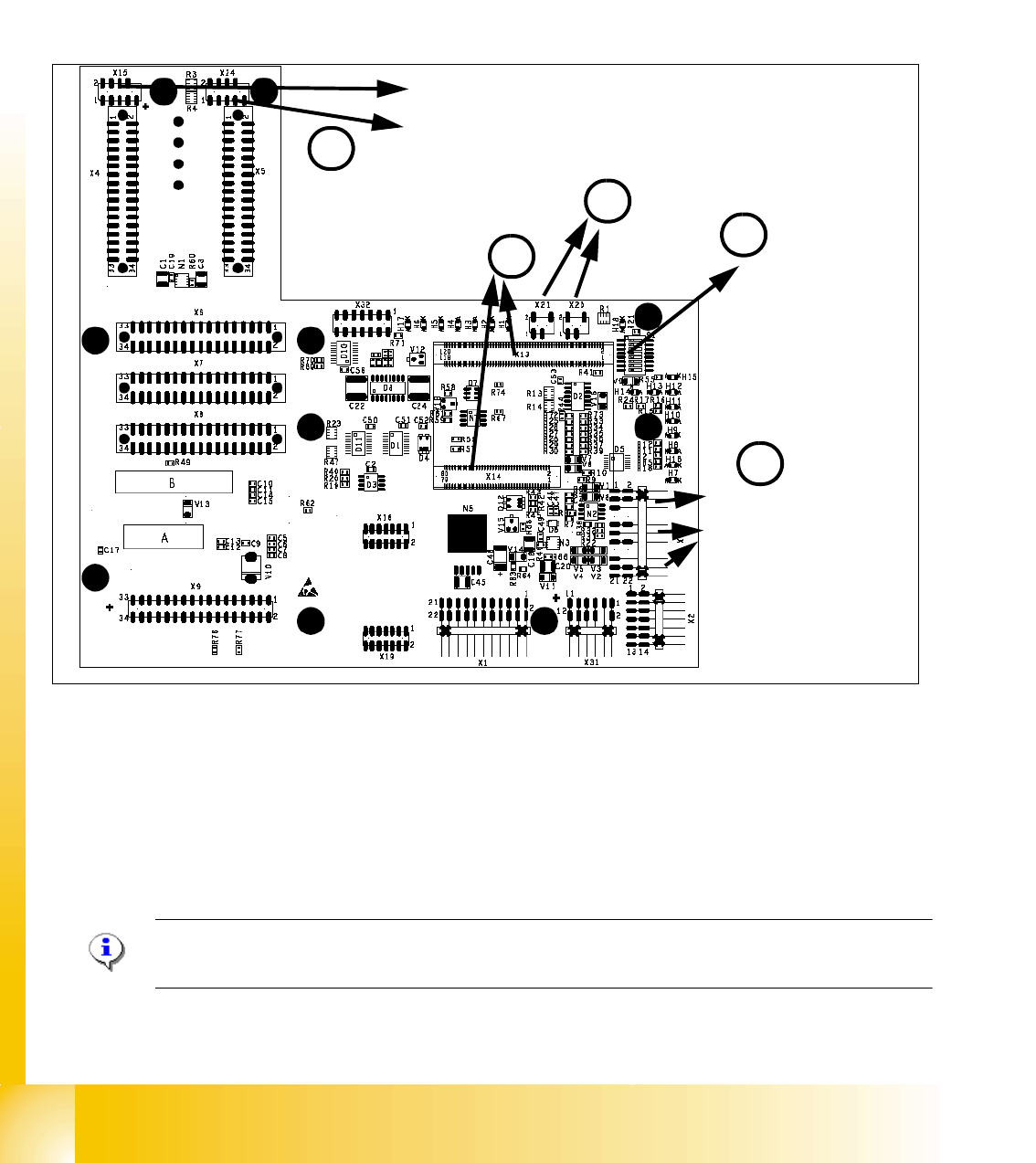
Fig. 5.3 - 4 Headinterface (C500)
1. X16 Temperature sensor X-Axis, BERO‘s Travel range X-Axis
2. X15 Connector for incremental encoder X-Axis (X24 connector digital track signals X-Axis)
3. X13 / X14 Connector for 16 Bit Prozessor board (TQM module)
4. DIP switch
5. X20/X21 both connectors can you use to connect the temperature sensors from the head plate.
Please Note:
The DIP Switch configuration for the gantry configuration is decribed in chapter Gantry.
X15
X24
Temp.sensor X-Axis
BERO‘s Travel range
X-Axis
3
2
1
4
DIP Switch
5
1 - 13
Student Guide SIPLACE X
Edition 09/2005 5 Gantry
13
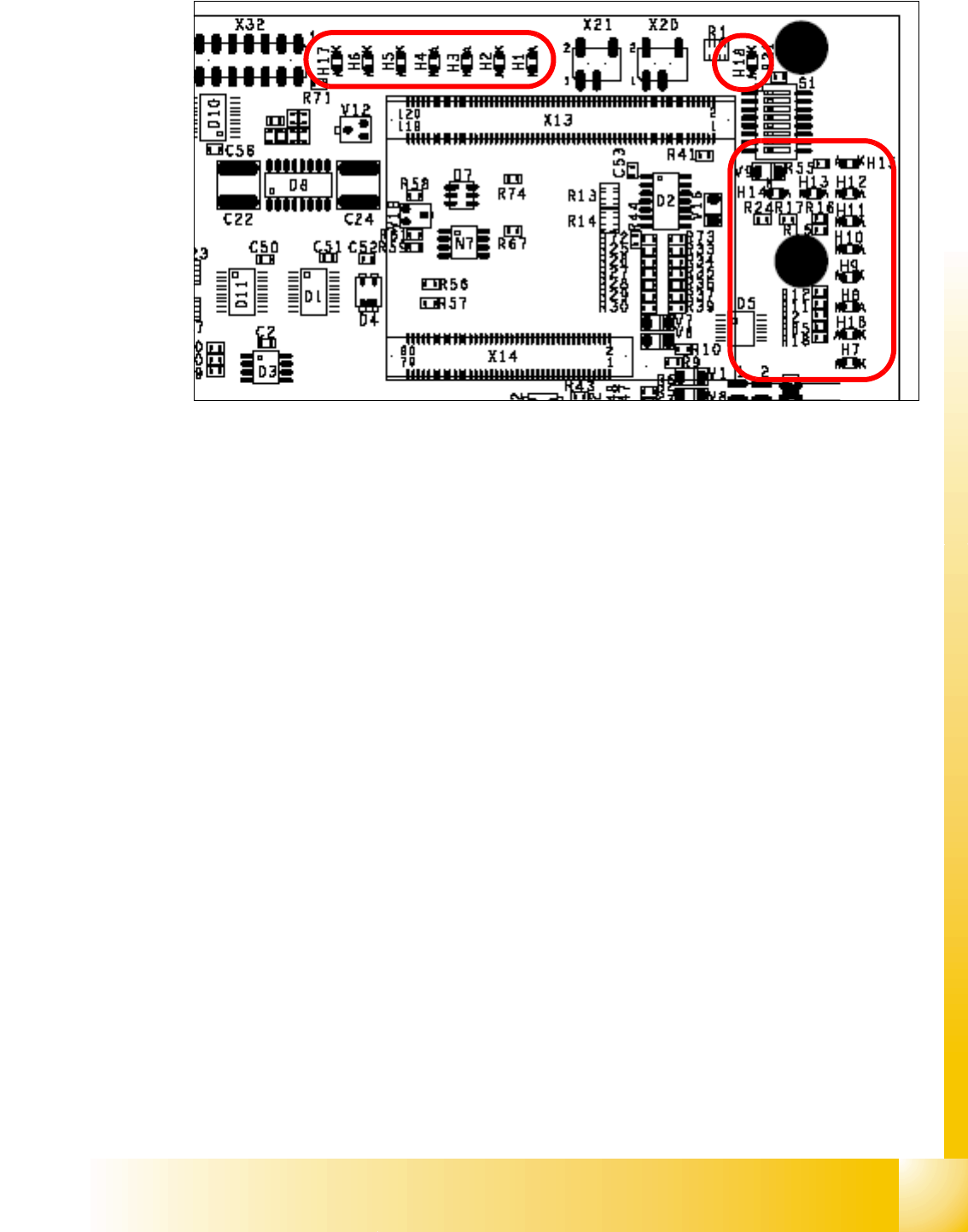
Description LED‘S on the Headinterface: 5
LED H1-H6,H17,H18 (functional check)
– H17 SPI - Serial parallel interface (Test)
– H6 D-ON -Digital ON 5V DC/DC Converter (Power supply Head interface, generated from the
24V)
– H5 H-OK -Head adapter board connected
– H4 C-In - CAN Internal (status off)
– H3 MRST -Main Reset (always off)
– H2 F-UC -Failur - UC test
– H1 MP - Main Power fail, mean 5 V power supply being missing at the machine
(e.g. CAN Bus)
– H18 1 Wire LED shows the high level on PIN 1 of 5V ON is green --> OK
LED H7- H15, H1B (LED´s for voltages)
– H14 Vcc - shows the output signal of the DC/DC converter (H6) +5 V
– H13 N15V - Minus 15 Volt (for the Twin Head --> Force sensor board)
– H15 P3,3V -Controller OK
– H12 P15V -Plus 15 Volt light barrier bottom C&P head
– H11 P24V -24 Volt power supply (e.g.stepper motor)
– H10 AV ER - Failure 5 V
– H9 EN AN - 16 Bit processor connected and power supply OK
– H8 P5V - 5 Volt Power supply track signals X-Axis --> ON Power fail
– H1 B P5V - 5 Volt for digital circuits
– H7 X-Temp -Temperature monitoring X-Axis